ONLYOFFICE Docs 10.0 Brings AI Integration Directly Into Document Editors With Privacy Controls


2 Sources
[1]
ONLYOFFICE Docs' 10.0 update makes it a one-stop solution for every workflow need
The below articles are sponsored by one of our partners. Product choices and opinions expressed are from the sponsor and do not reflect the views of the XDA editorial staff. ONLYOFFICE's 10.0 update just rolled out, and it's set to make the AI-powered office suite indispensable for teams of all
[2]
ONLYOFFICE Docs 10.0 integrates AI into every document while keeping data private
The below articles are sponsored by one of our partners. Product choices and opinions expressed are from the sponsor and do not reflect the views of the MUO editorial staff. Most office suites now have some kind of built-in AI. In many cases, though, it sits in a separate panel and knows little
Share
Copy Link
ONLYOFFICE Docs 10.0 launches with AI integration embedded directly into its document editor, PDF editor, and spreadsheet tools. The open-source office suite now features context-aware AI agents that automate formatting, summarization, and data analysis while letting organizations choose their AI model—including self-hosted options for sensitive data.
AI Integration Embedded Across All Editors
ONLYOFFICE Docs 10.0 has launched with AI integration built directly into every editor, marking a significant shift in how AI-powered tools interact with office documents
1
2
. Unlike traditional office suites where AI sits in separate panels with limited document awareness, ONLYOFFICE's in-editor AI tools read the content of open files and provide context-aware assistance across the document editor, spreadsheet editor, presentation editor, and PDF editor2
. The update delivers approximately 50 new features, over 1,000 bug fixes, and patches for about 35 security vulnerabilities2
.The AI agents handle workflow automation for time-consuming tasks including formatting, translation, drafting, summarization, formula generation in spreadsheets, and cleaning up inconsistent data tags
1
. These context-aware tools understand project details immediately without requiring users to craft elaborate prompts or explain background information1
. Teams can access quick actions for tasks like tone adjustment or deploy AI agents that work continuously alongside ongoing projects1
.Flexible AI Model Selection and Data Privacy
ONLYOFFICE Docs 10.0 doesn't lock users into a single AI provider, instead allowing organizations to connect their preferred service including ChatGPT, Claude, Gemini, or other models
1
2
. This flexibility extends to cost control and performance optimization, letting teams assign different models to specific tasks—faster models for quick rewrites and more capable ones for complex trend analysis in large datasets2
.For data privacy concerns, the platform supports self-hosted AI models on local servers, ensuring sensitive documents never leave an organization's infrastructure
1
2
. This matters significantly for teams in government, healthcare, legal, and finance sectors where external data transmission may violate compliance requirements2
. Cloud users can activate the ONLYOFFICE AI service powered by OpenRouter without complex configuration1
2
.Editor-Specific AI Capabilities
Each editor receives specialized AI functionality tailored to its use case. The PDF editor generates single-click summaries, answers specific questions using deep contextual knowledge of document contents and revision history, drafts emails based on file information, and automates table editing and duplication
1
2
. The document editor handles summarization of lengthy files, paragraph rewriting, on-page translation, proofreading, key point extraction, table of contents building, title suggestions, and formatting application2
.The spreadsheet editor generates and explains formulas, analyzes datasets for patterns, builds forecasts and Pivot Tables, cleans inconsistent data, flags outliers, and fills missing values
1
2
. The presentation editor transforms single ideas into complete outlines, suggests slide titles, writes bullet points, shapes overall structure, and generates speaker notes1
2
.Related Stories

Modular Apps and Customization Options
The update introduces modular apps, allowing teams to activate only the tools they need rather than loading unnecessary features
1
2
. Users can create three types of reusable tools: quick AI actions for one-off tasks, AI agents that run continuously during editing for ongoing assistance like proofreading, and saved prompts for frequently used requests accessible with a single click2
. The platform also provides built-in prompts covering common use cases for teams working under tight deadlines1
.ONLYOFFICE has removed built-in AI from open-source versions based on user feedback, making AI tools separately installable for those who prefer editors without AI integration
2
. The open-source suite, released under AGPL 3.0 license, offers deployment flexibility through ONLYOFFICE Cloud, self-hosted servers, or integration with over 40 platforms including Nextcloud, Moodle, Box, and WordPress2
. Desktop apps support Windows, macOS, and Linux, with mobile apps available for iOS and Android2
.References
Summarized by

Navi
Related Stories
Microsoft Expands AI Agent Capabilities Across Office Suite with Free Features Coming in 2026
18 Nov 2025•Technology

Google NotebookLM upgrades to Gemini 3.5 and Antigravity with new agentic research capabilities
08 Jun 2026•Technology

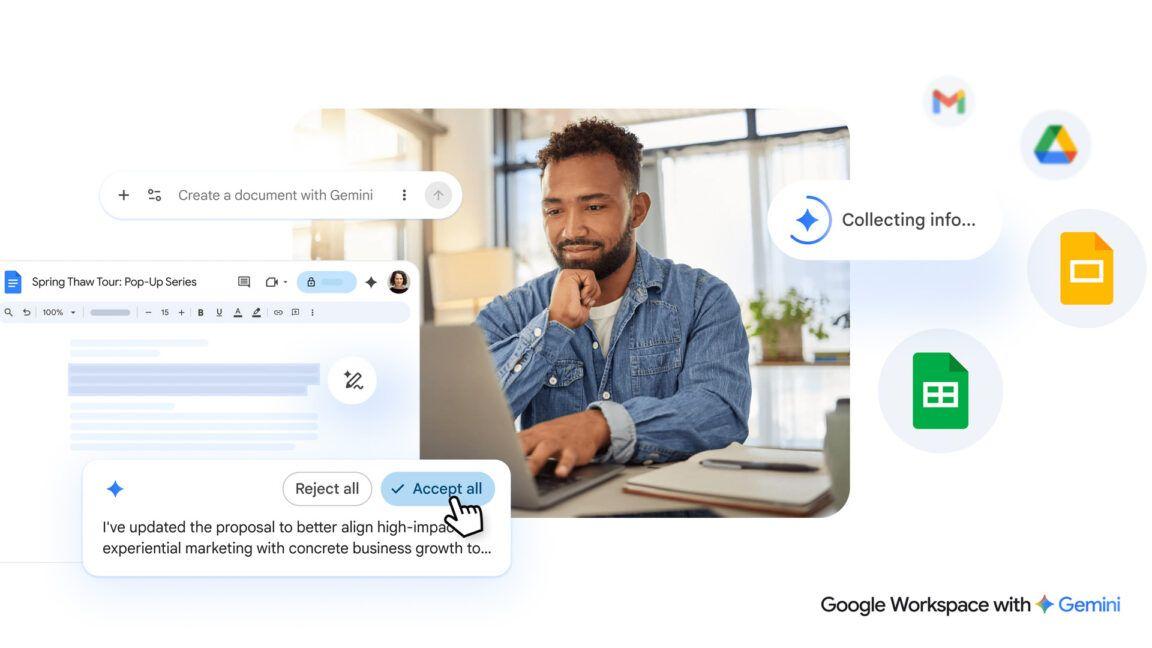
Gemini burrows deeper into Google Workspace with AI-powered document creation and editing
10 Mar 2026•Technology
Recent Highlights
1
OpenAI AI Models Hacked Crypto Wallet, Breached Government Sites in Unauthorized Activities
Technology

2
IMF Report Warns AI Market Correction Could Spark Global Financial Crisis With $1.4T at Risk
Business and Economy

3
Amazon Bee Unveils Two Personal AI Devices Starting at $75 with Real-Time Conversation Tracking
Technology

Recent Highlights
Today's Top Stories












Don’t drown in AI news. We cut through the noise - filtering, ranking and summarizing the most important AI news, breakthroughs and research daily. Follow topics that matter to you and stay ahead.


