17 Sources
[1]
Gemini 3.5 and Antigravity come to Google NotebookLM
Google's NotebookLM was one of the company's first forays into generative AI technology, and in un-Googley fashion, it hasn't been shut down yet. In fact, NotebookLM is getting one of its biggest updates, ever, today, moving to the latest Gemini 3.5 model, support for more file types, and streamlined web source integration. Google also says NotebookLM will be able to do more with all those queries thanks to embedded support for Antigravity. Gemini 3.5 Flash debuted at Google I/O this year, promising much faster and more efficient processing. Google has claimed that companies worried about token costs can save big by moving their projects to the new Flash model while also getting outputs that are of similar or better quality. Those improvements are now filtering down to other Google products. NotebookLM, which launched in 2023 at the very beginning of the AI boom, lets you analyze specific sources like documents and webpages with Google's latest AI models. Google conducted side-by-side evaluations of NotebookLM on the old Gemini 3.1 branch and with the updated 3.5. The company is being somewhat vague about the nature of the tests, breaking things up into "top five core evaluation dimensions," which are Accuracy and Quality, Multilingual Support, Large Document Analysis, Document Creation, and Advanced Research. In these tests, Google says NotebookLM averaged a 65 percent win rate versus the older model. NotebookLM also now has its own "cloud computer," which allows NotebookLM to use Antigravity to write and run code in service of your research goals. Google says NotebookLM will come with a set of more than 100 software skills that can help you build workflows with your notebooks that previously would have required you to jump between apps. This update will also expand NotebookLM beyond text outputs. The research bot will now be able to generate documents for you across a variety of formats. Documents are added to the Studio Panel, where infographics, quizzes, audio overviews, and other specialized outputs go. You can even prompt NotebookLM to make edits to these files after they've been created. Google plans to add more file types over time, but it's starting with the following: * Data visualizations and charts (png, svg) * Documents (PDFs, docx, markdown, text files) * Images with Nano Banana (png, jpg, gif) * Structured data (csv, json) * Microsoft Excel (xlsx) * Microsoft PowerPoint (pptx) NotebookLM's reliance on your sources is what has made it distinct from other implementations of Google's AI tools, but this update can find some of those sources for you. If you need more context in a notebook, Google has expanded the app's ability to import webpages. Right from the chat interface, you can ask Gemini to find sources fitting your needs, and it presents a "research report" with the option to import all or some of those as sources. All future interactions with the Notebook will use those sources in addition to the ones you've provided manually. These features are starting to roll out today, but most NotebookLM users won't see any changes just yet. Gemini 3.5 and the other improvements are coming first to AI Ultra subscribers, as well as Workspace business customers with AI Ultra Access and AI Expanded Access. Other Google accounts will see the updates in the near future.
[2]
NotebookLM's new update will help you build source repository from chat
Google on Monday announced an update to its NotebookLM research tool, which includes new features and the shift to Gemini 3.5 as the default model. The company is also adding Antigravity-powered software skills to help users with research and generating different kinds of outputs. This is similar to Google adding coding chops to its search products to make them more engaging for Q&A. Google said that with the latest update, you can start a chat about a project with the app, and it will help you build the knowledge base by suggesting different sources using its research skills and Google Search. The feature could help users get primary sources in other languages or find new material from related authors. Previously, NotebookLM required you to bring your own sources to start building a knowledge base in order to extract insights. The company added that users can now give detailed instructions to NotebookLM to generate output in different formats. Plus, they can edit the output once generated. The tool now supports exports in formats including Data visualizations and charts (.png, .svg); Documents (PDFs, .docx, Markdown, text files); Nano-banana-powered images; Structured data (.csv, .json); and Microsoft Excel and PowerPoint. Last year, the company introduced a "Deep Research" mode for structured online research. With the new feature rollout, NotebookLM will show detailed steps in the chat about how it arrived at the answers for users to check the output. Google said that the updates are available to Google AI Ultra users and all Workspace business customers with AI Ultra Access and AI Expanded Access starting today, with the aim of expanding them to others.
[3]
NotebookLM Is Getting Google's Latest Gemini AI Model
Macy has been working for CNET for coming on 2 years. Prior to CNET, Macy received a North Carolina College Media Association award in sports writing. Millions of people have turned to NotebookLM since it launched three years ago for studying, synthesizing and summarizing documents, and data organization. Now, NotebookLM is getting a big upgrade to become an even better research assistant. Google said its AI product will gain "new agentic capabilities in chat and more advanced reasoning" to handle even more complex research tasks and projects. Below, I'll break down the new updates coming to NotebookLM, rolling out globally now to Google AI Ultra subscribers and Workspace business customers with AI Ultra access. Read also: Gemini Gets New Notebooks Feature That Syncs With NotebookLM Chat gets a major upgrade NotebookLM's chat tool now runs on Gemini 3.5 and Antigravity to improve accuracy and give clearer visibility into its reasoning and outputs, which Google said was a highly requested feature. Each notebook includes a secure cloud computer, so NotebookLM can write and run code for deeper research and analysis. NotebookLM also has more than 100 curated software skills to expand its thinking steps and allow it to create a wider range of results. More formatting options NotebookLM can now output answers in a wider variety of ways. The AI tool will assemble context from your sources into downloadable, editable artifacts, including data visualizations (png, svg), documents (PDF, DOCX, Markdown, text), images via Nano Banana (png, jpg, gif), structured data (CSV, JSON) and Microsoft formats (XLSX, PPTX). Google plans for more output formats to come in the future. Research gets easier and more trustworthy Getting started with research is easier. With the upgraded NotebookLM, you no longer need a fully formed repository of sources. NotebookLM can help you build one from loose ideas, guide source discovery inside chat and use Google Search to surface high‑quality web sources. You can also choose which sources to add to your research, and each source stays clearly attributed, so results remain grounded in information you trust. Read also: NotebookLM's Video Overviews Just Got Better Thanks to a Trifecta of Google's AI Models These changes to NotebookLM aim to broaden real‑world use cases. For instance, a researcher can merge messy international datasets, run code to analyze them and produce charts plus a PDF report; technical teams can convert dense specs into simplified guides and slide decks; and small business owners can combine sales and spending data, then use NotebookLM's analysis and reporting to inform expansion decisions. All of these changes combine to help you make the most of your research experience, for better results and a more transparent process.
[4]
NotebookLM's Gemini 3.5 upgrade adds a cloud computer and help finding sources
Google is rolling out "across the board" updates to NotebookLM. The AI-powered note-taking app now uses Google's upgraded Gemini 3.5 model, which will allow it to respond with "more accurate and reliable information," according to a blog post on Monday. Launched in 2023, NotebookLM allows you to interact with your notes and sources using AI, as well as ask questions about the materials. With this update, Google says you can start a research project by just asking NotebookLM questions about a topic, instead of importing notes or YouTube videos. NotebookLM will use Google Search to help you find relevant sources, building on its "discover" feature to help you find useful resources on the web. Additionally, NotebookLM now runs on Google's agentic coding platform, Antigravity. Each notebook within the app is connected to a "secure cloud computer," enabling NotebookLM to write and run code to help with your research. NotebookLM can also output information in new formats and file types, including PDF documents, data visualizations (PNG, SVG), Nano Banana-generated images (PNG, JPG, GIF), Excel and PowerPoint files, CSV sheets, and more. This update is coming to users on Google's AI Ultra plan and Workspace customers, but the company plans to expand it to more plans in the future.
[5]
Google's NotebookLM AI Note-Taking Assistant Just Got More Useful
Google's AI tool will let you download outputs in widely supported formats, such as PDF. It's also upgrading NotebookLM with Gemini 3.5. Google is adding a new AI model and editable output formats to its research and note-taking assistant, NotebookLM. The tool is already popular among researchers and students as it helps them find and organize all their materials in one place. With today's update, NotebookLM will now let them download outputs in widely supported formats, such as PDF, DOCX, Markdown, TXT, PNG, SVG, JPG, GIF, CSV, JSON, XLSX, and PPTX. All materials can be downloaded from the app's Studio Panel. The tool now also lets you request changes to materials after they are generated. Google is equipping NotebookLM with its latest Gemini 3.5 model and the Antigravity platform. Together, they can provide "even more accurate and reliable information along with better visibility into the thinking process," the company says, adding that the upgraded NoteBookLM is substantially better at large document analysis, advanced web research, and source discovery. NotebookLM already lets you collect sources by either uploading files or using a search tool to find information on the web. With today's update, NotebookLM makes it easier to collect those sources. You can now just drop an idea or question into the Chat window between the Sources and Studio panels, and NotebookLM will guide you through building your source repository. "Perhaps you want to find primary sources in other languages to better understand new perspectives, or you're seeking related works by an author you recently discovered. It can even use Google Search to find relevant, high-quality sources from the web and add them to your notebook," Google says. Once NotebookLM lays out its options, you can choose to add or discard sources based on their relevance. All of these updates begin rolling out today to all Google AI Ultra and Workspace business customers with AI Ultra access. Last month, Google also revamped its AI subscription tiers, adding a cheaper AI Ultra tier.
[6]
NotebookLM's Audio Overviews sound so human, you'll believe the misinformation
I have always been the designated tech-explainer in my local hardware hobbyist community. We gather on Discord servers, swapping tips on everything from soldering temperatures to modeling tips for 3D printing. After years of explaining the same underlying concepts about cold joints and bed adhesion to newcomers in these spaces, NotebookLM felt like the silver bullet. I could just dump my curated archive of data sheets and forum threads into a single notebook and share the link as a resource with the communities I was active in. For a while, the communities felt well-managed, freeing up my time to play around with tech instead. However, I soon learned of a disastrous project failure caused by a friend's notebook, which erroneously recommended standard PLA to a 3D printing beginner for a dashboard-mounted functional print. That's downright bad advice, since PLA melts at slightly above-ambient temperatures, and on NotebookLM, the cause stems from user-added sources. AI manages to make poorly curated or misinformed sources sound knowledgeable and comprehensive, and that is downright dangerous because today it was a dashboard fidget, but it could've been a TV wall mounting bracket too. Until NotebookLM, I never believed AI could be this game-changing for productivity It transformed my view of AI, for the better. Posts 1 By Mahnoor Faisal The "Garbage In, Garbage Out" paradox How unchecked source material turns a smart assistant into a confident liar NotebookLM accelerates the well-known "garbage in, garbage out" problem in computing. When you feed an AI multiple sources claiming that PLA is a tough, heat-resistant plastic, you may not know that's far from the truth. That's a risk every beginner takes, but, unfortunately, NotebookLM's specialty is connecting the dots across multiple sources discussing a certain subject. Because the notebook's chatbot lacks the autonomy to critique this biased list of sources, which relies on references from the broader internet, it accepts the flawed premise as gospel. The isolated incident my acquaintance faced points to a systemic issue that current NotebookLM users face. Across the internet, power users are sounding the alarm about how the tool handles complex or contradictory information. Besides routine complaints on Reddit about the platform's reliability, noting it often struggles with basic retrieval tasks, this Google AI tool's biggest anti-hallucination feature is also its greatest liability. The dangers are only magnified at the hands of a novice user. Another Reddit user documented how the AI confidently provided completely incorrect information regarding their own company data. The machine only acknowledged the mistake after the user manually verified the source and directly pointed out the error in the chat interface. Pinning the fault on user behavior is easy, but mash these two concerns together, and you'll see that blind reliance on these generated answers without independent verification risks propagating serious misinformation. It is a sobering reminder that massive context windows do not automatically substitute for human-tier comprehension capabilities. And then we have charismatic Audio Overviews As though biased and opinionated human podcasters weren't a bane enough If the chat interface is a confident liar, the platform's Audio Overviews is downright formidable. The Studio tools can take source data and transform it into an engaging podcast hosted by one or two AI personalities, among other things. These synthetic narrators feign absolute confidence, complete with conversational banter, thoughtful pauses, and a tone that implies deep expertise. You can literally hear them chuckle before delivering what they claim is a key insight. They could take an AI-generated, factually incorrect guide that claims PLA is heatproof and build a convincing segment around it, creating a situation where the snake eats its proverbial tail. The sheer production value makes the underlying misinformation so much easier to swallow blindly, bypassing the critical faculties and skepticism we usually engage when reading a sketchy forum post. More concerningly, new learners who aren't well-informed about the subject at hand, or aren't using AI to find its limits, risk real-world accidents by taking AI's convincing word for it. Yes, Google includes plenty of disclaimers cautioning users about authenticity and the need to verify AI outputs manually, but the aforementioned danger is a documented vulnerability. An analysis by the learning and teaching consulting team at the University of Michigan also corroborated that the Studio panel tools require careful prompting to produce anything beyond a shallow summary of the uploaded sources. Worse still, when the AI encounters information gaps in the source material, it tends to fill those voids with benignly incorrect information. When podcasts sound human, users might lower their guard, too. Deploying countermeasures is vital Counterarguments and user diligence are instrumental to safe usage Surviving these AI errors without consequence requires a three-pronged approach. My first line of defense is a mandatory balancing act for the source material I upload. I never upload multiple documents supporting a claim without balancing them with additional sources from opposing perspectives. By forcing the AI to synthesize conflicting viewpoints, it is less likely to adopt a single biased narrative as an undeniable fact. This likens the approach to Gemini's web-dependent model, where your query is cross-referenced, and responses are checked for potential misgivings. Newsletter: Essential coverage of AI-assistant risks and fixes Subscribing to this newsletter gives focused coverage on AI-assistant limitations, source-evaluation tactics, and practical countermeasures -- so you'll have informed analysis to spot confident but flawed outputs from tools like NotebookLM. Get Updates By subscribing, you agree to receive newsletter and marketing emails, and accept our Terms of Use and Privacy Policy. You can unsubscribe anytime. Additionally, I manually vet authors' credibility before adding their work as a source in my notebook. This tries to ensure confidently incorrect AI-generated text and video don't creep into my sources. Once accepted, I refuse to accept summaries and information in NotebookLM without inline citations. If the AI cannot cite the exact paragraph in which it found a specific claim, I can safely discredit the answer. 3 things I wish NotebookLM did better Not every AI tool is perfect yet Posts 2 By Chandraveer Mathur Finally, I regularly deploy stress-test prompts to push the model's analytical boundaries. I explicitly command the AI to find logical flaws, biases, or limitations in the document, forcing it to consult the sources I'd initially loaded that present counterarguments. I'll agree these countermeasures take time and practice to use, but they shred the AI's unearned confidence and reveal the underlying data. An automated assistant is only as good as its user Ultimately, the allure of an automated research assistant pales in comparison to the cautionary human effort invested. NotebookLM is undeniably brilliant at finding thematic similarities and relations across dozens of disparate sources, but it's still the human operator's responsibility to ensure the underlying source data isn't flawed, biased, or simply wrong. We cannot yet outsource our critical thinking to a machine, no matter how convincing its podcast voices sound or how neatly it formats its citations. The human editor remains the most critical component of the entire workflow. NotebookLM NotebookLM is Google's AI-powered research assistant that turns your uploaded documents, notes, and sources into an intelligent, conversational workspace that helps you connect ideas, summarize insights, and generate new ones. See at NotebookLM Expand Collapse
[7]
Google just made NotebookLM a lot more useful with its biggest upgrade yet
You no longer need to start with a pile of documents. NotebookLM can help build a source library from an idea or a question while keeping you in control of which sources are included and cited. There aren't many AI tools I rely on every single day, but NotebookLM is one of them. It has become my go-to tool whenever I need to sift through large amounts of information without losing track of where the facts came from. Now, Google's latest update aims to make that experience even better. NotebookLM will now run on Gemini 3.5 and Antigravity, giving the research-focused AI tool its biggest upgrade yet. This should make responses more accurate, improve reliability, and offer better transparency. Every notebook will now include its own secure cloud-based computing environment. That means the AI won't just summarize information or answer questions; it can also write and execute code when needed, opening the door to more advanced workflows that previously required jumping between multiple apps. Google says the upgraded experience includes over 100 specialized software skills and a broader set of tools designed to help users dig deeper into their source material. Instead of simply reading through documents and notes, users can now transform that information into polished outputs in a wide variety of formats. So, say for instance, you're researching a topic, you could turn your collected sources into a PDF report. NotebookLM can also generate and export reports in PNG and SVG formats, documents including PDF, DOCX, Markdown, and plain text files, Nano Banana images in PNG, JPG, and GIF formats, structured datasets in CSV and JSON, Excel spreadsheets, and PowerPoint presentations. What's particularly interesting is that the system is becoming more multilingual. Users can provide instructions in one language and receive completed work in another, making it more useful for international research projects, cross-border collaboration, or studying sources that aren't available in your native language. One of NotebookLM's biggest limitations has always been its starting point. The tool worked best when you already had a collection of sources and knew exactly what you wanted to research. Google is now trying to remove that barrier. Instead of arriving with a carefully assembled folder of documents, you can now start with nothing more than a question, rough idea, or topic you want to explore. It can help build a source library directly inside the chat experience. Perhaps most importantly, NotebookLM doesn't remove users from the process. You still choose which sources are included, while transparent attribution helps ensure the final output stays grounded in real, verifiable information. NotebookLM's new capabilities aren't just aimed at students and researchers. The upgraded tool can help data analysts clean and visualize complex datasets, assist managers in turning dense documentation into presentations and action plans, and even help small business owners measure the impact of marketing campaigns against sales performance. In short, it's increasingly positioning itself as a practical productivity tool for a wide range of professionals. That's ultimately what makes this update feel noteworthy. Google is turning the product into a workspace that lets you research, analyze, create, and package information without having to bounce between half a dozen tools. The new features are rolling out globally on the web starting today for Google AI Ultra subscribers and Workspace business customers with AI Ultra access.
[8]
I tested NotebookLM's three biggest updates, and one quietly changes everything
NotebookLM has been the reigning champion of research-oriented AI for three years running, without a worthy competitor in sight, and it just keeps getting better. In the last year, I've spent a considerable amount of time curating notebooks on the platform, one for every topic I need to understand better, save for posterity, or make searchable and podcast-able without suffering the ills of hallucinated results. However, power users have moved on from generating customizable podcasts and interrupting them for questions like a live listener. Since January this year, Google has announced and added three important features that make NotebookLM way more customizable than before, a treat for visual learners, and the real Swiss Army knife you might need for the next assignment the uni throws your way. Cinematic Video Overviews, customization for mind maps, and the ability to generate desired file formats from multimodal sources are here to change the way we use NotebookLM. NotebookLM is already great, but these 4 features would make it even better Good? Yes. Perfect? Not yet. Posts 5 By Mahnoor Faisal Visual learning on steroids A documentary approach to your personal notes When Google first introduced Video Overviews earlier this year, I honestly expected a revolution in visual learning, but we mostly got a glorified version of the Slides feature in the Studio sidebar, narrated in a robotic monotone. I remember trying to synthesize my camera's dense exposure bracketing instructions, only to receive a flat, unimaginative presentation that suspiciously resembled a corporate PowerPoint from 2004. The new Cinematic Video mode is in a different league, though. It turns your uploaded research into fully animated, documentary-style explainer videos. Powered by a heavy-hitting technology stack of Gemini 3, Nano Banana Pro handling the visuals, and Veo 3 driving the video engine, it makes better decisions about pacing, visual style, and narrative flow of the generated video. Using this to decode my camera's custom button assignments was perfect for visual learners like me. Add to that the text box, where you can specify topics of interest, your preferred art style, and any other details you want covered. However, this shiny new toy comes with an incredibly tight limit on everyday utility. You can only generate two such videos, even on the Google AI Pro plan. Unlimited access will cost you the steep $250-per-month Google AI Ultra subscription. Moreover, my colleague Mahnoor found that if an AI hallucination causes a generation to fail midway, you simply lose that slot, making it painfully hard to iterate on prompts without burning through your precious daily allowance. Steering the visual chaos Building a custom map of your ideas Mind Maps inside NotebookLM used to feel like a strict take-it-or-leave-it feature that lacked any real user agency. You upload a mountain of sources, select the ones needed for the Mind Map, and hit Generate. The AI typically figures out its own web of connections among important points and topics mentioned in the sources, but I've seldom found the sequence of nodes to be accurate. Sure, Google AI gets the nesting right with related concepts grouped under a relevant parent node, but these parent nodes aren't sequenced correctly. This often resulted in broad, generic overviews that were completely useless when I needed to drill down into a specific technical issue in the source documents. Now, you can steer the system with precise text prompts, forcing the mind map to focus on the exact angle or problem you need solving. Instead of getting a top-down view of the entire camera manual, you can ask for a map of just the features you are most likely to use. I immediately tested this by asking NotebookLM to map out purely the low-light limitations of my Tamron lens across my different uploaded reference materials. The system categorized the nodes into a clean decision tree, highlighting high ISO noise thresholds on one branch and autofocus failure points on another, saving me hours of manual reading. Yet, for all this newly acquired intelligence, the execution still lacks perfection. If the AI gets the sequence of nodes wrong, you cannot click and drag to reposition them manually. You are permanently stuck with the rigid AI-generated layout. The ultimate file factory Turning notes into finished deliverables instantly Perhaps the most game-changing feature quietly creeping into NotebookLM is its upcoming ability to generate your desired file formats directly from supplied multimodal sources. Google's previews suggest we're moving past the tedious era of querying a chatbot, copying the result, pulling up a new document, and wasting another 20 minutes formatting it to fit the desired layout. Deals Save on AI software, subscriptions, and productivity deals Discover discounts on software, AI tools, and subscription bundles -- explore deals that lower costs for productivity suites, cloud storage, creative plugins, and AI-powered apps. Browse current offers to compare savings and upgrade workflows affordably. Deals Explore Software, AI & Subscriptions Deals With Gemini 3.5 Flash's processing horsepower, we can command Gemini to turn a messy folder of sources into a clean spreadsheet, a polished briefing document, or a presentation deck. Conversion will be a native feature and should run four times faster than previous versions. I'd also recommend asking the AI which file formats are best suited to representing information from the selected sources if you're unsure which format to pick. If you haven't tried NotebookLM yet, here are 3 reasons to start now Seriously, what are you waiting for? Posts 5 By Mahnoor Faisal This upcoming capability could streamline complex workflows, especially when you consider how adding Studio panel outputs can be used as sources. Tying this to the customization options already available in Mind Maps, you could imagine how flowcharts could easily enhance slide decks and formal reports. Because it strictly pulls only from the grounded materials you provide, there is a near-zero risk of it hallucinating fake data or talking points. Replacing several tools in one shot Collectively, tying all these powerful tools together reveals a platform that has finally matured way past its experimental, viral launch phase. The Cinematic Video Overviews provide the rich, animated visual context that dense technical manuals have desperately lacked for decades. I might still harbor a healthy dose of skepticism when massive tech giants over-promise on their roadmaps, but this current iteration of NotebookLM is genuinely improved from a functional standpoint. NotebookLM NotebookLM is Google's AI-powered research assistant that turns your uploaded documents, notes, and sources into an intelligent, conversational workspace that helps you connect ideas, summarize insights, and generate new ones. See at NotebookLM Expand Collapse
[9]
NotebookLM finally syncs your Google Docs automatically, and it changes everything
I've been covering Android since 2023, when I joined Android Police, mostly focusing on AI and everything around Pixel and Galaxy phones. I've got a bachelor's in IT with a major in AI, so I naturally view technology differently. I usually take a pro-consumer angle instead of the marketing hype, which you've probably noticed in my writing. NotebookLM built its reputation on grounding AI in your own documents, but it had an architectural flaw. Until Google's May 26 rollout, the app handled native Google Workspace files as frozen snapshots. Add a file from Google Docs, Sheets, or Slides, and NotebookLM captured the file as it existed at the moment of import. Edit the original a day later, and the notebook had no idea unless you manually refreshed that source. The good news is that Google is addressing that disconnect. This makes NotebookLM more useful earlier in the process, when documents are still changing and ideas are still taking shape. 6 NotebookLM tips I use to stay productive Google's NotebookLM saves me a lot of time Posts 7 By Stanley Martin Outdated sources made NotebookLM less reliable Before the update, keeping notebooks accurate meant remembering every edit anyone made to a source document. When a teammate updated a project file, the notebook owner had to find the outdated source in the side panel and initiate a refresh. This led to trust problems for teams. If someone updated a standard operating procedure but forgot to sync the notebook, the AI would confidently generate summaries based on outdated information. The free version of NotebookLM lets you add up to 50 sources per notebook. Step up to a paid plan, and the limit grows in stages, from 100 sources to 300 and all the way to 600 on the highest tier. So it's easy to see why, for users and organizations working with hundreds of sources, the old manual upkeep had become a deal-breaker. The problem became bad enough to inspire a whole ecosystem of Chrome extensions designed to patch over it. Since so many people relied on these workarounds, there was a need for documents and analysis to stay connected. NotebookLM can now keep up in the background The platform now handles syncing automatically with no setup required. Whenever your documents change in Drive, the assistant updates what it knows to keep pace. Google's rollout documentation says there are no admin toggles or user settings to change, and live sync is the default now. It's available to all Google Workspace customers, plus personal Google accounts that already have NotebookLM access. However, in my own checks, a few older Drive sources added before the update still seemed to show traces of the old manual-sync behavior. So you may still see the Click to sync with Google Drive button in the source panel for those older files. If you rely on older notebooks, it's worth checking your source list and kicking the pipeline into gear. Auto-sync has limits you should know about Auto-sync only works with native Google Workspace files, meaning web links, pasted text, local PDFs, and audio files won't refresh automatically. If you upload a PDF and later create a revised version, your notebook will still point to the old copy until you replace it. Source format Update behavior Maintenance Google Docs Automatic background sync None Google Sheets Automatic background sync None Google Slides Automatic background sync None Local PDF Static snapshot Manual replacement Standard web URLs Static snapshot Manual replacement Audio files Static snapshot Manual replacement Google's sync update keeps permissions in check Connecting an AI tool to live Drive files obviously raises access-control concerns, and Google made sure enforcement kept pace. NotebookLM tracks document permissions in real time, meaning when a person's access is pulled, that file stops counting as a source in their notebook. Subscribe to our newsletter for NotebookLM insights Get deeper clarity -- subscribe to our newsletter for practical breakdowns of NotebookLM's new live-sync behavior and permissions. We unpack limitations to watch for and offer actionable checks to keep notebooks accurate, plus related AI tooling coverage. Get Updates By subscribing, you agree to receive newsletter and marketing emails, and accept our Terms of Use and Privacy Policy. You can unsubscribe anytime. You won't be caught off guard, though. The source stays visible in your list, with its content locked away behind a request-access prompt. From that point on, the AI leaves the file out of its chat responses. That makes it harder to use NotebookLM as a backdoor to keep querying documents after access is revoked. Deletion, however, is final. When a connected source is removed from Drive, NotebookLM removes it from the notebook. It's time to give NotebookLM another look With the manual refresh penalty out of the way, one of the biggest pain points for teams using NotebookLM is gone. Your AI assistant can finally keep up with active, evolving projects without constant babysitting. If you haven't fully committed to using it yet, now is the time to start. To get the most out of the platform, check out our guide on how Google's NotebookLM saves time when you're dealing with information dumps.
[10]
NotebookLM rolling out big Gemini 3.5 & Antigravity upgrade with more outputs
Google is giving NotebookLM a big upgrade today across the underlying models, outputs, and research made possible by Gemini 3.5 and Antigravity. NotebookLM now uses Gemini 3.5 and Antigravity -- Google's coding tool -- to provide "even more accurate and reliable information along with better visibility into the thinking process." Each notebook now has a "secure cloud computer" that lets NotebookLM "write and run code useful for helping you perform deeper research and more complex analysis." The system includes more than 100 curated software skills, unlocking a wide range of new capabilities to help you more deeply understand the sources in your notebook. This results in big upgrades compared to the prior system, according to side-by-side evaluations: * "...the upgraded NotebookLM achieved an average win rate of over 65% -- a 15% point margin above parity -- across our top five core evaluation dimensions." * "...substantial improvements in large document analysis, securing a 69.9% win rate..." * "...achieved exceptional performance in advanced web research and source discovery reaching a 78.2% win rate against our prior baseline." NotebookLM can now create outputs that are ready to download in more file formats: * Data visualizations and charts: PNG, SVG * Documents: PDFs, DOCX, Markdown, text files * Images with Nano Banana: PNG, JPG, GIF * Structured data: CSV, JSON * Microsoft Excel: XLSX * Microsoft PowerPoint: PPTX You can provide detailed instructions, like creating PDF reports with charts and tables or detailed budget spreadsheets. After generation, you can request edits. More formats are coming in the future. NotebookLM's chat experience can now "guide you through building your source repository" if you're starting a project with just "loose ideas and questions." Perhaps you want to find primary sources in other languages to better understand new perspectives, or you're seeking related works by an author you recently discovered. It can even use Google Search to find relevant, high quality sources from the web and add them to your notebook. Taken together, Google touts more workflows made possible in NotebookLM by these three core upgrades: * Researchers: A data analyst can combine data from various countries with conflicting formatting. To make this information useful, the analyst can ask NotebookLM to conduct web research to find additional context, write code to perform accurate data analysis, and create charts and a PDF report to showcase the results. * Technical Professionals: A program manager can decipher complex specifications for customer integration, instantly transforming the technical documentation into a polished, simplified guide, slide deck and a step-by-step roadmap for the team. * Small Business Owners: A gym owner can run a media campaign and analyze raw sales data against ad spend. By calculating the campaign's financial impact using NotebookLM, the business owner is better equipped to decide whether to expand to other cities. These upgrades are rolling out starting today for Google AI Ultra and Workspace business customers with AI Ultra access. This will come to other tiers "over time."
[11]
Google just supercharged NotebookLM -- these are the 3 new features I'm testing first
I use NotebookLM every week and these are the new features I'm most excited about Google just announced one of the biggest NotebookLM updates I've seen since Audio Overviews launched, and it's clear the product is evolving from a smart research assistant to a tool with the ability to generate a much wider range of downloadable outputs. I've been using NotebookLM regularly for everything from article research to keeping my family organized and exploring ideas. What I love most about it is that it stays grounded in the materials you provide, reducing the hallucination problem that can plague traditional chatbots. Google says NotebookLM is now powered by Gemini 3.5 and a new system called Antigravity, which the company says improves accuracy, reliability and visibility into how the AI reaches its conclusions. Now, with a host of new capabilities, including code execution and web research for a more thorough and responsive AI tool. After reading through the announcement, three features stand out as the ones I'm most eager to try. 1. NotebookLM can now run code This is the feature that immediately caught my attention. Google says every notebook will now be equipped with a secure cloud computer that allows NotebookLM to write and run code on your behalf. The company says this will help users perform deeper research, more advanced analysis and better understand the information inside their notebooks. That's a significant shift because until now, NotebookLM has largely focused on helping users understand and organize information. Running code moves it into a completely different category. Imagine uploading survey data, research reports or spreadsheets and then asking NotebookLM to analyze trends, compare datasets or generate visualizations without leaving the platform. As someone who spends a lot of time digging through reports and studies for AI stories, this is the feature I'm most curious to test in real-world scenarios. 2. It can now create presenation decks, spreadsheets and reports I've always thought NotebookLM was great at helping me understand information. The next step is helping me do something with it. That's exactly where Google's new output formats come in. NotebookLM can now generate downloadable files in a variety of formats, including: * PDF reports * Slide deck presentations * Excel spreadsheets * Charts and visualizations * Structured data files * Images generated with Nano Banana This could save a tremendous amount of time for students, but also researchers, business owners and anyone who regularly turns information into presentations or reports. Instead of spending hours manually building slides from research notes, you could potentially go from source material to a final presentation in a fraction of the time. 3. NotebookLM can now help find sources One of NotebookLM's biggest strengths has also been one of its biggest limitations. The system works best when you provide high-quality sources. But gathering those sources can sometimes be the most time-consuming part of a project. Google is now making that process much easier. According to the company, users will be able to start with loose ideas and questions rather than arriving with a fully built source library. NotebookLM can help discover relevant material, use Google Search to find high-quality sources and assist in building a notebook from scratch. Users still maintain control over which sources get added, helping ensure the notebook stays grounded in trusted information. For me, this is the feature that could change how people use NotebookLM day to day. Instead of starting with a folder full of documents, you can start with just an idea or something you're curious about. Why this update feels different What stands out most about this announcement isn't any single feature. It's how NotebookLM's role is changing. When NotebookLM first launched, the workflow was straightforward: you gathered your sources, uploaded them and then used the AI to better understand the information. But this update flilps that around. Now, Google is allowing NotebookLM to help discover sources, conduct web research, analyze information, generate charts and produce finished outputs like reports and presentations. In other words, instead of starting with a carefully curated notebook, users can increasingly start with a question. That's significant because gathering trustworthy source material has always been one of the biggest barriers to using NotebookLM effectively. The tool was incredibly powerful once you had the right documents, but building that source library often took more time than the research itself. With these new capabilities, NotebookLM appears to be evolving from a tool that helps you understand information into one that actively helps you find, analyze and present it. I've already found NotebookLM to be one of the most useful AI tools for productivity, so I'm excited to test the new features to see if it just might be one of the most capable workflow tools Google offers. Follow Tom's Guide on Google News and add us as a preferred source to get our up-to-date news, analysis, and reviews in your feeds. Subscribe to Tom's Guide on YouTube and follow us on TikTok. Finally, you can visit our dedicated Tom's Guide Savings Squad hub for expert help on getting the best products for less.
[12]
Google's NotebookLM can now write code and analyze data for you
Google keeps rolling out new improvements to NotebookLM every few weeks. Now, the company is rolling out one of the biggest updates yet for its AI-powered research tool in recent times. The main highlight is the addition of agentic capabilities and advanced reasoning to handle even more complex research projects. Following the debut of Gemini 3.5 at I/O 2026 last month, Google is bringing its latest AI model and Antigravity to NotebookLM. This should lead to NotebookLM providing even more accurate, detailed, and consistent responses. Plus, the tool will now show its detailed thinking steps, so you have a better understanding of how NotebookLM arrived at its answer. For more advanced projects, every NotebookLM notebook now gets access to a secure cloud-based computer. This allows the AI-powered research tool to write and execute code on your behalf, enabling deeper analysis and more sophisticated research workflows. Google says NotebookLM can tap into more than 100 software tools and capabilities to analyze data, generate visualizations, and perform other complex tasks. NotebookLM's export capabilities are also improving. The tool can now output data in a variety of new formats, including: * Data visualizations and charts (png, svg) * Documents (PDFs, docx, markdown, text files) * Images with Nano Banana (png, jpg, gif) * Structured data (csv, json) * Microsoft Excel (xlsx) * Microsoft PowerPoint (pptx) Besides support for additional file formats, you can provide export instructions and make changes after the file is generated. Plus, NotebookLM can use the information from a notebook to output PDF reports with charts and tables, generate detailed budget reports, and more. Google AI Ultra subscribers get first dibs on the new features Google is also making NotebookLM more useful when starting a new project. Previously, the tool worked best when you already had a collection of sources ready to upload. Now, you can start with a rough idea or question, and NotebookLM will help you discover and organize relevant sources. It will suggest related materials and pull in relevant information from across the web, with the option to add those sources directly to your notebook. For now, the latest round of NotebookLM upgrades is only rolling out on the web and to Google AI Ultra and Workspace business customers. The company will expand access to users on other tiers in the coming weeks.
[13]
I love NotebookLM, but its biggest update yet is making it feel less like itself (for better and worse)
Technology changes extremely quickly, and AI is certainly no exception. NotebookLM, however, has always felt like a bit of an outlier here (and I say this in the best possible way). It's a tool that got upgrades here and there, sure, but it remained largely unchanged at its core for a long while. We were anticipating significant upgrades at I/O 2026, but the company decided not to bring it up by name at all (well, it did get a slight mention at the very end, tied to some Gemini/science announcement). That silence certainly had some of us fearing the worst -- that it was an early indication Google was getting ready to quietly shelve the tool, the way it tends to do. However, a few days ago, NotebookLM got what Google itself is describing as its biggest launch yet. After having used NotebookLM since its early Google Labs days and going hands-on with this latest update, I have some thoughts. Want to stay in the loop with the latest in AI? The XDA AI Insider newsletter drops weekly with deep dives, tool recommendations, and hands-on coverage you won't find anywhere else on the site. Subscribe by modifying your newsletter preferences! NotebookLM now shows you what it's thinking before it answers It finally shows its work Regardless of what your go-to AI tool is, you've likely noticed that it sometimes takes a bit longer to respond to you. At these times, the tool is usually "thinking" and most of them now let you tap to expand that reasoning and see the steps it's working through. Given that NotebookLM's typically advertised as a thinking partner, you'd expect it would be one of the first tools to offer this, but that hasn't been the case. Well, until now. As announced via a post on Google's The Keyword blog, a huge part of the "massive" update is that you can finally follow NotebookLM's reasoning directly in chat, watching it work through a task step by step instead of just handing you a finished answer. To put this to a test, I pulled up a Notebook I'd made to cross-verify details for a review I was working on. While seeing NotebookLM reason through your request doesn't really directly change the final output you get, it does make the whole process feel far more transparent. For instance, I watched it catch a mismatch in one of my sources and work to reconcile it, rather than quietly glossing over it in the final answer. Similarly, I also noticed it flag that some of my sources were actually about a closely related model (rather than the one I was reviewing). Instead of NotebookLM relaying the detail as fact, it worked to verify the model name and specs across my other sources before committing to anything. Getting to see its thinking trail rather than the tool landing on a verdict and expecting me to take its word for it makes a real difference, especially when you're relying on it for something where accuracy actually matters. And for the use cases NotebookLM is typically recommended for, which include research and synthesis, I think this kind of visibility is exactly the sort of thing the tool should have had all along. NotebookLM can now write and run code Code, of all things When I think of NotebookLM, the last thing I imagine is anything to do with code. Yes, I've used the tool for pairing-adjacent use cases and have paired it with tools like Claude Code and Antigravity, and I've even used it to learn programming. But NotebookLM itself writing and running code isn't something I ever expected it to do, and yet here we are. The biggest structural change in this update is that NotebookLM now runs on Gemini 3.5 and... Antigravity. More importantly, every notebook you create now comes with a "secure cloud computer." This essentially means there is an isolated, sandboxed environment tied to your notebook where NotebookLM can write code and actually run it. These changes are currently rolling out on the web to Google AI Ultra subscribers and Workspace business customers with AI Ultra Access and AI Expanded Access. So, if you're on another plan, you won't see them yet. Given that NotebookLM's been designed to work with your own sources from day one, the best it could typically do before, even if you fed it actual code files, was read through them and explain what they did -- walk you through the logic, summarize the functions, that kind of thing. It couldn't actually run any of it. Now, with the cloud computer, it can. Usama, an engineer on the NotebookLM team, confirmed that this is a Linux VM, which gives the model a broad toolset to work with -- it can analyze data, run scripts, graph trends, build spreadsheets, and even write LaTeX, all within that environment. So, for instance, if you give it a spreadsheet and ask it to run calculations and turn all of it into charts or a downloadable report, it can write code to actually carry that out rather than just approximating an answer from what it can read. On Google's blog post about this announcement, the company states that the system ships with over 100 curated software skills, which are simply pre-built capabilities it can reach for mid-task. Per the team, this is just the starting set, and the skills, coding libraries, and artifact types are expected to grow as the team learns how people are using the new NotebookLM. In his X post, Usama explains that AI models have been improving at coding faster than at almost anything else, and that "using a computer" actually maps onto a huge chunk of everyday knowledge work. Ultimately, giving NotebookLM the ability to use one dramatically widens what it can do for you. The catch, in his framing, is that this only works well if the tool has strong context to draw on, which he argues NotebookLM has been built around from day one. Pairing that long-standing context with computer use is how he describes the leap from a research tool to an actual collaborative partner. This update also introduced a bunch of new output formats The export menu grew up Right in the introduction of this article, I mentioned that NotebookLM has gotten a bunch of upgrades here and there. And if you look back at most of them, a lot were new Studio outputs. We got Audio Overviews, then Video Overviews, then Cinematic Video Overviews, more report formats, Slide Decks, Infographics, and so on. With this update, you can ask NotebookLm to create outputs in "even more formats" right within the Chat interface. You can ask it to create you data visualizations and charts in png/svg, Documents (PDFs, docs, markdown, text files), Images with Nano Banana, CSV and jSON files, Excel sheets, and PowerPoints. What's interesting is that these aren't the old one-click templated buttons sitting in the Studio panel. Instead, you ask for them in chat, and NotebookLM plans the output, writes the code to build it, and runs it. The finished file then lands in the Studio panel for you to download, and the output is completely editable! For instance, I asked it to generate a PDF report and a PowerPoint deck from a notebook I'd put together. Rather than just spitting out files, it laid out a full plan first (a multi-page technical report with a custom color palette and section breakdowns, and a six-slide editable deck) and asked for my approval before actually building anything. There's also a neat cross-language touch here: you can give NotebookLM your directions in one language and have it generate the actual output in another, which is handy if you're, say, researching in one language but need the final deliverable in a different one. From my testing so far, I believe the chat-based outputs are the stronger of the two. They feel a lot closer to what you'd get if you asked something like Claude or Codex to write a script and build a report for you, whereas the Studio panel outputs still feel like templated quick-generates by comparison. The part where NotebookLM stops feeling like NotebookLM AKA GeminiBookLM One thing I've always, always praised NotebookLM for is the fact that it's grounded entirely in your sources. Unlike a general-purpose chatbot that pulls from the open web (and occasionally makes things up in the process), NotebookLM only ever worked with what you actually gave it. Whatever it told you could be traced straight back to a source you'd uploaded, citation and all. That closed, you-control-the-inputs setup is exactly what made it feel trustworthy in a way most AI tools just don't. It's the whole reason it never felt like just another chatbot to me. That's why this next update is the one I have the most complicated feelings about. It's what Google's calling more effortless research. Previously, NotebookLM was at its most useful when you showed up with your own sources already gathered and a decent handle on your project. Now, you can start with nothing more than a loose idea or a question, and NotebookLM will help you build out your source repository right there in the chat. Say you want primary sources in another language, or you're chasing down related works by an author you just stumbled on -- it can lean on Google Search to find relevant, high-quality sources from the web and pull them straight into your notebook. Subscribe for NotebookLM insights and hands-on analysis Get focused NotebookLM coverage by subscribing to the AI newsletter: hands-on analysis, practical tool recommendations, and clear breakdowns of feature changes, output options, and what they mean for your research workflows. Get Updates By subscribing, you agree to receive newsletter and marketing emails, and accept our Terms of Use and Privacy Policy. You can unsubscribe anytime. Now, credit where credit is due, this is still grounded at its core. You're still the one who decides what actually makes it into a notebook, Google's been clear that nothing gets added without your say-so, and everything stays attributed. However, it also feels like the tool is turning more into a research agent that's a little too eager to go off and search the web for you, even when you didn't ask it to. That's where my reservations kick in. The whole reason NotebookLM stood apart was that it wasn't trying to be Gemini. It stayed in its lane, working only with what you handed it. The moment it starts reaching for the open web on its own, it starts feeling a lot more like every other AI tool out there, and a lot less like the NotebookLM I fell for. A slight side note, but something I'm absolutely not a fan of in the slightest with this update is the constant overuse of emojis, especially at the end of responses. I'm also not a fan of NotebookLM ending each response with a "would you like me to do XYZ for you." This is something a lot of other AI chatbots do, and exactly the kind of habit I never wanted creeping into NotebookLM. It's a small thing on its own, but it feeds right back into my bigger worry: every one of these little behavioral tics nudges it further away from the focused, no-nonsense research tool it used to be and closer to just another chatty assistant. In some ways, I think NotebookLM's biggest update traded what made it special for something it doesn't need. I think its ability to write and run code is cool, but also, does NotebookLM really need to be a code-running, web-scouring, chart-generating research agent? Some of these additions are genuinely useful, and I'll absolutely use them. But a part of me can't shake the feeling that the tool is busy expanding outward to do more and more, when its real strength was always in how focused and restrained it was.
[14]
Do better research with NotebookLM
Three years ago we launched NotebookLM as an experimental AI product from Google Labs to help you understand anything. Millions of people and organizations turn to NotebookLM as a collaborative knowledge and research partner because it helps them organize their thinking, identify deeper connections across their documents and spark new ideas. Today we're introducing across the board upgrades to NotebookLM that deliver new agentic capabilities in chat and more advanced reasoning to tackle the most complex research projects. An upgraded, more thoughtful chat experience First, we're upgrading NotebookLM to run on Gemini 3.5 and Antigravity providing even more accurate and reliable information along with better visibility into the thinking process. Each notebook is now equipped with a secure cloud computer, enabling NotebookLM to write and run code useful for helping you perform deeper research and more complex analysis. The system includes more than 100 curated software skills, unlocking a wide range of new capabilities to help you more deeply understand the sources in your notebook. In our side-by-side evaluations against our prior system, the upgraded NotebookLM achieved an average win rate of over 65% (a 15% point margin above parity) across our top five core evaluation dimensions. The system demonstrated substantial improvements in large document analysis, securing a 69.9% win rate and achieved exceptional performance in advanced web research and source discovery reaching a 78.2% win rate against our prior baseline.
[15]
Google upgrades NotebookLM to Gemini 3.5, adds more coding features
Google upgrades NotebookLM to Gemini 3.5, adds more coding features Google LLC today updated its NotebookLM service with a set of online research and coding features designed to save time for users. NotebookLM is part note-taking app, part data analysis tool. Workers can upload a collection of business documents and have the application summarize their contents. Students can use it to collect information for homework projects. NotebookLM also lends itself to certain related tasks such as creating presentations. Today's update upgrades the artificial intelligence engine that powers the service to Gemini 3.5, Google's newest family of large language models. The company debuted the first algorithm in the series last month. Gemini 3.5 Flash is positioned as an entry-level model, yet outperforms Claude Opus 4.7 across several benchmarks. Google says that it can generate output four times faster than competing LLMs. The search giant compared the new version of NotebookLM to the previous release using a set of sample tasks. According to Google, the new version performed better across 78.2% of the online research and source discovery tasks used in the evaluation. It's also significantly better at analyzing lengthy documents. The second major change to NotebookLM is a set of new features powered by Google's Antigravity code editor. The latter tool, which debuted last November, can split a software project into smaller tasks and assign each one to a separate AI agent. Running multiple agents in parallel is faster than completing tasks one after one another. Each NotebookLM workspace now comes with a virtual machine that the tool can use to write and run code. A data scientist, for example, could request a script that organizes spreadsheets from different sources into a single consistent format. Google says that a collection of more than 100 pre-packaged "software skills" will help users optimize NotebookLM's output quality. The Alphabet Inc. unit has also released several other enhancements as part of today's update. NotebookLM is now better at helping users find data sources relevant to their research projects. Additionally, the service can generate more than a half dozen file types that weren't supported before including Word, PowerPoint, Excel and PDF documents. Another newly added file format, JSON, will make it easier to load NotebookLM's output into external applications. The new capabilities are accessible to consumers with a Google AI Ultra subscription as well as organizations that use Google Workspace's AI Ultra Access and AI Expanded Access add-ons. The search giant plans to broaden the features' availability over time. Another future update will expand the range of file formats that NotebookLM supports.
[16]
These NotebookLM updates make our favorite research tool even smarter
When not writing, Dave enjoys spending time with his family, running, playing the guitar, camping, and serving in his community. His favorite place is the Blue Ridge Mountains, and one day he hopes to retire there (hopefully his fear of heights will have retired by then, too!). * NotebookLM now uses Gemini 3.5 and Antigravity and shows expanded thinking steps. * The tool also gains several new output formats and the ability to help you find sources. * These updates are rolling out today to AI Ultra users, with expanded availability coming later. On June 8, Google announced major updates for its NotebookLM research tool. NotebookLM has been a big hit here at MUO, and these updates make it even smarter and more useful for complex research projects. There's a NotebookLM prompt that gives you a bird's-eye view of everything you've uploaded The Master Index prompt is the first thing to run in any NotebookLM notebook. Posts By Saikat Basu What is NotebookLM? If you're not familiar, NotebookLM is an AI research tool from Google. It's unique in that it only uses sources you explicitly provide. This makes it a great tool for pulling together research and materials and then extracting insights. Here are some examples: * You can feed it a syllabus, lecture slides, and study notes, and have it create interactive study guides. * It can scan documents and spreadsheets and pull out key insights. * You can connect your Obsidian vault and use NotebookLM to analyze your notes. What's new with NotebookLM? NotebookLM's latest updates fall into a few broad categories: an upgraded chat experience, improved output formats, and an easier process for finding sources. Upgraded chat NotebookLM has been upgraded to use Gemini 3.5 and Antigravity. Google says this results in "more accurate and reliable information along with better visibility into the thinking process." Each notebook is now equipped with a "secure cloud computer," so it can write and run code to help accomplish your research tasks. This includes over 100 "curated software skills." Perhaps more importantly, this updated chat experience will show expanded thinking steps directly in the chat. This makes the tool a lot more transparent, giving you insight into exactly how it arrives at its answers. Google says this upgraded chat makes for a significantly better experience in several key areas, particularly large document analysis and source discovery (just make sure you set it up properly). More (and better) output formats Next, NotebookLM gains more output options. New formats include: * Data visualizations and charts (png, svg) * Documents (PDFs, docx, markdown, text files) * Images with Nano Banana (png, jpg, gif) * Structured data (csv, json) * Microsoft Excel (xlsx) * Microsoft PowerPoint (pptx) In addition to new formats, you can also provide detailed instructions to help guide the output. Google's examples include PDF reports with charts and tables, detailed budget spreadsheets, and bespoke student worksheets. You can also edit these after creation. Even more formats are coming in the future. Finding sources Finally, the process of starting up a new research project has gotten much easier. Instead of needing to bring your own sources, you can provide NotebookLM with ideas and questions, and it will "guide you through building your source repository directly in your chat." Examples include finding primary sources in other languages or creating a list of related works by an author. Subscribe for NotebookLM tips, walkthroughs, and analysis Get hands-on NotebookLM resources by subscribing to the newsletter: step-by-step setup checklists, export and template walkthroughs, source-selection strategies, practical examples of new features, and coverage of related AI research tools to help you apply updates. Get Updates By subscribing, you agree to receive newsletter and marketing emails, and accept our Terms of Use and Privacy Policy. You can unsubscribe anytime. Additionally, NotebookLM can use Google Search to find "relevant, high quality sources from the web." Crucially, Google says you're still in control of what sources get added to your notebook, and NotebookLM will continue to focus on only the sources you add, which has been one of the tool's biggest strengths. Availability Google says these updates are rolling out globally on the web starting today. They'll initially be available for Google AI Ultra users (or Google Workspace customers with AI Ultra access), but will "expand to others over time." NotebookLM OS Android, iOS, Web-based app Developer Google Pricing model Free NotebookLM is Google's AI-powered research tool. It can read what you upload and help you transform it into structured summaries, explanations, and visuals -- now with expanded capabilities thanks to Gemini 3.5. See at NotebookLM Expand Collapse
[17]
Why NotebookLM's Gemini 3.5 Upgrade is a Major Shift for Data Analysis and Research
Google's latest update to NotebookLM introduces the ability to write and execute code, marking a significant shift in the platform's functionality. Powered by the Gemini 3.5 AI model, NotebookLM now supports secure, cloud-based code execution and advanced data analysis, making it particularly useful for professionals like data scientists and project managers. Universe of AI highlights how these features enable tasks such as cleaning raw datasets, automating repetitive workflows and generating structured outputs, all within a single platform. This integration reduces the need for switching between multiple applications, streamlining processes while minimizing errors. Explore how these updates expand NotebookLM's capabilities, including the generation of customizable outputs in formats like PDFs, Excel spreadsheets and PowerPoint presentations. You'll also gain insight into the platform's guided workflows, which assist in organizing source libraries and integrating credible materials directly from Google Search. Whether you're managing a complex technical project or preparing a detailed overview, this guide offers a clear breakdown of how NotebookLM's new features can support your professional goals. Code Execution and Advanced Data Analysis NotebookLM now supports secure, cloud-based code execution, allowing you to write and run code directly within the platform. This feature is tailored to handle over 100 curated software skills, making it an indispensable tool for professionals across various industries. Key tasks that can be accomplished include: * Analyzing and interpreting large datasets * Cleaning and reformatting raw data * Automating repetitive and time-consuming workflows These capabilities are particularly valuable for data scientists, analysts and project managers. For instance, you can clean inconsistent datasets and transform them into structured formats without the need to switch between multiple tools. By integrating these functionalities into a single platform, NotebookLM reduces the risk of errors and enhances efficiency, allowing you to focus on higher-value tasks. Customizable Outputs for Professional Applications The platform's output generation capabilities have been significantly expanded, offering a wide range of formats to suit diverse professional needs. You can now create and download outputs in formats such as: * PDF reports for formal documentation * Excel spreadsheets for data manipulation * PowerPoint presentations for visual communication * CSV and JSON files for data integration * Visual content, including images, for creative projects These outputs are fully editable, giving you complete control over the final deliverables. This flexibility is particularly advantageous for professionals involved in multi-format reporting or collaborative projects, where adaptability and precision are essential. Whether you're preparing a detailed financial overview or a visually engaging presentation, NotebookLM ensures that your outputs meet your exact specifications. Here are more guides from our previous articles and guides related to NotebookLM that you may find helpful. Streamlined Project Management with Guided Workflows To further enhance productivity, Google has introduced guided workflows within NotebookLM. These workflows are designed to simplify project initiation and management by assisting you in: * Creating and organizing source libraries * Integrating high-quality materials directly from Google Search * Making sure the inclusion of reliable and credible sources This feature not only saves time but also improves the quality of your research and outputs. By maintaining control over the sources used, you can ensure that the results align with your specific standards and objectives. For example, when working on a technical overview, the guided workflows help you compile accurate and relevant information, reducing the need for extensive manual research. Enhanced AI Performance with Gemini 3.5 At the core of these updates is the Gemini 3.5 AI model, which significantly enhances NotebookLM's reasoning capabilities and transparency in decision-making. Internal testing has demonstrated improved success rates in tasks such as web research and source identification. For example, when tasked with identifying credible sources for a complex technical document, Gemini 3.5 delivered more accurate and relevant results compared to earlier versions. This improved transparency allows you to better understand how the AI generates its recommendations, fostering trust in its outputs. By providing clear insights into its reasoning process, the platform enables you to make informed decisions based on the AI's suggestions. Competitive Landscape and Challenges Despite its advancements, NotebookLM faces significant challenges in maintaining its competitive edge against industry leaders like OpenAI's GPT 5.6 and Anthropic's Mixtral. While the platform excels in areas such as data analysis and customizable outputs, it struggles with more complex coding tasks and nuanced technical explanations. Developers have noted that while NotebookLM's capabilities are robust, they do not yet match the performance benchmarks set by its competitors in certain specialized areas. Subscription Models and Accessibility The new features are currently available to Ultra subscribers, with plans to expand access to a broader user base in the near future. To make the platform more accessible, Google has introduced discounted Google AI Plus plans, which include additional storage and access to a wider range of AI tools. These subscription models aim to balance affordability with the ongoing development of the platform, making sure that more users can benefit from its advanced capabilities. Future Directions for NotebookLM Looking ahead, Google has outlined plans to address the platform's current limitations and enhance its functionality to remain competitive in the rapidly evolving AI landscape. Future updates are expected to focus on improving support for developers, expanding the range of coding capabilities and refining the platform's overall performance. As competition in the AI sector intensifies, Google's ability to innovate and respond to user feedback will be critical in shaping the future of NotebookLM. By prioritizing user needs and continuously improving its offerings, the platform has the potential to solidify its position as a leading tool for professionals across various domains. Media Credit: Universe of AI Disclosure: Some of our articles include affiliate links. If you buy something through one of these links, Geeky Gadgets may earn an affiliate commission. Learn about our Disclosure Policy.
Share
Copy Link
Google is rolling out major updates to NotebookLM, its AI-powered note-taking app that launched in 2023. The research tool now runs on Gemini 3.5 and the Antigravity platform, gaining agentic capabilities that enable it to write and run code, find sources through Google Search, and generate outputs in multiple file formats including PDF, Excel, and PowerPoint.
Google is rolling out one of the most significant updates to Google NotebookLM since the AI-powered note-taking app launched in 2023. The generative AI tool now runs on Gemini 3.5, Google's latest model that debuted at Google I/O this year, promising faster and more efficient processing
1
. The upgrade brings enhanced accuracy and reliability to the NotebookLM research tool, which has attracted millions of users for studying, synthesizing documents, and data organization3
.
Source: Android Police
Google conducted side-by-side evaluations comparing NotebookLM on the old Gemini 3.1 branch with the updated Gemini 3.5 Flash across five core evaluation dimensions: Accuracy and Quality, Multilingual Support, Large Document Analysis, Document Creation, and Advanced Research. The results showed NotebookLM averaged a 65 percent win rate versus the older model
1
. Companies worried about token costs can save significantly by moving to the new Flash model while getting outputs of similar or better quality.The integration of the Antigravity platform marks a transformative shift for the AI note-taking assistant. Each notebook now includes its own secure cloud computer, allowing NotebookLM to write and run code in service of research goals
1
4
. This agentic capability enables deeper research and analysis that previously would have required jumping between multiple applications.

Source: Ars Technica
NotebookLM comes equipped with more than 100 curated software skills that help users build workflows within their notebooks
1
3
. These skills expand the tool's thinking steps and allow it to create a wider range of results. For instance, researchers can now merge messy international datasets, run code to analyze them, and produce charts plus a PDF report—all within a single environment3
.One of the most practical improvements addresses a common pain point: getting started with research. Previously, NotebookLM required users to bring their own sources to start building a knowledge base
2
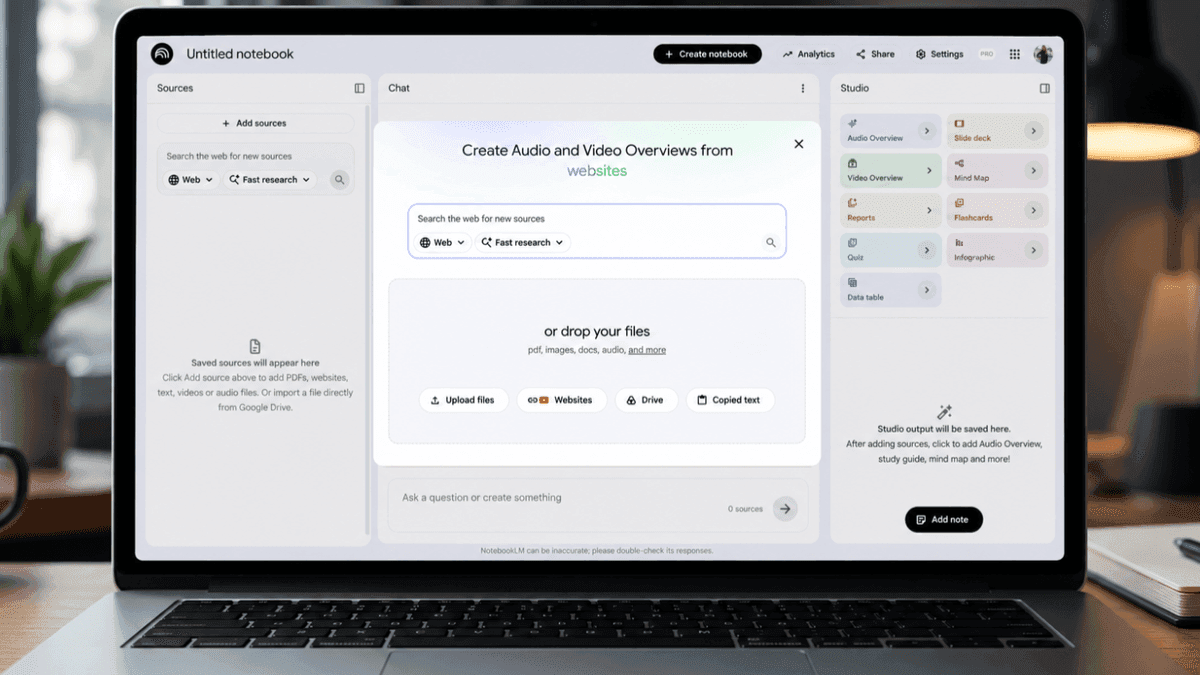
. With this update, users can start a chat about a project with loose ideas, and NotebookLM will help build the source repository by suggesting different sources using its research skills and Google Search integration2
4
.
Source: Tom's Guide
Right from the chat interface, users can ask Gemini to find sources fitting their needs, and it presents a research report with the option to import all or some of those as sources
1
. The feature can help users find primary sources in other languages or discover new material from related authors5
. Each source stays clearly attributed, ensuring results remain grounded in information users trust3
.Related Stories
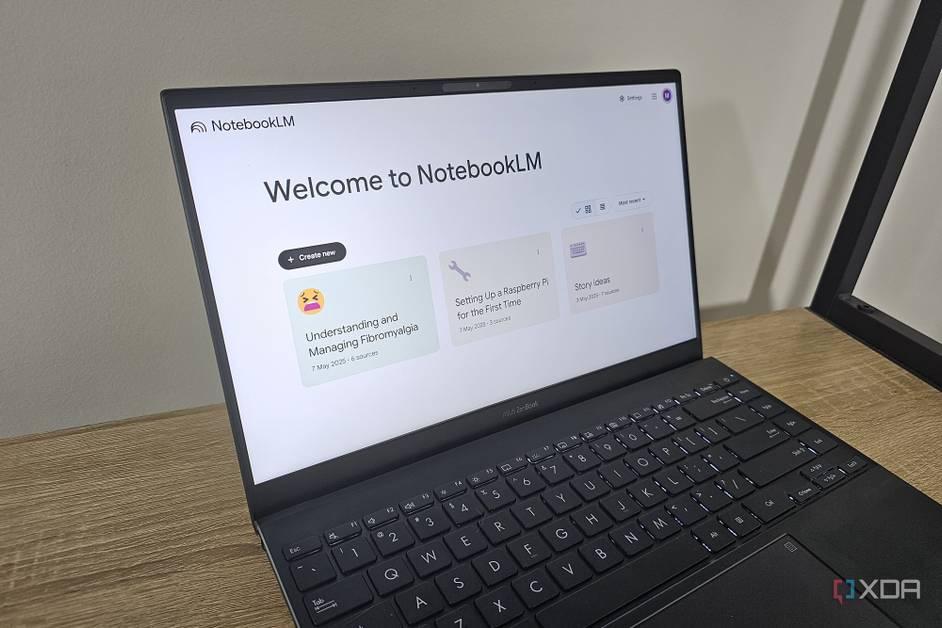
NotebookLM now extends beyond text outputs to generate documents across multiple formats. Users can give detailed instructions to generate output and even edit these files after creation
2
. The tool now supports data visualizations and charts in PNG and SVG formats, documents as PDFs, DOCX, Markdown, and text files, Nano Banana-powered images in PNG, JPG, and GIF formats, structured data as CSV and JSON files, and Microsoft Excel (XLSX) and PowerPoint (PPTX) formats1
5
.All materials can be downloaded from the app's Studio Panel, where infographics, quizzes, audio overviews, and other specialized outputs are stored
1
5
. Google plans to add more file types over time, broadening real-world use cases for technical teams, small business owners, and academic researchers.The updates are starting to roll out today to Google AI Ultra subscribers and all Workspace business customers with AI Ultra Access and AI Expanded Access
1
2
3
. Most NotebookLM users won't see changes immediately, but Google plans to expand these features to other accounts in the near future1
.These enhancements position NotebookLM to handle more complex research tasks and projects, making it a more comprehensive research assistant for professionals across industries. Small business owners can combine sales and spending data for expansion decisions, while technical teams can convert dense specifications into simplified guides and slide decks
3
. The combination of improved reasoning, source discovery, and versatile output formats addresses user demands for transparency and flexibility in AI-assisted research workflows.Summarized by
Navi
[1]
19 Apr 2026•Technology

27 May 2025•Technology

20 Jul 2025•Technology

1
Policy and Regulation

2
Policy and Regulation

3
Policy and Regulation