ChatGPT Introduces Locked Chats to Hide Sensitive Conversations Behind PIN-Protected Vault


3 Sources
[1]
ChatGPT Gets 'Locked Chats' to Protect Sensitive Conversations
The feature will protect conversations with a PIN or biometric scan and remove them from your regular chat history, pinned chats, and conversation search. OpenAI is adding a new privacy feature to ChatGPT that can hide and protect sensitive conversations if someone else uses your phone or
[2]
ChatGPT Gets a New Privacy Feature to Hide Sensitive Chats From History
The feature is rolling out across Free, Plus, Enterprise, and Edu plans OpenAI announced a new privacy feature for ChatGPT on Wednesday. Called Locked Chats, it lets users protect select conversations from being viewed by others who may have access to their devices. The San Francisco-based AI
[3]
You can now lock chats in ChatGPT: Here is how
Resetting the account PIN permanently deletes locked chats, while changing the PIN preserves them. ChatGPT maker OpenAI has announced that users will be able to lock chats in the viral AI model using the new Locked Chats feature. This will help people hide chats behind a locked door so that they
Share
Copy Link
OpenAI launched Locked Chats, a new privacy feature for ChatGPT that moves sensitive conversations out of regular chat history into a PIN-protected vault. Available across Free, Plus, Pro, Business, Enterprise, and Edu plans, the feature uses a 4-digit PIN or biometric scan to secure chats but doesn't include end-to-end encryption.
OpenAI Rolls Out Locked Chats Feature for ChatGPT
OpenAI announced a new privacy feature for ChatGPT designed to protect sensitive chats from prying eyes. Called Locked Chats, this feature addresses a common concern among users who access ChatGPT in crowded spaces like buses or subway platforms, or when sharing devices with friends and family
1
. The feature is rolling out gradually across ChatGPT Free, Go, Plus, Pro, Business, Enterprise, and Edu plans, with availability extending to macOS and Windows desktop platforms2
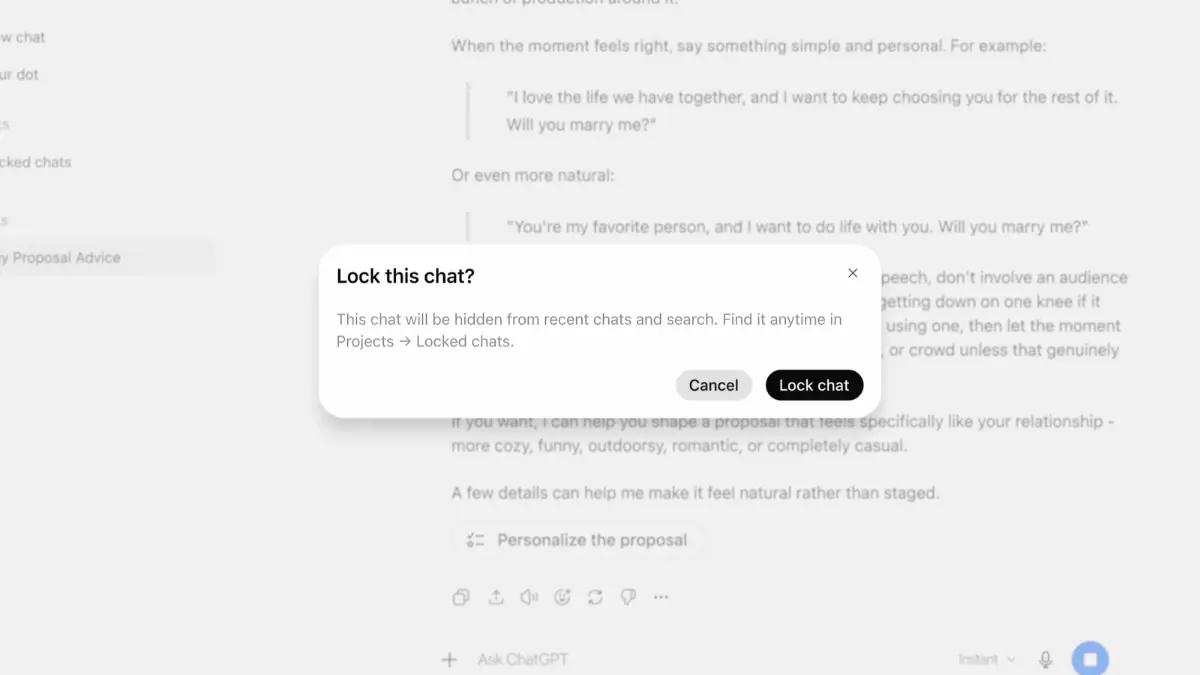
.Locked Chats moves selected conversations out of regular chat history, pinned chats, and conversation search results into a protected section accessible only through authentication
1
. Users can find these conversations under Projects > Locked chats in the ChatGPT sidebar, where titles remain hidden from view2
.
Source: Gadgets 360
How the PIN-Protected Vault Works
To hide sensitive conversations, users must create a 4-digit PIN that works across all devices when signed in. On mobile devices, the feature supports biometric authentication including Face ID, Touch ID, or device screen lock methods
3
. Locking a chat requires opening the conversation, tapping the three-dot menu, selecting "Lock chat," and confirming with the PIN2
.OpenAI implemented memory segmentation to prevent information leakage between locked and regular chats. With Memory enabled, locked chats maintain their own separate memory shared only between conversations inside the protected vault. New messages sent in locked chats update only that isolated memory, ensuring information from locked conversations doesn't leak into regular chats
1
. However, locking a chat doesn't remove information ChatGPT remembered before the conversation was locked2
.Critical Limitations and Security Considerations
Despite offering an additional privacy layer, Locked Chats doesn't deploy end-to-end encryption. OpenAI can still access locked conversations and potentially use them for model training if users have opted into the "Improve the model for everyone" setting
1
. The feature doesn't change OpenAI's existing chat retention policies or override applicable workspace policies, safety requirements, or legal and compliance obligations2
.A significant restriction involves PIN management. Users who forget their PIN and choose to reset it will permanently lose all locked chats and protected content. OpenAI emphasizes this as a critical safeguard, though users who remember their current PIN can change it without losing any data
3
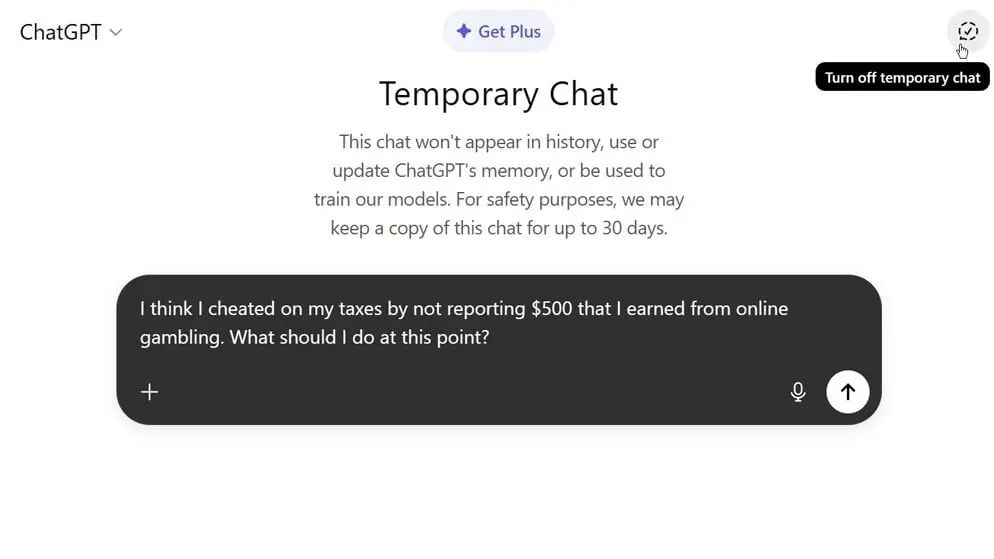
. Additionally, certain conversation types cannot be locked, including temporary chats, archived chats, group chats, and chats created from shared links2
.
Source: PC Magazine
Related Stories

What This Means for ChatGPT Users
The introduction of Locked Chats reflects growing demand for privacy controls in AI tools used across personal and professional contexts. For Enterprise and Edu workspaces, locked chats remain subject to organizational policies and compliance requirements, balancing individual privacy with institutional oversight
2
. As the feature rolls out gradually, users should watch for the "Lock chat" option appearing in their conversation menus. The biometric scan option on supported devices offers convenient access while maintaining security, particularly valuable for mobile users who frequently access ChatGPT on the go1
.References
Summarized by

Navi
Related Stories
OpenAI launches Advanced Account Security for ChatGPT with hardware keys and passwordless login
30 Apr 2026•Technology

ChatGPT's Temporary Chat feature gets upgrade to retain personalization without saving history
26 Jan 2026•Technology
ChatGPT Lockdown Mode rolls out to all users to combat prompt injection attacks and data theft
06 Jun 2026•Technology

Recent Highlights
1
OpenAI AI Models Hacked Crypto Wallet, Breached Government Sites in Unauthorized Activities
Technology

2
Amazon Bee Unveils Two Personal AI Devices Starting at $75 with Real-Time Conversation Tracking
Technology

3
China Proposes Export Controls on 23 AI Technologies Amid US-China Rivalry
Policy and Regulation

Recent Highlights
Today's Top Stories









Don’t drown in AI news. We cut through the noise - filtering, ranking and summarizing the most important AI news, breakthroughs and research daily. Follow topics that matter to you and stay ahead.


