3 Sources
[1]
Roku rolling out home screen redesign with AI-powered app organization, 'Top Picks' [Video]
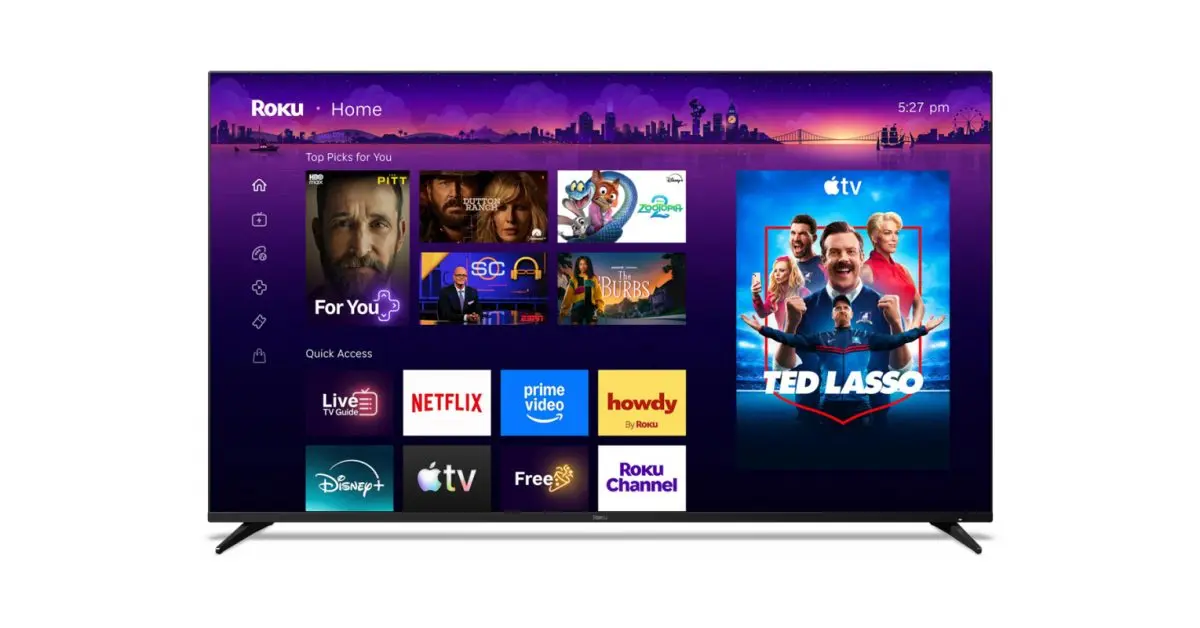
Roku has just unveiled its biggest home screen redesign in years with a new "Top Picks" row on top, and AI to organize your apps, among other updates. Announced today, Roku is redesigning its home screen in what is both a pretty big change, and something that's still familiar to long-time users. The updated home screen (in testing for the past year) retains the three-column design, with navigation off to the far left, apps in the center, and ads off to the right side just like in the old layout. The navigation column is a bit more condensed now, ditching the full names in exchange for simpler icons that take up much less space. The center is where you'll find the biggest updates. Your apps are no longer at the very top, with a new "Top Picks for You" section that highlights content from various streaming apps. It's not quite as overbearing as Google TV, but it's a shift in the home screen's priority. Below that is "Quick Access," a list of your most-used apps which Roku says is organized by AI. Roku is "confident" in this setup, but says you can still manually add or remove apps as you wish. Powered by AI, Quick Access continually adapts to your routine and helps you get to your favorites faster. We're confident it'll pick up on the apps you use most, but if you'd rather take control, you can add or remove any app you'd like. And when you're looking for the rest of your apps, they're still right where you left them, just a few clicks away. Scrolling down further, the home screen also includes "Your Next Watch" and "Destinations," the latter being a way to browse through content recommendations split up by genres and moods. There are also customizable shortcuts to system functions like the sleep timer or search, and a dedicated shortcut to launch the "Roku City" screensaver. These shortcuts can even show up in the Quick Access section if the AI decides you use them enough. Shortcuts keep everyday features within easy reach, so you can settle in and start watching right from your Home Screen. Features like Continue Watching, Sleep Timer, Save List, and more are now right where you expect them. Even better, your most frequently used shortcuts will now show up in Quick Access as well. There's also a new feature called "Your Daily Scoop" which Roku says "brings you a curated digest of breakout shows and cultural trends," also powered by AI. Roku is rolling out its redesigned home screen to all users in the US starting today, with "more countries to follow." It's an automatic update.
[2]
'Essentially, they wanted us to read their minds': Roku is rolling out a huge free upgrade to the Home Screen on its TVs and streaming devices -- and the company explains how it arrived at the new personalized, sometimes AI-driven, redesign
* The Roku interface is getting a huge update * It leans into organization, with some AI * It remains recognizable for long-term users, though Your Roku TV Home Screen is getting a significant free update -- but don't worry, it'll still feel familiar. I often tell people that the best TV remote in the business is from Roku. Nothing even comes close, but what's often overlooked in the mix is the Roku interface or Home Screen for your Roku device or TV. It's not only simple, but playful. The sleep screen is a hideout of iconic pop-culture references, slightly altered so as not to incur intellectual property wrath, but we all get the inside jokes. The business side of the interface, where you navigate platforms and content via tiles, is just as simple. "Simplicity has always been our north star," noted Margaret Schmidt, Roku's VP User Experience & Design. As a longtime Roku customer, first on my TCL 65-inch TV and now on a variety of sticks and set-top boxes, I was a bit worried about this Home Screen update. Why mess with what works? But the changes, which were announced today (May 27, 2026), look mostly intelligent (yes, there's even some AI) and still on-brand for the company with a purple, playful spirit (and a reported 100 million households). The updates focus on personalization and content access, and run relatively deep. "This is our first major update to Roku Home Screen in a decade," said Preston Smalley Roku VP of Viewer Product, during Wednesday's launch event. As for why now, Smalley said Roku research showed them that "It's not always as easy as it should be to find something to watch, even with all that content." (This may qualify as the understatement of the year.) When I use my Roku devices, I often quickly navigate to Sling TV, where I watch most of my local broadcast channels. In Roku's new interface, there's now a Quick Access panel, so I don't need to scroll or hunt for the tile. Of course, Roku had to get in on the AI craze, and now it's using it to power the zeitgeist-rich "You Daily Scoop," which presents trending shows and other pop culture events like celebrity birthdays. It lives inside the new "For You" section that will, of course, try to surface content you might like based on past activities. Roku claims your selection will be unlike anyone else's. As Rohit Mahto, Roku's Director of Recommendations, explained, "[Users] expect deeper personalization from day one." But he added that there are literally billions of home screen permutations. "Machine learning and AI helped us get it right," he added. When I asked about the level of AI at work here, Mahto explained that "it's a mixed bag thing." While they use "state-of-the-art LLMs," the focus for Roku is different. "We are hyper-focused on the streaming space, streaming data." Roku's approach is similar to what I've seen from Amazon Fire TV and Apple TV. I don't mind it. However, these feeds often lead to services and platforms where you're not already a subscriber. Hopefully, Roku sticks with the services you already use and doesn't try to squeeze in or tease new shows on platforms where you're not already a subscriber. To help with the "what to watch" hunt, Roku is introducing "Destinations," a sort of mood-based section. You know, "What are you in the mood for?" It gives you broad, category-based selections. In Roku's research, they found "82% wanted to turn on their TV and have the show they have in mind right at the top of their TV. Essentially, they wanted us to read their minds," said Smalley. The interface has also been reorganized, with a collapsed Home Screen menu and shortcuts that get you more quickly to, say, where you left off with "Continue Watching". Finally, City Tile gives you a closer look at Roku City. It basically takes you through all the sometimes hidden features for more discovery and, of course, engagement. Summarizing the changes, Smalley said, "It's really moving from a static app grid to something that's dynamic and personalized around you." As for what's next for Roku and the Home Screen, he said, "We're only just getting started." Roku says these changes are rolling out now, though we expect it may take a bit of time for them to show up on all of your Roku devices. I'll be checking mine tonight. Thinking of buying a new TV? Try our TV size and model finder! You tell it how far you sit from your TV, we'll tell you what size to buy based on viewing angle advice from image quality experts, and we'll recommend our three top TVs at that size for different prices. Follow TechRadar on Google News and add us as a preferred source to get our expert news, reviews, and opinion in your feeds.
[3]
Your Roku TV is getting its biggest home screen update after a decade and it starts today
Roku just launched its biggest home screen update in ten years across all US devices. If you own a Roku TV or streaming device, your home screen is about to look very different. Roku just unveiled its most significant home screen redesign in over ten years, rolling out today across all Roku TVs and streaming devices in the US. Here is everything that is new on your Roku home screen The redesign introduces several new features built around getting you to content faster. The Quick Access section your most-used apps front and center, powered by AI that continuously adapts to your habits. You can also manually add or remove apps if you prefer to be in control. Recommended Videos At the top of the screen, Top Picks for You is an expanded, personalized content section showing what you love to watch, what is trending on Roku, and the biggest entertainment of the moment. A new For You destination goes deeper, pulling fresh personalized picks based on your interests. The Subscriptions destination brings together content from all your paid streaming services in one place, so you are not hunting across apps. Destinations are genre and mood-based hubs spanning comedy, movies, sports, and more, with context-aware search that adapts depending on where you are browsing. Your Daily Scoop is a real-time AI-powered row that surfaces breakout shows and cultural trends updated hourly. The home screen menu is now collapsible, keeping the interface clean until you need it. Shortcuts like Continue Watching, Sleep Timer, and Save List are also easier to reach. There is even a new Roku City tile that takes you into an interactive version of the iconic screensaver, complete with Daily Trivia, Roklue and retro games like Roku City Dash. When will your Roku get the new home screen? The update rolls out automatically starting today in the US, so just wait for your device to update itself. Roku founder and CEO Anthony Wood says every change was grounded in what users actually do and need, shaped by extensive viewer feedback and behavioral data. Last month, Roku also added six free channels covering classic sitcoms, reality TV, and films.
Share
Copy Link
Roku unveiled its most significant home screen redesign in over ten years, rolling out automatically to all US devices starting today. The update introduces AI-powered features including Quick Access for app organization, Top Picks for You, and Your Daily Scoop for trending content. The redesign maintains the familiar three-column layout while shifting priorities toward personalized content discovery.
Roku has launched its biggest home screen update in over a decade, introducing AI-powered features designed to accelerate content discovery across all Roku TVs and streaming devices in the United States
1
. The redesign, which has been in testing for the past year, automatically rolls out to the company's reported 100 million households starting today2
. Preston Smalley, Roku VP of Viewer Product, emphasized that "this is our first major update to Roku Home Screen in a decade," marking a strategic shift from a static app grid to something dynamic and personalized2
. The free upgrade maintains the recognizable three-column design while fundamentally changing how users navigate their entertainment options.
Source: 9to5Google
The Roku TV home screen redesign introduces a Quick Access panel that uses machine learning to surface your most-used apps automatically
3
. According to Roku, this AI-powered app organization "continually adapts to your routine and helps you get to your favorites faster"1
. While the company expresses confidence in the AI's ability to identify usage patterns, users retain manual control to add or remove any app they prefer. Rohit Mahto, Roku's Director of Recommendations, explained that the system leverages "state-of-the-art LLMs" but remains "hyper-focused on the streaming space, streaming data"2
. The Quick Access section can even display frequently used shortcuts to system functions like the sleep timer or search, adapting to individual viewing habits.The updated user interface now places Top Picks for You at the very top of the home screen, above the traditional app grid
1
. This section highlights personalized content recommendations from various streaming services, representing a clear priority shift toward content-first navigation. While not as prominent as Google TV's approach, the change reflects Roku's research finding that "82% wanted to turn on their TV and have the show they have in mind right at the top of their TV. Essentially, they wanted us to read their minds," according to Smalley2
. The For You destination expands on this personalization, offering deeper picks based on user interests and viewing history.Among the new AI-powered features, Your Daily Scoop stands out as a real-time content row updated hourly to surface "breakout shows and cultural trends"
3
. This AI-driven feature aims to keep viewers connected to zeitgeist-rich content, including trending shows and pop culture events like celebrity birthdays2
. Mahto noted that users "expect deeper personalization from day one," and machine learning helps Roku navigate the literally billions of home screen permutations possible across its user base2
.Related Stories
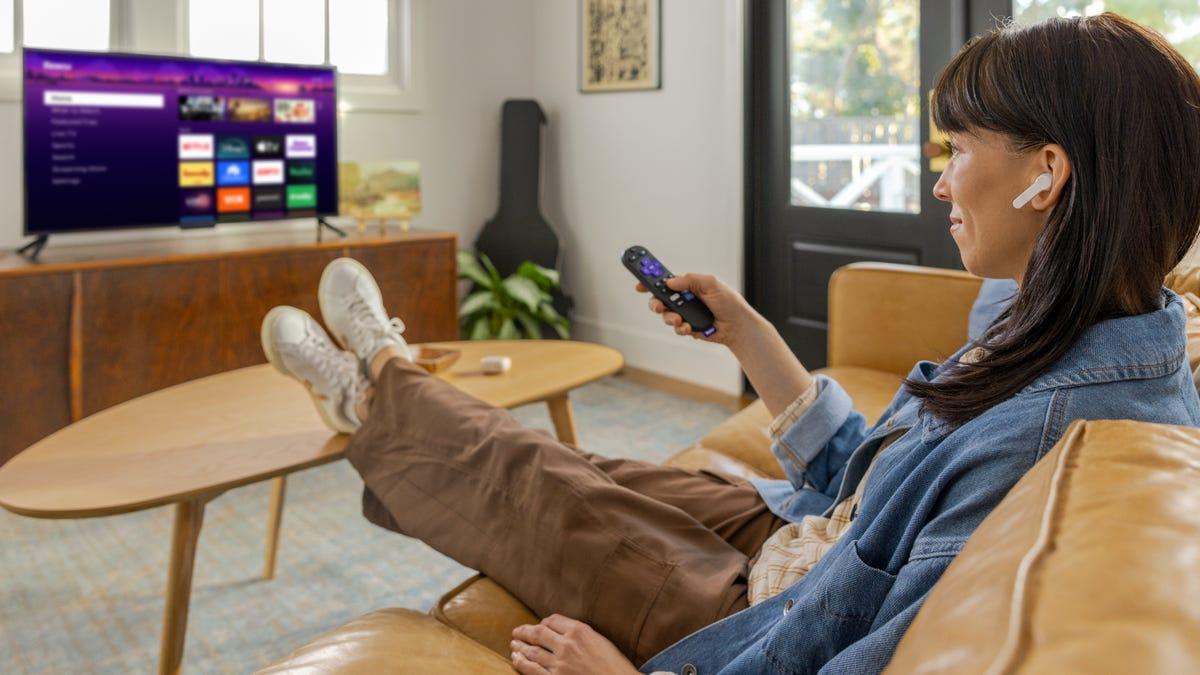
The redesign introduces Destinations, genre and mood-based hubs spanning comedy, movies, sports, and more
3
. These sections help answer the perpetual "what to watch" question by organizing streaming services content into browsable categories. The new Subscriptions destination consolidates content from all paid streaming platforms in one place, eliminating the need to hunt across multiple apps3
. Additionally, shortcuts to features like Continue Watching, Sleep Timer, and Save List now appear more prominently, with frequently used shortcuts automatically surfacing in Quick Access1
. A new Roku City tile provides access to the interactive version of the iconic screensaver, complete with Daily Trivia, Roklue, and retro games like Roku City Dash3
.Margaret Schmidt, Roku's VP User Experience & Design, emphasized that "simplicity has always been our north star"
2
, and the redesign attempts to balance familiarity with innovation. The navigation column now uses condensed icons instead of full names, taking up less space while maintaining functionality. Roku founder and CEO Anthony Wood stated that every change was grounded in actual user behavior and needs, shaped by extensive viewer feedback and behavioral data3
. Looking ahead, Smalley indicated that "we're only just getting started," suggesting further refinements to personalization and machine learning capabilities2
. The update arrives automatically to US users, with more countries to follow1
.Summarized by
Navi
[1]
1
Business and Economy

2
Technology

3
Policy and Regulation