Adobe Unveils AI-Powered Generative Media Tool for Premiere Pro and After Effects


3 Sources
[1]
Adobe is trying to make its AI generators idiot-proof in Premiere
Adobe is overhauling how editors interact with AI in its Premiere professional video editing software. Its new Generative Media tool makes it easier to generate video, sound effects, music, and soundscapes without ever leaving the project timeline. The generators themselves aren't entirely new; the
[2]
Adobe Premiere gets Generative Media Tool, AI audio tools; After Effects gets AI Assistant
Adobe has announced new AI-powered tools and workflow updates for Premiere and After Effects. The updates introduce generative video, sound effects, soundscapes and music in Premiere, along with new AI audio tools, an AI Assistant in After Effects, Color Mode updates and other workflow
[3]
Generate and create directly in your timeline with new AI-powered innovations in Premiere and After Effects
Every professional video editor knows the feeling: you're deep in a cut, and everything's clicking...until it isn't. You're missing a b-roll shot to cover an awkward transition, or the perfect sound effect, forcing you to leave your timeline and start digging through libraries and websites,
Share
Copy Link
Adobe introduced its Generative Media Tool for Premiere Pro, enabling editors to generate video, sound effects, and music directly in the timeline. The update integrates Adobe Firefly, Google Veo, Runway, Luma, and Kling models. After Effects gains an AI Assistant for motion designers, while Premiere receives an Emmy Award for 35 years of innovation.
Adobe is fundamentally changing how video professionals interact with AI video editing through a comprehensive overhaul of Premiere Pro and After Effects. The company's new Generative Media Tool addresses one of the biggest pain points in video production: maintaining creative momentum when missing critical elements like B-roll footage or sound effects.
1
Generative Media Tool Brings AI Models to Timeline
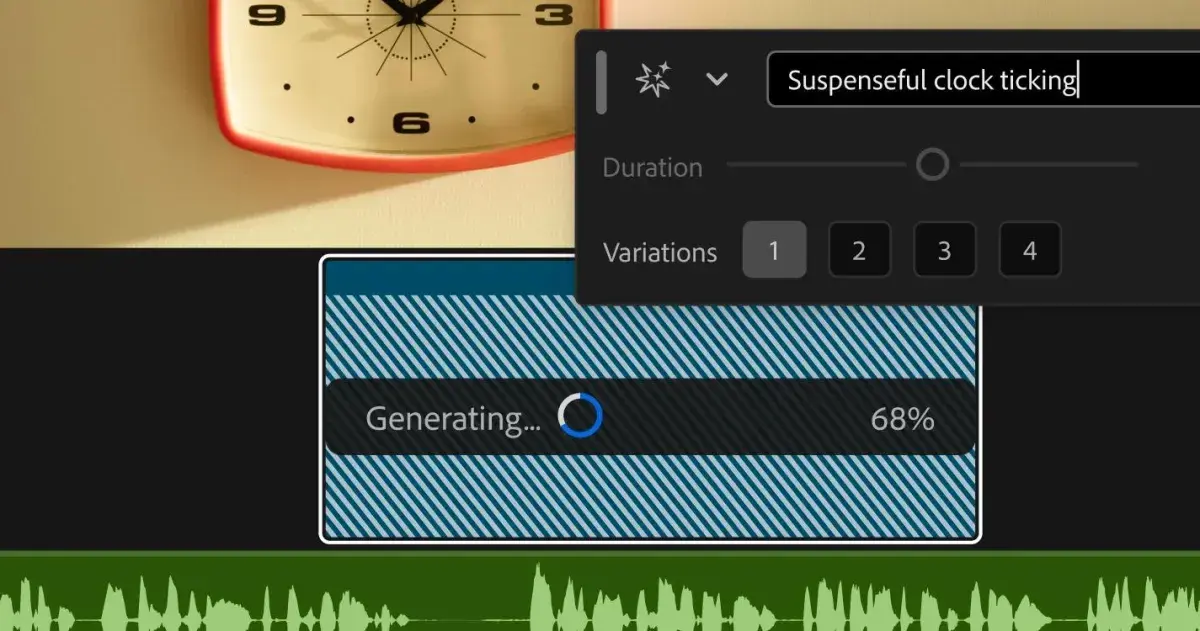
The Generative Media Tool represents a significant shift in professional editing workflows by allowing editors to generate content without leaving the project timeline. Instead of jumping between browsers or external applications, editors can now highlight an empty gap on the video or audio track and generate context-aware, fully editable clips directly within their project.
1
The tool integrates multiple AI models including Adobe Firefly, Google Veo, Runway, Luma, and Kling, giving editors the flexibility to select the model that best matches their project's style and requirements.2
Source: The Verge
The tool includes four distinct generation options that address different production needs. Generate Video fills gaps in the timeline using reference frames from the project to create footage that matches the surrounding visual context. Generate Sound Effects leverages Adobe's commercially safe audio model, allowing editors to use their voice to guide the rhythm, timing, and intensity of generated effects. Generate Soundscape analyzes up to 15 seconds of video to automatically create contextually informed audio with layers of ambience and sound effects timed to the edit. Generate Music creates original, commercially safe music with multiple variations, tempo controls, and looping capabilities, including synchronization rights across any type of media.
2
AI Audio Tools Transform Sound Editing
Premiere Pro gains powerful AI audio tools in public beta that tackle common audio challenges. The new Enhance Audio feature builds on the existing Enhance Speech capability with next-generation noise reduction, providing independent control over dialogue, music, ambience, and sound effects within individual clips.
2
Editors can remove individual elements, adjust layers independently, or mute dialogue entirely without affecting other audio components.Separate Crosstalk automatically splits two overlapping speakers into independent tracks for separate mixing and editing, eliminating the need for re-recording sessions. Dynamic Auto Ducking automatically balances dialogue, music, and other audio elements without requiring manual keyframes, streamlining a traditionally time-consuming process.
3
A new speed algorithm delivers natural-sounding duration changes across a wider range while preserving the original pitch and timbre, giving editors more flexibility in audio manipulation.2
AI Assistant Expands to After Effects
Adobe is extending its AI Assistant to motion design workflows with a public beta release in After Effects. Built natively into the application, the AI Assistant works across entire projects with thousands of layers, handling complex tasks through plain-language instructions.
1
Motion designers can use the assistant to reorganize projects, resolve technical issues, and create motion effects such as expressions without writing code themselves.2
The AI Assistant inspects compositions and footage before executing tasks based on user instructions, allowing editors to choose which changes to apply and refine the resulting work. In Premiere Pro, the assistant handles organizational tasks including batch renaming clips, organizing assets, and adding markers, freeing editors to focus on creative decisions rather than administrative work.
3
Related Stories

Creative AI Adoption and Industry Recognition
Adobe's 2026 Creators' Toolkit Report reveals that nearly nine in 10 creators accelerate business or audience growth when using creative AI tools, while an overwhelming majority consider it essential to retain final creative decision-making.
2
This balance between speed and creative control drives the design philosophy behind these AI-powered innovations, ensuring that AI-driven enhancements augment rather than replace human creativity.The Television Academy is recognizing Premiere Pro with an Engineering, Science & Technology Emmy Award for Outstanding Achievement at the 2026 Emmys, honoring 35 years of giving filmmakers the tools to make television history.
3
This Emmy Award recognition cements Premiere as a cornerstone of post-production and validates Adobe's ongoing commitment to innovation in professional video editing.Adobe has also expanded Premiere's cloud-based workflow with Frame.io Mounted Storage, allowing users to stream full-resolution media from the cloud directly to the timeline, edit cloud-stored media without manual downloads, and reduce local storage requirements.
2
These updates position Adobe AI as a comprehensive solution for modern video production challenges, addressing workflow efficiency while maintaining the creative control that professionals demand.References
Summarized by

Navi
[2]
Related Stories
Adobe Premiere Pro Unveils AI-Powered Video Editing Tools, Including 4K Generative Extend
02 Apr 2025•Technology

Adobe Introduces AI-Powered Search and Caption Translation in Premiere Pro Beta
23 Jan 2025•Technology

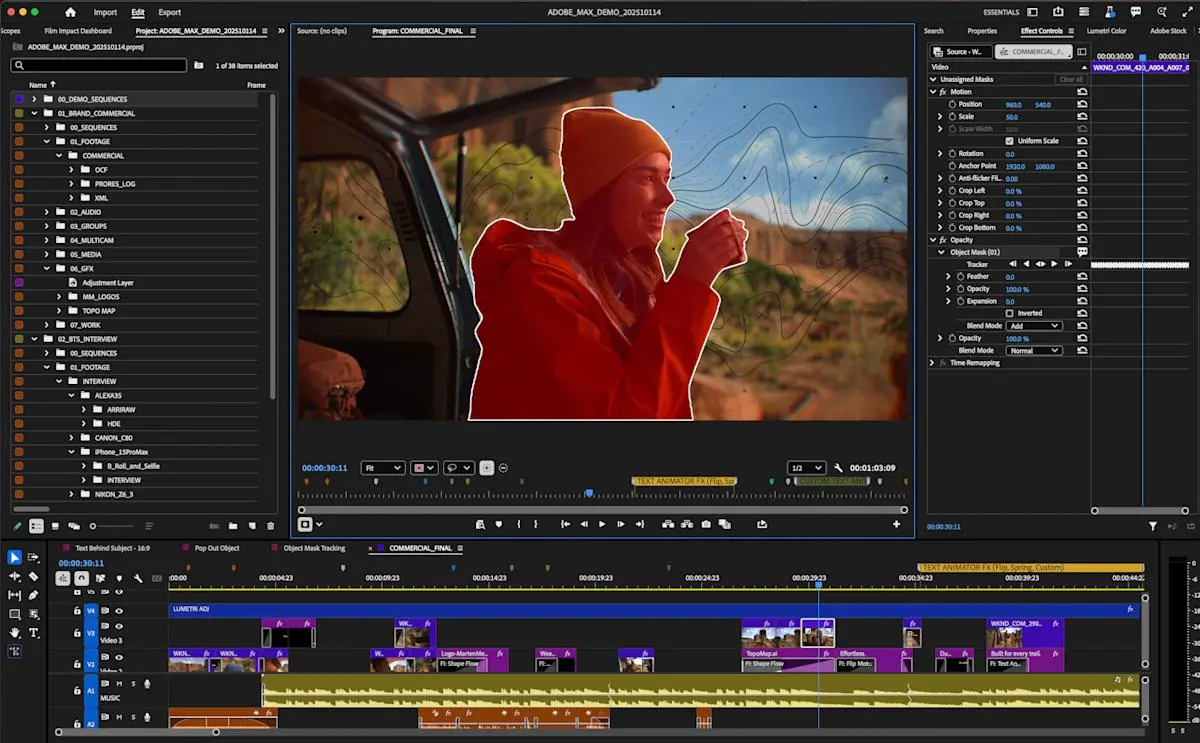
Adobe Premiere Pro gets AI tools that track objects 20x faster and streamline editing workflow
20 Jan 2026•Technology
Recent Highlights
1
OpenAI AI Models Hacked Crypto Wallet, Breached Government Sites in Unauthorized Activities
Technology

2
IMF Report Warns AI Market Correction Could Spark Global Financial Crisis With $1.4T at Risk
Business and Economy

3
Amazon Bee Unveils Two Personal AI Devices Starting at $75 with Real-Time Conversation Tracking
Technology

Recent Highlights
Today's Top Stories












Don’t drown in AI news. We cut through the noise - filtering, ranking and summarizing the most important AI news, breakthroughs and research daily. Follow topics that matter to you and stay ahead.


