ChatGPT Slides Lets Users Create Editable PowerPoint Decks with AI Assistance


2 Sources
[1]
ChatGPT Slides lets users create, edit and present decks without leaving ChatGPT
ChatGPT wants to steal your job as the office PowerPoint person OpenAI is expanding ChatGPT's role in the workplace with ChatGPT Slides, a new presentation-building feature that lets users create, edit, and collaborate on slide decks directly within the platform. Announced in OpenAI's October 16
[2]
How to create editable PowerPoint presentations using ChatGPT
AI-generated presentations save time and help organise information. Are you short on time and looking for quick ways to create a presentation? You're in luck, as ChatGPT now lets you generate editable slides. Not only can this save you time but the AI tool can also help you organise information,
Share
Copy Link
OpenAI introduced ChatGPT Slides, allowing Pro, Business, and Enterprise users to create editable PowerPoint presentations directly within ChatGPT. The feature supports real-time collaborative editing, custom image generation, and exports to PowerPoint and Google Slides, streamlining presentation workflows for professionals.
OpenAI Launches ChatGPT Slides for Presentation Creation
OpenAI announced ChatGPT Slides on October 16, a feature that lets users create editable PowerPoint presentations without leaving the ChatGPT platform
1
. This productivity tool enables professionals to generate slide decks from initial ideas, uploaded files, outlines, or sample presentations1
. Users can start with an existing ChatGPT conversation and transform it into a finished deck, with AI assistance for text refinement, custom visuals, and chart creation1
.The feature targets professionals who regularly prepare business reviews, client proposals, product launches, and team updates. Instead of manually arranging every element on blank slides, users focus on their message while ChatGPT organizes content and handles presentation design
1
. This AI for presentations approach helps streamline presentation workflows by reducing time spent on formatting and layout decisions2
.Real-Time Collaborative Editing Transforms Team Workflows
Source: Digital Trends
ChatGPT Slides introduces real-time collaborative editing, allowing teams to work simultaneously on the same presentation
1
. Users can invite teammates, make changes together, and leave shared comments without passing files back and forth1
. ChatGPT can implement feedback, revise wording, update charts, and maintain consistency across slides based on team input1
.This collaborative capability matters for teams that repeatedly revise presentations before meetings or client pitches. The AI assistance for text refinement and design adjustments happens within the shared workspace, eliminating manual merging of feedback
1
. Users can also provide existing presentations as references, helping ChatGPT follow preferred visual styles and maintain established branding rather than producing generic AI-generated content1
.Export Options Support PowerPoint and Google Slides Integration
Once users generate slide decks, they can present directly within ChatGPT or export to PowerPoint, PDF, or Google Slides on the web
1
. On supported desktop setups, presentations open in PowerPoint or Keynote1
. The exported content remains editable, allowing users to create editable PowerPoint presentations and continue refining them in their preferred software1
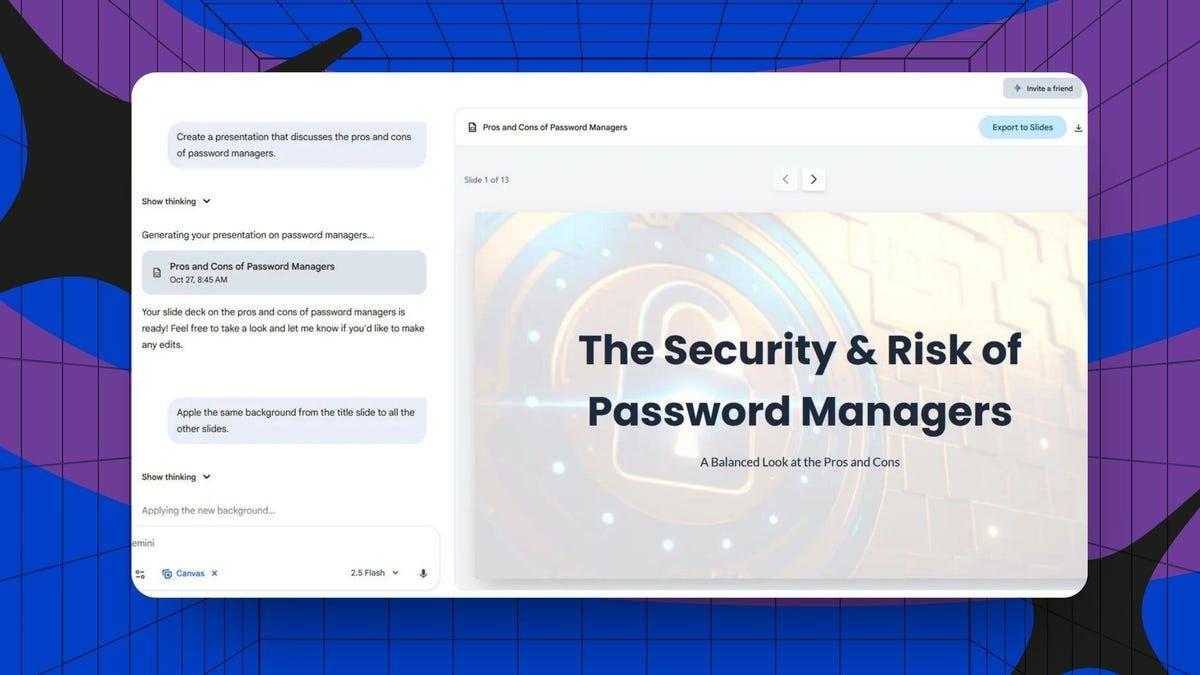
.To create presentations using the feature, users log into ChatGPT and describe their topic and objectives in the chat box
2
. They can specify the number of slides, design preferences, tone, and other requirements2
. Users can also upload source material for ChatGPT to base the slides on provided information2
. An example prompt reads: "Create a 10-slide presentation on [topic]. Use simple English, short bullet points and a clean design. Make sure that you don't hallucinate and only use the information I provided"2
.Related Stories
Access Limited to Pro, Business, and Enterprise Users
ChatGPT Slides is rolling out exclusively to eligible Pro users, Business, and Enterprise users with Space access
1
. The feature is not available to every ChatGPT account, so access depends on the user's plan and workspace eligibility1
. This limitation means many users will need to upgrade their subscriptions to access the presentation-building capabilities.Despite the AI assistance, users must verify figures, sources, charts, and factual claims before presenting or sharing decks, particularly when they contain business or financial information
1
. The launch does not eliminate the need to review AI-generated content for accuracy1
. The feature's value will depend on how well it handles complex layouts, preserves formatting, and translates rough source material into coherent stories1
. For professionals who spend hours building presentations, the promise is straightforward: less time wrestling with slides and more time improving the ideas behind them1
.References
Summarized by

Navi
Related Stories
ChatGPT now creates and edits PowerPoint slides with simple text prompts
22 May 2026•Technology

OpenAI Developing Excel and PowerPoint-like Tools for ChatGPT, Potentially Rivaling Microsoft Office
17 Jul 2025•Technology

OpenAI Challenges Microsoft and Google with ChatGPT Space, Pages and $500 Pro Max Subscription
25 Sept 2026•Technology

Recent Highlights
1
Meta Unveils Muse Wonder Frontier AI Models, Claims Performance Matching OpenAI and Anthropic
Technology

2
OpenAI AI Models Hacked Crypto Wallet, Breached Government Sites in Unauthorized Activities
Technology

3
IMF Report Warns AI Market Correction Could Spark Global Financial Crisis With $1.4T at Risk
Business and Economy

Recent Highlights
Today's Top Stories










Don’t drown in AI news. We cut through the noise - filtering, ranking and summarizing the most important AI news, breakthroughs and research daily. Follow topics that matter to you and stay ahead.


