Mozilla Expands Firefox Smart Window with AI-Powered Tab Grouping and Privacy-First Search


10 Sources
[1]
Firefox's AI Window Gets New Features Meant to Help You Stay on Task and Organized - CNET
Zach began writing for CNET in November, 2021 after writing for a broadcast news station in his hometown, Cincinnati, for five years.... Read full bio Firefox's AI-integrated Smart Window is getting a few new features meant to help people pick up their work right where they left off. The features,
[2]
If you use AI, Firefox is the browser to beat right now - here's why
Follow ZDNET: Add us as a preferred source on Google. ZDNET key takeaways * Mozilla has released Smart Window beta. * This AI tool is powerful, flexible, and free. * You can test it on MacOS and Windows. For most of the past decade, Firefox has been given the short shrift within the world of
[3]
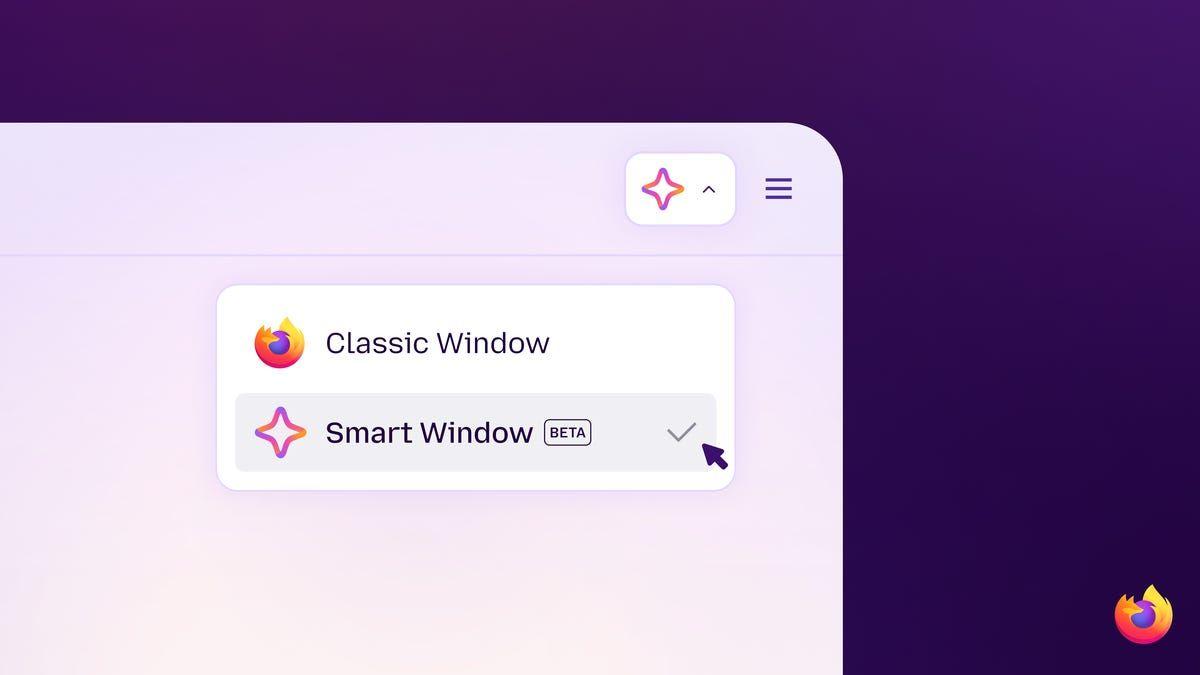
Firefox's Smart Window promises a better AI browser
Starting today, AI chats in Firefox's Smart Window AI browsing mode can pull from current web info and show source links in chat responses through a partnership with Exa. Smart Window can also now automatically suggest tab groups and show visual previews of pages you previously visited when you
[4]
Firefox Just Proved AI Browser Features Don't Have to Suck (or Spy on You)
Firefox has embraced AI more slowly than other browser giants, such as Google Chrome and Microsoft Edge, which quickly went all in on AI, from agents to omnipresent assistants. However, the situation is changing, as the latest Firefox update brings a new type of Smart Window browser tabs,
[5]

Firefox Smart Window adds AI web search, automatic tab groups, and more
Mozilla today announced new features to Firefox's AI-powered Smart Window, which remains in beta. Here are the details. Firefox's Smart Window gets new features A few months ago, when Mozilla first announced Smart Window, it described the feature as "a separate, optional window in Firefox where
[6]

Mozilla Tests an AI 'Smart Window' in Firefox -- But Only If You Opt In
It extends Mozilla's existing sidebar chatbot and leans on "user choice" as the pitch against browsers built by AI companies. Mozilla is testing a new "Smart Window" in Firefox -- a separate, optional window where you can chat with an AI assistant of your choice while you browse. The company is
[7]

Firefox Is Rolling Out Three New Features for 'Smart Window'
Eventually, Mozilla wants Firefox to remember what you do in the browser. If you like to be on the cutting edge, you might know about Firefox's "Smart Window" feature -- formerly "AI Window." If not, here's an intro: Smart Window is Firefox's take on an AI web browsing assistant. You can use the
[8]

Firefox updates Smart Window: A new in-browser AI assistant that can keep up with you
Firefox updates Smart Window: A new in-browser AI assistant that can keep up with you Mozilla Corp. rolled out updates today to its popular Firefox browser, updating an artificial intelligence assistant called Smart Window, currently in beta, that lets users check answers, summarize open tabs, and
[9]

Mozilla is bringing AI to Firefox -- but only if you want it
A new feature called Smart Window adds AI chat, web search, and browsing-based 'memories' to Firefox while giving users the option to keep AI turned off entirely. Artificial intelligence is coming to Mozilla Firefox -- but only for users who want it. Through a deal with AI search provider Exa,
[10]

Mozilla introduces Smart Window with AI features and Exa search integration
Mozilla added three new AI features to Firefox's opt-in Smart Window on August 18. These features include web search from a startup called Exa, automatic tab grouping, and visual history previews. The beta is currently available only in English for users in the U.S. and Canada. Smart Window
Share
Copy Link
Mozilla announced major updates to Firefox Smart Window, introducing AI-powered tab grouping, Exa search integration with zero data retention, and visual browsing history previews. The opt-in AI browsing mode lets users choose between Gemini, OpenAI, and local models while maintaining Firefox's user-first philosophy and privacy standards.
Mozilla Expands Firefox Smart Window with Privacy-First AI Features
Mozilla announced significant updates to Firefox Smart Window, its opt-in AI browsing mode, introducing AI-powered tab grouping, enhanced search capabilities through a partnership with AI search provider Exa, and visual previews of browsing history
1
3
. The features, currently available in English to users in the US and Canada, represent Mozilla's approach to building AI browser features that prioritize user choice and privacy over forced integration4
.
Source: PC Magazine
Ajit Varma, head of Firefox, emphasized that Smart Window operates under strict privacy standards. "That is a red line for us to make sure [Smart Window is] as private as possible," Varma told CNET
1
. The partnership with Exa ensures zero data retention policy compliance, meaning user prompts are processed in memory without storage for model training, advertising, or human review3
.AI-Powered Tab Grouping and Duplicate Detection Transform Organization
Firefox Smart Window now automatically suggests groups for related tabs, addressing the common problem of research sprawl across dozens of open pages
5
. When users grant permission, Smart Window analyzes webpage content to identify related themes and group tabs accordingly. Users researching running shoes, for example, can let the system create a dedicated group for all shoe-related tabs, or manually adjust groupings as needed1
.The AI-powered tab grouping includes automatic duplicate tab detection, allowing users to spot and close duplicate tabs with a single click
5
. During testing, the feature quickly sorted restaurant-related tabs into organized groups with contextually relevant names based on location4
. Microsoft Edge offers similar functionality, but Mozilla's implementation stands out for its optional nature and privacy-focused design.Exa Integration Brings Current Web Information with Source Citations
The partnership between Mozilla and Exa transforms how Firefox Smart Window retrieves information. Rather than forcing users to jump between tabs searching for citations, Smart Window now pulls current information from across the internet and provides direct source links in chat responses
1
3
. This AI-enhanced tab history capability delivers answers without redirecting users to separate search results pages, maintaining workflow continuity.Mozilla selected Exa specifically because the company shares Firefox's privacy principles, particularly around zero data retention
1
. According to Firefox AI senior staff product manager Steve Truong, all third-party providers operate under zero-data-retention contracts, processing user prompts in memory without storing data for model training, advertising, or human review3
.Natural Language Searches of Browsing History with Visual Previews
Firefox Smart Window introduces natural language searches of browsing history paired with visual previews, making it easier to relocate previously viewed content
3
. Users can input prompts like "running shoes I looked at last week" and receive visual previews of relevant pages from their browsing history, eliminating the need to click through multiple URLs to find the right page5
.
Source: ZDNet
This differs fundamentally from standard browser history logs, which display only URLs and page titles. The visual previews show actual snapshots of webpages, helping users identify content based on visual memory rather than text descriptions
1
. Mozilla reports that beta users found this feature helped them maintain their train of thought more effectively3
.User-First Philosophy Distinguishes Firefox from Chrome and Edge
Mozilla's approach to AI browser features contrasts sharply with competitors. While Google Chrome and Microsoft Edge integrate AI tools across nearly every product and service, Firefox maintains opt-in AI tools that users can enable, disable, or configure individually
4
. Firefox added a dedicated AI Controls section to browser settings where users can turn off all AI features or selectively enable specific capabilities.
Source: CNET
Varma explained Mozilla's user-first philosophy: "Some people are really leaned into AI, and some people are more skeptical. Create something that is easy for the people who really want to experiment with new things and easy to turn off for those who don't"
4
. This privacy-focused alternative extends to model selection, with users choosing between Gemini 3.1 Flash Lite, OpenAI's oss-gpt-120b, Alibaba's Qwen3-235B-A22B-Instruct-2507, or their own local AI models2
3
.Related Stories
Digital Sovereignty and Model Flexibility Support Global Users
Firefox Smart Window supports digital sovereignty by allowing users to choose local models or AI from region-specific companies with different values than major tech corporations
3
. The system categorizes models into three types: Fast (Gemini 3.1 Flash Lite), Flexible (Alibaba Qwen), and Personal (OpenAI)2
. Users can switch between models on a per-chat basis depending on their needs.The onboarding process lets users select which model to use and what Smart Window learns from—either chats within Smart Window, browsing across Firefox, or both
2
. A Memories function can be enabled or disabled per chat, giving users granular control over how the AI assistant remembers shared information2
.Future Updates Promise Form Autofill and Browsing Journey Reconstruction
Mozilla announced upcoming features for Firefox Smart Window, including the ability to surface recent browsing journeys and pull together related tabs and history to provide starting points when returning to previous work
5
. The company is developing form autofill capabilities that use relevant information to complete online forms automatically, reducing repetitive data entry while keeping users in control of what Smart Window can access5
.Varma noted there isn't a "precise date" for when Smart Window will exit beta, indicating Mozilla is taking a measured approach based on user feedback
3
. The company added features like the top navigation bar in Smart Window directly in response to user requests, demonstrating its commitment to user-centric development3
. Access to Smart Window beta requires completing an onboarding process rather than simply updating the browser, with availability currently limited to English-speaking users in the US and Canada4
5
.References
Summarized by

Navi
[3]
Related Stories
Mozilla Introduces AI Window for Firefox Amid User Backlash
13 Nov 2025•Technology

Mozilla Firefox Partners with Mistral AI to Launch Privacy-First Smart Window Assistant
17 Sept 2026•Technology

Firefox introduces AI browser kill switch to let users block all generative AI features
02 Feb 2026•Technology

Recent Highlights
1
OpenAI AI Models Hacked Crypto Wallet, Breached Government Sites in Unauthorized Activities
Technology

2
IMF Report Warns AI Market Correction Could Spark Global Financial Crisis With $1.4T at Risk
Business and Economy

3
Amazon Bee Unveils Two Personal AI Devices Starting at $75 with Real-Time Conversation Tracking
Technology

Recent Highlights
Today's Top Stories












Don’t drown in AI news. We cut through the noise - filtering, ranking and summarizing the most important AI news, breakthroughs and research daily. Follow topics that matter to you and stay ahead.


