11 Sources
[1]
We Finally Have a Date for the End of Google Assistant on Mobile Devices
UPDATE 8/6: Google has finally set an end-of-life date for the Google Assistant on mobile devices: Sept. 4, 2026. "As we transition our mobile experience to Gemini, Google Assistant will no longer be available on your mobile device," Google said in an email to users this week. "We will begin removing access to Google Assistant starting on September 4, and expect that this process may take a few weeks to reach everyone. "Once availability is removed, you will no longer be able to use or switch back to Google Assistant on your phone, tablet, or paired devices," it adds. This also applies to paired devices, including watches running Wear OS, headphones or earbuds compatible with Gemini, and vehicles running Android Auto connected to your phone. (On cars with Google built-in, the Google Assistant will still work after Sept. 4.) The Gemini app requires at least 2GB of RAM on phones running Android 9 or later. Original Story 11/24/25: The Gemini switchover continues with many new devices swapping the Google Assistant for the AI chatbot. However, Google will not end support for the Assistant until March 2026. In March, Google said it would end support for Assistant on mobile by the end of 2025. Now, a new note on Android Auto's help center says, "Gemini is replacing Google Assistant on most mobile devices," but adds that the "Google Assistant is still available for use until March 2026." It's unclear if support will cease on Feb. 28, 2026, or if Google will share a more specific end date in the future. We reached out to Google for comment. The wording was first spotted by Android leaker Assemble Debug. Google continues to let you switch between Gemini and Assistant on an Android phone. The Assistant is also still available for download on the Apple App Store and Google Play Store. Google plans to keep the Assistant alive for select older mobile devices running Android 9 software or earlier with less than 2GB of RAM, which probably isn't a huge group. In early October, Google said Gemini would replace the Google Assistant in the company's smart speakers and smart displays.
[2]
Google is killing Assistant on phones September 4. Gemini is the only option left.
Google confirmed Assistant on Android phones dies September 4, forcing everyone to Gemini. Smartwatches, headphones, and Android Auto also affected. TVs and built-in car systems transition later. No date for those. Google confirmed in emails to users that Assistant on Android phones will shut down starting September 4, forcing everyone to Gemini. The process may take several weeks to complete, so holdouts may get a brief extension, but the direction is final. The original plan was to retire Assistant in late 2025. Google delayed to shore up Gemini's capabilities. It now considers Gemini ready. The shutdown extends beyond phones. Smartwatches, headphones, and cars using Android Auto will also lose Assistant and move to Gemini, since those devices connect through the phone for smart features. Most Google smart home devices have already transitioned. Android-powered TVs, set-top boxes, and vehicles with Google built-in are not included in this round and will transition later, with no date announced. Older devices that do not meet Gemini's minimum specs or users in regions where Gemini is not supported may keep Assistant longer, but virtually everyone else loses access within one to two months. Google rebuilt Search around AI-generated summaries and faced backlash for replacing a predictable system with an unpredictable one. The same tension applies here: Assistant was limited but reliable. Gemini is powerful but sometimes forgets it has access to a tool, goes on tangents, or misinterprets quick voice commands that Assistant handled consistently. "Hey Google" now means talking to a generative AI chatbot instead of a rule-based assistant. For users who want to set a timer, play a song, or check the weather, Gemini is more capable than necessary and occasionally less reliable than what it replaces. A German court ruled Google liable for AI-generated content, and every voice interaction that Gemini handles differently from Assistant is a user experience change Google is imposing without consent. The alternative is to turn off voice control entirely.
[3]
Google Assistant shuts down on Android in September -- here's what's next
Google Assistant is going away after a stay of execution last year. Google is emailing customers to let them know that its original voice assistant will be "discontinued" in favor of Gemini on Android and Wear OS starting September 4. The shutdown will "take a few weeks," Google says. When complete, you won't have the option of using or reverting to Assistant on phones, tablets, and paired devices like smartwatches, earbuds, and cars with Android Auto. Smart speakers, smart displays, TVs, and cars with Google built-in (aka Android Automotive) aren't affected. Google vows a "smooth transition" and is "confident" Gemini will be more useful than the outgoing AI helper. Gemini is already rolling out to some smart home devices and cars, such as the Google Home Speaker and GM vehicles. Gemini was originally meant to replace Google Assistant by the end of 2025, but the deployment was delayed to 2026. As users noted, the replacement just wasn't ready at the time. While Gemini was good with knowledge requests, summaries, and conversations, it struggled with simple commands like direct device controls. The longer transition should help Gemini fill those gaps while providing additional polish. How do I switch from Google Assistant to Gemini? You don't have to take action, but prepare yourself You won't necessarily have to do anything to switch from Google Assistant to Gemini. If you want to adopt the technology before the September 4 cutoff, it takes just a few steps: * Download the Gemini app from the Play Store (you might have it already). * Open your device's Settings app. * Choose Apps. * Choose Assistant. * Choose Digital assistants from Google and then Gemini. * Follow the remaining instructions. The commands you use in Google Assistant should translate to Gemini, and the generative AI allows for more natural requests as well as back-and-forth conversations. If you're asking about classic sports cars, for instance, you can dive deeper into the subject than you would with a standard search. Just remember there isn't any going back after the deadline. Google is fully committed to its latest AI, and on higher-end Android 17 devices is launching Gemini Intelligence to offer agent-level app control. Unless Google makes alternative AI models available, Gemini represents Android's future.
[4]
Google Assistant dies in September: what you need to know and how to switch to Gemini
Over the last year and change, Google has been slowly lopping off parts of Google Assistant and replacing them with Gemini. Now, it appears Assistant has an official end date. As reported by 9to5Google, an announcement email has apparently been sent to some users. A full version of the email popped up in the r/google subreddit. "Google Assistant on your mobile device is being discontinued, and Gemini - our next-generation AI-powered assistant - is now the Assistant experience on Android," the email starts. It goes on to reveal that Assistant will be replaced on mobile devices and Wear OS devices starting on September 4. "We will begin removing access to Google Assistant starting on September 4," Google states in the email, "and expect that this process may take a few weeks to reach everyone. Once availability is removed, you will no longer be able to use or switch back to Google Assistant on your phone, tablet or paired devices." Per the announcement, that affects Android phones, watches and tablets. However, Assistant should still be available on Google TV and isn't fully dead on Google Home. The slow decline The great Gemini migration started in earnest last summer when Google announced that the new AI chatbot would replace Google Assistant in Google Home and smart home devices like the Google Nest Hub. That shift didn't really kick off until October of 2025. It really started in March of 2025 when various features like Live Translation in Interpreter mode, the ability to share photos via voice commands and birthday reminder notifications were axed in Nest devices. They came back with Gemini. In the same month, Google announced plans to replace Assistant with Gemini, though a specific timeline wasn't presented. More recently, Google Assistant was kicked off Android Auto in favor of Gemini. The rollout was announced last year, but didn't hit everyone until this summer. Meanwhile, Gemini has been steadily improving over the last year, making it more capable of handling everything from deep work to Android Auto and exploring the world. What next If you've been using Google Assistant and not Gemini, you'll need to get Gemini when you can. If it doesn't come pre-installed, you can get it from the Google Play Store. Gemini is more than just a voice assistant, as it encompasses most of Google's AI ventures, from image generation to search and chatbot prompts. Once you've installed Gemini, it will have a guide for replacing Google Assistant as the default AI. Your Google Account should cross-reference both apps, so the switch should be quick. Unlike Gemini, Assistant doesn't really have a true chat archive. You can find your interactions via the Web & App Activity page in your Google account. Old Google Assistant commands will still work with Gemini using the "Hey Google" prompt. The difference is that Gemini conversations will sync across your devices. Follow Tom's Guide on Google News and add us as a preferred source to get our up-to-date news, analysis, and reviews in your feeds.
[5]
'This will be my last Pixel': Android fans are rebelling against the imminent demise of Google Assistant -- here are 5 reasons why
* Gemini is soon set to replace Google Assistant on Android devices * Android fans seem largely unhappy with this change * They've highlighted five things they dislike about Gemini, the main one being that it's bad at carrying out simple tasks Just over a decade after it launched, Google Assistant is now set to be shut down, with September 4 confirmed as the date it will no longer function on Android or Wear OS. Users will then need to switch over to Gemini if they want a replacement, and while Google probably sees this as an upgrade, many Android fans really don't. Over on Reddit, the comments are almost universally negative, with responses like "Gemini absolutely sucks," "it's so bad," and "I don't like how Gemini is being shoehorned into everything." Some users are going so far as to say they might stop buying Pixel or Android phones if they're forced to use Gemini, with comments like "honestly I think it's time I de-Google," "this will be my last Pixel. I don't do AI," and "I may legitimately discontinue my use of phones that use Gemini if they shut down the Google Assistant. It's THAT obnoxiously bad." Of course, things might not be much better on iOS, given that Siri is also in the process of getting an AI overhaul, and the days of simpler services like the old Siri or Google Assistant are numbered, regardless of which phone you choose. Five core complaints But the anti-Gemini sentiments aren't purely coming from people taking an ethical or ideological stance against AI -- though that's certainly a factor for some. The most common complaint is simply that it isn't as good as Google Assistant at the things the latter excels at, like setting timers and turning on smart lights. As Reddit user kohta-kun explained: "I asked it to set an alarm today at a specific time, it was to remind me that I was in 3-hour parking. Instead of setting the alarm it asked me why I wanted to, so then I had to do a second response where I explained that it was to remind myself that my three-hour parking ends. It then suggested it could set an alarm or timer to remind me, and asked me if I wanted to do that and for what time. "It was one of the more bizarre casual interactions I've had. What normally was just done in one prompt turned into a useless, forced conversation, where I had to tell it what I wanted three times." There are many other similar anecdotes too, of Gemini either failing to carry out a task or taking far too long to do so. A third issue, tied into the above, is that users complain Gemini "lies" to them, claiming it's done things it hasn't, or that it can't do things it obviously can. And as one exasperated user noted, "it uses more battery, more data, and is worse in every way," so that's two more things that Android fans hate about it. A few comments are slightly more positive about Gemini, but while they acknowledge its capabilities as an LLM, they still largely note that it's simply not suited to the things Google Assistant excelled at. So, it seems this isn't a popular decision by Google, but with almost the whole tech world forcing AI into its products and services, it's unlikely the company will change its mind. Follow TechRadar on Google News and add us as a preferred source to get our expert news, reviews, and opinion in your feeds. Make sure to click the Follow button! And of course you can also follow TechRadar on TikTok for news, reviews, unboxings in video form, and get regular updates from us on WhatsApp too.
[6]
Five Ways to Make Gemini Behave More Like Google Assistant
Google Assistant is about to get one heck of a headstone in the Google Graveyard. The voice assistant has been a handy tool for years, but the company has finally decided to replace it with Gemini entirely. If you're not exactly thrilled about the AI-ification of every app you use, there are a few ways to make Gemini behave a bit more like the Assistant of yore. The switch from Assistant has been coming for a while; it's a seismic shift for a lot of devices. On top of deprecating Assistant on Android phones and tablets, it's also disappearing for Wear OS devices and some Android Auto cars. Some smart home devices and TVs will still support Assistant, but you can switch to Gemini (and you might want to since the choice is likely to be made for you eventually). Regardless of how you feel about AI chatbots, using Gemini might become unavoidable if you're in the Google ecosystem. So, if you want to keep the functionality you had in your phone, car, or kitchen, it might take a little bit of effort. Here's how to get started. Set your default assistant everywhere When September rolls around, you're going to be pushed to Gemini on your Google-powered phone, tablet, and watch, but that might not cover all your devices. If you're going to be reprogramming your muscle memory, you may as well do it all at once. Depending on when you set up your Google Home or Nest devices, you might've gotten a prompt to upgrade to Gemini. If not, open the Google Home app, tap your profile picture, and choose "Home settings." Here, you should find a banner that lets you set up Gemini for Home. It might sound counterintuitive to move away from Assistant in order to make Gemini work more like Assistant, but in the next sections I'll walk through how to rebuild your favorite Assistant commands. This step will make the whole system work more consistently, but activating Gemini on your smart speakers is technically optional. Just be aware that if you opt not to do this, you might hit some bumps if your phone and smart speaker try to compete to respond to your commands with different assistants. Turn off personalization features you don't need Part of the appeal of Google Assistant was its simplicity. Turn your lights on and off, set reminders, stuff like that. No trying to plan your meals for you based on your travel itinerary and anime viewing history or whatever. If that kind of simplicity appeals to you, consider taking the opposite of our previous advice, and turn off many of the "Connected Apps" you find there. In the Gemini app on your phone, you can find this under Settings > Personal Intelligence > Connected Apps. Here, you'll find a list of apps you can connect (or disconnect) to affect how Gemini responds. You might want to turn off some of these to simplify your assistant's responses, like Google Workspace or Search Services. These use data connected to your Google account to personalize your results, which might muck up what you're trying to accomplish. However, some of these apps should probably stay on. Google Home, for example, is used to control your smart home devices, and Utilities handles things like timers and alarms. Other functions are, in typical Google fashion, a bit convoluted. Reminders, for example, are typically handled by Google apps like Tasks (or sometimes Keep or Calendar?) so you might want to keep Workspace enabled, depending on your needs. Use Instructions for Gemini to create custom commands I've been singing the praises of this feature for a while, but if you're frustrated with how Gemini behaves, the most powerful tool to bend it to your will is the Instructions for Gemini (previously Saved Info) tool. While ostensibly this is used to store information about yourself that you want Gemini to keep in mind, you can use it to create custom shorthand commands that work a lot more like how Assistant used to. To access this, head to Settings > Personal Intelligence > Instructions for Gemini in the Gemini app. Here, you can add custom instructions in natural language. So, for example, let's say you want to turn off the living room and kitchen lights with a short command, you could add the following instructions: "If a prompt consists solely of 'good night', turn off the lights in the living room and kitchen." You can further tailor this command to make sure it works reliably. This can also be a handy way to make sure that Gemini uses the right app or tool for the commands you want to run. For example, if you want to add a note to your Google Keep app, but Gemini keeps trying to set reminders via the Tasks app or whatever, you can add custom instructions to "Always use Keep to store notes and reminders" so your future commands work the way you want them to. Use Scheduled Actions to help replace routines Google Assistant's routines feature has moved around over the years, and it currently lives in the Google Home app. But in keeping with Google's long-standing strategy of "build two of everything", you can also use Gemini's scheduled actions to replace some of this functionality. While it's not strictly necessary, as long as Google Home automations exist, it can be easier to do everything from the one app you're being pushed into anyway. Especially if you're worried that the older method will suddenly be removed. In the Gemini app, head to Settings > Scheduled actions, and tap New Action. Here you can give your routine a name, describe what you want Gemini to do in the same natural language you can use for other Gemini commands. You can also set a time and frequency you want the action to occur. Gemini works a little differently than Assistant, so some of these commands might not run with as much precision as you're used to. Gemini notes in the app that scheduled actions are prepared up to an hour in advance, so keep that in mind. This tool can be handy for things like a morning routine, giving you a morning briefing at the same time as turning on your lights. But if you want very simple actions -- like, say, just turning on the lights -- you might still want to use the automations in the Google Home app. Choose the fastest model (where you can) One of the biggest annoyances with the forced switch to Gemini is that commands can take a lot longer to process. Recognizing a few key words like "turn on lights" is fast. Trying to process whole sentences is more complicated. If you preferred the speed of Assistant and don't need more complex analysis of your instructions, changing your model can help. In most cases, you can't change the default Gemini model (Google, please), but in the Gemini app, you can tap the model dropdown and choose whatever the latest, lightest model is. At time of writing, that's 3.5 Flash-Lite, but it may be different later. Typically, the fastest model will be whichever one has the oldest version number, paired with words like "Flash" or "Lite". You can also find an optional toggle labeled "Extended thinking" which usually attempts more complex processing. But it also adds extra processing time, dragging out simple commands like setting alarms. Disable this, and you'll typically get faster answers. Depending on how you invoke Gemini, you might not have the option to tweak your models, but when you can, you can find a pretty significant speed boost by making these changes.
[7]
Google Is Finally Shutting Down the Google Assistant. Here's What Android Users Need to Know
Google will begin removing the Google Assistant from Android phones and connected devices on September 4, forcing remaining users onto Gemini even though its replacement still cannot perform every Assistant function. The phaseout will affect Android phones and tablets, Wear OS watches, headphones, earbuds, and vehicles using phone-projected Android Auto, according to an email Google sent users Tuesday. The process could take several weeks. "Once availability is removed, you will no longer be able to use or switch back to Google Assistant," the email says. The cutoff ends the choice Google has offered since Gemini launched: use the newer AI or return to Assistant when it falls short. Brian Marquardt, Google's senior director of product management for the Gemini app, called generative AI a new "platform shift" when he announced the migration in March 2025. At the time, he said millions of people had already switched voluntarily from Assistant to Gemini. Google is now removing the voluntary part.
[8]
Google Gemini Replaces Google Assistant for Advanced Tasks
The Gemini AI ecosystem is a key component of Google's suite, designed to integrate AI-driven functionality across various applications. According to AI Master, the ecosystem operates through four interconnected levels, including the foundational AI Engine, which supports features like conversational search and advanced problem-solving. A notable example is the Memory Layer, which adapts responses based on user preferences, while Autonomous Agents independently manage tasks such as scheduling or drafting emails. These elements provide structured support for both personal and professional workflows. Explore this how-to guide to learn how to use the Model Picker to align AI modes, such as Flash for quick tasks or Pro for more demanding projects, with your objectives. Discover AI Studio's capabilities, including Flashlight for automating repetitive processes and Deep Research for creating detailed reports. Gain insight into Gemini's integration with Google Workspace, from AI-assisted drafting in Docs to real-time translations in Meet, allowing more efficient use of your digital environment. Understanding the Gemini Ecosystem Gemini operates on a robust framework of four interconnected levels, each contributing to a cohesive and intelligent user experience. These levels work in harmony to ensure tasks are completed with precision and minimal effort. * Level 1: AI Engine - The foundation of Gemini's intelligence, allowing everything from conversational search to solving complex problems. * Level 2: Surfaces - Seamless integration across Google apps such as Docs, Sheets, Meet, Maps, Photos and YouTube, making sure a unified experience. * Level 3: Memory Layer - A context-aware system that remembers your preferences and interactions, delivering personalized and relevant responses. * Level 4: Autonomous Agents - AI-powered tools capable of independently executing tasks, such as scheduling meetings, drafting emails, or managing workflows. Key Features and Tools Gemini's strength lies in its versatile tools and features, designed to cater to a wide range of user needs. These tools not only enhance productivity but also provide tailored solutions for diverse tasks. Model Picker The Model Picker allows you to select the AI mode that best aligns with your specific requirements. Each mode is optimized for different types of tasks: * Flash: Ideal for quick, everyday tasks such as drafting emails, brainstorming ideas, or generating to-do lists. * Thinking: Designed for advanced reasoning and problem-solving, making it suitable for strategic planning or data analysis. * Pro: Tailored for intensive tasks like coding, financial modeling, or performing complex calculations. AI Studio Tools Gemini's AI Studio offers specialized tools to boost efficiency and simplify complex workflows: * Flashlight: Automates repetitive tasks, such as generating bulk captions, tags, or summaries for media files. * Deep Research: Produces detailed, cited reports by synthesizing information from multiple sources, saving time on manual research. Here are more detailed guides and articles that you may find helpful on Gemini AI. Seamless Workspace Integration Gemini is deeply embedded into Google Workspace, enhancing productivity across its applications. Its integration ensures a smoother, more efficient workflow: * Docs: Offers AI-assisted drafting, voice-to-text structuring and tools for video storyboarding, making content creation more intuitive. * Sheets: Includes mini-apps for tracking, analyzing and visualizing data trends, simplifying data management. * Meet: Provides automated call summaries, live translations and transcription services, improving communication and collaboration. * Notebook LM: Delivers contextual answers based on uploaded documents, streamlining research and collaborative efforts. Cross-Platform Capabilities Gemini extends its functionality beyond Google Workspace, offering enhanced features across Android and other platforms. These capabilities ensure a consistent and powerful experience regardless of the device or application: * Replaces Google Assistant with a more advanced conversational AI for tasks like setting reminders, answering questions, or managing schedules. * Enables conversational search in Maps and Photos, simplifying the process of finding locations or organizing images. * Provides insights on YouTube content, such as summarizing videos or identifying key moments, enhancing content discovery. Agentic Workflows: Automating Tasks One of Gemini's standout features is its ability to autonomously execute tasks, significantly reducing manual effort. These agentic workflows are designed to handle repetitive or complex processes with minimal input: * For example, Gemini can search for flights, compare prices and book tickets without requiring manual intervention. * It can also draft updates, manage emails, or schedule meetings directly within Chrome or other integrated apps. Tiered Access for Diverse Needs To accommodate a wide range of users, Gemini offers a tiered access structure. This ensures that both casual users and professionals can benefit from its features: * Free: Provides basic tools and light usage, ideal for casual users exploring Gemini's capabilities. * Mid-tier: Expands features and usage limits, catering to moderate workloads and more frequent use. * Pro: Unlocks advanced tools and capabilities for professionals handling demanding tasks. * Ultra: Grants full access to autonomous agents and innovative features, though availability may be limited to select regions. Practical Applications Gemini's integration across Google's ecosystem makes it a versatile tool for both personal and professional use. Its features can be applied in numerous ways to enhance efficiency and productivity: * Streamline workflows by using memory and context-aware tools, reducing the need to switch between platforms or manually input data. * Use autonomous agents to handle repetitive tasks, freeing up time for strategic or creative activities. * Explore advanced features like Spark for professional-grade productivity in supported regions, unlocking new possibilities for innovation. Getting Started with Gemini To begin your journey with Gemini, start by exploring the free tools to familiarize yourself with its capabilities. Gradually enable features like the memory layer or personal intelligence to experience the benefits of context-aware responses. For professionals, upgrading to the Pro or Ultra tiers unlocks advanced tools and workflows, making Gemini an indispensable part of your daily routine. By understanding its features and using its capabilities, you can unlock new levels of efficiency and innovation in 2026. Media Credit: AI Master Disclosure: Some of our articles include affiliate links. If you buy something through one of these links, Geeky Gadgets may earn an affiliate commission. Learn about our Disclosure Policy.
[9]
Google is shutting down a popular AI assistant after 10 years
More than a year after announcing plans to phase it out, Google is finally moving ahead with a major change that will affect millions of consumers. The familiar tool has been part of people's daily routines for years, helping with everything from simple questions and reminders to controlling connected devices. Now, users on affected devices will have to make the switch to a new AI-powered alternative. Google is discontinuing Google Assistant Google (GOOGL) is discontinuing Google Assistant on affected mobile devices and replacing it with Gemini, the company's newest AI-powered virtual assistant, beginning September 4, according to an email Google sent to users, 9to5Google reported. The phaseout will happen gradually over several weeks and will affect Android phones, tablets, Wear OS watches, headphones, earbuds, and vehicles that use phone-projected Android Auto. The transition does not yet apply to every device that uses Google Assistant. Google has said Gemini will eventually come to Google TV devices, Google Home speakers, and smart displays as the company expands its newer assistant experience. Once the transition is complete on affected devices, users will no longer be able to return to the traditional Google Assistant. Why Google is replacing Google Assistant Google first announced the transition in March 2025, when Brian Marquardt, Google's Senior Director of Product Management for the Gemini app, said the company was preparing to move users from Google Assistant to Gemini. "Millions of people have already made the switch from Google Assistant to Gemini, and they are telling us how helpful the new, AI-powered features are in their daily lives," said Marquardt in a Google News blog post. Marquardt said expectations for what a digital assistant can do are changing rapidly and that Google's goal is to provide an assistant capable of helping users with productivity, creativity, and curiosity. Google's growing investment in Gemini helps explain the company's decision to consolidate its assistant experience around the newer AI platform. Instead of maintaining separate experiences, Google is moving toward a single AI system designed to handle both everyday commands and more complex requests. The Gemini app reached 950 million monthly active users in the second quarter of fiscal 2026, with daily active users tripling over the previous year, according to remarks from Google and Alphabet CEO Sundar Pichai during the company's earnings call. Google has continued expanding the Gemini family of models as part of that broader strategy. The company recently released Gemini 3.5 Flash Cyber, is currently testing Gemini 3.5 Pro, and has already started a pre-training run for Gemini 4. The development of new Gemini models shows Google's larger push to move beyond a traditional voice assistant toward an AI system designed to understand context, complete more complex tasks, and provide more detailed responses. The Gemini web app is currently available in more than 70 languages and over 230 countries and territories, according to Google. georgeclerk / Getty Images How Gemini differs from Google Assistant Google Assistant was launched in 2016 and was primarily built around straightforward voice commands and everyday tasks. Users could ask it to set reminders and timers, check the weather, control compatible smart-home devices, play music, and answer basic questions. Gemini, introduced as Google's generative AI assistant in 2023, is designed for more conversational and complex interactions. It can generate and summarize content, analyze information, answer follow-up questions, and help users complete tasks across Google's ecosystem. The shift reflects a broader change in how companies are building digital assistants. Traditional assistants were primarily designed to respond to individual commands, while newer AI tools are built to understand context, sustain longer conversations, and handle multi-step requests. For example, a user who previously relied on Google Assistant to set a reminder or check information may interact with Gemini through a more conversational request. However, the experience can vary depending on the device, feature, and Google service involved. Google has also been working to ensure familiar Google Assistant features continue moving to Gemini. The company says Gemini can now handle many everyday assistant functions, including playing music, setting timers, and taking certain actions from the lock screen. Google has also expanded Gemini's ability to interact with smart-home devices and handle more complex requests. What Google's switch means for users The biggest change for consumers is that Google Assistant will eventually no longer be an option on affected devices. Users who have relied on Google Assistant for commands will be moved toward Gemini, even if they have little interest in using a generative AI chatbot. That change may be most noticeable for people who primarily use their voice assistant for basic tasks, such as setting alarms, controlling smart-home devices, checking information, or playing media. At the same time, users seeking a more conversational AI experience may find Gemini better suited to requests requiring context, reasoning, or content generation. Here's some of my previous coverage of shutdowns: The transition represents more than the retirement of an older Google product. It reflects the company's broader effort to make Gemini the central AI interface across its ecosystem. For consumers, the result is a forced move from a familiar voice assistant to a newer technology that Google believes can do considerably more, even as the company continues working to ensure the everyday functions people relied on remain available. The Arena Media Brands, LLC THESTREET is a registered trademark of TheStreet, Inc. This story was originally published August 8, 2026 at 8:33 AM.
[10]
Google to fully replace Google Assistant with Gemini on Android mobile devices starting September 4
Google has announced the official phase-out of the legacy Google Assistant on Android mobile devices, making Gemini the primary AI-powered assistant experience across the platform. The transition will begin on September 4, marking a permanent shift toward Google's next-generation artificial intelligence architecture. Key Changes and Timeline Starting September 4, Google will begin removing access to Google Assistant on Android phones and tablets. The rollout is expected to take several weeks to reach all users globally. Once access is removed for a device: * Permanent Transition: Users will no longer be able to access or switch back to Google Assistant on their mobile devices. * New Trigger Actions: Standard activation methods -- such as saying "Hey Google" or long-pressing the power button -- will automatically launch Gemini instead of Google Assistant. * System Requirements: Gemini will serve as the default assistant for devices that meet minimum hardware requirements in supported regions. Impact on Paired Accessories and Ecosystem Hardware Setting Gemini as the primary assistant on a mobile device will automatically extend the experience to connected accessories and secondary interfaces. The transition impacts the following paired devices: Status of Other Smart Home Devices This update specifically targets mobile devices, smartphones, tablets, and mobile-connected accessories. Standalone hardware categories, such as Google TV devices, Google Home smart speakers, and smart displays, are not immediately affected by this specific mobile deprecation date, though separate migration plans to bring Gemini capabilities to those platforms remain in development. Google states that the deprecation of Google Assistant on mobile forms part of its broader strategy to consolidate AI capabilities under the Gemini framework, aiming to deliver a more integrated and conversational assistant across its hardware ecosystem.
[11]
'Please Google, Don't Force Me to Switch to Gemini... I Hate It.' - Users Lament Google's Upcoming Plan to Kill Google Assistant and Replace It With AI
Google is killing off Google Assistant on Android devices starting on September 4, replacing the service with Gemini. This means that voice-controlled assistant tasks - the sort of thing summoned up with a "Hey Google" - will now be routed through Gemini instead of the older service. Gemini is undoubtedly more powerful than the older Assistant, able to hold a conversation, make suggestions, and answer complex questions in the same way as other LLM-powered AI chatbots. But it can also be less reliable, sometimes making incorrect assumptions, going off on a tangent, or forgetting it has the capability to do the task you've asked of it. It's also often slower, taking time to "think" about the request, regardless of how complex it is. Assistant, on the other hand, was less powerful but more reliable. I use Assistant myself, but mostly for simple tasks like setting a kitchen timer, controlling lights, and shutting off alarms. Not exactly the kind of things that need the power of an LLM to get done. A Reddit thread discussing the news is filled with users lamenting the change. "Wanted to call my father while I was driving, so I told Gemini to call him. It gave me the definition of the word "father" instead of calling him," said one user. "Went back to Google Assistant immediately. Please Google, don't force me to switch to Gemini... I hate it." "Gemini makes me unlock the phone to change the temperature. It's useless," said another. Google announced the plan to sunset Assistant last year, but things were pushed back as users found Gemini not entirely capable of filling Assistant's shoes. During this time, if Gemini wasn't able to handle a particular request, it would default back to Assistant to get the job done. Users could also opt-out of Gemini and stick to the older program if they wanted. After September 4, that won't be an option anymore. The change currently only applies to Android devices and the accessories that connect to them, like Wear OS watches, headphones, and cars with Android Auto. Google Home speakers and smart devices, as well as Google TVs and cars with Google will retain access to Google Assistant for now, though Gemini is already available on most of those devices as well, and I wouldn't be surprised if Assistant support is ultimately discontinued there too. Bo Moore is IGN's Senior Manager of Tech. You can find him online @usebomswisely.
Share
Copy Link
Google announced that Google Assistant on mobile devices will shut down starting September 4, 2026, with Gemini becoming the mandatory replacement. The transition affects Android phones, Wear OS devices, and Android Auto, though the move has sparked significant user backlash over Gemini's handling of simple tasks.
Google has officially set September 4, 2026, as the end-of-life date for Google Assistant on mobile devices
1
. In emails sent to users this week, the company confirmed that the discontinuation of Google Assistant will begin on that date and may take several weeks to reach all users2
. Once the process completes, users will lose the ability to access or revert to Google Assistant on their phones, tablets, and paired devices3
. This marks a definitive end to the voice assistant that has served Android users for over a decade5
.
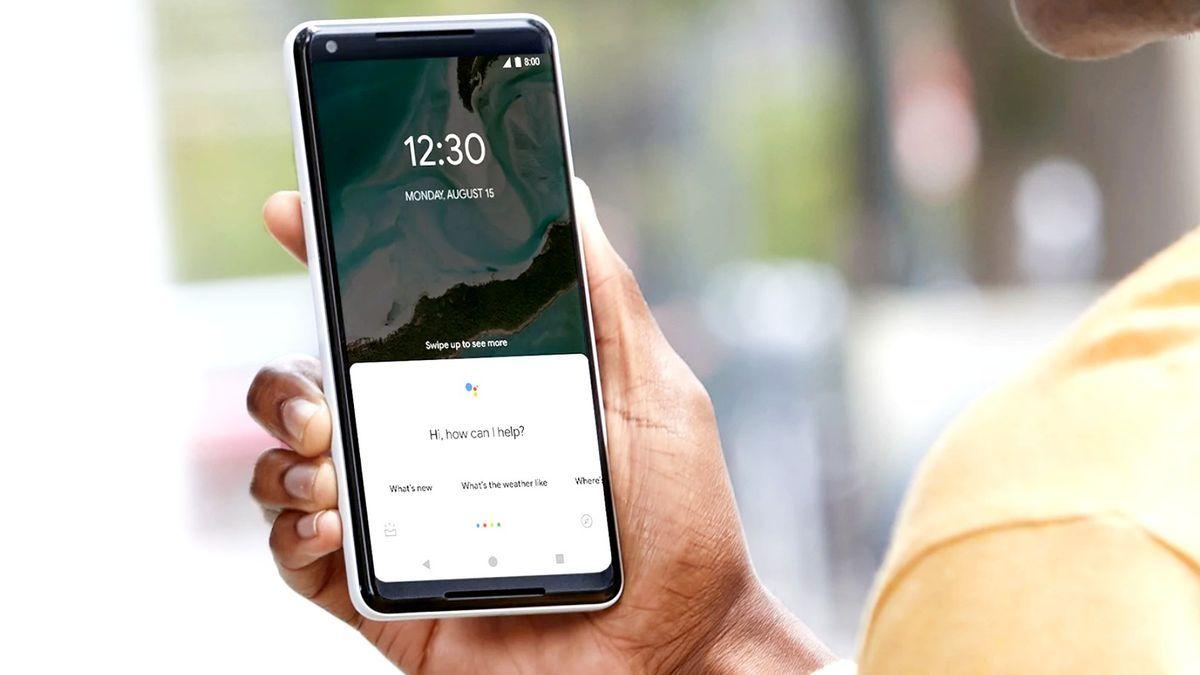
Source: TechRadar
The transition to Gemini represents a fundamental shift in how Google approaches voice assistance. The company initially planned to replace Google Assistant with Gemini by the end of 2025, but delayed the rollout to 2026 to address capability gaps
3
. Google now considers its AI-powered assistant ready to handle the full range of tasks previously managed by Assistant.The Google Assistant shutdown extends far beyond smartphones. Devices running Wear OS, headphones and earbuds compatible with Gemini, and vehicles using Android Auto connected to phones will all lose access to Google Assistant
1
. The only exceptions are cars with Google built-in, where Assistant will continue functioning after September 42
. Android-powered TVs, set-top boxes, and vehicles with Google built-in will transition later, though no specific date has been announced2
.The Gemini app requires at least 2GB of RAM on phones running Android 9 or later
1
. Google plans to keep Assistant available only for select older mobile devices running Android 9 software or earlier with less than 2GB of RAM, which represents a small fraction of users1
. For the vast majority of Android users, the switch to Gemini is mandatory.
Source: Inc.
The forced transition has triggered substantial user dissatisfaction across Android communities. Reddit discussions reveal almost universally negative sentiment, with comments like "Gemini absolutely sucks," "it's so bad," and "I don't like how Gemini is being shoehorned into everything"
5
. Some users are threatening to abandon Pixel and Android devices entirely, with statements such as "this will be my last Pixel. I don't do AI" and "I may legitimately discontinue my use of phones that use Gemini"5
.The primary complaint centers on Gemini's inability to handle simple tasks that Google Assistant executed reliably. One user described asking Gemini to set an alarm for 3-hour parking, which turned into a multi-step conversation where the assistant asked why they wanted the alarm, then suggested it could set one, requiring three separate prompts to complete what Assistant handled in one command
5
. Users report that Gemini frequently "lies" about completing tasks, claims it cannot perform functions it clearly can, uses more battery and data, and proves worse in every measurable way for basic voice commands5
.Related Stories
Google rebuilt its approach around AI-generated responses, but this creates friction for users who valued predictability
2
. Google Assistant was limited but reliable, handling straightforward commands like setting timers, playing music, or checking weather with consistency. Gemini brings conversational AI capabilities and can engage in back-and-forth discussions on complex topics3
, but this power comes at the cost of reliability for simple tasks.The shift means "Hey Google" now connects users to a generative AI chatbot instead of a rule-based assistant
2
. For users wanting basic functions, Gemini is simultaneously more capable than necessary and occasionally less reliable than what it replaces. A German court recently ruled Google liable for AI-generated content, and every voice interaction that Gemini handles differently from Assistant represents a user experience change Google is imposing without user consent2
.Users can adopt Gemini before the September 4 cutoff by downloading the Gemini app from the Play Store, opening Settings, choosing Apps, selecting Assistant, choosing Digital assistants from Google, then selecting Gemini
3
. Commands used in Google Assistant should translate to Gemini, and the AI-driven transition allows for more natural requests3
. Gemini conversations will sync across devices, unlike Assistant which lacked a true chat archive4
.
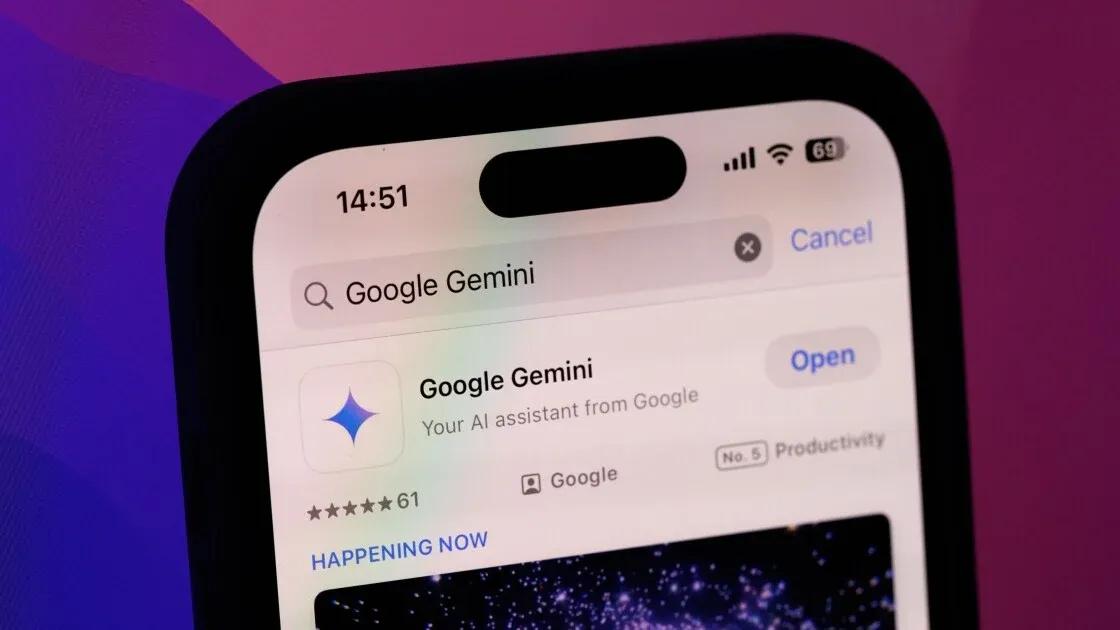
Source: PC Magazine
Google vows a "smooth transition" and expresses confidence that Gemini will prove more useful than the outgoing assistant
3
. The company points to Gemini's rollout to smart home devices like the Google Home Speaker and integration with vehicles from manufacturers like GM3
. On higher-end Android devices, Google is launching Gemini Intelligence to offer agent-level app control3
. Unless Google makes alternative AI models available, Gemini represents Android's mandatory future, leaving users who prefer simpler assistants with limited options beyond turning off voice control entirely2
.Summarized by
Navi
[4]
15 Mar 2025•Technology

14 May 2025•Technology

24 Nov 2025•Technology

1
Technology

2
Technology

3
Policy and Regulation