Google expands Gemini in Chrome to UK users, bringing AI-powered browsing assistant to desktops


7 Sources
[1]
Google brings Gemini in Chrome to UK users - Engadget
Google brings Gemini in Chrome to UK users You'll start seeing the 'Ask Gemini' button in your browser. Google has just rolled out Gemini for Chrome in the UK. The integration doesn't sit well with everybody -- and Gemini isn't the most popular AI assistant out there -- but you will start seeing
[2]
Gemini in Chrome is expanding to even more desktop users
It also supports Nano Banana 2 and can transform images on the web using simple text prompts. Google has been slowly rolling out Chrome's advanced AI capabilities. The company first introduced the new Gemini in Chrome feature in the US earlier this year. Now, Google is expanding it to yet another
[3]
Gemini in Chrome rolling out to the UK
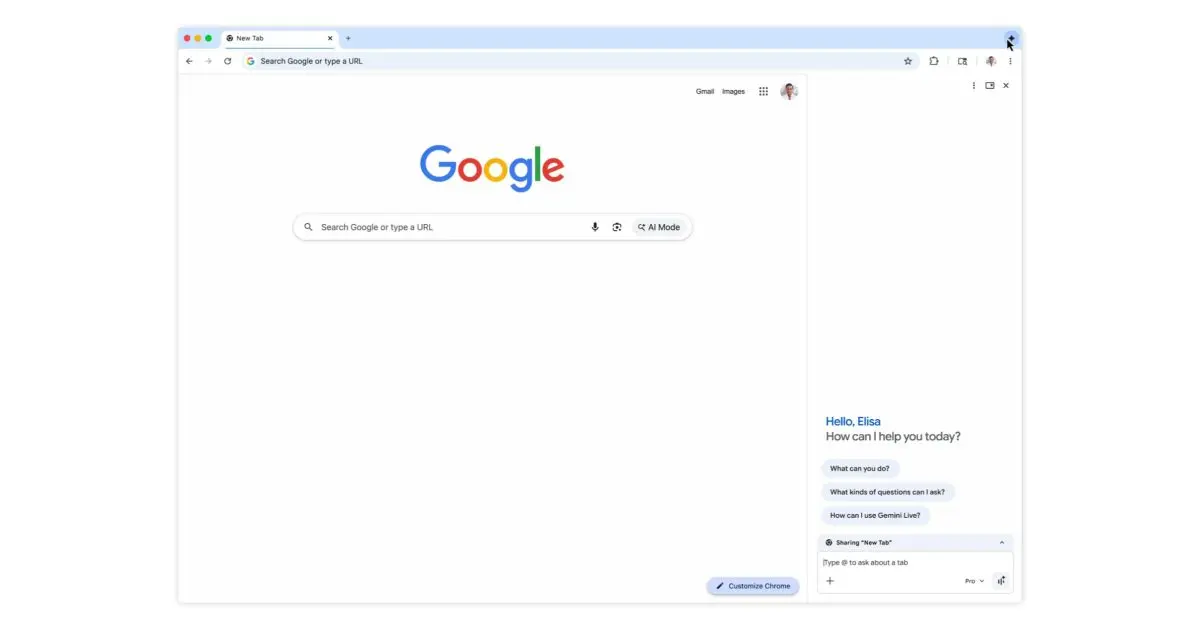
The gradual rollout of Gemini in Chrome continues today with a launch in the UK. On Mac, Windows, and Chromebook Plus, you can launch Gemini in Chrome from the top-right corner of any window. This is joined by the keyboard shortcut, Mac menu bar, or Windows system tray, while you can also
[4]
Google Chrome's Gemini AI Features Roll Out to UK Users
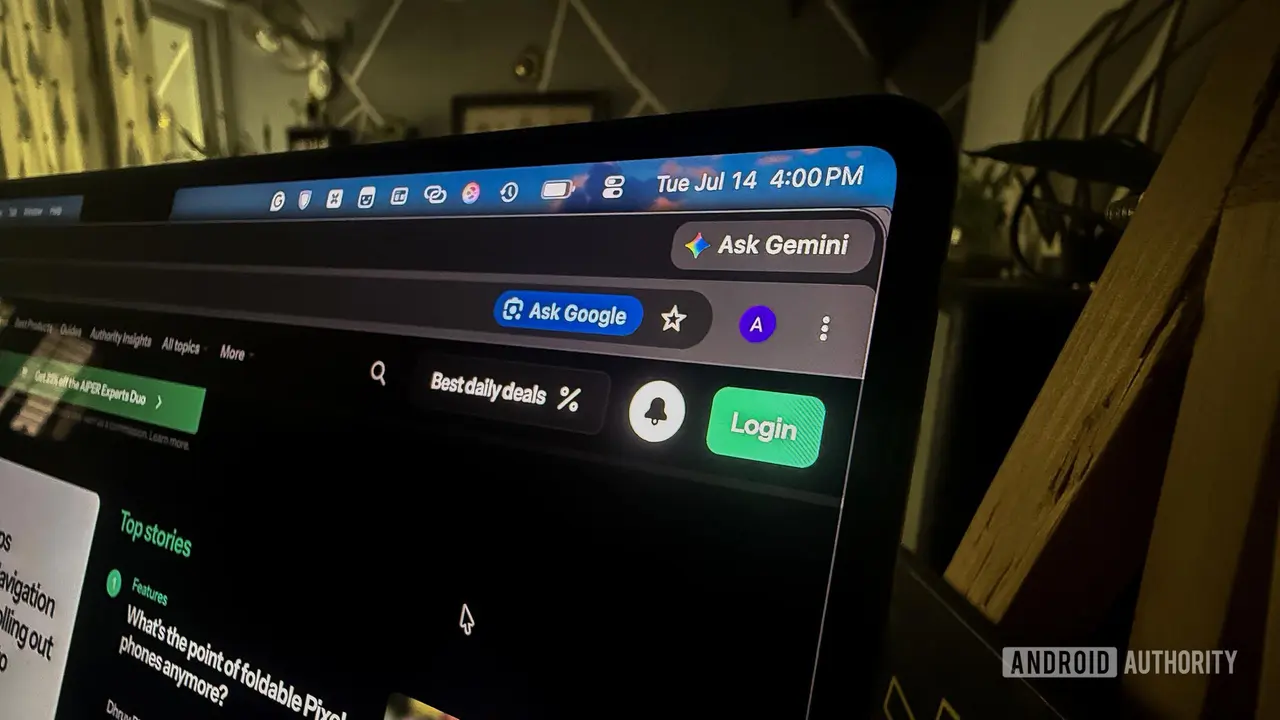
Google has announced the rollout of Chrome's latest AI features to Mac and PC users in the U.K., indicated by a new "Ask Gemini" button with a sparkle icon in the upper right side of the browser. Gemini in Chrome can work across multiple tabs, which is supposed to make it useful for comparing and
[5]

We're expanding Gemini in Chrome to users in the U.K.
Starting today, many of Chrome's latest AI features are rolling out to desktop users in the U.K., expanding to iOS next month. With Gemini in Chrome, you can chat with your personalized browsing assistant to summarize lengthy content, or compare information across multiple tabs. It's deeply
[6]

Gemini's Built-in Chrome Integration Finally Makes its Way to Another Region
Google recently announced that it's finally bringing over native AI features to the Chrome web browser for the United Kingdom, allowing users to access built-in AI tools via Gemini on their browser. Google also adds that the features will expand for iOS in the coming month. With that said, Gemini
[7]

Google Finally Rolls Out Gemini in Chrome to This Region
Google states that the AI features are designed with security in mind Gemini in Chrome was launched in the US last year, and later, the tech giant expanded its availability to more countries. Now, the Gemini in the Chrome browser has arrived in one of its remaining markets. The feature offers
Share
Copy Link
Google has launched Gemini in Chrome for UK desktop users, marked by a new Ask Gemini button in the browser. The AI assistant can summarize lengthy content, compare information across multiple tabs, and integrate with Google apps like Gmail, Calendar, and Maps. The feature includes Nano Banana 2 for image generation and will expand to iOS users next month.
Google Chrome Gets AI Assistant Upgrade in UK Rollout
Google has officially launched Gemini in Chrome for desktop users in the United Kingdom, expanding its AI-powered browsing assistant to yet another major market
1
. The rollout introduces an Ask Gemini button with a distinctive sparkle icon in the upper right corner of the browser, giving users direct access to Google's AI assistant while browsing4
. This UK rollout follows a gradual global expansion that began with US desktop users in September 2025 and has since reached over 50 countries, including Canada, India, New Zealand, Latin America, Africa, and the Middle East3
.
Source: Android Authority
What Gemini AI Features Bring to Chrome Users
The integration with Google apps transforms how users interact with their browser. Gemini in Chrome can summarize web content, making it easier to digest lengthy articles or research papers without reading every word
5
. The AI assistant also excels at its ability to compare information across tabs, allowing users to analyze multiple sources simultaneously. For instance, users can ask it to compare gaming laptops across different tabs, and it provides an easy-to-understand summary with value-for-money recommendations2
.
Source: 9to5Google
The browser integration extends beyond simple summarization. Users can schedule meetings with Calendar, check location details with Maps, draft emails with Gmail, and ask questions about YouTube videos without leaving their current webpage
5
. This deep integration with Google's ecosystem positions Gemini as more than just another AI assistant—it becomes a central hub for productivity tasks.Nano Banana 2 Adds Image Generation Capabilities
Gemini in Chrome includes Nano Banana 2 capabilities, Google's in-house image generation tool that lets users transform images on the web with simple text prompts
2
. This feature is accessible directly from the sidebar interface, eliminating the need to switch between applications or browser tabs for creative tasks1
. The image generation functionality represents Google's effort to bundle multiple AI capabilities into a single, accessible interface.Related Stories
Security Measures and User Control
Google emphasizes that security is built into the AI-powered browsing assistant from the ground up. The models are trained to recognize known threats like prompt injection detection, and the system includes safeguards that ask for confirmation before completing sensitive actions
5
. When users first activate the feature, Google notifies them that Gemini will access open tabs to provide more relevant answers, with the option to change these settings anytime1
.For desktop users who prefer not to use the feature, removal is straightforward—simply right-click the Ask Gemini button and select Unpin
4
. The sidebar appears on the right side by default, but users can move it to the left through Chrome Settings or convert it into a floating window using the pop-out button2
.What This Means for Browser AI Competition
The expansion to UK markets signals Google's commitment to making AI assistants a standard browser feature rather than a premium add-on. Initially limited to AI Pro and AI Ultra subscribers, Gemini in Chrome is now available to all desktop users in supported regions
4
. This democratization of AI features puts pressure on competing browsers to match functionality or risk losing users who value integrated AI capabilities. The feature will expand to iOS users in the UK next month, suggesting Google is moving toward platform parity3
.
Source: Engadget
Gemini's ability to remember context from past conversations allows for more tailored answers when asking questions across the web, potentially making it more useful over time as it learns user preferences and browsing patterns
5
. This contextual awareness could become a key differentiator as browser-based AI assistants become more common. Users should watch for how Google balances this personalization with privacy concerns, particularly as the feature gains access to more personal data through Gmail, Calendar, and Maps integration.References
Summarized by

Navi
[2]
[3]
Related Stories
Gemini in Chrome expands to Latin America, Africa, and Middle East with new AI features
10 Jun 2026•Technology

Google expands Gemini in Chrome to India, Canada, and New Zealand with 50+ language support
11 Mar 2026•Technology

Google expands Gemini in Chrome to seven Asia-Pacific markets with AI-powered browsing tools
21 Apr 2026•Technology

Recent Highlights



Recent Highlights
Today's Top Stories










Don’t drown in AI news. We cut through the noise - filtering, ranking and summarizing the most important AI news, breakthroughs and research daily. Follow topics that matter to you and stay ahead.


