Google Launches Guided Vision: AI-Powered Accessibility Feature for Blind and Low-Vision Users


4 Sources
[1]
Google's new Guided Vision feature can help you read the fine print
Guided Vision is launching in Gemini Live on compatible Android devices today to use AI to give real-time audio descriptions of anything you point your phone's camera at. By sharing your camera in Gemini Live, you can have Google's AI help with things like reading small text, describing your
[2]
Gemini Live's camera just became much more useful for accessibility
Guided Vision works on Android 9 and newer in markets that support Gemini Live. For blind and low-vision users, pointing a phone camera at something is only useful if the phone can explain what it sees. Google has been building towards just that with Gemini Live for more than a year, first adding
[3]
Gemini's best new feature was built for people who are blind; it shows what AI is really for
If you've ever wondered whether an AI feature on your phone is doing anything useful, Ben Khalesi has probably asked the same question. He has covered AI and Android for Android Police since 2023, with Pixel, Galaxy, Google's apps, and the rest of the Android ecosystem never far behind. Ben is a
[4]
Guided Vision in Gemini Live: built for accessibility
Today, we're launching Guided Vision in Gemini Live across compatible Android devices -- bringing voice-forward, real-time visual interpretation to people who are blind, have low vision, or want intuitive visual assistance. Technology is most powerful when it opens up the world for everyone, and
Share
Copy Link
Google has officially launched Guided Vision in Gemini Live across compatible Android devices. The AI-powered accessibility feature provides real-time audio descriptions through smartphone cameras, helping blind and low-vision users with everyday tasks like reading fine print, identifying objects, and describing surroundings. Developed with Aira and over 1,000 testers, it works on Android 9 and newer devices.
Google Launches Guided Vision in Gemini Live for Enhanced Accessibility
Google has officially launched Guided Vision, a groundbreaking AI-powered visual assistance feature integrated into Gemini Live, now available on compatible Android devices
1
4
. This accessibility feature transforms smartphones into conversational visual partners, providing real-time audio descriptions for blind and low-vision users navigating everyday tasks. By sharing your smartphone camera in Gemini Live, users receive spoken guidance to help read fine print, identify objects, describe surroundings, and locate items around them1
.
Source: Google
How Guided Vision Works as an AI-Powered Visual Assistant
Guided Vision operates as a conversational engine that actively assists users through real-time feedback. When you point your camera at an object or scene, Gemini Live doesn't just capture a static image—it engages in an ongoing dialogue
3
. If your camera angle is incorrect, Gemini provides natural verbal prompts asking you to pan right, tilt downward, or step back to get a clearer view2
4
. This assistive tool enables users to ask follow-up questions about what they're viewing, such as requesting the expiration date on a product it helped locate1
. The feature supports multilingual support, making it accessible to blind and low-vision users across diverse communities in India, Brazil, Singapore, Indonesia, Japan, and beyond4
.
Source: The Verge
Developed Through Extensive Community Partnership with Aira
Google developed Guided Vision through close collaboration with accessibility service Aira and over 1,000 members of Aira's Trusted Tester network
2
4
. To train Gemini Live for conversational, real-world context, Google partnered with Aira to visually interpret data for tens of thousands of hours4
. Aira specialists worked directly with Google's teams as subject-matter experts to establish and evaluate safety guardrails, ensuring the feature meets the practical needs of blind and low-vision users. This extensive testing across daily routines helped refine the model to provide natural and helpful descriptions, reframing cues, and answers that feel intuitive4
.Practical Applications for Everyday Tasks
Guided Vision addresses numerous real-world scenarios where quick visual verification matters most. Users can read small nutrition labels on food packages, decipher appliance dials and washing machine cycles, or read printed menus in dimly lit restaurants
4
. The feature excels at finding and localizing objects, such as locating a dropped earbud on the floor or finding black pepper inside a crowded spice cabinet2
4
. It can identify objects by describing colors, patterns, and shapes—checking whether a striped shirt pairs with trousers or identifying the color of a specific jacket4
. Users can also get descriptive overviews of unfamiliar spaces, room layouts, or objects placed across a table4
.Wide Device Compatibility Across Android Ecosystem
Guided Vision works on devices running Android 9 or newer in regions and languages where Gemini Live is supported
2
. This broad compatibility means the feature reaches users on phones they already own and trust, without requiring expensive flagship upgrades3
. The feature is accessible through multiple entry points: users can enable it from Gemini's settings, Android's Accessibility menu, or directly through TalkBack2
. Google also integrated it into Android through accessibility shortcuts, allowing users to launch Guided Vision using the floating accessibility button, a two-finger swipe gesture, or by pressing both volume keys4
. This seamless integration eliminates the need to dig through submenus when users simply want to read a label3
.Related Stories
Positioned Between Static Software and Human Assistance
Guided Vision represents a middle ground between traditional visual assistance apps and human helper services. Unlike Google's Lookout, which requires users to pick a mode before starting and works one captured image at a time, Guided Vision operates as a conversational set of eyes
3
. It differs from Be My Eyes, which connects users with sighted volunteers over live video calls, by providing an AI-powered intermediary that engages in back-and-forth dialogue about surroundings3
. This conversational approach allows users to ask follow-up questions about a room's layout, with Gemini working collaboratively on what the camera needs to see for better answers3
.Important Safety Limitations and Boundaries
Google has established firm boundaries for Guided Vision's use. The company explicitly warns that Guided Vision can make mistakes about what it sees and is not a medical device or replacement for mobility aids
2
4
. Users should not rely on it for navigation, safe-travel guidance, or obstacle detection1
4
. It does not replace a cane or other mobility aids, and users must continue relying on established safe-travel practices in physical environments4
. Google draws this distinction because identifying a can of soup and crossing a street safely are fundamentally different tasks requiring different levels of reliability3
.Broader Impact Beyond Visual Impairments
While designed specifically for blind and low-vision users, Guided Vision provides practical benefits for additional user groups. The accessibility feature offers visual assistance for older adults, individuals with low literacy, or anyone attempting to read fine print in low lighting conditions
4
. This demonstrates how accessibility innovations often create value beyond their primary intended audience, making technology more inclusive for diverse user needs. The feature's launch marks a significant step in demonstrating what AI technology can accomplish when designed with and for communities who need it most, rather than pursuing novelty for its own sake3
.References
Summarized by

Navi
[2]
[3]
Related Stories
Google's Gemini Live Expands Visual AI Capabilities to More Android Devices
03 Apr 2025•Technology

Google Enhances Gemini Live with Visual Guidance and Native Audio Model
21 Aug 2025•Technology
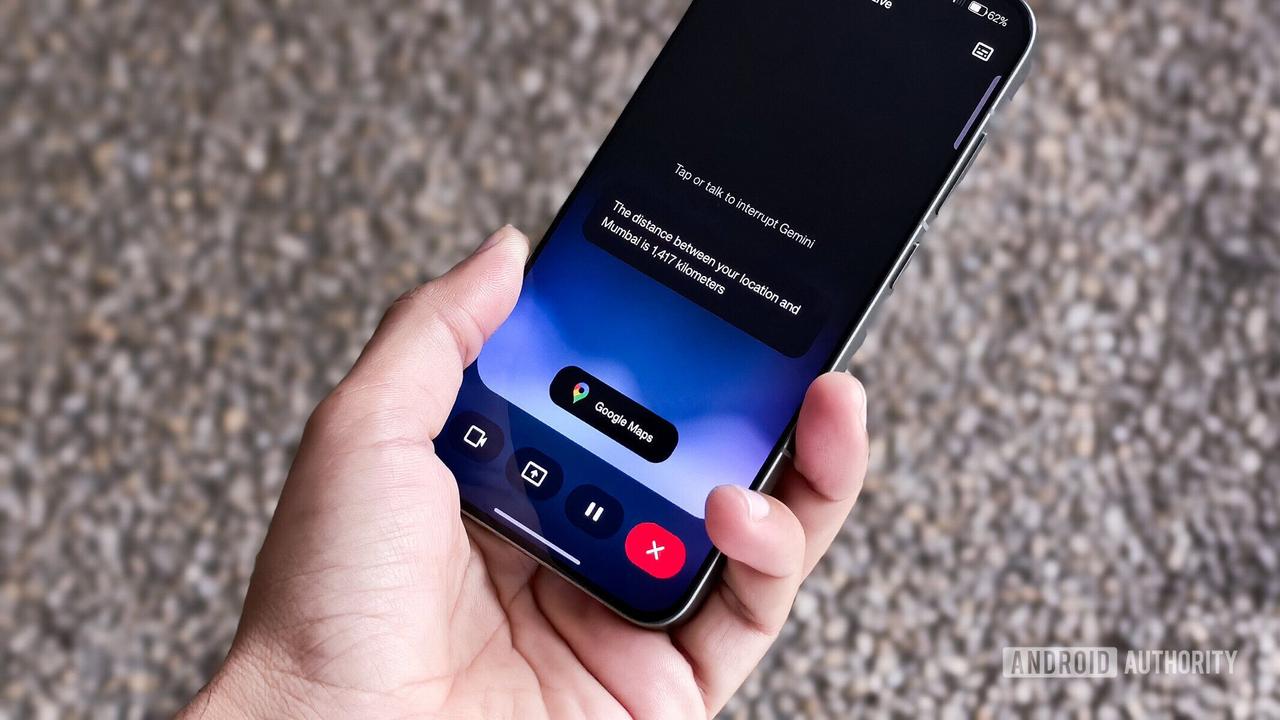
Google Unveils Gemini Live: Revolutionizing AI Assistance with Real-Time Video and Screen Sharing
03 Mar 2025•Technology
Recent Highlights



Recent Highlights
Today's Top Stories



Don’t drown in AI news. We cut through the noise - filtering, ranking and summarizing the most important AI news, breakthroughs and research daily. Follow topics that matter to you and stay ahead.


