7 Sources
[1]
Google's answer to Canva is an AI tool where you prompt instead of design
Google is entering the creative design market with a new image creation and editing tool called Google Pics, which will become a part of its Google Workspace suite for business customers and premium Google AI subscribers. The company says the product, which is powered by Google's Nano Banana image generation model, will roll out over the coming weeks to most Workspace customers and those who pay for Google AI Pro or Ultra. Similar to popular design tools like Adobe Express and Canva, Google's new product is meant to be used for the sort of everyday design tasks you might come across at work and sometimes in your personal life. For instance, you could use Google Pics to create a poster, social media posts, and other visuals and illustrations. But unlike Canva, where artists, illustrators, and photographers can publish templates, graphics, photos, and other art to a marketplace where they earn royalties, Google Pics is about creating things based on AI, which was trained on artists' work. And unlike Adobe Express, a tool creators often use to make that work in the first place, Google Pics is a tool where you prompt to create, not where you design something new from scratch. The app also includes other editing tools, like those to isolate and transform objects, modify or translate text inside images, and others. Plus, it supports collaborative editing and the ability to create several different generations of the image you've requested, so you can pick the best one. The software will be built into Google Workspace, initially starting with Docs and Slides, which rolls out today. It will later come to Google Drive, the company says.
[2]
Google Pics is like Canva, but with even more AI
Google has a new suite of creative design tools for Workspace users called Google Pics, which aims to make editing and generating "professional-grade" AI images less cumbersome for businesses. Built around Gemini and the Nano Banana generative AI model, Google Pics is designed to give more granular control over prompt-based image making and manipulation, allowing users to tap on specific objects or text, and describe what they want to change -- features that may avoid the ugly results that chatbots are known to spit out for marketing imagery. "While AI image generation has been a huge hit for personal use, it's been a different story for business," Google said in its announcement blog. "Teams have struggled to create professional-grade images for marketing campaigns, customer presentations, and product storytelling, facing inconsistent results, endless trial-and-error prompting, and cumbersome workflows across multiple apps." Google Pics is launching as both a standalone Workspace app, and as an integration for Google Docs and Slides, with plans to roll out to Drive "in the coming weeks." For the integrations, Google says users can select an image in their document or slideshow to edit it with "Pics' full suite of precision AI tools." Those Pics tools allow users to generate images from scratch or select and edit individual objects within an image using descriptive prompts, which includes changing, reformatting, and translating text. Google Pics also lets users upscale images to 2K or 4K resolutions, quickly crop images into formats for web, social media, print, or digital, and collaborate on designs by sharing them with friends and teammates. Similar features and AI tools are provided by dedicated creative platforms like Canva and Adobe Express. Given Google suggests that Pics can be used to design posters, flyers, and social media posts -- alongside saying it can keep users from "feeling like you need to be a graphic designer to deliver a great image" -- Google is likely hoping that Pics will prevent Workspace users from having to use third-party services for basic creative work. After launching for testers following Google I/O in May, Google Pics is now starting to roll out for Workspace users on Business Standard, Business Plus, Enterprise Standard, and Enterprise Plus plans, Google AI Pro and Ultra personal plans, and the Google AI Pro for Education plan.
[3]
Google brings its Pics image editor to AI Pro and Ultra subscribers - Engadget
After releasing to a small group of testers this spring, the app is now rolling out more broadly. Back in May, Google announced Pics, an app that combines AI image generation with fine-grained editing controls. At the time, the company said it would bring Pics to Google AI Pro and Ultra subscribers sometime in the summer. Summer might be almost done, but as promised the company has begun rolling Pics to those users, in addition to customers of its Business Standard, Business Plus, Enterprise Standard and Enterprise Plus plans. Google AI Pro for Education users are also starting to get access today, just in time for the start of the new school year. Google Pics builds on the company's Nano Banana image generator. As with any other app of this type, you make images by writing a text prompt or uploading an existing image to use as a starting point. "Pics will generate whatever you describe, and it will even provide a helpful set of alternatives based on your prompt," Google explains. From there, the app offers object segmentation, meaning you can move, resize and transform individual parts of an image, whether that part was AI-generated or not. Additionally, it's possible to modify and translate text embedded within any image without altering the design or font, with support for 29 languages as of today's release. Pics can also upscale images to 2K and 4K resolutions, and process multiple edits at the same time. Naturally, Google has integrated Pics with its other Workspace apps. Inside of Docs and Slides, clicking on an image will bring up the app's full suite of editing controls, so that you don't need to switch tabs. In the coming weeks, Google says you'll be able to open and edit any image that you've saved to Drive. You can also use Workspace to collaborate with colleagues on the same image. The company didn't name specific competitors in the blog post Google published today, but it's clear it would prefer users stay in Workspace rather than edit an image on Canva or elsewhere. "You shouldn't have to jump between applications to create and share visuals," the company said. "Now, you can harness powerful AI image generation and editing right where you are -- no copying, pasting, or switching tabs required."
[4]
Google Pics is a Canva rival, and it's now available for all
Google Pics requires an AI Pro or Ultra plan, an AI Pro for Education subscription, or one of several Workspace plans. Google announced Google Pics back in May as a rival to services like Canva. This image generation and design app was initially restricted to a limited group of testers, but there's good news if you were hoping to get your hands on it. Google has announced that Google Pics has expanded beyond its limited release and is now available for all. The company says it's available to Google AI Pro and Ultra subscribers, Google AI Pro for Education users, and Workspace users with Business Standard, Business Plus, Enterprise Standard, and Enterprise Plus plans. For the uninitiated, Google Pics lets you build designs from scratch or edit an existing image. The platform also uses image segmentation so you can edit, move, or resize specific subjects and objects in a picture. Furthermore, the app lets you edit or translate text in an image while still maintaining the design and font. Google Pics also allows you to share your creations with others, so you and friends or coworkers can edit the same image at the same time. Finally, Pics is integrated into Google Docs and Slides, allowing you to quickly edit images on these platforms. The company adds that Pics will be integrated into Drive in the "coming weeks." This announcement also comes a while after rival service Canva was integrated into Gemini and Google's AI Mode for Search. So you've got options if you'd like to use smart image design tools in Google's ecosystem.
[5]
Google Pics promises an end to "prompt-and-pray" AI graphic design
Chandra Steele has been writing about tech for the entirety of her journalism career. She loves making tough topics easy to understand. Before joining Android Police, Chandra was senior features writer at PCMag where she did everything from interviewing Jeff Goldblum to explaining crypto. Canva has helped countless people pursue their passion in graphic design with absolutely no training in it. Since its creation, there has not really been much competition when it comes to a platform that can be used by virtually anyone to create professional-looking graphics and presentations of all kinds. Google is looking to change that with Google Pics, which is both a standalone app and an integration in Google Workspace. It was announced at Google I/O 2026 back in May, but just became widely available today. How it works Google Pics, unsurprisingly, uses AI to generate images and designs. You can create new images with a prompt or you can build on pre-existing elements by uploading and modifying images from Google Drive, Photos, or your local device. While Google Pics does not offer the design freedom of Canva, where AI is optional, it has object segmentation and does allow for some tweaking so that you can edit, move, or resize specific parts of the designs it generates. As Google puts it, "no more 'prompt-and-pray.'" Text can be translated right within the design, which lets you expand your project across multiple languages easily. How to access it You can try out Google Pics at pics.new. It's rolling out over the next few weeks. It is available for Workspace customers with Business Standard, Business Plus, Enterprise Standard, and Enterprise Plus plans; Google AI Pro for Education users; as well as Google AI Pro and Ultra subscribers. It will be a standalone product, and also integrated with Google Drive and Slides at its start and will eventually be in Google Docs as well.
[6]
Google Pics is Workspace's new 'pro-level' AI image creator & editor
Following the announcement at I/O 2026 in May, Google Pics is launching in general availability today. Google Pics, which comes after Google Vids, is "built natively into Google Workspace." You can click on an image in Google Docs or Slides and access the Pics editor as an overlay to start editing. An update in the coming weeks will let you edit images uploaded to Google Drive. You can also access the tool from pics.new: Besides generating a new image (with multiple options offered), you can import files from your computer, Google Drive, or Google Photos to start editing. Leveraging Nano Banana, Google Pics offers "precise, object-based image editing." Tools let you: * Select and edit individual objects within an image * Edit, reformat, or even translate individual text elements * Crop your image for web, social media, print, or digital * Upscale your image to 2K or 4K * Process multiple edits at once, and revert any unwanted changes easily The object segmentation capability lets you isolate a specific part and leave other parts of the image untouched. After selecting, you just provide text comments with the ability to "execute multiple edits at once." Similarly, you can edit text that appears in images without changing anything else, which also allows for translation. Pics eliminates the frustration of wrangling pixels and feeling like you need to be a graphic designer to deliver a great image. Based on the same editor as other Workspace apps, you can invite others to collaborate and share images via a link. Enterprise use cases include: * Create and translate social, digital, and web assets for global markets * Bring product concepts to life by placing them into any background or context * Brainstorm print designs, event collateral, or branded merchandise * Develop flyers, business cards, and much more Google Pics is available for the following tiers starting today:
[7]
Google Pics is powerful, but it's not the Photos fix we've been waiting for
Sara Heritage is a tech and gaming journalist, who's currently making her way up to Master Ball rank in Pokemon Champions. Bylines in IGN, GAMINGbible, The Gamer and more. You can usually find her tinkering with tech, or restoring old consoles, always with one of her 3 cats nearby. Come and talk with her over on Twitter @SHeritageJourno. * Google Pics brings Nano Banana AI image creation/editing into Workspace, including Slides and Docs. * Powerful editing: object segmentation, layer-like controls, text-in-image edits, multi-version generation. * Rolling out to Google AI Pro/Ultra and Workspace customers; not a privacy-first, E2EE Photos fix. Google Pics is a new image creation and editing tool in Google Workspace, designed for easy image creation and editing, similar to Grok's Imagine feature. Pics lets you generate, refine, and co-create images with more precision, which is great if you need this for desing work or social media posts. Plus, upcoming Workspace integrations will let you create and edit directly within Google Slides, Docs, and Drive. It's rolling out over the coming weeks to all Google AI Pro and Ultra subscribers and most Workspace business customers. Not exactly the first thing that comes to mind when you think of an image-based subscription to Google, is it? We want better Google Photos storage options I can't believe this isn't already a thing in 2026 Pics is based on Google's Nano Banana image generation and editing model, and it gives you the control necessary to produce anything you're imagining. Whether you're designing a poster, creating social media posts or editing digital illustrations; a likely thing for AI to be able to do. It does have some cool features, more akin to Adobe Photoshop's layers, which I'll touch on in a moment. The service will be available as a standalone product and also be incorporated into Workspace apps, beginning with Slides, Docs, and Drive, so that you can edit images in the same places where you're currently working. I have to admit that when I first saw 'Google Pics', my expectations rose for a moment. I even thought for a second that perhaps -- finally -- at last we were going to get that privacy-first Google Photos feature which so many of us have been looking for. Something with end-to-end encrypted albums, proper control over who can see your memories, and a real solution to the question 'Why can't I share photos without Google being able to take a look?'. As of September 1, 2026, Google Photos does not provide full end-to-end encryption for general albums and the service still holds keys for stored images (server-side encryption). Features such as Locked Folder have stronger local protections but are not equivalent to full account-level E2EE for general albums. But no, Pics is enjoyable, ingenious, and capable -- but it isn't that. Not yet. The search for a genuinely encrypted and shareable Google Photos experience continues. So what can Google Pics do? Pics covers the basics of image editing and adds several AI-powered features. With object segmentation, users can select parts of an image -- such as a logo or a person -- and make adjustments without affecting the rest of the image. The app allows for targeted edits through text comments placed directly on the image, and it supports making multiple changes at once. Editing or translating text within images is also available, preserving the original design and font. For collaboration, users can share projects and work on the same image with others in real time. If you're indecisive, Pics has you covered -- it'll spin up multiple versions from a single prompt, so you can pick your favorite vibe. And because Pics is baked right into Google Workspace, you don't have to bounce between tabs or apps. Just open Slides, Docs, or Drive, and all the AI creative power you need is right there, ready to go. Docs and Slides integrations are available at launch (September 1, 2026); Drive editing integration is scheduled to roll out in the following weeks. You can try it at pics.new.
Share
Copy Link
Google has officially rolled out Google Pics, an AI-powered image creation and editing tool that challenges Canva's dominance in accessible design. Built on the Nano Banana generative AI model, the tool is now available to Google Workspace Business and Enterprise customers, plus Google AI Pro and Ultra subscribers. Unlike traditional design platforms, Google Pics focuses entirely on prompt-based creation with granular editing controls.
Google has begun widespread rollout of Google Pics
1
, an AI-powered image creation and editing tool positioned as a direct Canva rival. After launching to a small group of testers following Google I/O in May3
, the platform is now accessible to Google Workspace customers on Business Standard, Business Plus, Enterprise Standard, and Enterprise Plus plans2
. Google AI Pro and Ultra subscribers, along with Google AI Pro for Education users, also gained access as the new school year begins3
.
Source: TechCrunch
The AI-powered graphic design tool represents Google's strategic move to keep users within its Workspace ecosystem rather than relying on third-party services for basic creative work
2
. "You shouldn't have to jump between applications to create and share visuals," Google stated, emphasizing its goal to eliminate the need for copying, pasting, or switching tabs3
.Google Pics builds on the company's Nano Banana image generation model
1
, fundamentally differentiating itself from competitors through its approach to design tasks. While platforms like Canva allow artists and illustrators to publish templates and graphics to earn royalties, and Adobe Express enables creators to design from scratch, Google Pics centers entirely on AI prompts1
.
Source: The Verge
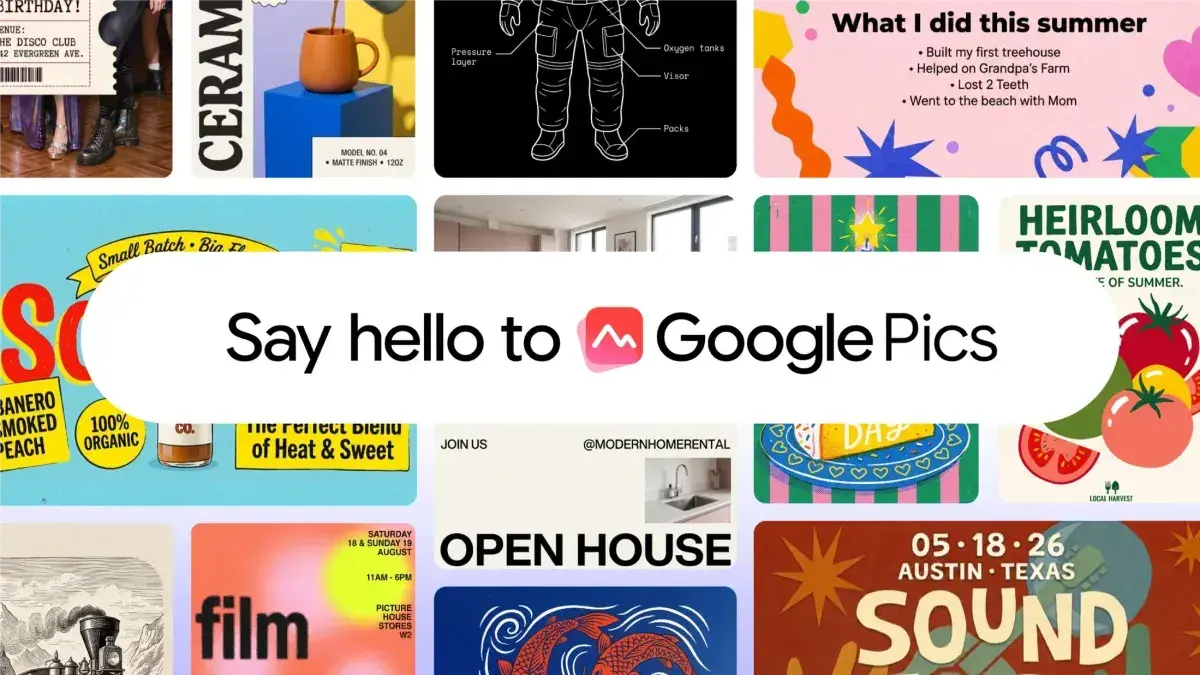
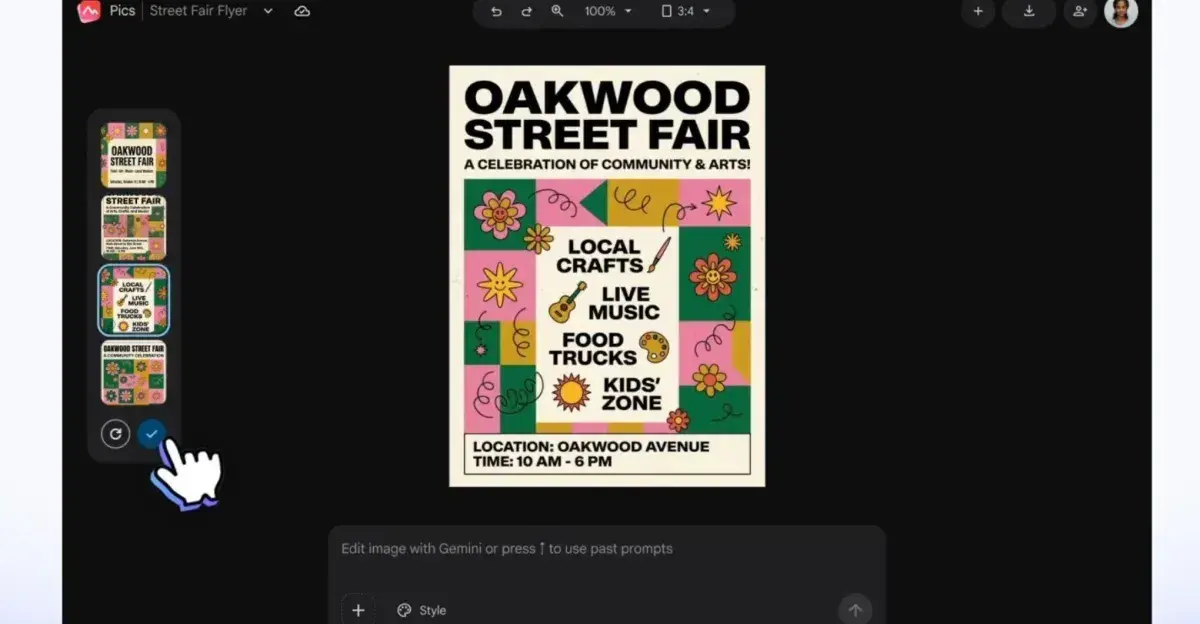
Users can generate images by writing text prompts or uploading existing images as starting points. "Pics will generate whatever you describe, and it will even provide a helpful set of alternatives based on your prompt," Google explains
3
. This addresses what Google identifies as a persistent business challenge: "Teams have struggled to create professional-grade images for marketing campaigns, customer presentations, and product storytelling, facing inconsistent results, endless trial-and-error prompting, and cumbersome workflows across multiple apps"2
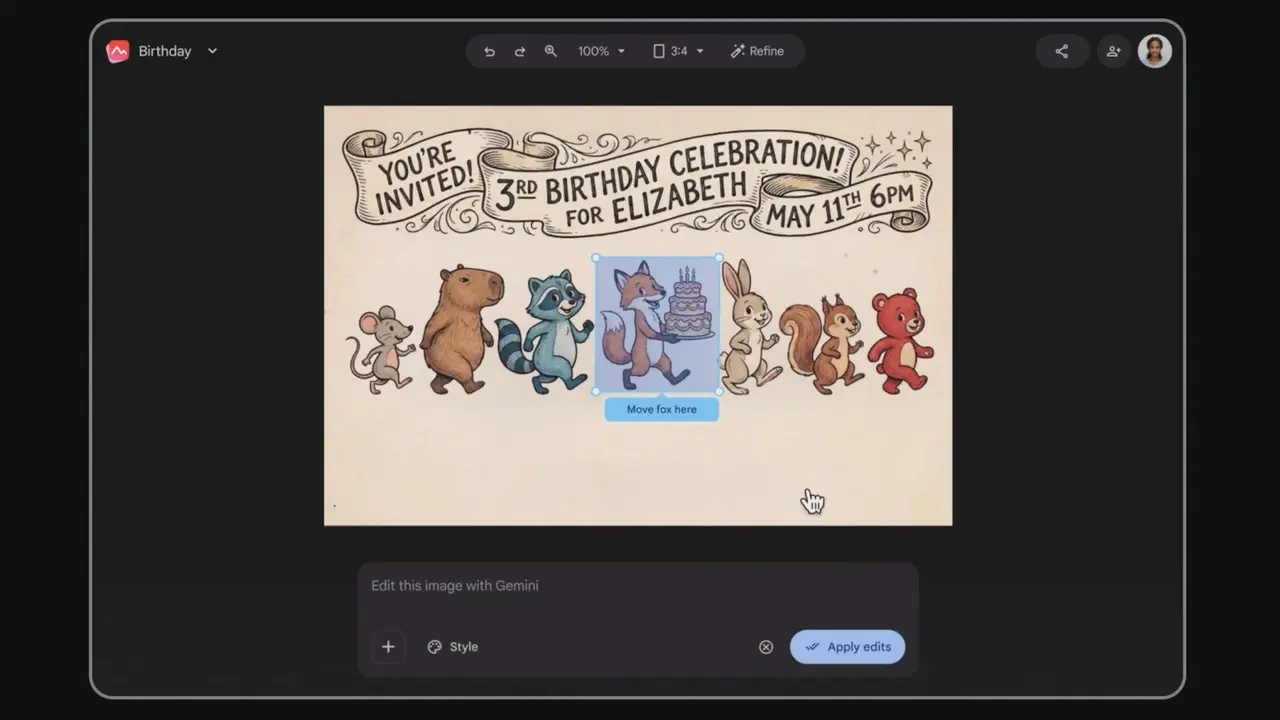
.The image generation and editing tool distinguishes itself through object segmentation capabilities that provide more precise control than typical chatbot-generated imagery
2
. Users can tap on specific objects or text within images and describe desired changes, potentially avoiding the inconsistent results that have plagued AI-generated marketing materials2
.
Source: Android Authority
Google describes this as ending "prompt-and-pray" design approaches
5
. The platform allows users to move, resize, and transform individual parts of images, whether AI-generated or uploaded3
. Text modification features support changing, reformatting, and translating text across 29 languages while maintaining original design and font characteristics2
3
.Additional capabilities include resolution upscaling to 2K or 4K, quick cropping for web, social media, print, or digital formats, and processing multiple edits simultaneously
2
3
.Related Stories
Google Pics launches as both a standalone application accessible at pics.new
5
and as integrated functionality within Google Workspace. The tool rolled out today within Google Docs and Google Slides, allowing users to click any image and access the full suite of AI prompts and editing controls without switching applications1
3
.Integration with Google Drive will arrive in the coming weeks, enabling users to open and edit any saved image directly
1
3
. The platform also supports collaborative editing, allowing teams to work on the same image simultaneously and share creations with colleagues1
4
.This integration strategy targets everyday business needs like creating posters, flyers, social media posts, and other visuals
1
2
. Google suggests the tool can help users "deliver a great image" without needing graphic design expertise2
, positioning it to capture routine creative work that might otherwise flow to Canva or Adobe Express.The rollout timing coincides with Canva's recent integration into Gemini and Google's AI Mode for Search
4
, giving users multiple options for AI-powered design within Google's expanding ecosystem. Watch how businesses respond to prompt-based creation versus template-driven design, and whether Google's Workspace integration proves compelling enough to shift established workflows away from dedicated creative platforms.Summarized by
Navi
[2]
[4]
[5]
1
Technology

2
Policy and Regulation

3
Health