9 Sources
[1]
Google just declared itself a contender in AI design | TechCrunch
Google announced at its annual I/O event on Tuesday that it's launching Pics, a new AI-powered design and image generation app for Google Workspace. The tech giant says it designed the app to be accessible to everyone, from teachers to small business owners. With Pics, users can generate everything from social media graphics and invitations to marketing materials and mockups using simple text prompts, without needing any editing skills or advanced tools. By giving users an easy way to generate visuals, Google is looking to take on popular design apps like Canva, as well as products from AI-native competitors like Claude Design from Anthropic. Google's entry into the space signals that AI-powered design is fast becoming a core competitive arena -- with real stakes for any business that depends on visual content. The new app is launching to a group of testers at I/O and will be rolling out to Google AI Ultra subscribers this summer, Google says. The company acknowledges that although AI models today can generate high-quality images, it's still difficult to modify just one part of an image. If you get an image that's almost perfect but want to change a small detail, you have to write an entirely new prompt and hope the AI doesn't alter too much. That's why Pics not only generates images but makes them easily editable. Users can enter a prompt, and Pics will generate what they need. Gemini powers the editing layer, making every element in a generated design or image fully adjustable. You can write a new prompt to make changes, but you can also simply click the part you want to change and leave a comment -- much like leaving feedback in Google Docs. You can also edit directly, without leaving a comment or writing a prompt. For example, if you create a birthday party invitation and want to change the time listed on the card, you can do so manually. Pics is powered by Nano Banana 2, which Google says is a strong fit for the app because it supports precise text rendering, real-world knowledge, and detailed visual output. Pics is also built natively into Google Workspace, enabling visual collaboration across its apps. Once you're happy with your design, you can download, copy, print, or share it with others. You can also pass it to someone else for a final round of edits before it goes out, Google says.
[2]
Google Pics is a new app that tries to fix AI image editing
Google is launching a new AI image generation app to Workspace that it's calling Pics, and it has a new feature to try and reduce the hassle of iterating on AI images: Instead of having to write an entire prompt just to change one small aspect of an image, you'll be able to click on what you want to change and leave a note about what you want to see, almost like leaving a comment in a Google Doc. Pics is powered by a mix of Gemini and Google's Nano Banana 2 image model. In a demo shown to reporters, a Google employee working on an invite for a child's birthday party wanted to tweak individual parts of the invite. She clicked on an image of a cat, and then a little pop-up showed up where she left a note to change the cat image to one of a dog. She also clicked on the address shown on the card to make a direct tweak to what that text should say, and then asked Pics to make the changes. After a beat, the image was indeed updated -- though in the specific demo example, the new "dog" still heavily resembled a cat. Pics is rolling out initially as its own app on the web, first for what Google calls "trusted testers" and then later this summer for subscribers to Google's AI Ultra plan. The plan, down the line, is to eventually incorporate Pics right into other Workspace apps so that users can make and edit images without leaving the app that they're working from.
[3]
Google Pics Lets You Use AI to Edit Specific Parts of an Image
The AI image-editing tool will also appear inside Workspace apps, starting with Slides and Drive. Are you in need of another generative AI image-editing app? At Google I/O, the company teased Pics, which specializes in modifying specific portions of an image without affecting the rest. Pics was built using Nano Banana, and it is currently rolling out to Trusted Testers. This summer, it will be generally available to all Google AI Pro and Ultra subscribers and in preview for Google Workspace business users. Google touts Pics as a tool that "takes the hassle out of complex image generation." It comes with options to move, remove, and resize objects within an image. While options for the first two are available via a right-click on the element, resizing is even simpler. Just click the objects or humans and drag your mouse to increase or decrease their size. The move option, meanwhile, can also be used to copy elements, according to a video sample. Pics also promises to solve a problem most of us face with text-heavy images on AI chatbots. Instead of providing a prompt for all corrections and seeing an image generated all over again, you can just click on the incorrect word or number and replace it with your preferred text. Pics can also translate the text for you while retaining the original design and font style. This capability also extends to other visual elements in the picture. You can just select an element, click Edit, and leave a comment for the changes you'd like to see in that specific portion. Pics will modify that specific part without affecting the rest. Overall, it is a tool that provides "the precise creative controls you need to build exactly what you imagine," Google says. Pics will be integrated into Workspace apps, so you can edit images within your files, starting with Google Slides and Drive. It will also allow multiple users to edit an image simultaneously. Pics is currently limited to Google AI Pro and Ultra subscribers, but there's some good news for those on the fence about the latter. At I/O, the company announced a price reduction for the Ultra subscription from $250 per month to $199.99 and introduced a $100 tier.
[4]
Google's newest app is an AI-powered image editor - Engadget
Alongside an array of updates across its Workspace apps, including Docs and Drive, Google is launching a new image-editing app that combines generative AI tools with fine-grain editing. Google Pics is built on Nano Banana, with object segmentation, meaning you'll be able to move, resize or transform individual parts of your images, whether AI-generated or not. While we've seen this kind of thing (with varying degrees of success) from Google, Adobe and even on-device on some smartphones, Pics has some new ideas of its own. You'll be able to modify text inside a photo directly and even translate it into different languages. Google says Pics will maintain the font style and size when it does so. The new app will also be integrated into Workspace apps, starting with Slides and Drive, making it sound like a compelling Canva rival for quick-and-easy poster design and social media content. However, we're waiting to try it ourselves before we pass judgement. We might not have to wait too long: Pics is launching today to a limited group of testers and will roll out globally this summer to Google AI Pro and Ultra subscribers. A preview of the app is also coming to Workspace business users. Paying customers will have plenty of AI tools to play with. Google also announced that AI Inbox is now rolling out to all Google AI Plus and Pro subscribers in the US. In case you forgot, the feature tries to help you stay on top of your inbox by prioritizing your most important messages and time-sensitive tasks. Since it was previewed at the start of 2026, Google has added more to it, including personalized draft replies (instead of just a reminder) and instant file access, if it's a file already living inside Google Docs, Sheets, etc.
[5]
Google announces Pics, a Workspace-native AI image generator that goes after Canva on precision editing
Pics, powered by Nano Banana 2, lets users generate images from a text prompt and then move, resize, or translate individual elements without re-rolling the whole composition. Rolling out to Workspace Business Standard and higher, and to Google AI Pro and Ultra subscribers in the coming months. Google unveiled Pics at the I/O 2026 developer conference on Tuesday, a new AI image generator and editor that will sit inside Google Workspace. The product is positioned as the company's answer to Canva and Adobe Express on the design tools front, with precision-editing controls explicitly framed against the 'prompt-and-pray' workflow of earlier AI image generators. Pics is powered by Nano Banana 2, Google's image model that the company says is well-suited to the app because it supports precise text rendering, real-world knowledge and detailed visual output. The generator-and-editor combination lets users move, resize and transform individual objects inside a composition, modify and translate embedded text, and update specific regions of an image without regenerating the whole frame. That last capability, which the company calls localised object editing, is the part that Pics is being marketed on most aggressively against single-prompt rivals. Workspace integration is the second pillar of the launch. Pics will be built directly into Google Slides for in-deck image generation and editing, and creations can be saved straight to Google Drive for sharing. The company has not yet confirmed Docs as a launch surface; the product page lists Slides and Drive specifically, with broader Workspace coverage implied but unsubscribed. On rollout, Pics is launching first into Google's Workspace Experiments programme for a small group of early-access testers; admins inside organisations using Workspace can opt their tenancy in by enabling Gemini Alpha features. Pics will become generally available 'in the coming months' for Workspace customers on Business Standard and higher plans, and for Google AI Pro and Ultra subscribers. Pricing inside those existing tiers has not been separately disclosed; the company has not signalled a Pics-specific add-on. Pics extends the Nano Banana family. Google has been shipping the Gemini app over the past year, with Nano Banana 2 the version positioned for precision use cases like text-on-image rendering and brand-style consistency. PetaPixel's product walkthrough calls out the difference between Pics and OpenAI's image-generation offering inside ChatGPT as a workflow gap rather than a model gap: ChatGPT generates faster, Pics offers more direct control over what the user wants to change after the first generation lands. AI design tools have become a strategic battleground for the major model labs, with Pics the most visible commitment any of them has made to the productivity-suite-integrated channel rather than the standalone consumer app. On provenance, the launch sits alongside Google's SynthID watermarking layer, which has been the default on Google's generative-image output since 2023 and which OpenAI adopted earlier this year under the C2PA standard. Google has not yet published a separate provenance statement for Pics outputs, though the Workspace-integrated framing suggests the same SynthID-by-default architecture used across the wider Gemini family applies here. DeepMind's broader generative-model release cadence through 2025 and 2026 has consistently shipped watermarking as a launch-day default. What Google has not yet disclosed: the per-tenancy enablement timeline beyond the 'coming months' framing, whether Pics is included at no extra cost inside the Business Standard, Business Plus, Enterprise, AI Pro and AI Ultra tiers or whether usage caps apply, the specific Nano Banana 2 model card and benchmark scores, the underlying compute footprint, and whether the precision-editing layer will eventually extend into Docs and Gmail-native composition surfaces. The Workspace Discord community and the Experiments newsletter are positioned as the primary public-channel signals for staged availability. The next visible proof point will be the first general-availability tranche to AI Ultra subscribers and Business Standard customers, expected this summer on the timeline third-party briefings have characterised.
[6]
Look out, Canva: Google Pics' AI editing is scary good
Currently in limited testing, Pics will eventually integrate into Google Workspace, though long-term success depends on Google's commitment and subscription pricing model. In March, Canva made a big deal of Magic Layers, and its ability to treat different elements of an image as editable layers. On first blush, Google's new Google Pics app looks like it can do the same -- and then some. Google Pics is a new, standalone Google app, powered by Google's Nano Banana 2 generative AI engine, that Google launched here at its Google I/O conference in Mountain View, Calif. It's being tested by a limited group of testers. Eventually, however, Google plans to make it part of its Workspace suite that includes Sheets, Docs, and Slides. Pics can be used to generate, edit, and otherwise manipulate images, much like Canva -- although Canva's ground-up design elements and third-party integrations (even into Google!) -- give it a substantial advantage. Still, Pics is impressive, at least within the narrow confines of Google's demo suite here at Google I/O. Like many productivity apps, it feels decidedly iterative: Pics is an app that can both create and edit using generative AI, much like Google's photo editing tools on its Android platform. One notable feature of Pics is how well it edits and manipulates text, working within the abilities of AI rather than defined fonts. Put another way, a user applying Canva's Magic Layers can extract text from an image and Canva will try to map it to a font it understands, at least in my experience using the tool. This can work flawlessly, especially when using a known font. But when Canva encounters a font it doesn't understand, it has to approximate it. In that scenario, the product looks a little off. Pics uses AI and just AI, which works effectively. Consider how well a modern generative AI image model approximates photography -- gone are the days of blobby images with multiple fingers. Editing a fake promotional flyer required a simple click, a few changes in a text box, and a wait of about 10 seconds to recalculate the image. (Google representatives said that the time and efficiency of the model will further improve as users use and train it.) By now, Canva's integrated design toolset is a polished machine. Google is well, Google, with a reputation for launching ambitious projects and then unceremoniously killing them -- like its Sora AI video generator, for example. Workspace, however, seems to have an aura of permanence about it, possibly because it falls under the umbrella of a subscription. In any event, Pics looks like a legitimate tool you'll want to use...though you'll need to pony up for a subscription, too.
[7]
Google Pics Makes AI Image Generation Way Less Annoying
Today at Google I/O 2026, the tech giant announced that it is bringing a new AI image creation and editing tool, Google Pics, to Workspace. Google says Pics is "an all-new app that reimagines how you generate and edit your images with ultimate precision for professional to everyday creative projects." The company says that creating images using AI should feel less random and more predictable. Google notes that AI image generators often get close to the desired results, but there's often something that isn't quite what the user wanted. In many cases, this means starting from scratch and trying again, essentially having another roll of the dice. Google Pics aims to overcome this by combining the latest version of its popular Nano Banana model and intuitive creative controls. Pics promises to "take the hassle out of complex image generation." The new tool includes object segmentation, meaning users can select and edit specific elements in an AI-generated image. It's possible to move, resize, or transform an object. For example, users can change the color of an item of clothing or turn one animal into another. It also offers text editing and translation tools that preserve font style and aesthetics. The changes users want to make to selected objects occur in text, basically comments. As part of Google Workspace, Google Pics is built with collaboration in mind. Pics will include shareable canvases and simultaneous editing. It also integrates directly with Google Workspace apps, including Slides and Drive, at launch. Speaking of the launch, Google Pics is now available to a "limited group of Trusted Testers." It will then roll out this summer to global Google AI Pro and Ultra subscribers and to Google Workspace business customers in preview. Pics is a web app for now, but Google says its features will be available inside Workspace apps down the road. Google Pics is just one of the many things Google announced during its lengthy I/O 2026 keynote presentation. Other highlights include a brand-new Google Gemini model, Omni; the ability to make custom creative tools inside Google Flow; major updates to Search; and a teaser for Intelligent Eyewear, a series of new "smart" glasses coming this fall.
[8]
Google Pics is coming to Workspace -- it could mean competition for Canva
At Google I/O 2026, Suz Chambers presented Google Pics, coming to Workspace soon. Credit: Google / Mashable Google wants to be your one and only workspace. Gmail and Drive can replace Outlook, Word, and Excel. Chat could replace Slack. But can the new Google Pics mean trouble for Canva? At Google I/O, AI was front and center, and the basis for new features coming to Google Workspace. One of the new programs coming to Workspace is Google Pics, a platform for editing existing photos, creating photos from scratch, and designing flyers, graphics, and more. All of that sounds a lot like Canva, an online graphic design tool with free and paid tiers that lets you edit photos and make graphics. Google Pics is built off of Google's existing AI image creation platform Nano Banana. At Google I/O, Suz Chambers, Director of Google Creative Lab, demoed Google Pics, cropping an existing photo, editing out an unwanted object, and adding text to the picture to create a graphic. Tasks that, for the record, could also be completed within Canva. Will Google Pics be an enticing switch for Canva users? Well, that's still to be seen, as the program is in the testing phase with plans to launch this summer for Google AI Pro and Ultra subscribers. Meanwhile, Canva is free and available to all.
[9]
Google Pics brings generative editing and design tools
Google launched a new image-editing app named Google Pics, which features generative AI tools and fine-grain editing capabilities. The app is built on a system called Nano Banana that allows for object segmentation, enabling users to move, resize, or transform individual parts of images, whether they are AI-generated or not. Users will also be able to modify text within photos directly, with the ability to translate text into different languages while preserving the original font style and size. Google Pics will integrate with Workspace apps, beginning with Slides and Drive, positioning itself as a competitor to Canva for designing quick posters and social media content. Google Pics is launching today for a limited group of testers and will roll out globally during the summer to Google AI Pro and Ultra subscribers. A preview of the app will be available for Workspace business users. In addition to Google Pics, Google announced the rollout of AI Inbox for all Google AI Plus and Pro subscribers in the US. AI Inbox helps users prioritize important messages and time-sensitive tasks. Since its earlier preview at the start of 2026, AI Inbox has been updated with new features, including personalized draft replies and instant file access for Google Docs and Sheets files.
Share
Copy Link
Google unveiled Pics at I/O 2026, an AI-powered design app that solves a major frustration with image generators. Instead of rewriting entire prompts to fix small details, users can click on specific elements and leave comments like in Google Docs. Built on Nano Banana 2 and integrated into Workspace, Pics positions Google as a direct competitor to Canva and Adobe Express in the AI design tools battleground.
Google announced at its annual I/O event on Tuesday that it's launching Google Pics, a new AI-powered design app for Google Workspace that tackles one of the most persistent frustrations in AI image editing
1
. The tech giant designed the app to be accessible to everyone, from teachers to small business owners, enabling users to generate everything from social media graphics and invitations to marketing materials using simple text prompts1
. The new app is launching to trusted testers at I/O and will roll out to Google AI Ultra subscribers this summer1
.
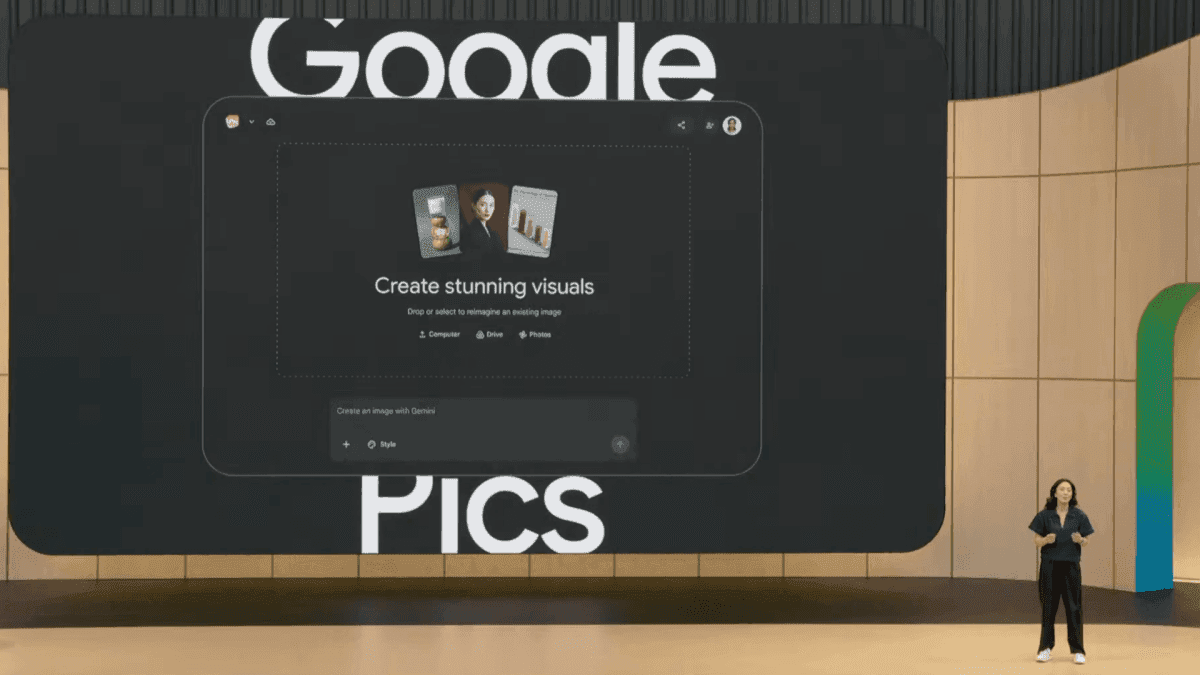
Source: Mashable
What sets this AI image generator apart is its approach to editing. Instead of forcing users to write entirely new prompts when they want to change a small detail, Pics allows them to click on specific parts of an image and leave a note about what they want to see, almost like leaving a comment in a Google Doc
2
. This capability addresses a problem Google acknowledges: although AI models today can generate high-quality images, modifying just one part remains difficult1
.Pics is powered by Nano Banana 2, which Google says supports precise text rendering, real-world knowledge, and detailed visual output
1
. Gemini powers the editing layer, making every element in a generated design fully adjustable1
. Users can enter a prompt and Pics will generate what they need, then edit specific parts of an image through multiple methods1
.
Source: Engadget
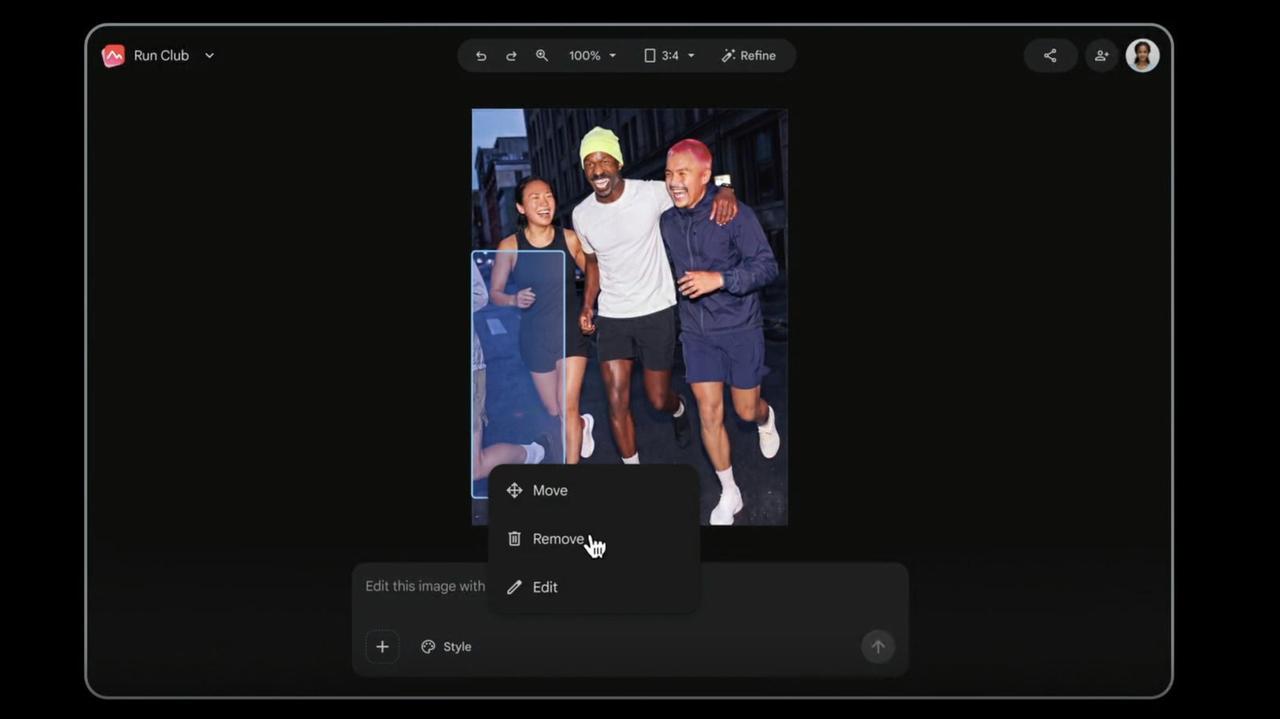
The app comes with options to move, remove, and resize objects within an image
3
. Resizing is particularly simple: users just click objects or humans and drag their mouse to increase or decrease their size3
. For text-heavy images, instead of providing a prompt for all corrections, users can click on incorrect words or numbers and replace them with preferred text3
. The app can even translate text while retaining the original design and font style3
.
Source: TechCrunch
Pics is built natively into Google Workspace, enabling visual content creation and collaborative editing across its apps
1
. The AI-powered image editor will be integrated into Workspace apps starting with Google Slides and Google Drive, allowing users to edit images within their files without switching applications3
4
. The app will also allow multiple users to edit an image simultaneously3
.By giving users an easy way to generate visuals, Google is looking to take on popular design apps like Canva, as well as products from AI-native competitors like Claude Design from Anthropic
1
. Google's entry signals that AI-powered design is fast becoming a core competitive arena with real stakes for any business that depends on visual content1
. The product is positioned as Google's answer to Canva and Adobe Express on the design tools front, with precision-editing controls explicitly framed against the 'prompt-and-pray' workflow of earlier AI image generators5
.Related Stories
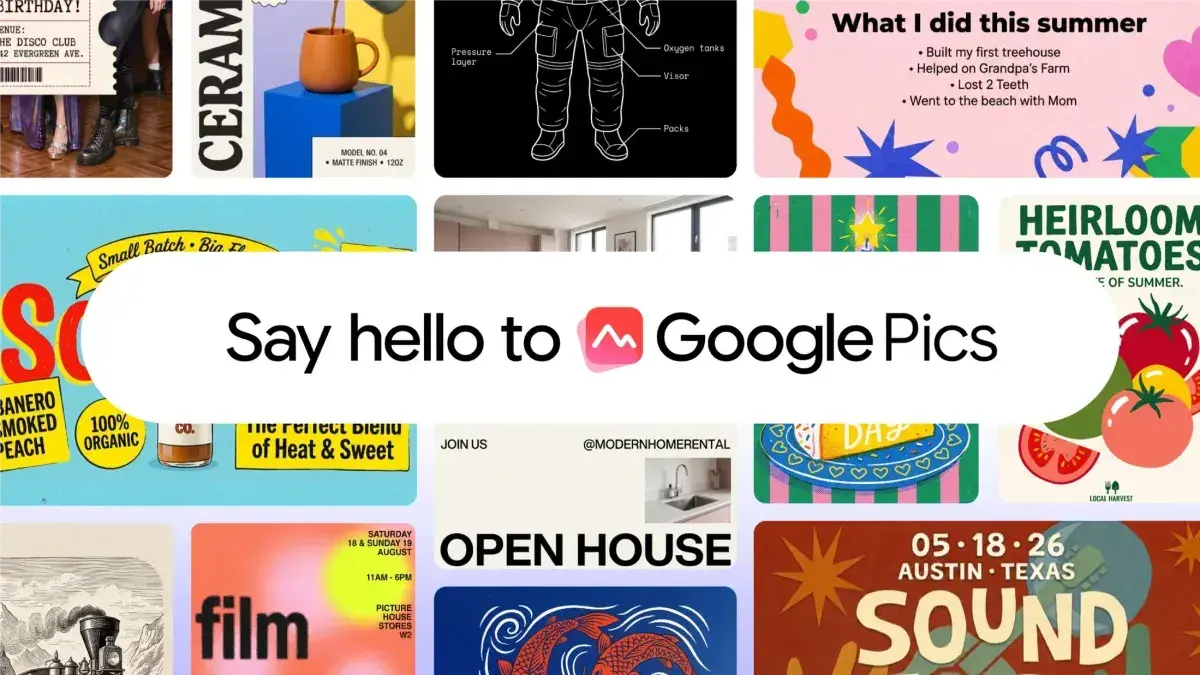
Pics is currently rolling out to a limited group of testers and will become generally available in the coming months for Workspace customers on Business Standard and higher plans, and for Google AI Pro and Ultra subscribers
5
. At I/O, Google announced a price reduction for the AI Ultra plan from $250 per month to $199.99 and introduced a $100 tier3
. Once users are happy with their design, they can download, copy, print, or share it with others, or pass it to someone else for a final round of edits1
.On provenance, the launch sits alongside Google's SynthID watermarking layer, which has been the default on Google's generative-image output since 2023
5
. What Google has not yet disclosed includes the per-tenancy enablement timeline beyond the 'coming months' framing, whether Pics is included at no extra cost inside the various tiers or whether usage caps apply, and whether the precision-editing layer will eventually extend into Docs and Gmail-native composition surfaces5
. The strategic move marks the most visible commitment any major model lab has made to the productivity-suite-integrated channel rather than the standalone consumer app5
.Summarized by
Navi
1
Technology

2
Business and Economy

3
Health