Apple unveils iOS 27 with Siri AI overhaul and keeps iPhone 11 support for another year


21 Sources
[1]
Will Your iPhone Run iOS 27? Here Are All the Compatible Models
With more than a decade of experience, Nelson covers Apple and Google and writes about iPhone and Android features, privacy and security settings, and more. Apple is giving some older iPhones another year of life. The company announced iOS 27 during its WWDC 2026 keynote on Monday, previewing a
[2]
Apple Didn't Really Say What's Coming in iOS 27, So I Guess I Will
Apple software beta tester, "Helps make our computers and phones work!" - Zach's grandparents Apple announced iOS 27 on Monday at the company's annual Worldwide Developers Conference. The tech giant said the upcoming iPhone software will include an AI-integrated Siri, called Siri AI, and more ways
[3]
This year's Apple OS updates revamp Siri and parental controls, iPhone 11 still supported
Serving tech enthusiasts for over 25 years. TechSpot means tech analysis and advice you can trust. In a nutshell: This year's iOS, iPadOS, and macOS updates mark the beginning of Apple's long-awaited response to the generative AI offerings from its rivals. The Cupertino-based company also used
[4]
iOS 27: Seven new iPhone features are coming soon
Apple will unveil iOS 27 on Monday during WWDC's kickoff. Here are seven new iPhone features rumored to be coming in iOS 27. #1: New Siri with standalone app, chatbot features, more Siri is expected to be a major focus of iOS 27, with a total AI overhaul coming for Apple's assistant. The
[5]
Apple finally figured out how to make old iPhones faster
The update includes customizable Liquid Glass interface settings and 80% faster AirDrop transfers, available in developer beta now. Detailed instructions are provided below. Every year at WWDC, Apple tries to impress users with major new features or a redesigned interface. And yes, iOS 27 comes
[6]

iOS 27: 11 biggest features coming to your iPhone
WWDC 2026 is just days away, and that means we're about to get our first glimpse at all the other software Apple has lined up for its growing device line-up -- including iOS 27. The update will be rolling out to compatible iPhones later this year, and what we've heard so far suggests that this
[7]

Your old iPhone can run iOS 27, just don't expect the cool features
This story is part of our complete Apple WWDC coverage Updated less than 1 minute ago Apple made a big deal about iOS 27 supporting older iPhones at WWDC 2026, and on paper, it sounds great. If your iPhone is running iOS 26, it will also run iOS 27, which means phones going all the way back to
[8]
Apple announces iOS 27 with speedy app launches, Siri AI, and Liquid Glass refinements for your iPhone
The performance improvements are real, the search rebuild is overdue, and the fact that it runs on every iPhone 11 and newer means almost nobody gets left behind. This story is part of our complete Apple WWDC coverage Updated less than 2 minutes ago Apple announced iOS 27 at WWDC 2026, and the
[9]

Which devices will qualify for iOS 27, Apple's next major update
(NEXSTAR) - It's that time of year again. Apple is hosting its annual Worldwide Developers Conference, unveiling what is ahead for its tech. That includes its next major software update, iOS 27. Apple broke from its numerical tradition last year, jumping from iOS 18 to iOS 26 to more closely align
[10]

The most important Apple iOS 27 feature may be the one many users can't access
Apple's AI ambitions are entering a new phase. Reports suggest that iOS 27 will introduce a new generation of advanced Apple Intelligence features, but not every device will be able to access them. As AI becomes increasingly tied to hardware performance, Apple appears to be drawing a sharper line
[11]

Why Apple's New Siri AI in iOS 27 Changes Everything
Apple's iOS 27 introduces a fantastic leap in artificial intelligence (AI) integration, spearheaded by a significantly enhanced Siri AI. This update brings a host of innovative features, including personal context awareness, advanced photo editing tools, and substantial performance improvements.
[12]
iOS 27 Beta arrives with Siri AI upgrade: Here's the list of supported iPhones, release details and how to download iOS 27 beta 1
Apple has unveiled iOS 27 and a new Siri AI system, with the first developer beta now available for testing. The update emphasizes AI features, quality-of-life improvements, and enhanced privacy. A public beta is expected in July, with the official release slated for this fall, supporting all
[13]
The Biggest Changes Coming to Your iPhone in iOS 27
Apple has officially launched iOS 27, a significant update to its mobile operating system that emphasizes performance, customization, and advanced AI integration. Announced at WWDC 2026, this update builds upon the foundation of iOS 26 while maintaining compatibility with all supported devices,
[14]

iOS 27 brings system-wide intelligence, enhanced parental controls, performance improvements and more
At the WWDC 2026, Apple has unveiled iOS 27, the next major update for the iPhone operating system scheduled for release this fall. The update introduces a significant overhaul to the Siri assistant, integrates advanced Apple Intelligence features across native applications, updates child safety
[15]
Why You Should Wait to Install the iOS 27 Beta
The release of iOS 27 Beta 1 highlights Apple's ongoing commitment to innovation, particularly in the realms of stability and artificial intelligence (AI). However, while the update introduces several intriguing features, it struggles to deliver a fully cohesive experience. Early adopters may find
[16]
iOS 27 First Look: Does It Really Make iPhones Faster?
Apple's iOS 27 introduces a suite of innovations designed to enhance usability, personalization, and system intelligence. Currently in beta, this update underscores Apple's commitment to smarter AI, refined design, and faster performance. With a focus on practical improvements and user-centric
[17]
Hidden Features Inside the First iOS 27 Beta Release
Apple has officially launched the first developer beta of iOS 27, bringing a host of new features and refinements designed to enhance compatibility, customization, and AI-driven functionality. This release continues Apple's tradition of providing long-term software support, making sure of a
[18]
Why Everyone is Talking About the iOS 27 AI Update
Apple has once again pushed the boundaries of mobile technology with the release of iOS 27, introducing a suite of AI-powered features that redefine how users interact with their iPhones. This update emphasizes smarter tools, seamless functionality and deeper integration of artificial intelligence,
[19]
Did Apple Just Reveal the Biggest Feature Coming to iOS 27?
Apple has officially revealed a significant update to Siri as the centerpiece of iOS 27, signaling a major shift in its artificial intelligence (AI) strategy. Under the tagline "All Systems Glow," this update addresses long-standing criticisms of Siri by introducing a redesigned interface, enhanced
[20]

Apple iOS 27 developer beta is here: How to download, features and eligible devices
Apple has already released the iOS 27 developer beta for testing, while the public beta will arrive next month. Apple kicked off its much-awaited Worldwide Developers Conference (WWDC) 2026 last night, where the tech giant made several AI-focused announcements alongside updates to its software
[21]
Apple unveils iOS 27 at WWDC 2027: Check new features, eligible devices and release timeline
The update adds a Liquid Glass opacity slider and will be available on iPhones starting from the iPhone 11 series. Apple has officially announced iOS 27 at the Worldwide Developers Conference (WWDC) 2026. The new software update is built on the Liquid Glass design language introduced with iOS 26
Share
Copy Link
Apple announced iOS 27 at WWDC 2026, introducing Siri AI as the centerpiece of its generative AI push. The update brings performance improvements across the board, with apps launching 30% faster and photos loading 70% faster. In a surprising move, Apple extended support to include the iPhone 11 lineup from 2019, giving older devices another year of software updates.
Apple Intelligence Takes Center Stage with Siri AI
Apple announced iOS 27 during its WWDC 2026 keynote on Monday, marking the company's most significant response yet to generative AI offerings from rivals
1
2
. The update positions Siri AI as its flagship feature, delivering an AI overhaul for Siri that transforms Apple's assistant into a chatbot-style interface similar to ChatGPT and Claude4
. Users will be able to swipe down on the Dynamic Island to start conversations, and Siri AI will take actions across apps like Messages, Music, and Reminders2
. Apple Intelligence enables the assistant to describe what appears on screen, locate photos based on descriptions, search the web, draft documents, and perform tasks across multiple apps3
. Conversations are encrypted and stored in iCloud, allowing users to continue interactions seamlessly across Apple devices.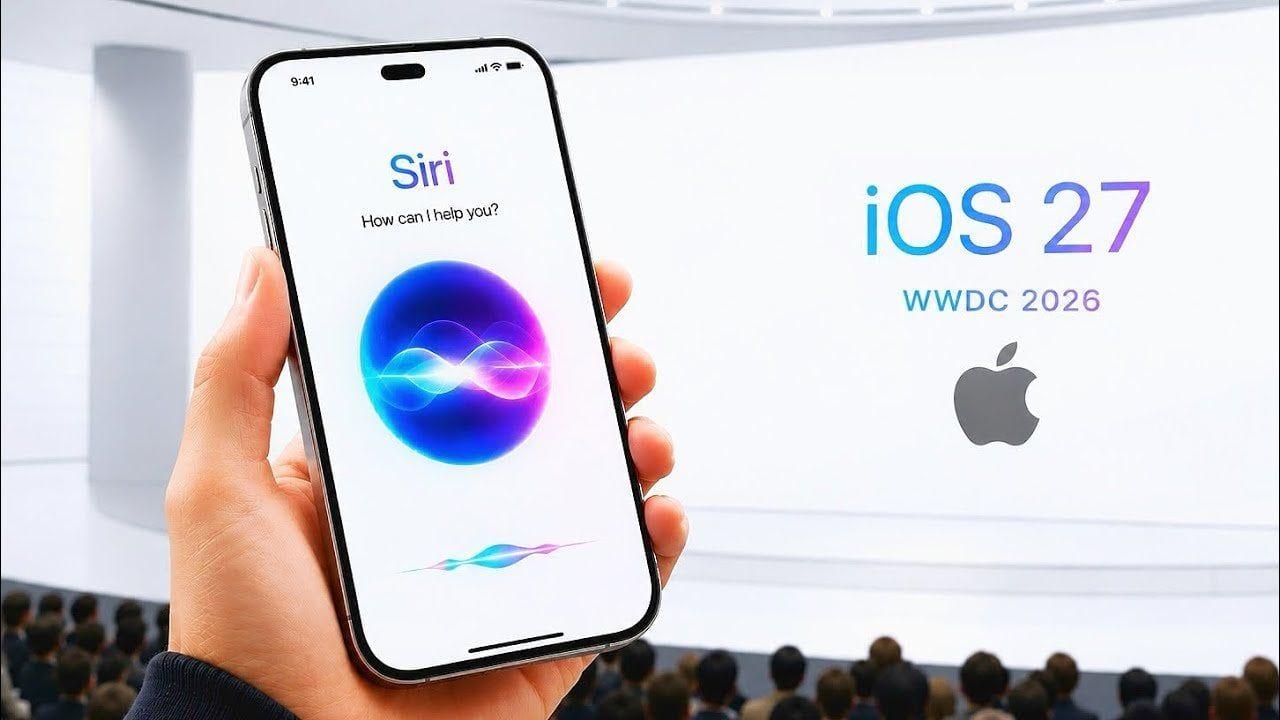
Source: Geeky Gadgets
Standalone Siri App and Camera Integration
A dedicated Siri app debuts in iOS 27, bringing together all conversations in one place so users can ask a question on their iPhone and pick up where they left off on their iPad
2
. The assistant also integrates into the Camera app through a new Siri Mode, enabling users to point their camera at objects and receive information directly on their iPhone2
. Visual intelligence features expand significantly, with capabilities to scan nutrition labels on food packaging to log dietary information and capture contact details directly from what the camera sees4
. However, Siri AI requires an Apple Intelligence-capable device, currently meaning the iPhone 15 Pro, iPhone 15 Pro Max, and every version of iPhone 16 or later1
.
Source: TechSpot
Performance Improvements Benefit Older Devices
Apple dedicated significant attention to performance improvements during its keynote, addressing concerns about iOS 26's buggy release
5
. According to Apple, apps will launch up to 30% faster, photos will load up to 70% faster, and AirDrop transfers will be up to 80% faster in iOS 271
5
. An optimized CPU scheduler improves performance through a new approach to task prioritization, particularly benefiting older devices3
. System animations are smoother, and the search engine across the entire system has been overhauled for faster and more reliable results5
.iPhone Compatibility Extends to 2019 Models
Defying rumors that Apple would drop support for several older models, iOS 27 will work on every iPhone that can currently run iOS 26
1
. iPhone compatibility includes the iPhone 11 lineup released in 2019 and the second-generation iPhone SE from 20201
3
. This means users won't need to buy a new device just to get better performance this year, making speed itself a feature that matters more than some AI additions5
.Liquid Glass Refinements and New iPhone Features
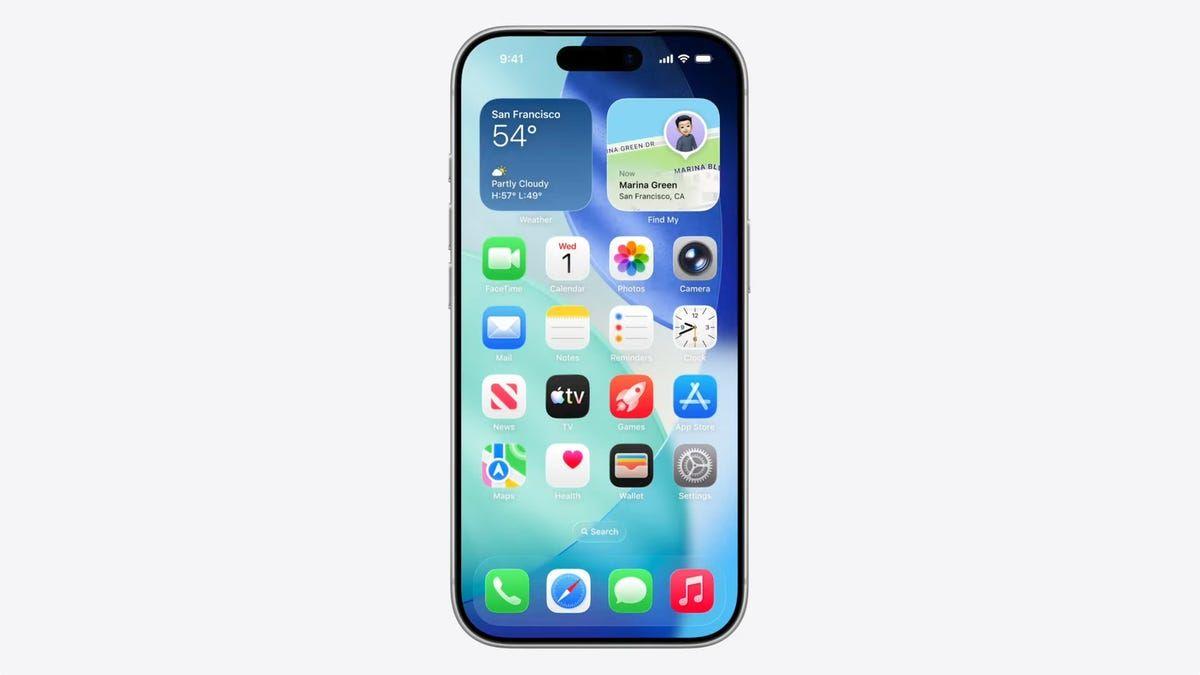
Apple refined its controversial Liquid Glass design language introduced last year by adding an opacity slider that allows users to adjust transparency levels for improved readability
2
3
. Users can make Liquid Glass elements semi-translucent, opaque, or something in between2
. Many icons and buttons have been slightly redesigned to highlight depth effects, with subtle backgrounds added to toolbars for better readability5
. The Image Playground app receives an update allowing users to create photorealistic images, expanding on the AI-image generator introduced in iOS 18.22
. Apple Photos gains three new AI-powered editing tools: Extend for generating additional image content beyond the original frame, Enhance for automatically improving color and lighting, and Reframe designed primarily for spatial photos4
.
Source: CNET
Related Stories

Child Safety and Apple Wallet Enhancements
Apple addressed growing concerns about child safety with expanded parental controls that give parents greater oversight of apps, websites, and content their children can access
3
. Parents can manage screen time and monitor purchases through a more intuitive interface. Apple Wallet introduces a 'Create a Pass' feature enabling users to create passes from scratch or use the iPhone's camera to capture QR codes and turn them into digital tickets4
. The feature includes customization tools for styles, images, colors, and text fields, with three template options: standard, membership, and event4
.Apple OS Updates Across Platforms
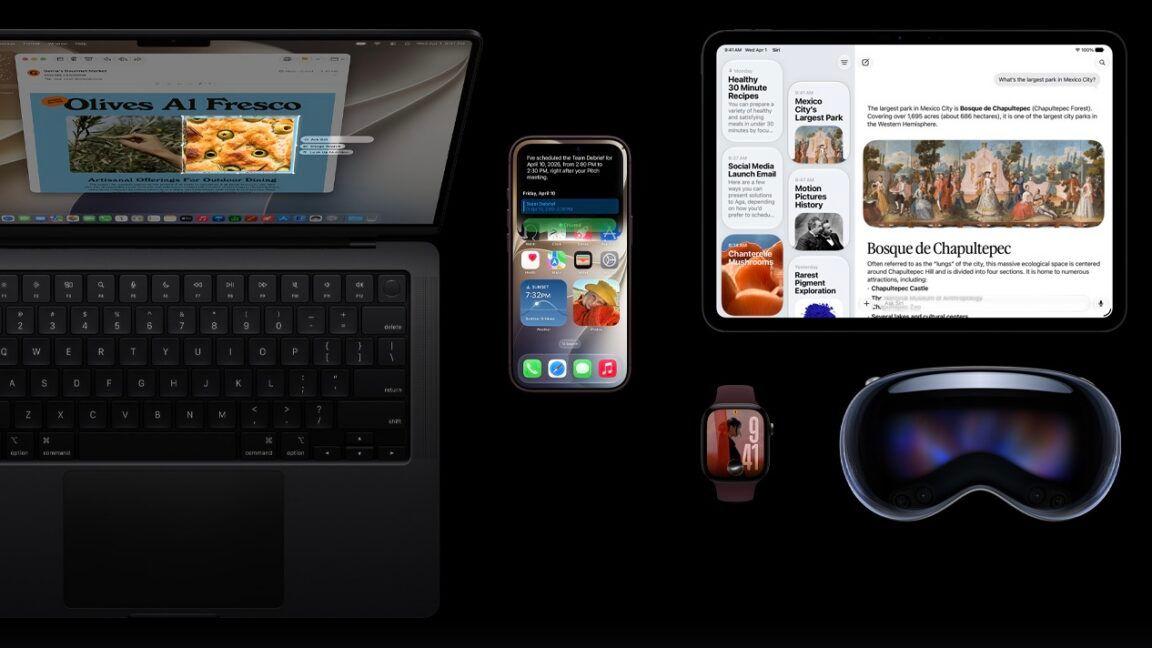
Alongside iOS 27, Apple announced updates for iPadOS 27, macOS 27, watchOS 27, and visionOS 27
3
. macOS 27 adds improved support for ultrawide displays at resolutions up to 5K and refresh rates up to 120Hz, while marking the end of support for Intel-based Macs3
. watchOS 27 introduces custom Wallet passes that support any membership QR code or barcode3
. Developers can download beta versions now, with public beta testing beginning in July before the official release this fall2
5
. Certain cloud-dependent features will be subject to daily usage limits, which users can remove with an iCloud+ subscription3
. Apple says Siri AI will initially be available in English as a beta later this year1
.References
Summarized by

Navi
[3]
Related Stories
Apple's Siri overhaul for iOS 27 brings Gemini integration and standalone app to compete with ChatGPT
26 May 2026•Technology

Apple Launches iOS 27 and macOS 27 with Siri AI Overhaul and Liquid Glass Updates
09 Sept 2026•Technology
iOS 27 brings four new Apple Intelligence features, including nutrition scanning and digital passes
17 Apr 2026•Technology

Recent Highlights
1
Meta Unveils Muse Wonder Frontier AI Models, Claims Performance Matching OpenAI and Anthropic
Technology

2
IMF Report Warns AI Market Correction Could Spark Global Financial Crisis With $1.4T at Risk
Business and Economy

3
OpenAI Releases 722 AI-Generated Math Solutions, Triggering Existential Crisis in Mathematics
Technology

Recent Highlights
Today's Top Stories







Don’t drown in AI news. We cut through the noise - filtering, ranking and summarizing the most important AI news, breakthroughs and research daily. Follow topics that matter to you and stay ahead.


