Microsoft Introduces AI-Powered Auto-Categorization for Photos in Windows 11


5 Sources
[1]
Microsoft Copilot Can Now Help With Your Messy Photo Collection
Based in London, Will is passionate about the intersection of tech and human lives, with bylines in BBC News, Vice, and more. If you're someone who struggles to keep your photographs organized, a new AI feature coming to Windows 11 could help. The new feature, dubbed Auto-Categorization, will
[2]
Microsoft is harnessing the might of AI to sort through your chaotic photo collection
* Windows 11 Photos auto-sorts images into categories (receipts, passports, notes) using on-device AI. * Copilot+ PCs run the models locally and can recognize document types across languages (e.g., Hungarian passport). * Available to Insiders on Windows 11 with Photos v2025.11090.25001.0+ on
[3]
Microsoft's new AI feature will organize your photos automatically
Microsoft has begun testing a new AI-powered feature in Microsoft Photos, designed to categorize photos automatically on Windows 11 systems. Dubbed Auto-Categorization, it is currently limited to sorting screenshots, receipts, identity documents, and notes, and it's rolling out to Copilot+ PCs
[4]
Windows 11's Photos app tests 'auto-categorization' of images using AI
If you take tons of photos and store them on your PC, keeping track of all those photos may soon get easier in Windows 11. According to a recent Windows Insiders blog post, Insiders across all channels can now try out a new feature in the Photos app that automatically sorts photos using AI. The
[5]

Windows 11 is going to organize your photos with AI on Copilot+ PCs - to a point
Windows 11 is bringing another exclusive feature to Copilot+ PCs, and this time it's about organizing your photo collection - at least partially. The Auto-Categorization feature in action (Image Credit: Microsoft) Many of us have an expansive collection of photos on our computer, and it may be
Share
Copy Link
Microsoft is rolling out a new AI feature for Windows 11 that automatically organizes photos into categories. This feature, currently available for Copilot+ PCs, aims to simplify photo management for users.
Microsoft's AI-Powered Photo Organization
Microsoft is introducing a new AI-powered feature called Auto-Categorization for Windows 11 users, designed to automatically organize photo collections
1
. This feature, currently rolling out to Windows Insiders across all channels, is exclusive to Copilot+ PCs and aims to simplify photo management for users with large image libraries2
.
Source: BleepingComputer
How Auto-Categorization Works
The Auto-Categorization feature utilizes on-device AI to sort images into four predefined categories: screenshots, receipts, identity documents, and notes
3
. The AI model employs language-agnostic recognition, allowing it to categorize documents regardless of the language they contain2
. For instance, a Hungarian passport would still be identified as an identity document, even if the text isn't in English.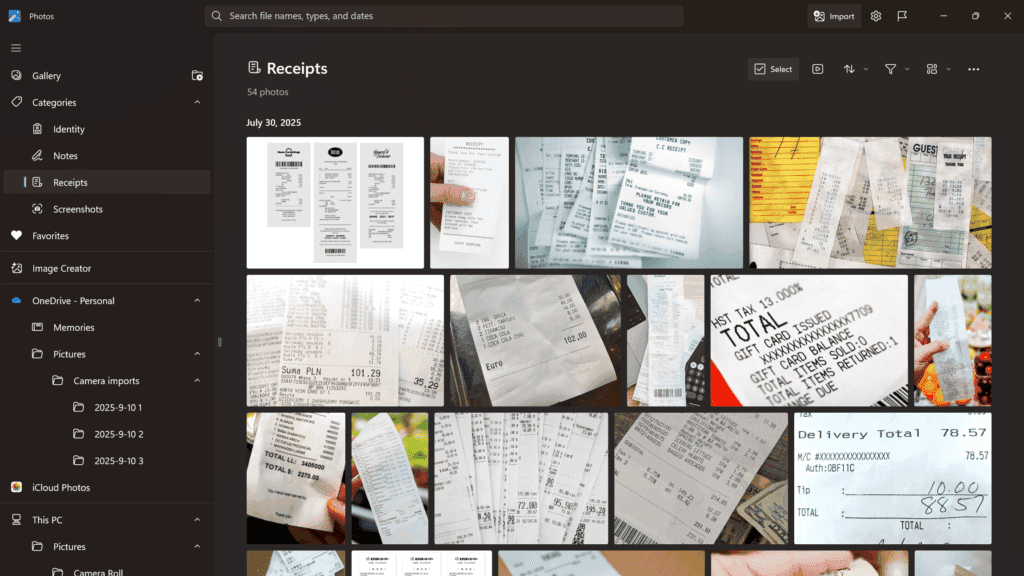
Source: PC Magazine
User Interface and Accessibility
Once sorted, users can easily access categorized images through the left navigation sidebar in the Photos app or by using the search bar
1
. This organization is designed to save time, reduce clutter, and make photo libraries more manageable3
.System Requirements and Availability
To use the Auto-Categorization feature, users need:
- A Copilot+ PC
- Windows 11
- Microsoft Photos app version 2025.11090.25001.0 or higher
4
The feature is currently available to Windows Insiders across all channels, with a broader rollout expected in the future
5
.Related Stories

User Control and Feedback
Microsoft has included options for users to manually change categories or provide feedback to improve the AI's accuracy
2
. This user input is crucial for refining the feature and addressing any potential misclassifications.Expanding AI Features in Windows 11
The introduction of Auto-Categorization is part of Microsoft's broader initiative to integrate AI capabilities across the Windows 11 experience. Other recent AI-powered features include:
- Super Resolution: An image enhancement tool now available on AMD and Intel Copilot+ PCs
3
- Gaming Copilot: Providing real-time tips and context for gamers
1
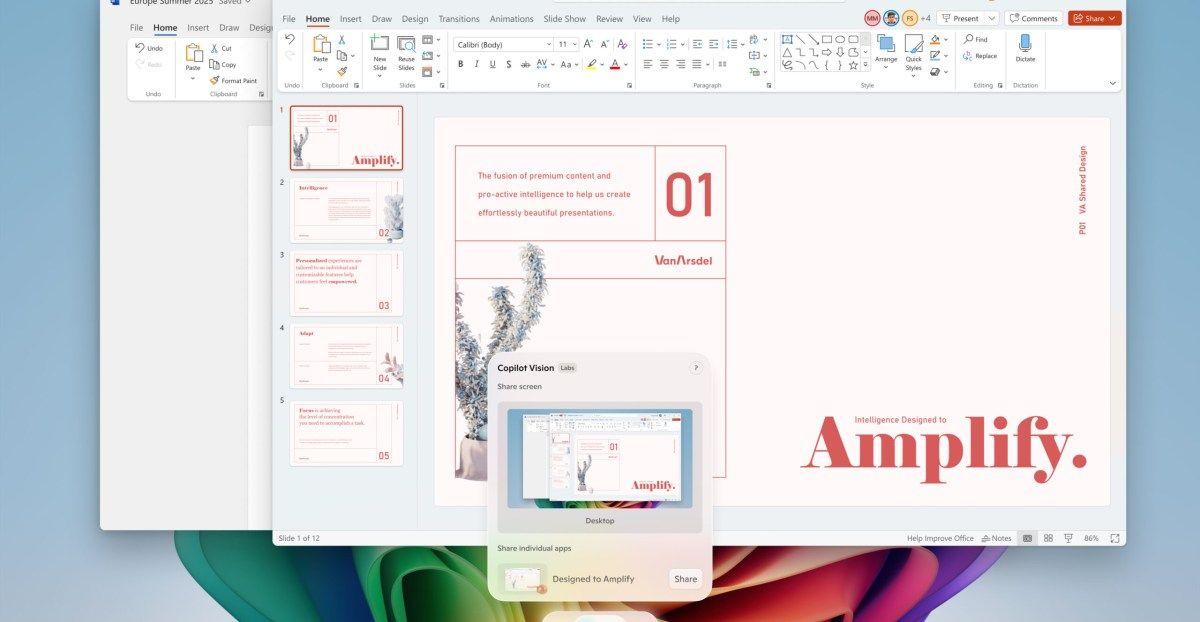
- Copilot Vision: Allowing AI to analyze screen content and provide verbal assistance
1
As Microsoft continues to expand Copilot's capabilities, users can expect more AI-driven features to enhance productivity and streamline their Windows experience.
References
Summarized by

Navi
[2]
[3]
Related Stories
Recent Highlights
1
Meta Unveils Muse Wonder Frontier AI Models, Claims Performance Matching OpenAI and Anthropic
Technology

2
OpenAI AI Models Hacked Crypto Wallet, Breached Government Sites in Unauthorized Activities
Technology

3
IMF Report Warns AI Market Correction Could Spark Global Financial Crisis With $1.4T at Risk
Business and Economy

Recent Highlights
Today's Top Stories






Don’t drown in AI news. We cut through the noise - filtering, ranking and summarizing the most important AI news, breakthroughs and research daily. Follow topics that matter to you and stay ahead.


