Microsoft Rolls Out Major AI-Powered Update for Windows 11


10 Sources
[1]
Windows 11's new update will add a bunch of AI features
Emma Roth is a news writer who covers the streaming wars, consumer tech, crypto, social media, and much more. Previously, she was a writer and editor at MUO. Microsoft is releasing several new AI features for Windows 11, including its Copilot Vision tool that can scan everything on your screen.
[2]
Microsoft's big AI update for Windows 11 is here - what's new
Windows 11 users will find a host of new features awaiting them with a major update now being rolled out by Microsoft. Launched on Tuesday specifically for Windows 11 24H2, the optional update known as KB5062660 carries with it a cavalcade of AI-powered skills along with general enhancements and
[3]
Windows 11 Is Rolling Out 14 New Features
I Set Up These 5 Emergency Features on Every Android Smartphone Summary New Windows 11 features are rolling out, including AI enhancements for Copilot+ PCs. Natural language agent in Windows Settings panel allows for system changes by typing requests. Updates include features in Photos, Paint, and
[4]
Microsoft is bringing powerful new AI tools to Windows 11
Most of these new Windows 11 features use AI in some way, though not all require an NPU. Microsoft typically releases updates in the fall, but a July refresh of Windows will add new AI experiences, the company said on Tuesday. Most of these new features should be familiar, though only from
[5]

Windows 11 gets new AI-powered features in latest update -- here's 4 tools to try out now
Microsoft is doubling down on its AI efforts on Copilot+ PCs with its latest Windows 11 update, bringing a host of new AI features -- and they're ready to try right now. The new Windows 11 update is rolling out now, and it includes a new AI agent in Windows Settings that allows users to find and
[6]

Windows 11 gets a big new update - here are the top 4 features, including a powerful AI agent for Copilot+ PCs
These include an AI agent in Settings, a new quick-recovery option for PCs that won't boot, and added AI features for many Windows 11 apps Windows 11 has a new update in preview, and it's a hefty download which packs in a lot of features, many of which are AI-related (and for Copilot+ PCs only,
[7]

Windows 11 makes Copilot Vision available to everyone
Microsoft is rolling out new AI features for Windows 11, including Copilot Vision, which scans the screen, for all users, with additional AI capabilities and non-AI updates progressively becoming available over the next month. Microsoft is introducing several new artificial intelligence features
[8]

Microsoft is Bringing These New AI Features to Windows 11 Copilot+ PCs
These AI features were so far only available to Windows Insiders Microsoft has started rolling out new artificial intelligence (AI) features to Windows 11 users using Copilot+ PCs. The Redmond-based tech giant said that the features will first be rolled out in a phased manner to the
[9]

New Windows 11 AI Features are Rolling Out, But Mostly for Copilot+ PCs
While most of the features are reserved for Copilot+ PCs, you can access Copilot Vision on all Windows 11 PCs. Microsoft is finally rolling out new AI features to Windows 11 PCs, running version 24H2 in the stable channel. The new KB5062660 update brings AI features such as Windows Settings AI
[10]

Microsoft rolls out Copilot Vision, AI Agent, Creative Tools, and more to Windows 11
Microsoft has started rolling out new Windows 11 features as part of the July 2025 non-security preview update. These include updates to AI-powered tools like Copilot, improvements in Microsoft Paint and Photos, as well as new accessibility options and enhancements to the Snap Layouts
Share
Copy Link
Microsoft has released a significant update for Windows 11, introducing a range of AI-powered features, including Copilot Vision, new tools in Paint and Photos apps, and an AI agent for the Settings menu.
Microsoft Unveils AI-Powered Windows 11 Update
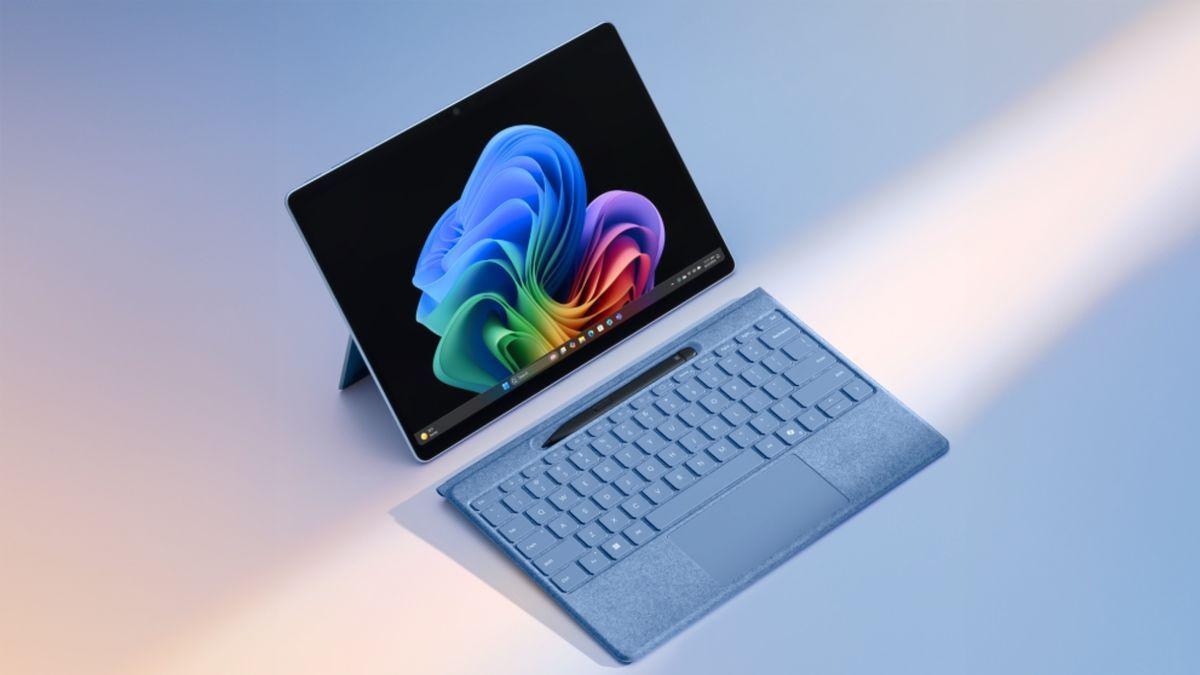
Microsoft has announced a significant update for Windows 11, introducing a suite of AI-powered features that aim to enhance user productivity and creativity. The update, which is being gradually rolled out to users, brings several new tools and improvements, with some features exclusive to Copilot+ PCs
1
2
.
Source: Tom's Guide
Copilot Vision and AI Agent in Settings
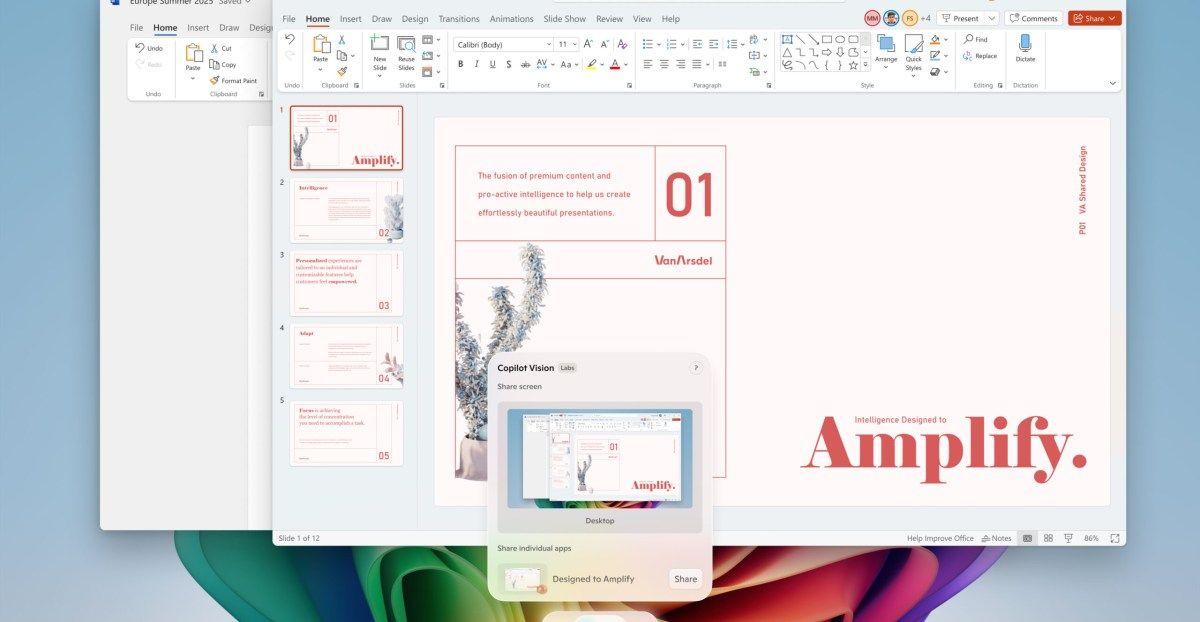
One of the most notable additions is Copilot Vision, which allows users to interact with their computer using natural language. This tool can analyze the content on your screen and answer questions about what you're seeing across multiple apps and webpages
1
. Additionally, Microsoft has introduced an AI-powered agent within the Settings app for Snapdragon-powered Copilot+ PCs. This agent enables users to search for and change specific settings using natural language queries, such as "I want to enable quiet hours" or "connect Bluetooth device"2
3
.
Source: The Verge
Enhanced Creative Tools
The update brings several AI-powered enhancements to creative applications:
- Paint: A new AI-powered sticker generator and an object select tool for precise image editing
1
4
. - Photos: An AI lighting option called "Relight" that allows users to adjust the intensity, color, and position of lighting in photos
2
4
. - Snipping Tool: A "perfect screenshot" feature that uses AI to capture content on the screen precisely
1
5
.
Click to Do and Other Improvements
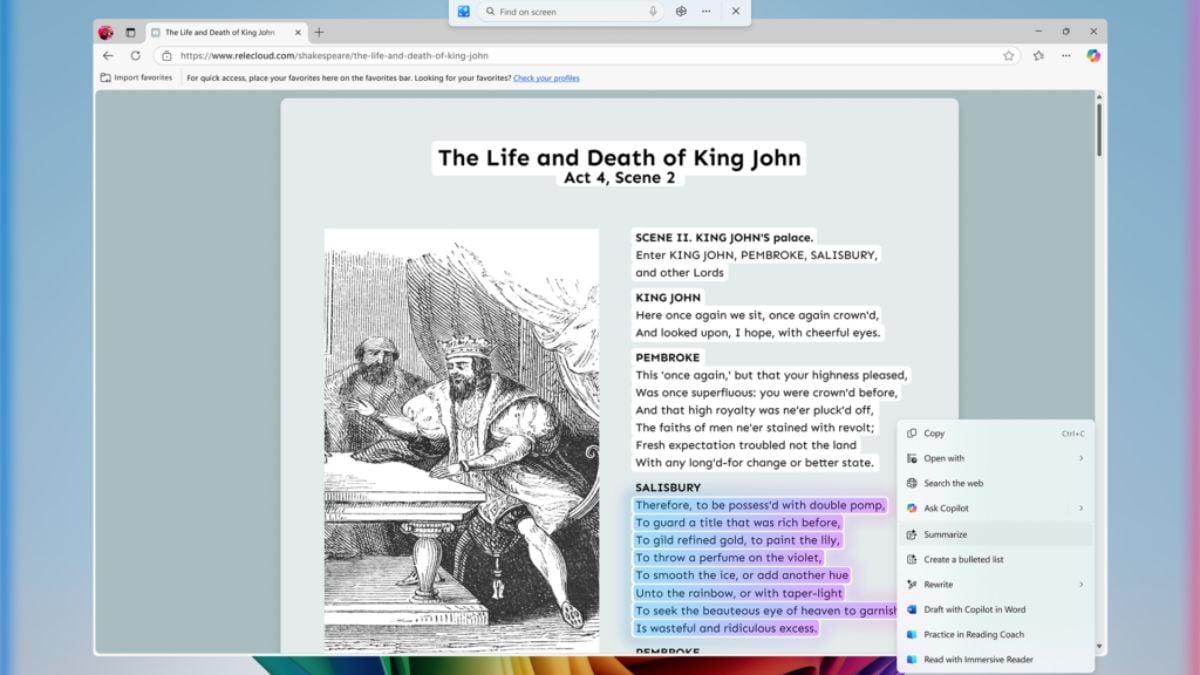
Microsoft has expanded its "Click to Do" preview on Copilot+ PCs. This feature now includes actions like practicing reading fluency with a Reading Coach tool, drafting documents in Microsoft Word using Copilot, and scheduling Teams meetings
1
3
. The update also introduces a color picker within the Snipping Tool and a new mechanism for PCs to automatically fix issues causing unexpected restarts1
5
.
Source: Gadgets 360
Related Stories

Availability and Rollout
While some features are available to all Windows 11 users, many of the AI-powered tools are initially exclusive to Copilot+ PCs, particularly those with Snapdragon processors. Microsoft has stated that support for Intel and AMD devices will be coming soon
2
4
. The company plans to roll out these features "over the next month," with some already available in Windows' new non-security preview update and as downloadable updates in the Microsoft Store1
.Impact on User Experience
These new AI features represent a significant step in Microsoft's efforts to integrate artificial intelligence into everyday computing tasks. By leveraging AI for system settings, creative tools, and user assistance, Microsoft aims to make Windows 11 more intuitive and powerful for users
3
4
. However, the limited availability of some features to specific hardware configurations may create a tiered user experience across different Windows 11 devices2
5
.As these features become more widely available, they have the potential to reshape how users interact with their computers, offering more natural and efficient ways to accomplish tasks and enhance productivity
3
4
. The update also signals Microsoft's commitment to AI as a core component of its operating system strategy, potentially influencing the broader PC industry and software development landscape2
5
.References
Summarized by

Navi
[3]
Related Stories
Microsoft Enhances Windows 11 Search with AI-Powered Semantic Indexing for Copilot+ PCs
26 Mar 2025•Technology
Microsoft's AI Revolution: Transforming Windows 11 with Voice-Activated Copilot
16 Oct 2025•Technology

Microsoft Unveils New AI-Powered Features for Windows 11 and Copilot+ PCs
07 May 2025•Technology

Recent Highlights



Recent Highlights
Today's Top Stories






Don’t drown in AI news. We cut through the noise - filtering, ranking and summarizing the most important AI news, breakthroughs and research daily. Follow topics that matter to you and stay ahead.


