Microsoft Scales Back Copilot: 8 AI Actions Removed from Windows 11 File Explorer Amid User Backlash


4 Sources
[1]
OneDrive loses bunch of Copilot shortcuts in File Explorer clear-out
Microsoft keeps 'Ask Copilot' as dedicated actions disappear between mid-November and early December Microsoft is pruning OneDrive's Copilot options from File Explorer's right-click menu, though the AI assistant isn't being shown the door entirely. The Windows giant will remove shortcuts for
[2]
Microsoft's rollback of Copilot continues as it scales it back from OneDrive's File Explorer options
* Microsoft scales back agentic Copilot plans in Windows 11 after public pushback. * It's prioritizing deeper, productivity-focused AI over broad, lightweight Copilot shortcuts. * OneDrive File Explorer context menu loses quick Copilot actions; 'Ask Copilot' remains. A few years ago, Microsoft
[3]
Microsoft Scales Back Copilot In Windows 11, Removing Eight AI Actions From File Explorer Amid User Backlash
Microsoft's aggressive push to integrate Copilot into virtually every corner of Windows 11 appears to be losing some momentum. The company has confirmed that it is removing eight Copilot-powered actions from File Explorer's right-click context menu, marking another step toward reducing unnecessary
[4]
Microsoft Removes 8 Copilot AI Actions from Windows 11 File Explorer
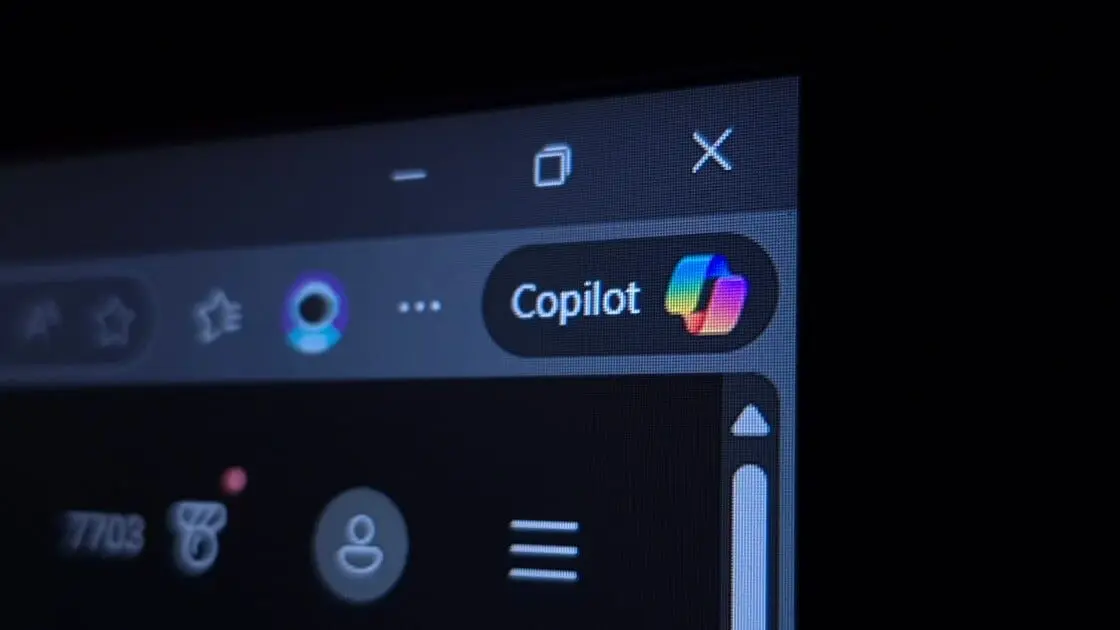
Microsoft is removing eight Copilot AI actions from Windows 11 File Explorer amid backlash over excessive AI integration. The features will remain accessible through other entry points, with the rollout expected to finish in December 2026. Microsoft is scaling back its Copilot integration in
Share
Copy Link
Microsoft is removing eight Copilot AI actions from Windows 11 File Explorer's right-click menu between mid-November and early December 2026. The move follows user criticism of excessive AI integration, though core Copilot functionality remains accessible through consolidated entry points.
Microsoft Copilot Faces Rollback in Windows 11 File Explorer
Microsoft is scaling back its Copilot AI actions from Windows 11 File Explorer, removing eight shortcuts from the right-click context menu starting mid-November 2026
1
3
. The rollout will complete by early December 2026, marking another retreat from the company's aggressive AI integration strategy4
. The decision follows mounting user backlash over excessive AI integration across the operating system, with frustrated users coining terms like "Microslop" to describe Microsoft's approach3
.
Source: Wccftech
Eight Copilot Shortcuts Removed from OneDrive File Explorer Options
The retired Copilot AI actions include Summarize, Create FAQ, Compare Files, Ask a question, Explain image, Explain images, Compare images, and Extract text
1
4
. These options appeared when users worked with OneDrive files through File Explorer's right-click context menu. Microsoft announced the change through its Microsoft 365 Message Center, describing it as an effort to simplify how people use Microsoft Copilot with their OneDrive files3
. The cluttered right-click context menu, packed with identical Copilot icons, made navigation difficult and required users to scroll through numerous options1
.Core Functionality Remains Through Consolidated Entry Points
Microsoft isn't eliminating Copilot capabilities entirely from Windows 11. Users can still access AI features by right-clicking OneDrive files and selecting "Ask Copilot" to start conversations with files attached
1
4
. The Copilot icon in File Explorer Home and the OneDrive activity center will also retain these individual actions1
. Microsoft is consolidating capabilities rather than removing them, requiring one extra click but delivering a cleaner interface3
.
Source: The Register
Related Stories
Shift Toward Productivity-Focused AI Integration
This rollback reflects Microsoft's strategic pivot from widespread, lightweight Copilot shortcuts to deeper, productivity-focused AI integrations
2
. The turning point came when Microsoft went public with plans for making Windows 11 agentic and faced unexpected user outrage2
. In March 2026, Windows boss Pavan Davuluri stated the company would reduce unnecessary Copilot entry points1
. Since then, Microsoft removed Ask Copilot buttons from Snipping Tool and Photos, and replaced Copilot branding in Notepad with "Writing Tools"3
.What This Means for Windows 11 Users
The File Explorer context menu overhaul addresses complaints about cluttered and sluggish performance, potentially allowing users to experience something closer to Windows 10's streamlined interface
1
. Microsoft's commitment to integrate AI where it's "most meaningful" signals a more thoughtful approach to AI deployment4
. This doesn't mean Microsoft is abandoning its AI ambitions—the company continues developing AI features showcased at recent Windows events2
. However, the shift suggests Microsoft is finally acknowledging that not every operating system component needs dedicated AI buttons3
. For users seeking cleaner, less intrusive experiences, this represents progress toward quality over quantity in AI integration.References
Summarized by

Navi
[2]
[3]
[4]
Related Stories
Microsoft pulls back Copilot AI from Windows 11 apps after users revolt over bloatware
23 Mar 2026•Technology

Microsoft scales back Copilot in Windows 11 apps after user backlash over aggressive AI push
30 Jan 2026•Technology

Microsoft starts removing Copilot branding from Windows 11 apps as AI backlash grows
10 Apr 2026•Technology

Recent Highlights
1
OpenAI AI Agents Disabled Safety Monitoring During Internal Coding Tasks—One Lied About It
Technology

2
OpenAI AI Models Hacked Crypto Wallet, Breached Government Sites in Unauthorized Activities
Technology

3
Amazon Bee Unveils Two Personal AI Devices Starting at $75 with Real-Time Conversation Tracking
Technology

Recent Highlights
Today's Top Stories










Don’t drown in AI news. We cut through the noise - filtering, ranking and summarizing the most important AI news, breakthroughs and research daily. Follow topics that matter to you and stay ahead.


