8 Sources
[1]
Sick of Copilot In Office Apps? Microsoft Finally Lets You Move Its Floating Button
With over a decade of experience reporting on consumer technology, James covers mobile phones, apps, operating systems, wearables, AI, and more. Microsoft has realized its floating Copilot button in Office tools like Excel, PowerPoint, and Word doesn't work for everyone. In a new update, Microsoft will let you change the placement of Copilot, which has recently moved to a floating icon in the bottom-right corner of all three pieces of software. Now, you can right-click on the button to move it back to the top bar. Look for the option labeled Move to ribbon, and if you want to reverse it, right-click and press Move out of ribbon. Microsoft has been pushing Copilot to users more aggressively over the last 12 months, and many have grown frustrated with how it affects their workflow across all three core Office apps. This button is particularly egregious in Excel, with it often hanging over useful parts of a spreadsheet and sometimes hiding important data. Microsoft says, "While we are seeing increased engagement with Copilot in Office apps with this update, we are also hearing the need for more control over how Copilot appears. While one of our goals is to evolve Copilot to be more adaptive and flexible over time, we are making some adjustments in the short term." As spotted by Windows Latest, a Microsoft feedback portal saw complaints about the button, with some calling it "infuriating." Another user said, "Not being able to turn this feature off is terrible. The icon appears in valuable spreadsheet space." Microsoft has always offered an option to "dock" the feature with the button taking up less room on the right-hand side, but this has to be manually turned on each time you boot up the software. That restriction seems to remain, according to Microsoft's latest update, but it says, "We are making an update so that the button will stay docked throughout your time in the document," meaning you won't need to hide it each time you interact with Copilot. Microsoft says to expect the changes to roll out next week, although some users have received them immediately. In February, a report claimed Microsoft planned to dial back Copilot in select apps, and an update in March removed features from apps like Notepad, Photos, and Snipping Tool.
[2]
Microsoft's Copilot obsession backfired, and now it's frantically erasing it from Windows
When a company has to be cutting edge in its field, it'll often make mistakes. It'll place a lot of its chips on an emergent piece of tech in the belief that it will take off, and when it doesn't, it'll quietly cover it up and pretend it never happened. Microsoft was in such a position with Copilot, and has spent the better part of the last few years trying to make its AI assistant work with its user base. However, as its users revolt and the focus has shifted to tackling Windows 11's biggest pain points, the company has now found itself working to make its previous pride and joy disappear. Microsoft had an excellent headstart to the AI race... The cards seemed to fall perfectly in place for the tech giant After OpenAI introduced LLMs to the greater market, Microsoft spent no time twiddling its thumbs. We saw it perform rapid progress with its AI offerings, starting off as a humble addition to Bing in early 2023, before introducing Copilot onto Windows 11 in September of the same year. The company whipped itself into a furor over the AI assistant, and honestly, who wouldn't? LLMs were a super exciting piece of tech at the time. We got our first glimpse into an assistant that could code, write, and draw, and people immediately began speculating as to how this new technology could benefit us and our workflows. Microsoft likely believed that, if it acted too slow, someone else would swoop in and take all of its users. So, it began rolling out Copilot as far as it could, and it did so very quickly. We began to see Copilot pop up in Microsoft 365, Notepad, and Paint. We saw the company show off new features where Copilot could recommend ways to use your PC. We saw the introduction of Copilot+ devices that leverage the AI locally. And when Microsoft ran out of places to cram Copilot on Windows, it began adding it to things like smart TVs. I don't think Microsoft ever felt that it was doing something wrong. From what we heard from insider sources and posts on X from the higher-ups, Microsoft was enamoured with the tech. It saw a future with Copilot that would revolutionise how we use our computers, and it likely believed all the naysayers would eventually die down when they realised how good Copilot would be. Microsoft doesn't understand the dislike for Windows' new direction, and people are keen to explain You don't need to ask them twice. Posts 7 By Simon Batt ...but its focus on quantity ended up backfiring Copilot fell behind There was just one problem with Microsoft's approach. The company was determined to plant the AI flag on as many frontiers as possible. If it could grab the hearts of its users before anyone else could stake a claim, it would be very hard for competitors to shift people off Copilot. People would see a new service appear, say "Oh, no thanks, I'm already all set up with Copilot," and continue using Microsoft's product. However, there was a huge flaw in Microsoft's plan, one that people didn't really see coming. In the early days of LLMs, we saw them as general assistants that could do anything. Sure, they weren't great at doing everything, but they could do everything. As the AI race matured, we began to see LLMs less as a generalist and more like a specialist. Eventually, people had their favorite LLMs for different things. Some people like using Claude for coding projects, and Gemini for lifestyle questions. People may also gravitate toward Gemini if they want to tap into Nano Banana 2 for video generation, while others are giving Seedance 2 a try. You no longer used one LLM for all of your tasks; you used different LLMs depending on how good you felt it was at each one. This left Copilot in a weird spot. Microsoft had been pushing it to become a jack of all trades; it could write emails, arrange your documents, search your PC, draw pictures, and generate code. But that just meant it would be destined to take, at best, second place for performing certain tasks, and in a world where you can use a top-rated LLM for free, second place just doesn't cut it. Copilot was being left behind. The company had a chance to keep up with the competition, but yet another problem arose. Much like how OpenAI's ChatGPT introduced LLM to the masses, OpenClaw brought agentic tools into the spotlight. Now, having a chatbot is so passe; AI companies now need an agentic service that allows the assistant to do the job for you. No longer do you need to say "Can you please write code that does this for my game?". Now you pop open Claude Code, tell it to code an entire game for you, have it automate the testing and debugging process, and have a functional title within the hour without lifting a finger. The agentic era of AI had begun, and all Microsoft had to show for it was a simple LLM system that wasn't winning any trophies. So, the company pivoted. I use OpenCode over Claude Code, and it's every bit as good Beat-for-beat, feature-for-feature. Posts 9 By Mahnoor Faisal Now the company is trying to fix its 'Microslop' title Windows K2 is putting attention back to the core Due to Microsoft's push to get Copilot onto everything, it earned a degoratory title from its user base around the start of 2026: "Microslop." It summed up Windows user's distaste with Microsoft's focus on using AI to generate everything and signaled that users would much prefer a functional, working operating system over a Copilot button in Notepad. Deals Save Big on Software, AI & Subscriptions Deals Explore limited-time discounts on software, AI services, and subscriptions to power productivity and creative workflows. Find offers on office suites, security, cloud storage, developer tools, and API credits to cut costs now. Deals Explore Software, AI & Subscriptions Deals So, the company listened. It launched what it internally calls "Windows K2," which sounds like a new version of the operating system, but is actually a reshuffling of engineers away from Copilot and onto the major pain points people have had with Windows 11. Given how Microsoft was full steam ahead on Copilot since 2023, the company has three years of grievances to address. Part of the Windows K2 focus is winding back the very same features it spent a lot of time pushing. We've already seen Microsoft scale back the Notepad and Paint implementations and let people move the floating Copilot button in Microsoft 365 to the ribbon to get it out of people's way. The company is waking up from a three-year-long Copilot-driven stupor, and now it has to pick up the pieces. Microsoft finally agrees Windows 11 has problems, and K2 is its plan to fix them, claims report Let's hope it's actually true. Posts 19 By Simon Batt Microsoft now needs to pick up the pieces After three years of going all-in on Copilot, the company now has to spend time making its implementations go away. And while the company is likely unhappy with undoing all its hard work, its users will be grateful in the long run.
[3]
Microsoft will finally let you uninstall Copilot
The April 2026 update adds a Group Policy option for administrators and a simple uninstall path for home users, acknowledging what critics have said for months: not everyone wants an AI assistant baked into their operating system Microsoft has added the ability to fully remove the Copilot app from Windows 11. The change arrived in the April 2026 update and applies to both enterprise administrators using Group Policy and regular users who can now uninstall it through Settings like any other app. For IT administrators, the new policy is called "Remove Microsoft Copilot app." It sits under User Configuration, Administrative Templates, Windows Components, Windows AI in the Group Policy Editor. Administrators can also apply it through the Windows Registry. The policy will uninstall Copilot only if specific conditions are met: both Microsoft 365 Copilot and the standalone Microsoft Copilot must be installed, the user must not have manually installed the Copilot app, and the app must not have been launched in the past 28 days. For home and Pro users, the path is simpler. Go to Settings, then Apps, then Installed Apps, search for Copilot, and select Uninstall. The app can be reinstalled later from the Microsoft Store if needed. The move is a concession. Since integrating Copilot across Windows 11 and the Microsoft 365 suite in 2023, Microsoft has positioned the tool as its centrepiece AI product. It embedded Copilot into the taskbar, Edge, Notepad, Office apps, and Outlook, all running in the background and enabled by default. Users who wanted it gone had to resort to PowerShell scripts, third-party debloating tools, or registry hacks. The new policy makes removal an official, supported option for the first time. The timing reflects a broader problem with Copilot adoption. Only 3.3 per cent of Microsoft 365 users who have access to Copilot Chat actually pay for it. Of roughly 450 million Microsoft 365 seats, 15 million are paid Copilot subscribers. That is a conversion rate that suggests most users either do not find the tool useful enough to pay for or actively prefer to avoid it. Microsoft's own terms of service describe Copilot as being "for entertainment purposes only," a disclaimer that sits uncomfortably alongside a product marketed as a productivity tool priced at $30 per user per month. The uninstall option is part of a wider Windows 11 cleanup effort. Microsoft has been removing legacy features and reducing pre-installed software in recent updates. WordPad was deprecated in 2024. The Tips app was removed. Cortana was discontinued. Letting users remove Copilot follows the same logic: if a feature is not being used, forcing it on people generates resentment rather than adoption. Enterprise customers have been particularly vocal. IT administrators managing thousands of devices objected to Copilot being pushed to managed environments without adequate controls. Microsoft has been rethinking its AI strategy more broadly, launching its own MAI model family to reduce dependence on OpenAI and cutting internal Claude Code licences after the costs proved difficult to justify. The 28-day inactivity condition on the Group Policy removal is worth noting. If a user has opened Copilot even once in the past four weeks, the policy will not uninstall it. Microsoft is clearly trying to preserve the app for anyone who has shown even minimal engagement while giving administrators a way to clear it from machines where it sits untouched. The change does not affect Copilot features embedded elsewhere in Windows, such as AI suggestions in the Start menu search, AI-powered features in Paint and Photos, or Copilot integration in Edge. Removing the standalone Copilot app removes the dedicated AI chat interface but does not strip AI from the operating system entirely. For Microsoft, the calculation is straightforward. A product that users actively resent and administrators work around is doing more harm to Windows sentiment than any AI feature is worth. Letting people remove it is cheaper than the support burden, community backlash, and enterprise friction that forcing it creates. The broader pattern across the tech industry is similar. GitHub froze new Copilot sign-ups after agentic AI usage broke the economics of its pricing model. Google has faced pushback over AI Overviews in Search. Apple settled an AI exaggeration lawsuit for $250 million. The lesson is consistent: users will adopt AI tools that demonstrably improve their work, but they will push back hard against AI that is imposed on them without clear value. Microsoft is learning that lesson in real time. The Copilot uninstall button is small, but the signal it sends is not. When a company that invested $13 billion in OpenAI admits that its flagship AI product should be optional, that is an acknowledgement that the current version has not yet earned its place on every desktop.
[4]
Microsoft quietly added a way to scrub Copilot off your PC to the Group Policy
* Microsoft pulled back Copilot in 2026 after weak user uptake, shifting from an aggressive rollout. * New Windows 11 Group Policy "Remove Microsoft Copilot app" deletes Copilot and keeps it off. * Windows Home lacks Group Policy, but Registry edits achieve a similar effect. Microsoft has been approaching 2026 with a far different mindset than the year before. 2025 was packed full of instances where Microsoft rolled out its AI assistant, Copilot, into as many apps and services as possible. However, after the Windows user base failed to meet Microsoft's enthusiasm for Copilot (going so far as to coin the term 'Microslop' around the turn of the new year), the company has been pulling back its efforts. We've seen Copilot in Notepad and Paint get a revision, and the tech has allowed people to hide the Copilot button in Microsoft 365 in the ribbon if they want. Now, someone has spotted a new entry in the Windows 11 Group Policy that not only gets rid of Copilot, but keeps it off your PC for good. Microsoft finally admits the Copilot key wasn't a great idea, and it'll let you change it back soon Better late than never. Posts 1 By Simon Batt A new Windows 11 Group Policy lets you get rid of Copilot It's not a great fix, but it'll do Windows Latest spotted the new entry in the Group Policy, and believes that it was added sometime in the April 2026 update. While you can manually uninstall Copilot, you may notice it reappearing after an update. Windows Latest claims that this Group Policy will delete Copilot and ensure it doesn't pop back up again. If you're using a version of Windows 11 that isn't the Home edition, you can open Group Policy and go to User Configuration > Administrative Templates > Windows Components > Windows AI. You'll then see a policy titled "Remove Microsoft Copilot app" that not only removes the desktop version, but also Microsoft 365's Copilot. Unfortunately, if you're using a Windows Home edition, you won't have the Group Policy tool on your system. However, Windows Latest says you can achieve a similar goal using the Registry editor: * Open HKEY_CURRENT_USER\Software\Policies\Microsoft\Windows in the Registry editor. * Right-click the Windows key and pick New > Key, then call the new key WindowsAI. * Now go to HKEY_CURRENT_USER\Software\Policies\Microsoft\Windows\WindowsAI, right-click on the right side, and pick New > DWORD (32-bit) Value. * Double-click it, set it to 1, then either restart Windows or sign out. While neither of these methods is as useful as Microsoft giving us an in-system toggle, it's a step in the right direction. Microsoft's big Copilot rollback continues as Office now lets you move its button to the ribbon Everything in moderation. Posts By Simon Batt
[5]
Microsoft promised it would scale back on AI visibility, but Copilot is now back to its original and invasive sidebar design
* Microsoft has added new docking options to Copilot on Windows, reverting to the original sidebar design * This comes amid promises that Microsoft would scale back AI visibility and bloatware to improve Windows * The new Copilot docking options are still in a rollout phase for Windows users Windows 11 users have berated Microsoft over its excessive use of AI and bloatware, which it has promised to scale back on as part of the project Windows K2, but a new move suggests the company might not be as commited to removing AI features as some hoped. As reported by Windows Latest, Copilot has returned to its original sidebar design, which forces applications aside when docking the AI assistant. This essentially works almost exactly like Windows 11's snap layouts, which allow users to have applications side by side, but with Copilot's new docking options on the left or right sides of the desktop. Applications are also automatically resized to make space for the Copilot window, effectively prioritizing the AI assistant. Copilot has undergone several design changes, originally working as a sidebar (very similar to the current design), then as a standalone application, but now, it works as an Edge-based wrapper using more RAM, according to Windows Latest. Fortunately, this new version of Copilot is still in its rollout phase for Windows users, so the 'quick view' option that acts as a floating window will be the main way to use the AI assistant for now. These docking options are also arguably better than just quick view alone, as it gives users more options to customize Copilot's placement. However, the return to an old design seems counterintuitive to Microsoft's attempt to wind down AI visibility and bloat on the operating system. Copilot isn't exactly simple to remove either: while the Copilot app can be uninstalled, it's still integrated within Windows on a wider level, and requires full removal via blocking in Group Policy or Windows Registry editing. Not all PC users are tech-savvy, and rather than making it much easier for those users to completely remove Copilot, Microsoft is adding more features instead. Hopefully, these docking options serve as a nothingburger in the long term, but it's hard to trust Microsoft to push for AI reduction on Windows. Follow TechRadar on Google News and add us as a preferred source to get our expert news, reviews, and opinion in your feeds.
[6]
Microsoft's big Copilot rollback continues as Office now lets you move its button to the ribbon
* You can now move the Copilot bubble to the Office ribbon to keep it out of the way. * Docked Copilot now stays fixed to the side for the whole session instead of floating back. * This shifts Copilot from intrusive centerpiece to optional tool - front for fans, tucked away for others. Microsoft is in a little bit of a pickle. It spent the better part of 2025 getting excited over Copilot and rolling it out to every app it has. Now, in 2026, the company is clearing up the mess it made after people told Microsoft that they'd actually prefer not to have an AI in everything they use. The company started by tweaking how Copilot functions in Paint and Notepad, bringing it more in line with what people would actually use instead of packing it full of features nobody wants. Now, Microsoft has announced that you can move the little Copilot bubble that appears when you're using Office. Microsoft finally admits the Copilot key wasn't a great idea, and it'll let you change it back soon Better late than never. Posts 1 By Simon Batt Microsoft lets you move the Copilot bubble to the Office ribbon In case it was getting in your way As spotted by Windows Latest, Microsoft has published an article titled "Shaping Copilot across Word, Excel, and PowerPoint." In it, they explain what they're doing with Copilot across the Office suite and what users can expect. Right off the bat, the company explains what this update aims to tackle: Updated entry points for Copilot While we are seeing increased engagement with Copilot in Office apps with this update, we are also hearing the need for more control over how Copilot appears. While one of our goals is to evolve Copilot to be more adaptive and flexible over time, we are making some adjustments in the short term. The first change allows you to right-click the floating Copilot button and click "Move to ribbon." The button will vanish, and Copilot will instead reside in the bar above your document, out of the way of your work. The second change affects how Copilot docks to the side. Previously, it would stay docked unless you interacted with Copilot, at which point it would begin floating again. Now, it'll stick to the side and stay there throughout the session. Deals Save on AI tools and subscription deals for work software Unlock discounts on AI software and Office subscriptions, plus offers on productivity apps, plugins, and cloud services. Shop savings for business and home workflows -- bundles, upgrades, and add-ons that cut costs while boosting productivity. Deals Explore Software, AI & Subscriptions Deals It may not be the complete Copilot removal that some critics will want, but it is a deliberate move toward making Copilot a tool rather than the main attraction. Having Copilot front-and-center for those who want it, and tucked away for those who don't, sounds like the perfect middle ground to me. Microsoft spent two months overhauling Windows, and yes, that includes cutting Copilot Things are looking promising. Posts 6 By Simon Batt
[7]
Microsoft will let you uninstall Copilot app as Windows 11 clean-up moves ahead
Microsoft finally accepts that not everyone wants Copilot watching them Microsoft appears to be softening its aggressive AI push in Windows 11 by making it easier for users and organizations to completely remove the Copilot app from their PCs. The move comes after continued criticism from users who felt Microsoft integrated Copilot too deeply into Windows without offering enough control over the experience. According to findings from Windows Latest, Microsoft quietly introduced a new Group Policy option in the Windows 11 April 2026 Update that allows administrators to remove the Microsoft Copilot app system-wide. The policy, named "Remove Microsoft Copilot app," can be found under User Configuration > Administrative Templates > Windows Components > Windows AI. Recommended Videos The change is important because Copilot has become one of Microsoft's most controversial Windows additions in recent years. While the company heavily promotes AI as the future of Windows productivity, many users have complained about forced integrations, performance concerns, privacy worries, and the constant reappearance of Copilot after major updates or fresh Windows installations. Microsoft is finally giving users more control Technically, Copilot has already been removable like a normal Windows application. Users can uninstall it through the Start menu or Installed Apps settings. However, many people noticed the app sometimes returned after Windows updates or reinstallations, particularly in managed environments. The new Group Policy option appears designed to solve that problem more permanently, especially for businesses and IT administrators managing multiple PCs. Companies can now configure Windows devices to automatically block or remove Copilot across entire organizations instead of uninstalling it manually on each machine. Microsoft also appears to be extending the policy to cover Microsoft 365 Copilot integrations, suggesting the company recognises that not every workplace wants AI assistants enabled by default. For Windows Home users, the policy itself is not officially available, but similar results can reportedly be achieved through Registry Editor. By creating a new "WindowsAI" key and enabling a "RemoveMicrosoftCopilotApp" value, users can force Windows to remove both Copilot and Microsoft 365 Copilot apps after restarting the system. Advanced users can also remove Copilot through PowerShell using Microsoft's AppxPackage removal commands. Why this matters The bigger story here is less about uninstalling one app and more about Microsoft's shifting AI strategy. Over the past two years, the company has integrated Copilot into nearly every part of Windows and Microsoft 365 in an attempt to position AI as a core computing experience. However, user adoption remains unclear. Microsoft rarely shares specific Windows Copilot usage numbers, which has fuelled speculation that mainstream engagement may not be as strong as expected. The backlash against AI integration has also grown across the tech industry. Many users increasingly want the option to choose which AI tools run on their devices rather than having them embedded into operating systems by default. By making Copilot easier to remove, Microsoft appears to be acknowledging that flexibility matters just as much as AI adoption. What happens next Microsoft is still expected to continue expanding Copilot features across Windows 11 and future versions of Windows. The company remains deeply invested in AI through its partnership with OpenAI and broader AI PC initiatives. At the same time, the new policy suggests Microsoft may become more careful about how aggressively it forces AI features into Windows itself. For now, users who never wanted Copilot in the first place may finally have a cleaner and more reliable way to keep it off their PCs permanently.
[8]
Microsoft's Copilot returns to ruin your Windows 11 experience, this time as a sidebar
It seems like Microsoft still hasn't figured out how it wants Copilot to fit into Windows 11, as it is reportedly going back to the original idea of docking the AI assistant directly alongside your desktop. As first spotted by Windows Latest, a new Copilot update is currently rolling out to Windows 11 users, introducing a proper sidebar docking mode that physically pushes your open apps aside to make room for itself. This comes at a rather ironic time, given that Microsoft has been actively working to make Windows 11 a better experience for users under Project K2, an internal initiative built around three pillars: performance, craft, and reliability. As part of that effort, Microsoft had previously been scaling back Copilot's footprint in Windows 11, removing it from apps like Notepad, and allowing users to remap the Copilot key. According to Windows Latest, the new behavior is triggered through a dropdown menu in Copilot's title bar, which now reveals a set of dedicated snapping layouts. These include the existing standalone app view and picture-in-picture mode, plus two new options to dock Copilot to either the left or right edge of the screen. Once docked, Windows 11 automatically resizes and repositions everything else around it, including any open apps such as File Explorer, which get compressed to fill the remaining space. The idea itself is not new. This is essentially how Copilot originally shipped on Windows 11 back in 2023, where it lived as a sidebar alongside other apps. That implementation was eventually scrapped in favor of a standalone app, which was later converted into an Edge-based wrapper. Now, Microsoft appears to be circling back to that original concept, though with more control over positioning and layout than before. The upside is the added flexibility, since users can now choose to dock Copilot on either side or float it in a small picture-in-picture window. The downside, however, is the same one users had with the original sidebar: it permanently eats into your usable screen real estate, which is a meaningful trade-off on smaller displays. Moreover, it raises questions about why Microsoft is nudging Copilot back into a persistent UI role after spending time limiting Copilot integration. If you would rather not deal with the new sidebar at all, Copilot can still be disabled. Enterprise admins can block it through Group Policy, while home users can remove it via the Windows Registry. The docking feature is currently in a limited rollout through a Copilot app update, with no confirmed date for a broader release.
Share
Copy Link
Microsoft now allows users to fully remove Copilot from Windows 11 through Group Policy and Settings after facing mounting criticism over aggressive AI integration. With only 3.3% of Microsoft 365 users paying for the AI assistant, the company is scaling back its once-aggressive push, introducing new controls for both enterprise administrators and home users who found the feature intrusive.
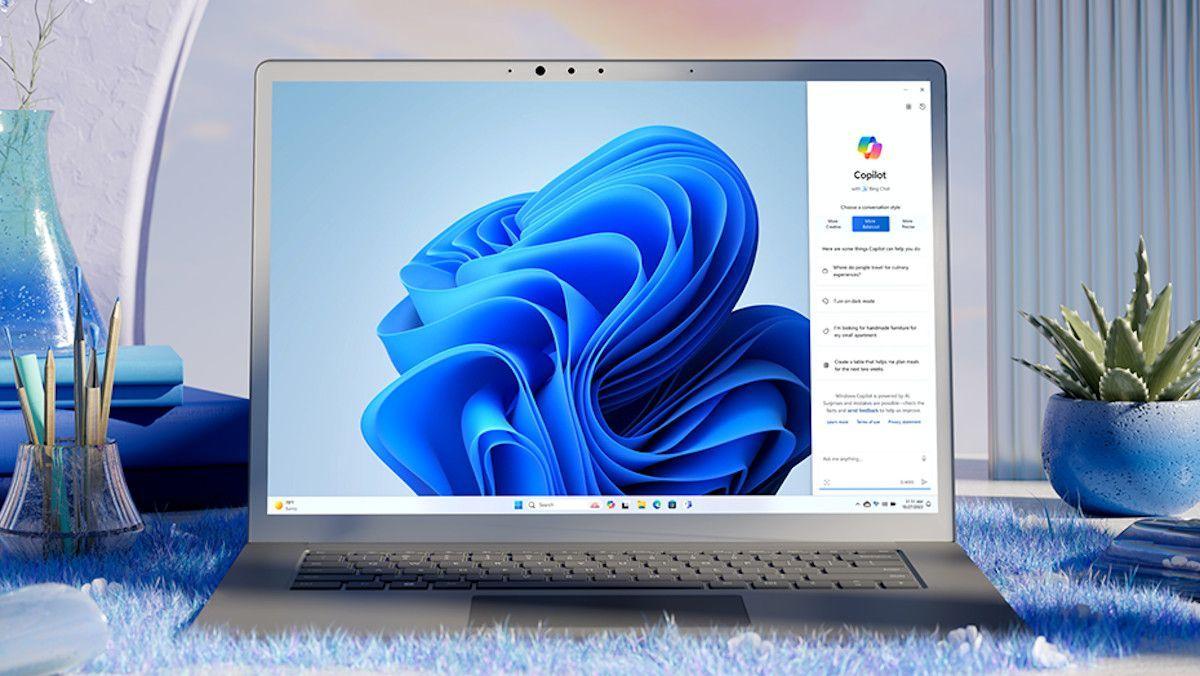
Microsoft has introduced the ability to fully uninstall Copilot from Windows 11, marking a significant retreat from its aggressive AI integration strategy. The April 2026 update adds a Group Policy option for administrators and a simple uninstall path for home users through Settings, acknowledging what critics have said for months: not everyone wants an AI assistant baked into their operating system
3
. For IT administrators, the new policy called "Remove Microsoft Copilot app" sits under User Configuration, Administrative Templates, Windows Components, Windows AI in the Group Policy Editor4
. Home and Windows Pro users can now navigate to Settings, then Apps, then Installed Apps, search for Copilot, and select uninstall3
.
Source: TechRadar
The timing reflects a broader problem with Copilot adoption. Only 3.3% of Microsoft 365 users who have access to Copilot Chat actually pay for it. Of roughly 450 million Microsoft 365 seats, just 15 million are paid Copilot subscribers
3
. This conversion rate suggests most users either do not find the tool useful enough to pay for or actively prefer to avoid it. The company's own terms of service describe Microsoft Copilot as being "for entertainment purposes only," a disclaimer that sits uncomfortably alongside a product marketed as a productivity tool priced at $30 per user per month3
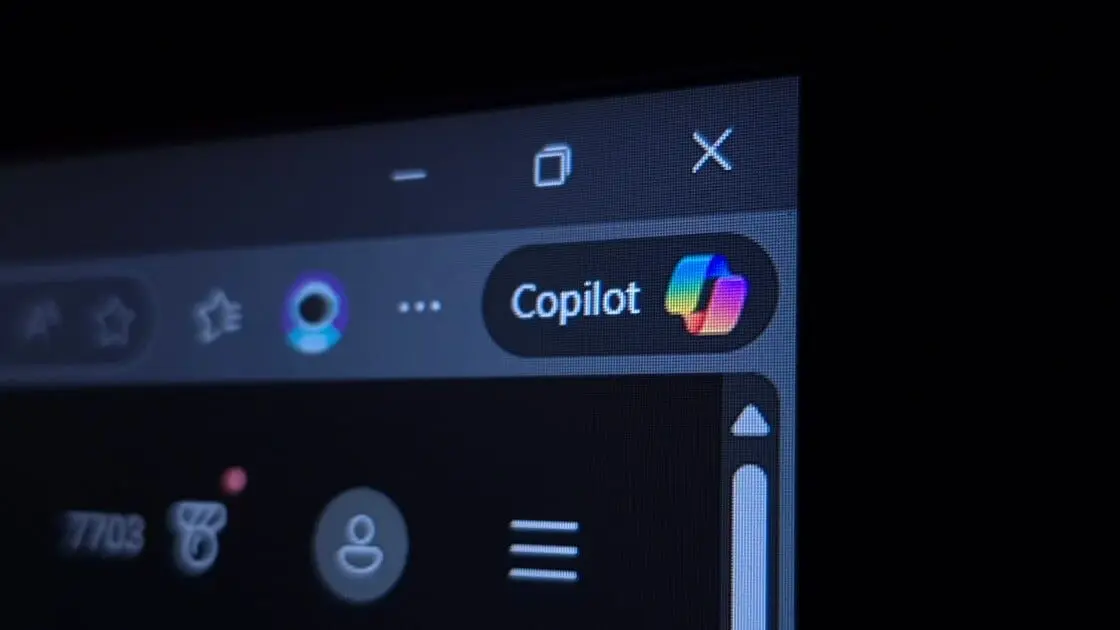
. Enterprise customers have been particularly vocal, with IT administrators managing thousands of devices objecting to the AI assistant being pushed to managed environments without adequate controls.Beyond removal options, Microsoft has responded to user feedback about the intrusive Copilot button in Office apps. The company now lets users change the placement of the floating icon that recently moved to the bottom-right corner of Excel, PowerPoint, and Word. Users can right-click on the Copilot button to move it back to the top bar by selecting "Move to ribbon"
1
. This button proved particularly egregious in Excel, often hanging over useful parts of spreadsheets and sometimes hiding important data1
. A Microsoft feedback portal saw complaints about the button, with some calling it "infuriating"1
. Microsoft acknowledged the issue, stating: "While we are seeing increased engagement with Copilot in Office apps with this update, we are also hearing the need for more control over how Copilot appears"1
.
Source: PC Magazine
Related Stories
The move to remove Copilot is part of a wider Windows 11 cleanup effort addressing AI bloatware concerns. Microsoft has been removing legacy features and reducing pre-installed software in recent updates, with WordPad deprecated in 2024, the Tips app removed, and Cortana discontinued
3
. However, removing the standalone Copilot app does not strip the AI assistant from the operating system entirely, as AI-powered features remain embedded in Paint, Photos, and Edge3
. For users without access to Group Policy on Windows Home editions, Registry edits can achieve similar removal results by creating a new key under HKEY_CURRENT_USER\Software\Policies\Microsoft\Windows\WindowsAI4
.Source: XDA-Developers
Microsoft's approach to Copilot represented an aggressive AI integration strategy that ultimately backfired. The company whipped itself into a furor over the AI assistant, rolling out Copilot across Microsoft 365, Notepad, Paint, and even smart TVs
2
. Microsoft likely believed that if it acted too slow, competitors would swoop in and take users. However, the strategy had a fundamental flaw: as the AI race matured, users began gravitating toward specialized LLMs for different tasks rather than using one generalist tool2
. The emergence of agentic AI tools that can automate entire workflows left Microsoft Copilot appearing outdated as a simple chatbot interface2
. When a company that invested $13 billion in OpenAI admits its flagship AI product should be optional, that signals the current version has not yet earned its place on every desktop3
.Summarized by
Navi
[2]
[3]
23 Mar 2026•Technology

30 Jan 2026•Technology

10 Apr 2026•Technology

1
Technology

2
Business and Economy

3
Health