Microsoft Teams AI Facilitator detects confusion in meetings and answers questions automatically


2 Sources
[1]
Your next Teams meeting could have an AI teammate that answers questions for you
Teams is getting smarter, cleaner, and quieter about it. The AI features are opt-in, the chat cleanup is automatic. Microsoft Teams is getting a meaningful update that overhauls almost every part of how you use the app, from AI-assisted meetings to a cleaner chat layout. Most of the changes are
[2]
Microsoft Teams to Get AI Meeting Features, Guest Invite Improvements
Guest invites will use personal addresses instead of no-reply ones Microsoft is rolling out AI-powered meeting tools, new chat organisation options, and improvements to guest invitations for Teams. Among the notable features is an AI Facilitator, which is claimed to be capable of identifying
Share
Copy Link
Microsoft Teams is rolling out AI features that transform how meetings work. The AI Facilitator can detect when participants are confused, generate answers using web search, and post responses in chat. AI-generated meeting notes expand to in-person meetings, while chat layout improvements and guest invitation changes aim to streamline collaboration.
Microsoft Teams introduces AI teammate that answers questions during meetings
Microsoft Teams is deploying a comprehensive update that brings AI features designed to address knowledge gaps during virtual and in-person meetings. The centerpiece is an upgraded AI Facilitator that monitors conversations, identifies when participants appear confused, and automatically generates responses to questions that might otherwise go unanswered
1
. This AI teammate that answers questions can perform web search in real time to field inquiries, then post AI-generated answers directly in the meeting chat when it detects silence after a question has been asked2
.The AI Facilitator represents a shift in how collaboration tools handle the common problem of unanswered questions during meetings. By analyzing conversations and detecting instances where participants require additional context, the feature aims to keep discussions moving without awkward pauses or follow-up emails
2
. Microsoft has confirmed this capability is an opt-in feature, disabled by default to address privacy concerns. Both meeting organizers and regular participants can disable all AI meeting features through a single Meeting AI toggle, though guests will not have access to these controls1
.AI-generated meeting notes expand to Teams Rooms for in-person collaboration
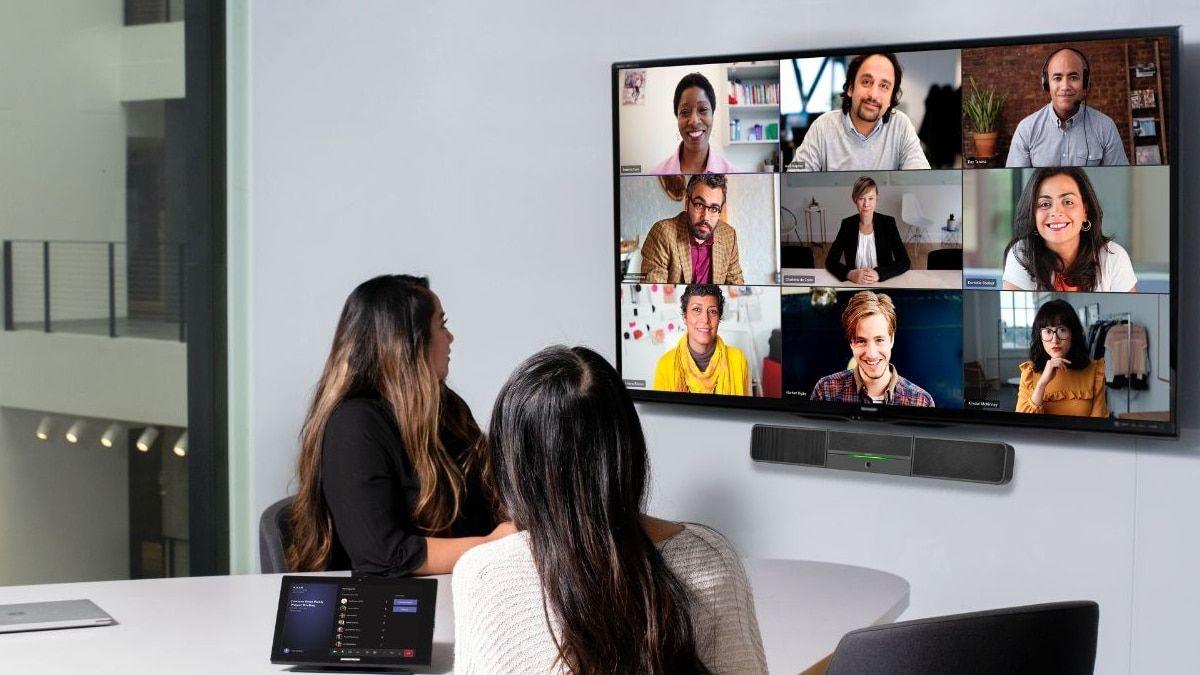
Source: Gadgets 360
The AI-powered updates for Microsoft Teams extend beyond virtual meetings to physical conference rooms. Starting in August 2025, Teams Rooms on Windows will gain AI-generated meeting notes capability, with general availability scheduled for October
1
. This expansion means in-person meetings can now benefit from the same AI assistance previously limited to scheduled online sessions2
.Participants in physical meetings can tap the Take Notes option, prompting Teams to display real-time summaries, record key decisions, and automatically create action items on the right side of the screen
1
. These notes sync to SharePoint for team-wide access, eliminating the need to schedule hybrid meetings just to capture documentation2
. The feature addresses a longstanding friction point for organizations that conduct in-person meetings but still need digital records of discussions and decisions.Related Stories



Chat layout improvements and guest invitation changes streamline Teams experience
Beyond AI meeting features, Microsoft Teams is introducing organizational changes to its chat interface. Two new dedicated sections called Muted and Meeting will automatically categorize conversations, with muted conversations dropping into their own section and meeting-related chats grouped separately
1
. Existing meeting chat filters are being removed as part of this reorganization, while screen sharing gains its own dedicated section to reduce clutter around meeting controls1
.Improved guest invitations tackle a practical problem that has plagued external collaboration. Instead of arriving from generic no-reply addresses that often trigger spam filters or appear suspicious, invite emails will now originate from the actual organizer's personal email address
1
. This change makes invitations appear more legitimate and allows guests to reply directly to the person who sent the invitation2
. Microsoft expects this rollout to complete by the end of July, according to information surfaced through the company's admin portal accessible to Microsoft 365 Enterprise customers2
.Most changes are already in testing phases, with several scheduled to roll out before summer's end. The features reflect Microsoft's strategy to integrate AI capabilities while maintaining user control through opt-in defaults and granular privacy toggles.
References
Summarized by

Navi
Related Stories
Recent Highlights



Recent Highlights
Today's Top Stories






Don’t drown in AI news. We cut through the noise - filtering, ranking and summarizing the most important AI news, breakthroughs and research daily. Follow topics that matter to you and stay ahead.


