Microsoft Unveils Copilot 3D: Transforming 2D Images into 3D Models with AI


2 Sources
[1]
You Can Now Turn 2D Images into 3D Models With This Copilot Feature
Users need to sign in to their personal Microsoft account to access it Microsoft has silently released a new artificial intelligence (AI) feature for Copilot that will allow users to convert a static 2D image into a 3D model. Dubbed Copilot 3D, it is a new experimental feature available via
[2]
Microsoft launches Copilot 3D to make 3D creation faster and easier, here's how
All models are stored for 28 days and can be used in Augmented Reality apps. Soon after the GPT-5 backed Smart Mode in Copilot, Microsoft announced its new tool that can convert a regular 2D image into a fully rendered 3D model. Named as the Copilot 3D, the new tool is claimed to be designed to
Share
Copy Link
Microsoft has quietly launched Copilot 3D, an AI-powered tool that converts 2D images into fully rendered 3D models, aiming to simplify 3D asset creation for various applications.
Microsoft Introduces Copilot 3D: A New Frontier in AI-Powered 3D Modeling
Microsoft has quietly unveiled a groundbreaking artificial intelligence (AI) feature for its Copilot platform, dubbed Copilot 3D. This innovative tool allows users to convert static 2D images into fully rendered 3D models, marking a significant advancement in accessible 3D asset creation
1
.
Source: Digit
Accessibility and User-Friendly Design
Copilot 3D is currently available as an experimental feature through Copilot Labs. The tool is accessible to all users globally, provided they are signed into their personal Microsoft accounts. Notably, no paid subscription is required to use this feature
1
.Microsoft has designed Copilot 3D to be intuitive and user-friendly, requiring no prior knowledge of 3D modeling. Users can simply upload an image of up to 10MB in size, and the AI tool will transform it into a print and render-ready 3D model
2
.Technical Specifications and Capabilities
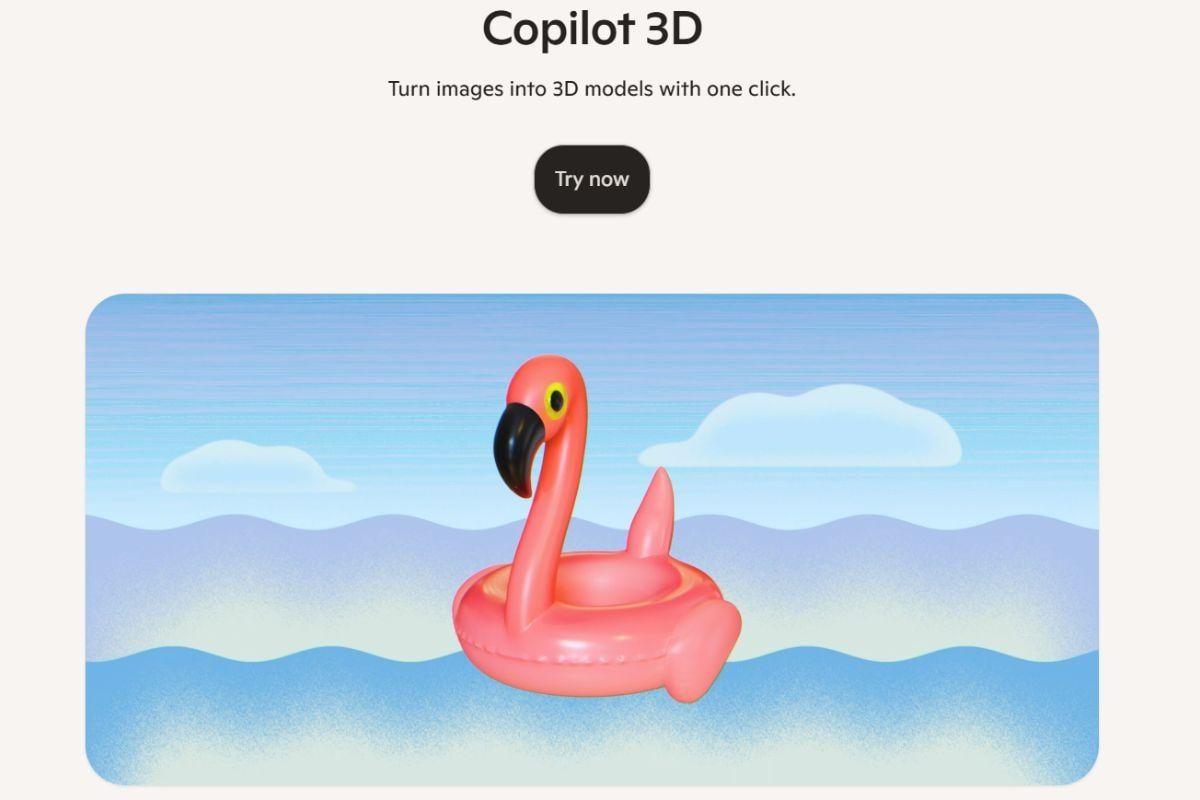
Source: Gadgets 360
The generated 3D models are exported in the GLB format, which is compatible with most 3D viewers, tools, and game engines. These outputs can be directly integrated into various applications, including gaming, animation, 3D printing, augmented reality (AR), virtual reality (VR), and metaverse-focused digital content projects
1
.Currently, Copilot 3D only supports 2D image-to-3D model generation and does not offer text-to-3D functionality. Microsoft recommends accessing this feature via Copilot on a desktop for optimal performance, although it can also be used through mobile browsers
1
.User Guidelines and Limitations
For best results, Microsoft advises users to upload images with a clear separation between the subject and background. Early testing has shown strong performance with items such as furniture, umbrellas, and fruit. However, the tool may struggle with animals and certain objects
2
.Microsoft has also issued warnings against uploading images of people or copyrighted material without proper permissions, stating that violations can result in account bans. The company assures users that these creations will not be used to train future AI models, but illegal content will be automatically blocked
2
.Related Stories
Storage and Accessibility
The 3D models generated by Copilot 3D are stored for 28 days and can be accessed in the "My Creations" section. This feature allows users to revisit and utilize their creations for various projects over an extended period
2
.Microsoft's Position in the 3D Generation Landscape
While Microsoft's Copilot 3D offers an accessible and user-friendly method for 3D model generation, it's worth noting that the tech giant is not the first to introduce such capabilities. In recent years, companies like Stability AI, Tencent, Meta, and even Apple have released their own 3D asset generation models, indicating a growing trend in AI-powered 3D creation tools
1
.References
Summarized by

Navi
Related Stories
Microsoft Introduces AI-Powered Gaming Copilot to Windows Game Bar
07 Aug 2025•Technology

Microsoft 365 Copilot Gets Major Upgrade with AI-Powered Features for Business Users
24 Apr 2025•Technology
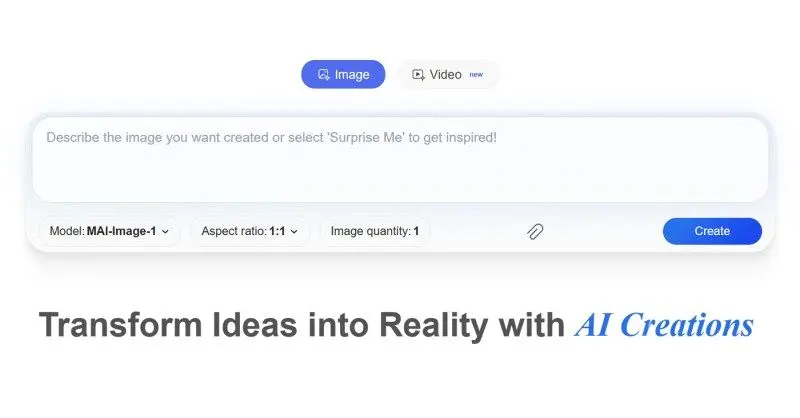
Microsoft Launches MAI-Image-1: First In-House AI Image Generator Debuts in Top 10 Rankings
05 Nov 2025•Technology
Recent Highlights



Recent Highlights
Today's Top Stories










Don’t drown in AI news. We cut through the noise - filtering, ranking and summarizing the most important AI news, breakthroughs and research daily. Follow topics that matter to you and stay ahead.


