New RatHat Android Malware Deploys AI to Automate Device Control and Steal Banking Credentials


5 Sources
[1]
Say Hello to RatHat, a New AI-Powered Malware Invading the Android Ecosystem - CNET
There's a frightening new digital threat that Android users should be aware of. New AI-powered malware called RatHat can automatically gain admin-level control over your Android device, stealing whatever it wants. RatHat was discovered by mobile security firm Zimperium, which notes that the
[2]
New RatHat Android malware uses AI to automate device control
A new Android malware called RatHat has been discovered, targeting users with an AI-powered subsystem that helps operators remotely navigate compromised devices. Zimperium zLabs researchers analyzed the malware and believe it is linked to threat actors from China after finding it using LLM prompts
[3]
RatHat Android Malware Abuses ADB to Retain Shell Access After Uninstall
Cybersecurity researchers have flagged a new Android malware called RatHat that's assessed to be operated by China-based threat actors and features an artificial intelligence (AI)-powered system to navigate and control compromised devices. "Distributed primarily via targeted smishing (SMS/text
[4]
RatHat is a new Android malware that records your screen touches to steal passwords
Beware: There's a new malware making the rounds and it's targeting your Android device. Cybersecurity researchers at Zimperium recently discovered a new strain of Android malware, called RatHat, and have linked it to threat actors based out of China. "RatHat incorporates novel techniques for
[5]

New Android malware can deploy AI to automate device control -- and it can even bring itself back from the dead
* Zimperium zLabs discovered RedHat, a Chinese‑origin Android banking trojan with AI assistant * AI interprets screen layouts in real‑time, enabling credential theft and bypassing app redesigns * Distributed via third‑party stores, social media, malvertising, and SMS; persistence blocks uninstall
Share
Copy Link
Zimperium discovered RatHat, an AI-powered Android malware linked to China-based threat actors that abuses accessibility permissions to gain shell-level control. The banking trojan uses generative AI to navigate device interfaces, record screen touches, and steal credentials from apps like WeChat Pay and Alipay. With 162 infected apps found, the malware persists even after uninstall attempts, requiring a factory reset for complete removal.
RatHat Emerges as AI-Powered Android Malware Threat
Mobile security firm Zimperium has uncovered RatHat, a sophisticated Android malware that weaponizes artificial intelligence to automate device control and steal sensitive financial data
1
2
. The China-based threat actors behind this campaign have developed a banking trojan that fundamentally changes how malware operates on compromised devices. Unlike traditional Android malware that relies on hardcoded scripts, RatHat employs an AI-powered subsystem that interprets live screen layouts in real-time, making it significantly more adaptable and harder to detect3
. Researchers have identified 162 infected apps in the wild, with command-and-control infrastructure spread across a dozen servers1
. The malware primarily targets popular Chinese payment platforms like WeChat Pay and Alipay, though it can compromise any financial application.
Source: CNET
How RatHat Infiltrates Android Devices
RatHat spreads through multiple distribution channels including smishing campaigns, malvertising, and deceptive third-party download portals that mimic the Google Play Store
2
5
. The infection begins when victims download what appears to be a legitimate app, such as Google Chrome, from a fake website designed to look like the official app store. Once installed, the malicious application requests accessibility services permissions while maintaining its disguise as a trusted program1
. This social engineering tactic proves highly effective because users often grant these permissions without fully understanding the implications. The malware then abuses accessibility permissions to navigate the device's menu system autonomously, enabling Developer Options and activating Wireless Debugging without any user interaction2
.AI-Driven Automation Powers Advanced Credential Theft
What distinguishes RatHat from conventional Android malware is its integration with generative AI for operational control
4
. The malware serializes the device's live Android Accessibility tree into XML format and transmits it to a popular AI assistant, which Zimperium researchers found uses prompts written in Chinese3
. This AI component identifies center coordinates of interface elements, determines actual on-screen text, and returns navigation instructions such as 'SCROLL_DOWN' to guide the malware's actions2
. This AI to automate device control eliminates the need for operators to hardcode specific app layouts, allowing RatHat to adapt instantly when banking apps redesign their interfaces5
. The system provides remote control capabilities without requiring real-time operator interaction, making the malware more autonomous and dangerous than traditional banking trojans.
Source: Mashable
Multi-Stage Architecture Enables Shell-Level Access
RatHat's technical architecture consists of three core components working in concert to maintain persistent control
3
. The malicious Android application serves as the initial entry point, while a Go-based agent (liblocal-service.so) executes commands with ADB shell privileges. Through Wireless Debugging and ADB pairing, the malware breaks out of Android's standard application sandbox to gain shell-level execution context2
. This technique, similar to methods seen in ToxicPanda and RedHook malware families, grants RatHat admin-level access to the entire device. The third component, an FRP reverse-proxy client (libmedia_codec.so), establishes a persistent tunnel to attacker-controlled servers, creating a general-purpose backdoor that carries whatever commands operators want to execute3
.Screen Recording and Keylogging Capture Sensitive Data
Once established on a device, RatHat deploys multiple data collection mechanisms that records your screen touches to steal passwords and other credentials
4
. The malware captures raw touch input directly from the touchscreen, allowing it to recreate PIN codes and pattern unlock codes1
. It also implements screen recording using Android's MediaProjection API and maintains a hardware-level keylogger executed by the Go Agent3
. The malware intercepts SMS messages and notifications to capture one-time passwords, records text-change events, and extracts URLs from browser address bars. It displays HTML overlays atop targeted banking and cryptocurrency applications to perform credential theft in real-time2
. This comprehensive surveillance operates silently in the background without triggering immediate red flags that would alert victims.Related Stories

Advanced Persistence Defeats Standard Removal Methods
RatHat incorporates sophisticated anti-removal techniques that make it exceptionally difficult to eliminate
5
. When users attempt to uninstall the malicious app, RatHat intercepts the uninstall confirmation screen, cancels the procedure, and displays a fake Google Play overlay containing a bogus error message2
. The malware's dual-agent architecture provides bidirectional restoration capabilities—the Go Agent restores the main malware if removed, while the malware reinstalls the agent if it's stopped2
. Even after successful app uninstallation, attackers retain shell access through independent native daemons that persist outside the application lifecycle. Sav Wheeler from Malwarebytes confirmed that simply uninstalling the app proves ineffective because the malware maintains admin access through hidden secondary files1
. The only reliable removal method requires a complete factory reset of the device.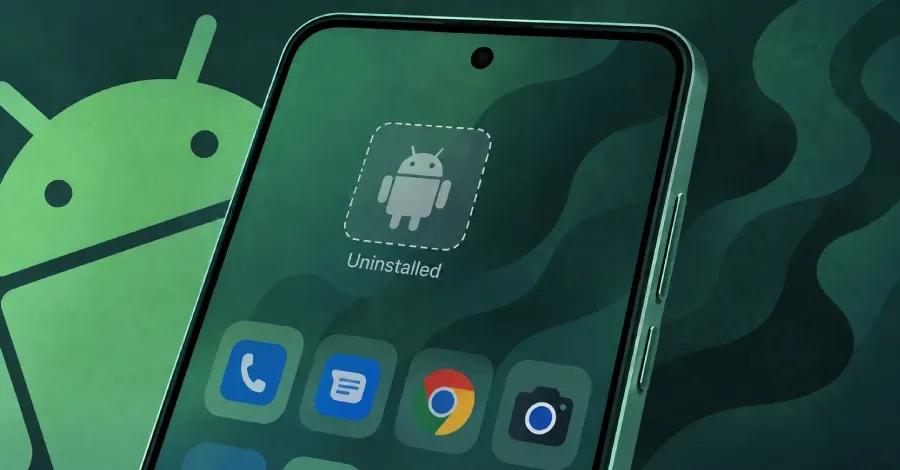
Source: Hacker News
Anti-Analysis Techniques Evade Security Detection
The developers of this new AI-powered malware have embedded multiple layers of anti-analysis and anti-debug checks to sidestep detection by security software
3
. RatHat employs container tampering by declaring certain files as directories in the package or setting ZIP encryption flags that confuse standard analysis tools while remaining functional on Android devices. The malware includes a manifest bomb—a bloated 61MB Android manifest file with undocumented chunk headers that cause automated analysis pipelines to crash or time out2
. DEX bytecode poisoning introduces pseudo-instructions with invalid attributes that break disassembly tools, while dual string-encryption using Base64 encoding resists code analysis3
. These sophisticated evasion techniques demonstrate the advanced capabilities of the China-based threat actors behind the campaign.Protection Strategies and Detection Methods
Android users can protect themselves by following several critical security practices. Never download APK files from third-party app stores or click links in SMS messages from unknown sources
1
. Verify that you're using the official Google Play app by checking for address bars at the top of the screen—legitimate apps don't have URL bars. Denying accessibility services permissions serves as the critical final defense against mobile malware, as the software remains largely powerless without these advanced system privileges1
. Wheeler noted that while downloading malicious applications is risky, following standard anti-phishing practices and avoiding accessibility permissions largely removes the threat. For detection, users should run antivirus scans using tools like Malwarebytes, which can identify RatHat infections1
. Zimperium emphasizes that RatHat's multi-tiered architecture and real-time AI decision loops illustrate why traditional signature-based mobile security controls prove insufficient against modern threats3
. Regular device scans with Google Play Protect and maintaining skepticism about app permission requests remain essential defensive measures.References
Summarized by

Navi
[2]
Related Stories
New Android malware uses AI to commit ad fraud, bypassing traditional security defenses
22 Jan 2026•Technology

PromptSpy Android Malware Taps Gemini AI to Adapt Across Devices and Evade Removal
19 Feb 2026•Technology

Dolphin X Malware Uses AI Profiler to Score Victims and Prioritize High-Value Targets
23 Jul 2026•Technology

Recent Highlights



Recent Highlights
Today's Top Stories









Don’t drown in AI news. We cut through the noise - filtering, ranking and summarizing the most important AI news, breakthroughs and research daily. Follow topics that matter to you and stay ahead.


