Winslop Tool Lets Users Strip AI Features From Windows 11 Amid Growing Backlash


2 Sources
[1]
Sick of All the AI in Windows 11? This Tool Can Help You Burn It All Down
Tired of all the AI additions to Windows 11 in recent years? Well, now there's an easy way to remove them all. Winslop, a tool from the developer behind the FlyOOBE easy Windows 11 installer, offers an easy-to-use tick-box system for disabling Windows 11's AI capabilities, as well as adjusting a
[2]
Tired of Copilot? Winslop lets you easily purge Windows 11's AI features
* Winslop is a simple app that scans Windows 11 locally and removes Copilot and other AI features. * There's a growing backlash to Copilot's Windows 11 integration. * Winslop isn't an official Microsoft app, so use it at your own risk -- early reports and my tests show it works well. I find
Share
Copy Link
A new tool called Winslop offers Windows 11 users an easy way to remove AI features like Copilot and Recall from their systems. Developed by the creator behind FlyOOBE, the app uses a simple checkbox system to disable AI capabilities, remove bloat, and adjust privacy settings. The tool's launch reflects mounting user pushback against Microsoft's aggressive AI integration strategy.
Winslop Offers Simple Solution to Remove AI Features
A new customization tool called Winslop is gaining attention for helping Windows 11 users strip away unwanted AI features from their operating system. Created by the developer behind FlyOOBE, Winslop provides a straightforward tick-box interface that lets users disable AI capabilities including Copilot and Recall, while also addressing broader concerns about bloat and privacy invasions
1
. The app runs locally on systems, clearly displays what changes it makes, and aims for transparency as it removes Microsoft's AI functionality from the platform2
.
Source: XDA-Developers
Built as a fork of CrapFixer, Winslop operates on a smaller codebase with clearer intent than its predecessor, Remove Windows AI
1
. Each toggle checkbox is designed to help users purge Windows 11's AI features while making the system work more effectively without unnecessary additions. The app embraces Windows 95 aesthetics, keeping the interface legible and low-demand for systems of any specification.What Winslop Can Remove From Your System
Beyond disabling Recall and removing Microsoft's Copilot from the taskbar, Winslop tackles the Click to Do function on Copilot+ PCs. The removal tools extend to axing tips and ads throughout Windows, halting tracking activity and location history, removing telemetry data collection, and cleaning up the Start menu
1
. Everything can be toggled on or off within the app, and a system inspection tool checks which options may be affecting your system at any given time.Early reports and independent testing suggest the tool works well, though it's not an official Microsoft product and users should proceed at their own risk
2
. The app detects preinstalled Windows 11 features that some users consider bloat and offers a quick method for removing them.Backlash Against AI Integration Intensifies
The launch of Winslop reflects mounting user pushback against excessive AI integration in Microsoft products. At CES 2026, Dell publicly acknowledged that "AI probably confuses them more than it helps them" when discussing consumer sentiment toward Copilot+ PCs
2
. This admission from a major PC maker signals that the backlash against AI integration has reached beyond individual users to influence industry partners.Microsoft CEO Satya Nadella recently attempted to address criticism in a post on the company's blog, urging people to move beyond arguments of "slop vs sophistication" and develop a new understanding of AI as cognitive amplifier tools
2
. However, his plea that users stop calling AI-generated content "slop" appears unlikely to succeed and may generate more attention to the criticism1
.Related Stories

What This Means for Windows Users
The emergence of tools like Winslop suggests Microsoft's strategy of shoehorning AI features into nearly every aspect of Windows 11 to drive consumer adoption may be backfiring
2
. For users who want to stick to the basics without AI additions, these removal tools provide a practical alternative to switching operating systems entirely. Winslop isn't the first such app—FlyOOBE, released in August 2025, also offers functionality to disable or remove Copilot features—and it likely won't be the last as demand for AI-free Windows experiences grows2
.References
Summarized by

Navi
[2]
Related Stories
Microsoft pulls back Copilot AI from Windows 11 apps after users revolt over bloatware
23 Mar 2026•Technology

Microsoft lets users uninstall Copilot as AI assistant faces widespread rejection
22 May 2026•Technology
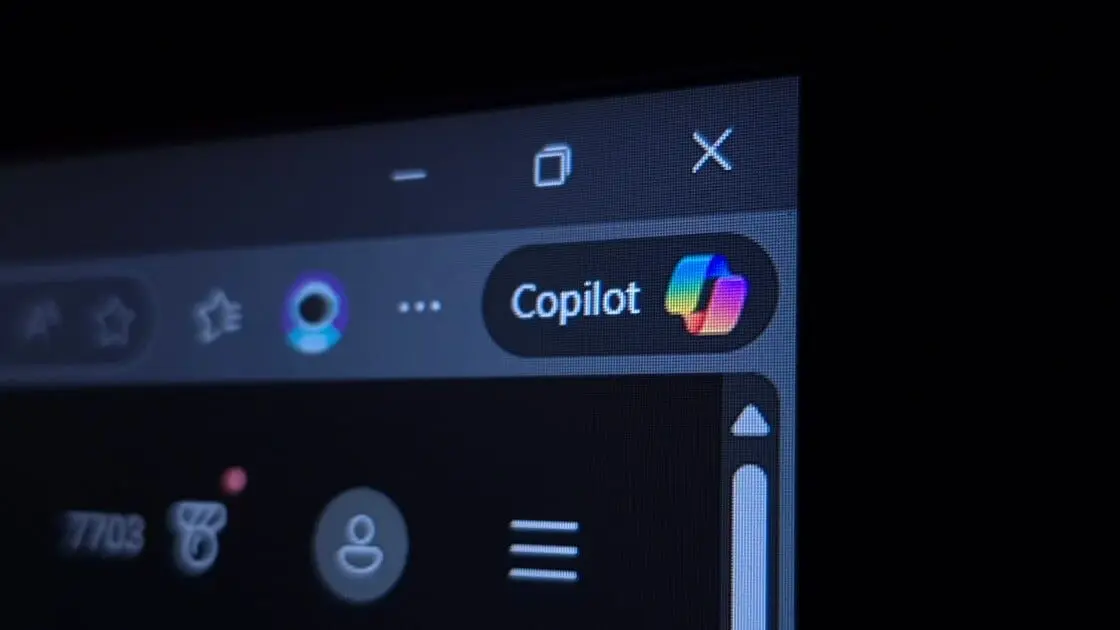
Microsoft scales back Copilot in Windows 11 apps after user backlash over aggressive AI push
30 Jan 2026•Technology

Recent Highlights



Recent Highlights
Today's Top Stories



Don’t drown in AI news. We cut through the noise - filtering, ranking and summarizing the most important AI news, breakthroughs and research daily. Follow topics that matter to you and stay ahead.


