Apple AI quietly adds automatic file-naming to productivity apps in macOS 27 Golden Gate


2 Sources
[1]
Apple's productivity apps have a small but useful AI enhancement
While the new Siri AI is, of course, taking the headlines, there are a number of less spectacular but still useful AI enhancements in Apple's upcoming operating systems. I recently highlighted the new AI photo editing tools, and Macworld has spotted a small but handy AI enhancement to Apple's
[2]
Apple took inspiration from its users for this macOS 27 feature
While using the macOS 27 Golden Gate beta, I stumbled upon a helpful little new feature in Apple's Numbers, Pages, and TextEdit apps: these apps can recommend names for nearly-created files. When you create a new Numbers, Pages, or TextEdit document and fill it with content, the AI model on your
Share
Copy Link
Apple is integrating subtle AI enhancements across macOS 27 Golden Gate, with Pages, Numbers, and TextEdit now offering intelligent file-naming suggestions. The on-device AI model analyzes document content and automatically recommends appropriate names after a few minutes of work, demonstrating Apple's strategy of weaving AI capabilities throughout its ecosystem beyond headline features like Siri.
Apple AI Brings Intelligent File-Naming to Core Productivity Apps
While Siri AI commands attention in Apple's latest software updates, the company is quietly embedding Apple AI capabilities into everyday workflows through its productivity apps. Beta testers of macOS 27 Golden Gate have discovered that Pages, Numbers, and TextEdit now feature an AI-powered file-naming feature that automatically suggests document names based on content analysis
1
2
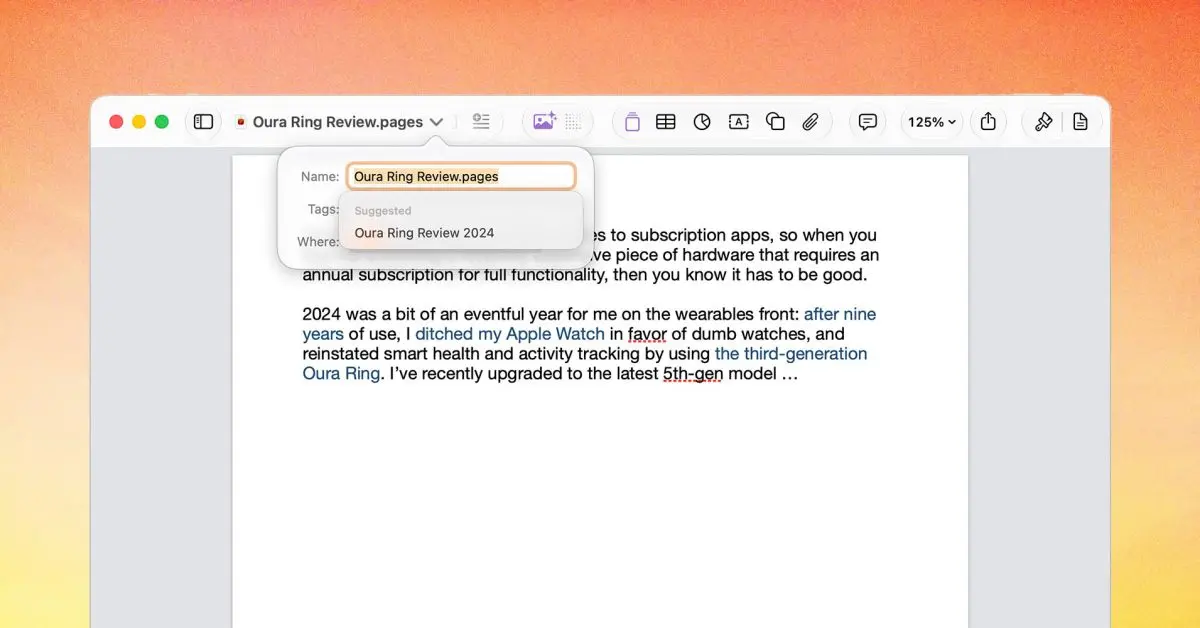
.The macOS 27 feature activates after users spend a few minutes creating content in these Apple's productivity apps. An on-device AI model accesses the document, analyzes its contents, and generates contextually appropriate suggested file names. During beta testing, a spreadsheet automatically received the name "User Engagement Metrics iOS 27," while a Pages document was labeled "iOS 27 Review" based on its written content
2
.
Source: 9to5Mac
How the AI Enhancement Works Across Multiple Apps
The AI enhancements appear seamlessly within the document interface. Suggested file names display at the top of documents with a "Suggested" label, and clicking a drop-down arrow reveals multiple naming options generated by the system. When users trigger a Save command for the first time, the Save As dialog also presents these intelligent recommendations
2
. Users retain full control and can accept any suggestion or create their own custom file name.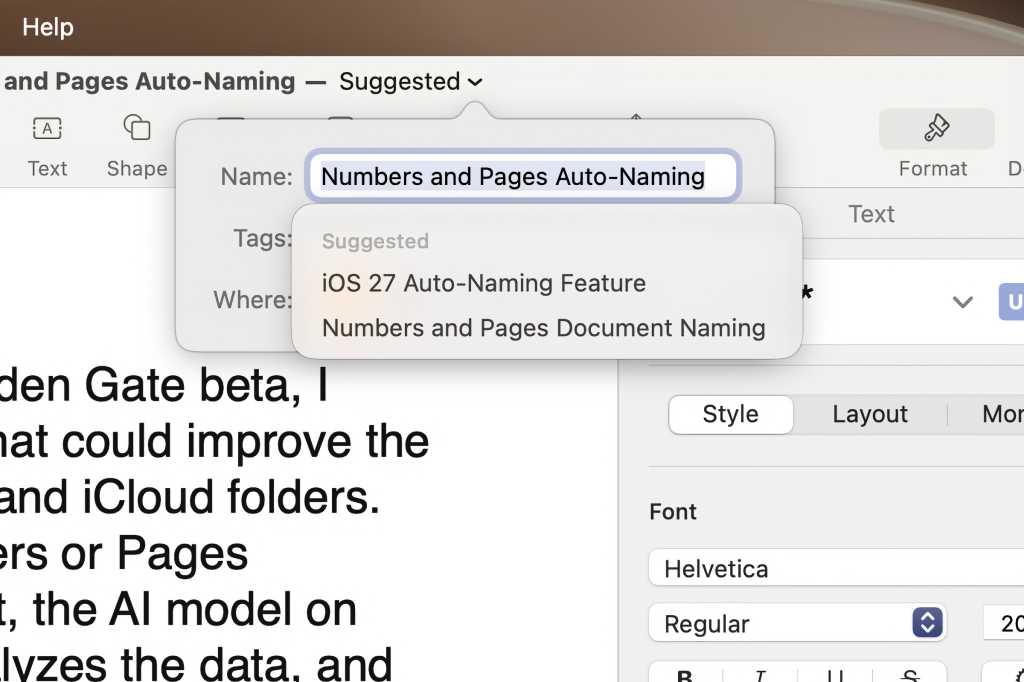
Source: Macworld
This workflow streamlining capability extends across TextEdit, Pages, and Numbers, with the possibility that additional Apple applications may incorporate similar functionality. The feature represents a practical application of on-device processing, keeping document analysis local to the Mac rather than relying on cloud services
1
.Related Stories



Strategic AI Integration Beyond Headline Features
Apple's approach demonstrates a multi-tiered AI strategy that goes beyond prominent features like Siri AI and Writing Tools. These modest but thoughtful AI enhancements address real friction points in daily computer use—like the mental overhead of naming files—without requiring users to learn new interfaces or change established habits
2
.As beta testing continues for macOS 27 Golden Gate and iOS 27, observers expect to uncover additional small but useful AI-powered improvements woven throughout the operating systems. This incremental integration strategy allows Apple to deliver tangible benefits while maintaining its emphasis on privacy through on-device processing, potentially setting a template for how AI capabilities can enhance productivity without disrupting established workflows.
References
Summarized by

Navi
Related Stories
Recent Highlights
1
Meta Unveils Muse Wonder Frontier AI Models, Claims Performance Matching OpenAI and Anthropic
Technology

2
IMF Report Warns AI Market Correction Could Spark Global Financial Crisis With $1.4T at Risk
Business and Economy

3
OpenAI Releases 722 AI-Generated Math Solutions, Triggering Existential Crisis in Mathematics
Technology

Recent Highlights
Today's Top Stories









Don’t drown in AI news. We cut through the noise - filtering, ranking and summarizing the most important AI news, breakthroughs and research daily. Follow topics that matter to you and stay ahead.


