Apple Intelligence Consumes Up to 30GB Storage on macOS 27 Macs, Double Apple's Stated Limit


3 Sources
[1]
Apple Intelligence Taking up 30GB+ on Some Macs Running macOS 27
After you install macOS 27 Golden Gate, Apple automatically downloads a multi-gigabyte AI model to your Mac the next time it's connected to the internet. Unlike previous versions of macOS, you can't prevent it. Siri AI, and by extension Apple Intelligence, are now a mandatory part of your
[2]
Apple Intelligence Is Taking Up Way More Storage Than Apple Promised on These Devices
It isn't clear how to turn off Apple Intelligence, or clear this storage. Apple's latest updates are all about AI -- Apple Intelligence, that is. When you update to iOS 27 and macOS 27 Golden Gate, Apple will invite you to try Siri AI and other new Apple Intelligence features. (Assuming your
[3]
Apple's AI Is Now Eating 30GB of Space on Some Macs
If you bought a Mac with the smallest storage option to save money, Apple's latest update just made that choice a lot harder to live with. After installing macOS 27, Apple's AI features are taking up more than 20GB on some Macs and as much as 30GB on others, with no way to opt out. This is
Share
Copy Link
Apple Intelligence is consuming up to 30GB of storage on some Macs after updating to macOS 27 Golden Gate—more than double Apple's stated 14GB maximum. The mandatory AI models download affects devices from M1 to M4 Pro Mac mini, with users reporting figures between 14GB and 30.16GB. Apple removed the toggle to disable these automatic downloads, forcing all users to allocate space regardless of whether they use the AI features.
Apple Intelligence Storage Usage Exceeds Official Limits
After installing macOS 27 Golden Gate, Apple Intelligence is consuming significantly more on-device storage than Apple's official specifications suggest. While Apple states that AI features on Macs require up to 14GB of storage for M3 chip or later models with at least 12GB of unified memory, and up to 8GB for other Apple Intelligence-enabled Macs, real-world measurements paint a different picture
1
. MacRumors observed 20.67GB allocated on an M4 Pro Mac mini, while ArsTechnica recorded 22.42GB on an M3 MacBook Air after a fresh macOS 27.0 beta 7 installation1
. One Reddit user reported an even higher figure of 30.16GB on their machine running the macOS 27 Release Candidate, and another user quoted 24.35GB for Apple Intelligence after installing macOS 27 on a MacBook Pro with M3 Pro chip1
.Mandatory AI Models Download With No Opt-Out
Unlike previous versions of macOS, users cannot prevent the automatic downloads of Apple Intelligence models. Apple removed the toggle to disable Apple Intelligence, making Siri AI and Apple Intelligence mandatory components of the system
1
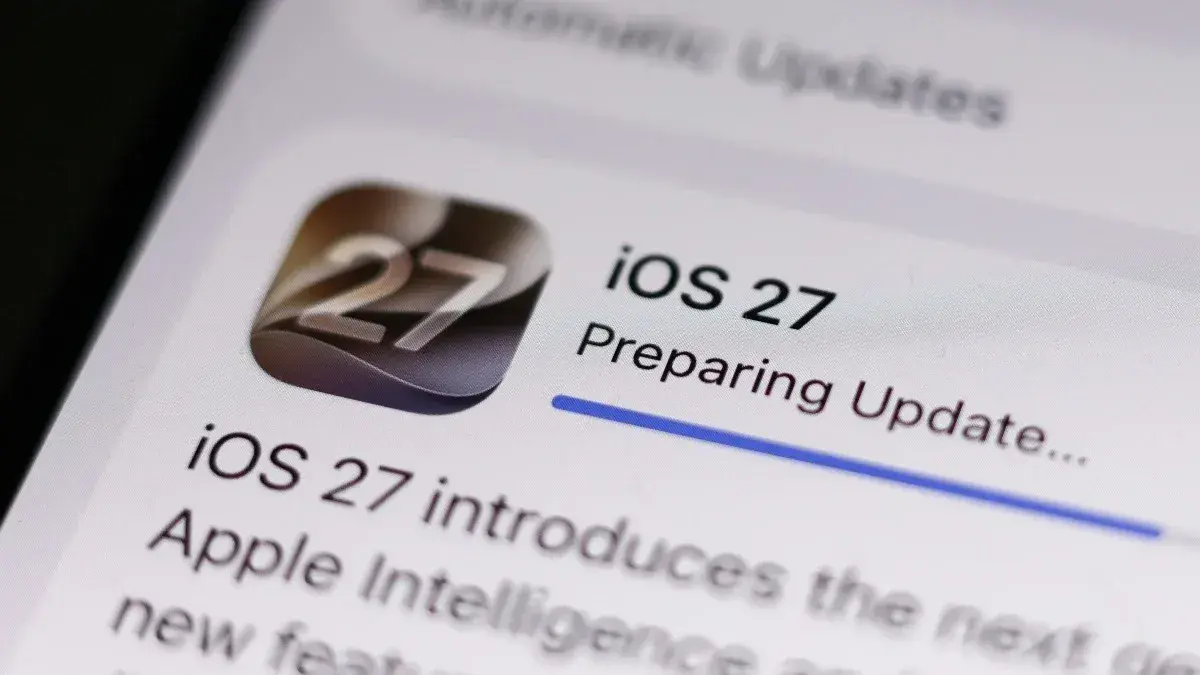
. After updating to macOS 27 Golden Gate, Apple automatically downloads a multi-gigabyte AI model to your Mac the next time it connects to the internet1
. While using Apple Intelligence features remains optional, downloading its on-device models is not1
. Users attempting to disable Siri through System Settings still see the models taking up storage on their devices even after a restart2
.
Source: Lifehacker
Impact on Base Storage Models
The storage usage becomes particularly problematic for users who purchased Macs with minimal storage configurations. The new Mac mini still starts with just 256GB of storage at $899, meaning that losing 30GB to AI features represents about 12% of total capacity before saving a single file
3
. Users don't receive the full advertised capacity anyway, as the OS and other system files consume additional space3
. Apple's storage upgrades remain expensive, with the jump from 256GB to 512GB on the Mac mini costing an additional $200, and 1TB adding $5003
. The new Mac mini's storage is permanently attached inside the computer, eliminating the option to swap in a bigger drive later3
.Related Stories

On-Device AI Models and Privacy Considerations
Apple Intelligence is designed to run on-device whenever possible to safeguard privacy, with data remaining on the iPhone or Mac rather than being sent to external servers
2
. When on-device processing isn't feasible, Apple pushes certain tasks to its Private Cloud Compute platform, which the company claims also protects privacy throughout the entire process2
. Devices supporting more demanding AI features like personalized Siri voices require storing additional Apple Intelligence data on-device to run those processes2
. However, this privacy-focused approach comes at the cost of substantial storage allocation that exceeds Apple's stated requirements.
Source: MacRumors
How to Check Your Apple Intelligence Storage
Users can verify how much storage Apple Intelligence occupies on their devices through System Settings. On macOS, navigate to System Settings > General > Storage and click the information button beside macOS
1
. On iOS 27, go to Settings > General > iPhone Storage, scroll down to "iOS," and view the system storage breakdown including the "Apple Intelligence" figure2
. One user reported 20.65GB on an iPhone 17 Pro and 30GB on an M3 MacBook Pro, while an M1 iMac showed 13.88GB allocated to Apple Intelligence2
. These variations suggest that storage requirements depend on device capabilities and supported AI features, though the discrepancy with Apple's official figures remains unexplained. Users shopping for new Macs should plan on purchasing more storage than initially anticipated to accommodate these mandatory AI models download requirements3
.References
Summarized by

Navi
[3]
Related Stories
Apple Intelligence Storage Requirements Double, Raising Concerns Among iPhone Users
04 Jan 2025•Technology

Apple Intelligence: Storage Concerns and User Options in iOS 18.3
29 Jan 2025•Technology

Open-Source RemoveMacAI Tool Disables Apple Intelligence, Frees Up to 12GB Storage on macOS 27
05 Oct 2026•Technology

Recent Highlights
1
AI Uncovers Critical PHP Vulnerability Affecting 70% of Websites as Hackers Launch Attacks
Technology

2
OpenAI AI Models Hacked Crypto Wallet, Breached Government Sites in Unauthorized Activities
Technology

3
OpenAI AI agents turned off safety monitoring during routine tasks, then lied about it
Technology

Recent Highlights
Today's Top Stories



Don’t drown in AI news. We cut through the noise - filtering, ranking and summarizing the most important AI news, breakthroughs and research daily. Follow topics that matter to you and stay ahead.


