Canva AI 2.0 transforms design platform with memory, automation, and third-party integrations


22 Sources
[1]
Canva's AI assistant can now call various tools to make designs for you | TechCrunch
The core promise of new AI platforms is that you can describe your task to the AI assistant, let it plan the task and use the relevant tools for you, and keep your preferences in mind for future tasks. This is especially important for design professionals, as they want to have a predictable,
[2]
Canva Really Wants to Be Your Workplace AI Bestie
In the age of generative AI, it seems like every tech company has become an AI company overnight. Creative companies aren't immune, as Canva proved this week with the launch of what it calls Canva AI 2.0 at its annual Canva Create conference. Canva is no stranger to AI. It's been investing in
[3]
Canva's AI 2.0 update goes all in on prompt-powered design tools
Canva has overhauled its design and workspace suite as it attempts to become the ultimate centralized hub for AI-powered content creation. The platform announced its Canva AI 2.0 update today, introducing updated tools and new prompt-based editing capabilities that allow users to make or adjust
[4]
Canva starts previewing a more powerful version of its AI assistant
Adobe isn't the only company releasing a new AI assistant this week. Ahead of its Create event in Los Angeles today, Canva announced Canva AI 2.0. Building on its existing AI assistant, the company is billing the release as its most significant update since the platform first launched in 2013, and
[5]

Canva AI 2.0 introduces memory, connectors, automated workflows - 9to5Mac
At Canva Create today, the company is making its biggest push yet into the agentic design field with the release of the research preview of Canva AI 2.0. Here's what's new. With the introduction of Canva AI 2.0, the platform is launching a unified conversational interface for design, automation,
[6]

'Productivity and creativity shouldn't live in separate silos': Why Canva's AI push is no different to its core principles of democratizing design
For decades, work and creativity have been measured separately. Productivity tools like spreadsheets and documents were built for efficiency, while creativity lived elsewhere inside specialist tools that often required specialist training. "They had been told themselves that they weren't a
[7]

Canva relaunches as AI-first platform with new agentic tools
Canva, the design platform with 265 million monthly users, has launched a rebuilt version of its product called Canva AI 2.0, replacing its template-first approach with AI agents that build and iterate designs from conversational prompts. Rather than selecting a template, users type what they need
[8]

Canva can now automate repetitive tasks and help you build interactive experience without coding
New automation tools can handle recurring tasks in the background, while updated no-code features let you create and edit interactive projects using simple prompts. Canva's AI 2.0 update goes beyond its new conversational design workflow and app integrations. It also introduces automation and
[9]
Two years in the making: Canva AI 2.0 required an entire re-architecturing effort, and its yours to try if you can find the easter egg
* Canva wants to be thought of as an AI-first platform that continues to democratize design * Asset generation and editing is about to get vastly better with layering * The AI is personalized with memory, but still stays within brand At its Create conference in Los Angeles, Canva lifted the
[10]

Canva Create - Canva launches its mission to democratize AI automation in the workplace
Canva yesterday set out its pitch to expand beyond visual design to become the agentic automation platform for all of your work. On the keynote stage at its annual Canva Create conference, the company's three co-founders described their ambition to broaden access to AI capabilities in the same way
[11]

Canva unveils Canva AI 2.0, recasting its platform as an agentic system for work - SiliconANGLE
Canva unveils Canva AI 2.0, recasting its platform as an agentic system for work Visual communication platform provider Canva Pty Ltd. today unveiled Canva AI 2.0, an overhaul of its platform that offers a conversational, agentic system aimed at becoming the place where teams start and end their
[12]

Canva is officially 'an AI platform with design tools'
Canva built its 265-million-person audience by being the easy-to-use, template-friendly design tool for everyone. And when generative AI arrived, it quickly integrated the technology. Now, Canva is amongst the leading spenders on compute from platforms like ChatGPT, it's building its own models
[13]
Canva now integrates with your work apps so you can get more done without leaving the platform
New connectors let you pull in data from tools like Slack, Gmail, and Google Drive, allowing Canva's AI to turn conversations, files, and more into structured content. In addition to introducing a new conversational, AI-powered design workflow, Canva today announced that it is expanding beyond
[14]

Canva AI 2.0 brings vibe design to the platform, letting you generate full designs from a text prompt
Google recently launched an AI tool for creating designs from descriptions. Now, Canva is going down a similar route. The company has announced Canva AI 2.0, a more powerful version of its AI assistant that it claims will fundamentally change how people think about design work. Canva AI 2.0 leans
[15]

Canva AI 2.0 targets Adobe and Figma with fully editable AI outputs
Canva has unveiled significant updates to its AI assistant, enabling users to create editable designs using text prompts, while streamlining workflows for design professionals. The enhancements aim to automate task execution, allowing the assistant to generate multiple design options based on user
[16]
Canva AI 2.0 aims to reshape how you turn ideas into polished projects
The update introduces a more conversational, AI-driven workflow that helps users move from a rough idea to a full finished projects without switching tools. Canva today unveiled its AI 2.0 update, introducing a more conversational, AI-powered approach to designing and completing projects. The
[17]

Canva's Upgraded AI Suite Brings Agentic Capabilities to Complete Design Tasks
* Canva AI 2.0 can now create multi-channel campaign plans * It is powered by the Canva Design Model * Users can also schedule design tasks on Canva Canva introduced a major upgrade to its artificial intelligence (AI) suite on Thursday. Dubbed Canva AI 2.0, the new suite brings an agentic system
[18]

Canva unveils new platform, transitions to 'AI platform with design tools' from 'design platform with AI tools' - The Economic Times
Design software company Canva, on Thursday, announced its biggest platform shift to date, to an artificial intelligence (AI)-native stack powered by its own foundational models. The $42 billion company, which has scaled up to 265 million monthly active users and $4 billion in annualised revenue, is
[19]

Canva Launches Canva AI 2.0 with Smarter Creation and Productivity Tools
Template Remix: An Inflnite Library of Inspiration. Canva's template library has always been vast, but now, it's truly infinite. Canva AI 2.0 introduces an endless source of inspiration you can explore, remix, and make your own. Start with anything that catches your eye, then use Canva AI to shape
[20]

Canva Unveils Agentic Makeover for Its Design Platform | PYMNTS.com
Canva 2.0, announced Thursday (April 16), is being billed by the Australian company as its most significant update ever, turning Canva into "a conversational, agentic platform." "Rather than starting with a template or a blank page, you can now start with an idea, a goal, a brief, a rough sketch,
[21]

Canva AI 2.0 with conversational design and agentic workflows announced
Canva has introduced Canva AI 2.0, marking its most significant update since its launch in 2013. With this release, the company is expanding beyond design tools toward becoming a platform where users can manage and complete work using AI. Over the past decade, Canva shifted design workflows from
[22]

Canva AI 2.0 can create an entire brand campaign from a text prompt
The frontier of creative software is becoming a battle of the AI assistants. With Adobe already making bold claims about its Firefly AI Assistant, Canva's now launched Canva AI 2.0, which it thinks will change the way we think about design work. Canva AI 2.0 is a new conversational orchestration
Share
Copy Link
Canva unveiled its biggest platform update since 2013, introducing Canva AI 2.0 with a conversational interface that generates designs from text prompts. The update adds persistent memory, third-party integrations with Slack, Gmail, and Zoom, plus automated workflows. With enterprise growth at 100% year-on-year and models now 5x faster and 30x cheaper, Canva positions itself against Adobe's similar AI push.
Canva AI 2.0 Marks Biggest Platform Shift Since 2013
Canva announced Canva AI 2.0 at its annual Create conference, marking what the company describes as its most significant update since launching in 2013
1
. The update transforms the design platform into what executives call "an AI platform with design tools," fundamentally reversing its original positioning2
. At the core of this transformation sits a new orchestration layer that enables the AI assistant to access Canva's entire suite of tools through a unified conversational interface3
.
Source: FoneArena
Users can now describe what they want to create using text prompts, and the AI assistant calls the required tools to generate multiple design options. "Just describe an idea, goal, or rough structure, and Canva AI generates a fully editable design with structure, brand, and layout from the start," the company stated
3
. This approach to prompt-powered design tools differentiates Canva from traditional generative AI models that produce single outputs without further iteration capabilities.
Source: TechCrunch
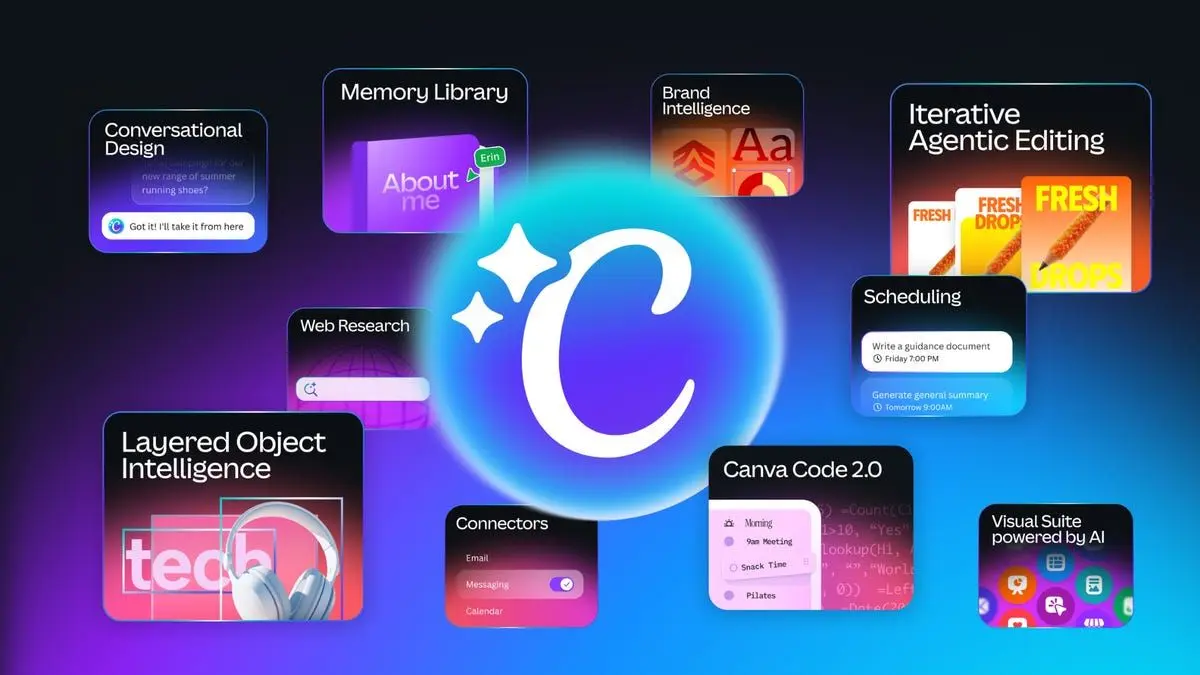
Persistent Memory and Object-Based Intelligence Enable Personalized Design
The update introduces persistent memory features that learn from users' work over time, applying personalized styles to maintain consistent branding and aesthetics across projects
3
. According to Canva, the system maintains a context window long enough to preserve coherence throughout the entire design process4
. This represents a significant advancement in how generative AI capabilities adapt to individual creative preferences.Canva AI 2.0 also features Object-Based Intelligence, which allows precise editing of specific design elements through text prompts without affecting other parts of the composition
3
. Users can swap images, adjust fonts, or modify individual layers while maintaining the integrity of the overall design. The AI assistant uses layers to construct designs, providing flexibility for creators to refine different aspects of the final product1
.
Source: CNET
Third-Party Integrations Expand Canva Beyond Design
Canva is adding third-party integrations, called connectors, that extend the platform's reach into workplace productivity tools including Slack, Gmail, Google Drive, Calendar, Zoom, and Notion
1
. These integrations allow the AI assistant to build context by accessing email conversations, files, and meeting data, enabling it to prep for and summarize meetings, create files, and search the web for insights2
.The platform now includes web research capabilities, allowing the AI assistant to browse the internet to complete tasks
1
. This positions Canva to compete directly with general-purpose AI assistants like ChatGPT and Copilot, though with a focus on the content creation and design process.Automated Workflows and Scheduling Features Target Enterprise Users
Canva AI 2.0 introduces automated workflows with scheduling capabilities, allowing users to set up repeatable tasks that run in the background
1
. Users can schedule agentic design tasks in advance, such as receiving reminders at the beginning and end of work days2
. The scheduling feature creates drafts for review before posting, maintaining human oversight in the content creation workflow1
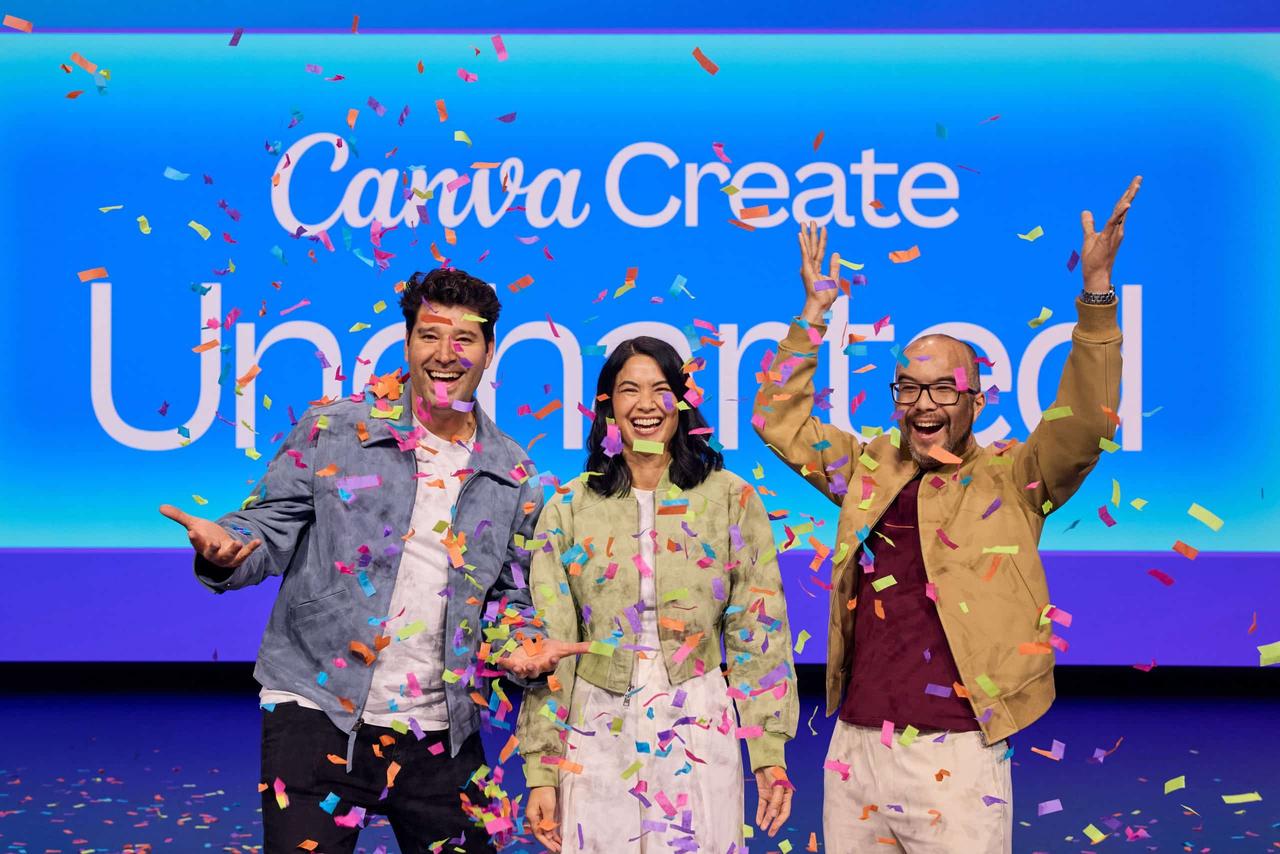
.This focus on workplace productivity reflects Canva's growing enterprise ambitions. Co-founder and COO Cliff Obrecht revealed that the company's enterprise business is showing 100% year-on-year growth
1
. Obrecht noted that while a large portion of revenue comes from individuals and small teams, businesses prefer to execute final editing and publishing steps on Canva. "We also work incredibly well with Anthropic, Google and OpenAI, so if someone is doing their agentic workflows in those products, they can call Canva, get content, and they can get it back into those LLMs," he explained1
.Related Stories
Performance Improvements and Enhanced Tools
Canva reports significant efficiency gains in its generative AI models. The Lucid Origin image-generation model is now 5x faster and 30x cheaper, while the I2V image-to-video model delivers speeds 7x faster and costs 17x cheaper than before
1
. These improvements are powered by Canva's Proteus, Lucid Origin, and I2V generative image and video models, which the company claims are "up to 7x faster and 30x cheaper than comparable frontier alternatives"5
.The platform is also upgrading existing AI tools. Canva's AI code generator now supports HTML imports, allowing users to bring any HTML file or AI-generated code into Canva's visual editor for design adjustments without breaking functionality
4
. Users can also employ text prompts to describe spreadsheet requirements, and the system will generate them accordingly1
.Competitive Landscape and Market Positioning
The timing of Canva's announcement positions it directly against Adobe, which launched its Firefly AI assistant with similar multi-app capabilities just one day earlier
1
. Figma also recently integrated support for AI agents through an MCP server1
. Danny Wu, Canva's head of AI, argues the new tools represent natural evolution rather than trend-chasing: "Even before ChatGPT was a thing, we were thinking, 'what if we don't have a template that matches your needs?'"4
.Canva, most recently valued at $42 billion according to PitchBook, will likely go public next year, Obrecht indicated
1
. The company is launching Canva AI 2.0 as a research preview this week, with the first one million users who access the Canva homepage receiving priority access4
. Broader availability will roll out over the coming weeks1
.References
Summarized by

Navi
Related Stories
Canva Unveils AI-Powered Creative Operating System and Makes Affinity Apps Free
30 Oct 2025•Technology
Canva bets its $42 billion valuation on AI 2.0 transformation ahead of anticipated IPO
16 Apr 2026•Technology

Canva Unveils Major AI-Powered Update: Visual Suite 2.0 Challenges Tech Giants
11 Apr 2025•Technology

Recent Highlights



Recent Highlights
Today's Top Stories






Don’t drown in AI news. We cut through the noise - filtering, ranking and summarizing the most important AI news, breakthroughs and research daily. Follow topics that matter to you and stay ahead.


