Claude AI Can Now Send Gmail Messages Without User Approval, Sparking Privacy Concerns


9 Sources
[1]
Claude Can Now Send Gmail Messages, Sometimes on Your Behalf
Anthropic's Claude now has more control over Gmail, allowing its AI to send emails on your behalf. The Claude connector for Google Workspace has been available for over a year to help you manage your Google accounts, but this is the first time it can send an AI-generated message. The tool now lets
[2]
Claude can now send emails in Gmail, even without your approval
Anthropic's Claude AI can now take a huge step in your email inbox, with the ability to not only interact with Gmail, but send emails on your behalf without asking you first. A Claude connector has been available for Google Workspace for quite some time now, offering users the ability to help
[3]
Claude can now send Gmail emails -- here's why you might want to test it first
Take a quick trip into Claude's collection of connectors and you'll instantly lock eyes with several recognizable tools catered to everyday use. It's no surprise that Google has the top three slots covered, as its Drive, Gmail and Calendar apps take top billing among its offering of Workspace
[4]
Anthropic's Claude can now send Gmail emails without asking first
Would you let AI handle your emails? If the masochist in you says "yes," well, I guess you're now in luck! Anthropic has just updated its Claude connector for Google Workspace to allow full Gmail inbox management. This notably includes the ability for the AI assistant to send and reply to emails
[5]

'I would rather use my own head than to let Claude reply': Google Workspace users divided on news Claude can now write and send emails in Gmail for you -- without asking for permission
* Claude can now draft and send messages on your behalf in Gmail * However it can do so without asking for permission, potentially leading to awkward responses * Claude also gets stronger Google Drive access, but says it won't train its AI on your files Anthropic has revealed that Claude's
[6]

Claude can now reply to and send Gmail messages on your behalf
Claude can now send Gmail emails without asking for approval every time Claude is taking another step toward becoming an AI assistant that can actually get things done, rather than simply telling users what to do. Anthropic has expanded Claude's Gmail integration, so the AI can now reply to, send,
[7]

I Let Claude Answer My Emails for Me, and Here's How It Went
It adds to the Gmail searching and summarizing tools Claude already had. If AI is going to take all of our jobs, the least it can do is make those jobs a little easier while we still have them, and email admin is one of the biggest time sinks I've got in my daily routine. I'm spending hours a week
[8]

Claude Can Now Take Actions For You in Gmail, Google Drive
* Claude can manage files for users in Google Drive * Users can add the Google Workspace connectors in the app * The connectors are available to all users Claude users have had the option to connect their Google Workspace apps, including Gmail, Google Calendar, and Google Drive, for a while now.
[9]

How to let Claude send and reply to Gmail emails on your behalf
Users can connect Gmail and ask Claude to draft or send replies. Anthropic's Claude can now do more than read and search through your Gmail inbox. With the Google Workspace connector enabled, the AI assistant can draft and send replies, forward emails and handle certain Gmail actions on your
Share
Copy Link
Anthropic upgraded its Claude AI assistant with autonomous email capabilities in Gmail, allowing it to draft, reply to, and send emails without user approval. While the feature aims to streamline Google Workspace integration, experts warn about potential security risks and AI hallucinations that could lead to embarrassing or damaging communications.
Claude AI Gains Autonomous Email Sending Powers in Gmail
Anthropic has significantly expanded Claude AI capabilities within Google Workspace integration, introducing a controversial feature that allows the AI assistant send Gmail messages without requiring user approval before hitting send
1
2
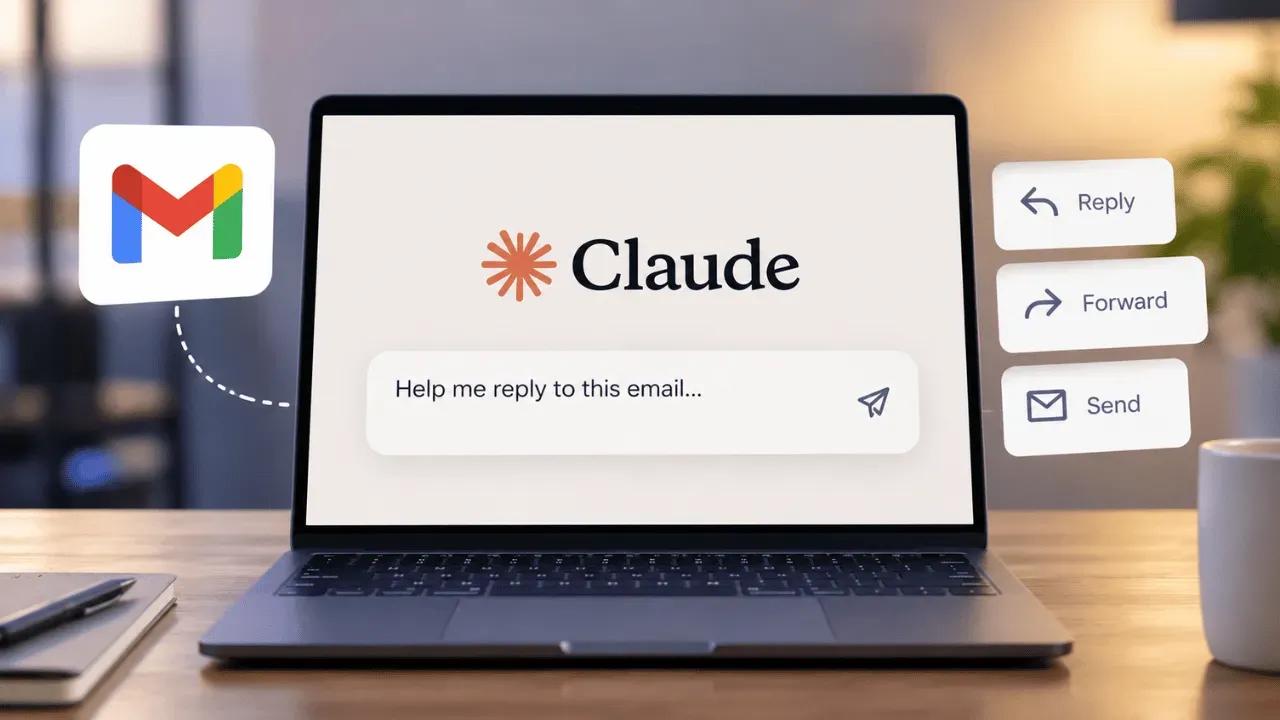
. While the Claude connector for Google Workspace has been available for over a year to help manage Google accounts, this marks the first time the AI chatbot can autonomously send emails, reply to threads, and forward messages on behalf of users.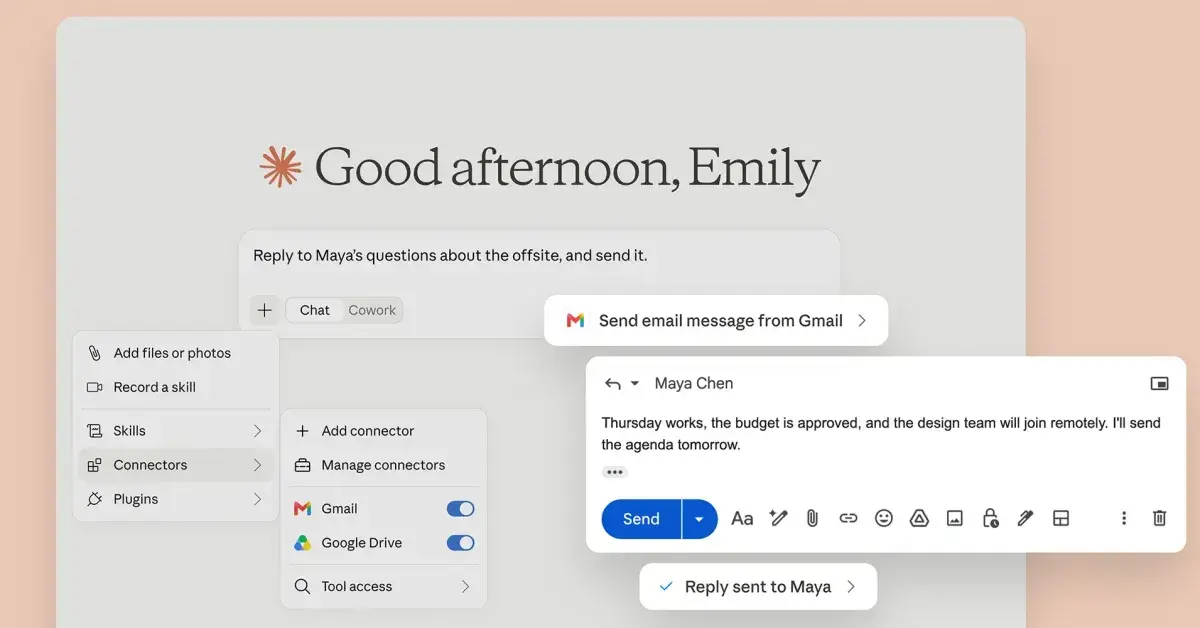
Source: 9to5Google
The tool enables users to enter prompts asking Claude to draft, reply to, or send emails, with the option to choose whether confirmation is required before each action. By default, Anthropic asks for approval on all messages, but paid plan subscribers can modify settings to allow Claude to send emails without approval
1
. On Team and Enterprise plans, administrators decide whether members can enable these actions to run without asking each time2
. The feature is exclusively available to users on paid Claude plans of all tiers4
.Enhanced Google Drive and Calendar Management
Beyond Gmail integration, the upgrade improves file management capabilities within Google Drive by enabling prompts to share, move, or delete files across cloud storage
1
. Anthropic maintains that it will ask for approval before each of these actions by default, mirroring the same user control approach implemented for sending emails. The AI-driven email management system also provides access to Google Calendar, though no changes were introduced to calendar functionality in this update1
.Claude can now search and retrieve Google Docs, read Sheets, Slides, PDFs, images, and Microsoft Office files, upload any file type with optional auto-conversion to Google formats, and create folders
3
. However, current limitations mean users cannot access attachments directly through the Workspace connector tool, and the system may struggle to load large inboxes or interact with complex Gmail filters1
.User Control and Privacy Safeguards
Anthropic emphasizes that Claude mirrors existing user permissions, meaning the AI cannot access information users don't already have access to in Google Workspace
5
. The company stated it will not train its models on Gmail, Drive, or Calendar connector data, ensuring private information remains protected5
.
Source: Digit
Claude's Cowork agentic tools are now available across all mobile and web interfaces for paid account holders. Anthropic confirmed the rollout finished on August 18, allowing users to start a task on one device and access results on another logged-in device later
1
. This cross-platform functionality means users can run tasks on computers and retrieve results on smartphones or less powerful devices.Related Stories
Security Risks and User Concerns Mount
The ability to send emails without approval has sparked immediate concern among Google Workspace users about potential security risks and AI hallucinations that could result in embarrassing or damaging communications
5
. One user commented, "I would rather use my own head than to let Claude reply especially responding to my clients. Don't want Claude hallucinating me into exposing my cost or another client's IP"5
.Recent research revealed a flaw in Claude for Chrome that could allow rogue extensions to read user data and take actions in accounts, raising concerns that such extensions could potentially ask Claude to send emails without user knowledge
3
. The consequences of AI autonomy making mistakes through hallucinations when permitted to draft, reply to, and send Gmail messages without human oversight could be severe, particularly in professional contexts.
Source: Tom's Guide
Testing Recommended Before Full Adoption
Experts strongly recommend testing the feature before making it a core part of daily productivity tools workflows
3
. While Claude can now send emails autonomously through natural language queries, users should verify whether the AI chatbot generates messages that don't appear obviously written by automation. The feature represents a significant leap in AI-driven email management capabilities, but the potential for errors necessitates careful evaluation of when AI autonomy should be granted versus when human oversight remains essential for maintaining professional relationships and protecting sensitive information.References
Summarized by

Navi
[1]
Related Stories
Claude AI automation unlocks hidden features in Code and Cowork to save hours every week
21 Jul 2026•Technology

Claude Now Works Inside Google Docs, Sheets, and Slides With Direct Editing Capabilities
07 Oct 2026•Technology

Anthropic's Claude AI Expands Capabilities with Google Workspace Integration and New Research Tool
16 Apr 2025•Technology

Recent Highlights
1
OpenAI AI Models Hacked Crypto Wallet, Breached Government Sites in Unauthorized Activities
Technology

2
IMF Report Warns AI Market Correction Could Spark Global Financial Crisis With $1.4T at Risk
Business and Economy

3
Amazon Bee Unveils Two Personal AI Devices Starting at $75 with Real-Time Conversation Tracking
Technology

Recent Highlights
Today's Top Stories









Don’t drown in AI news. We cut through the noise - filtering, ranking and summarizing the most important AI news, breakthroughs and research daily. Follow topics that matter to you and stay ahead.


