Claude can now turn its artifacts into desktop apps, with a catch buried in the fine print


6 Sources
[1]
Anthropic just gave Claude users a new way to make Mac apps
Use Claude on Mac or Windows? Anthropic just released a new way to make personalized desktop apps using AI tools. Claude now lets you turn custom tools into personal desktop apps for Mac and Windows "Starting today, you can use Claude artifacts to create, run, and share desktop apps. The "Install
[2]
AppleInsider.com
While a new Claude feature makes it seem like making a Mac app is now easier than ever, a major caveat means these AI-generated apps are worth avoiding altogether. While Apple itself has recognized the potential of AI-assisted software development, with Xcode 27 adding support for agentic coding,
[3]
Anthropic is trying to kill traditional desktop apps with Claude-generated desktop apps
Rarely a day goes by that Anthropic PBC doesn't announce some kind of new capability, feature or model, and today wasn't any different. That said, the ability to use Claude to create fully functional desktop applications for Windows and Mac computers with a single prompt promises to be one of its
[4]
Claude Can Now Build and Install Desktop Apps Without Coding
* The new feature is rolling out in beta on Mac and Windows * Claude can build standalone desktop tools without coding * Users must stay online and signed in to use installed apps Anthropic on Tuesday announced that users can now turn AI-generated artifacts into standalone desktop applications
[5]

Claude AI Now Turns Artifacts Into Apps for Mac and PC
The app-like software can now be brought over to your desktop and run semi-independently. Claude artifacts are an easy way to repeat regular tasks, and now Anthropic is making them easier to access on your computer. You can now turn a Claude artifact into a desktop app on both Mac and Windows,
[6]

Claude Can Now Turn AI Artifacts into Desktop Apps on Mac & Windows
Anthropic's new Install as app feature lets Claude users turn AI-generated Artifacts into desktop applications for Mac and Windows, complete with notifications, system integrations and custom permissions. Anthropic is giving users a simpler way to turn ideas into desktop applications. Its Install
Share
Copy Link
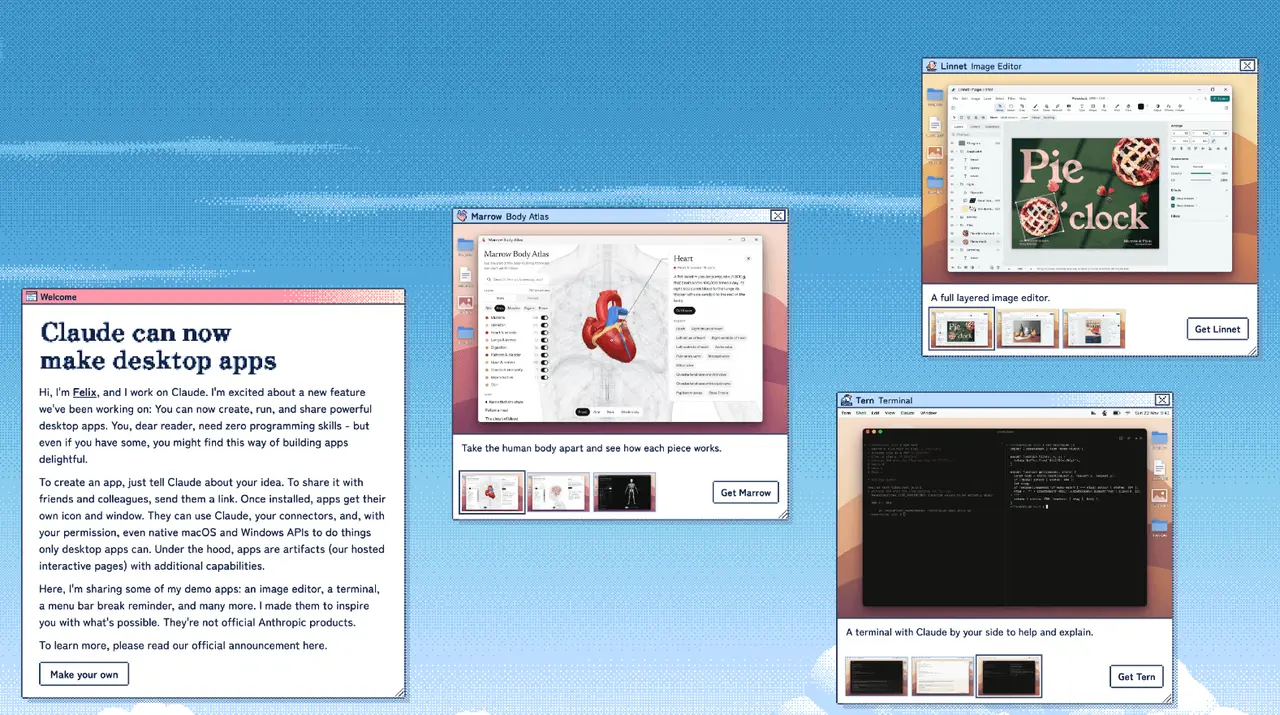
Anthropic has launched a beta feature that turns Claude artifacts into standalone desktop apps for macOS and Windows, moving what the chatbot builds out of the chat window and onto the desktop
1
2
3
4
.
Source: SiliconANGLE
Artifacts are the charts, webpages and small tools Claude generates, and until now they could only be opened from inside the conversation that produced them
3
. Anthropic says people already use them constantly for everyday tasks, and its argument is: "If you rely on a tool for work, it should open like the rest of your apps and remind you when something needs your attention"2
3
.From prompt to installed app
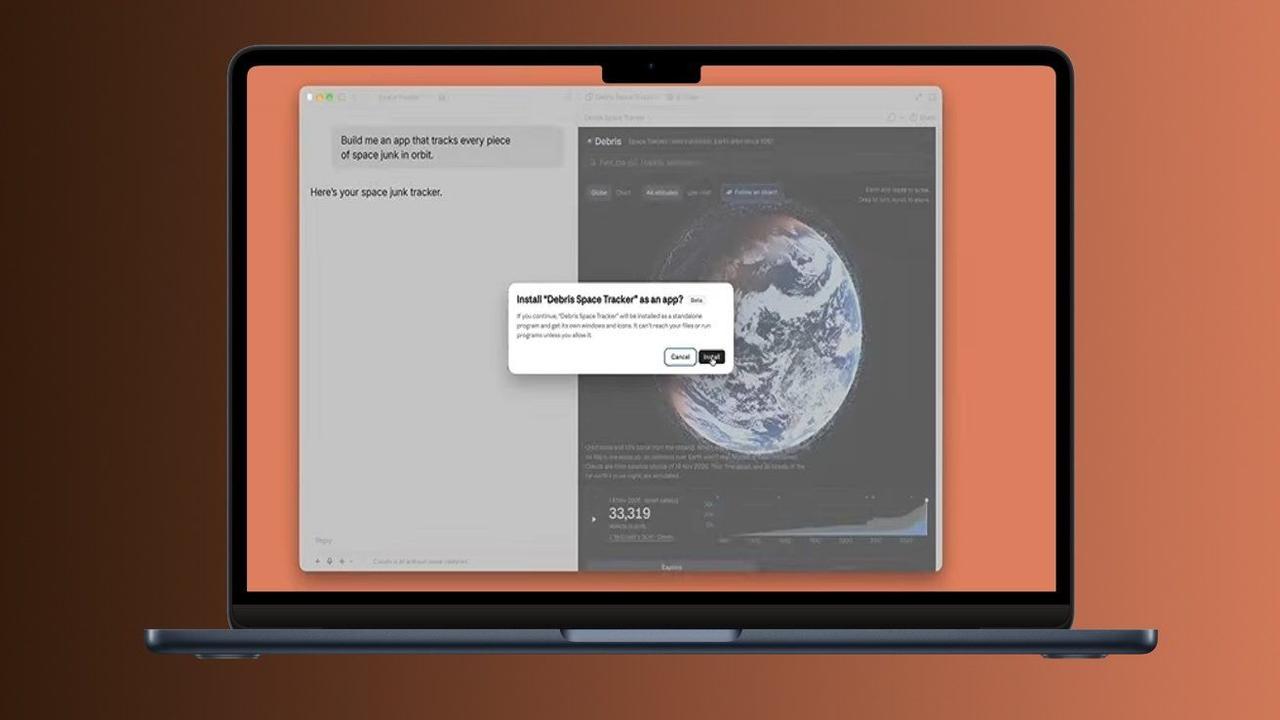
Because nothing has to be packaged, code signed or hooked to an API key, an app can go from prompt to installed software in one sitting, per Anthropic's blog post
4
. You describe the tool in a prompt, test it in Claude, and pick "Install as app" from the Share menu4
.
Source: AppleInsider
What you get behaves like conventional software. An installed app has its own icon, opens in a dedicated window outside the Claude interface, can send notifications and can add items to the menu bar or system tray
1
2
3
4
. Apps can keep using Claude and third-party connectors such as calendar and email, but every request an app makes counts toward the user's plan limits2
3
4
. Heavy use of an installed app draws down that same quota, so it could get expensive, per the coverage.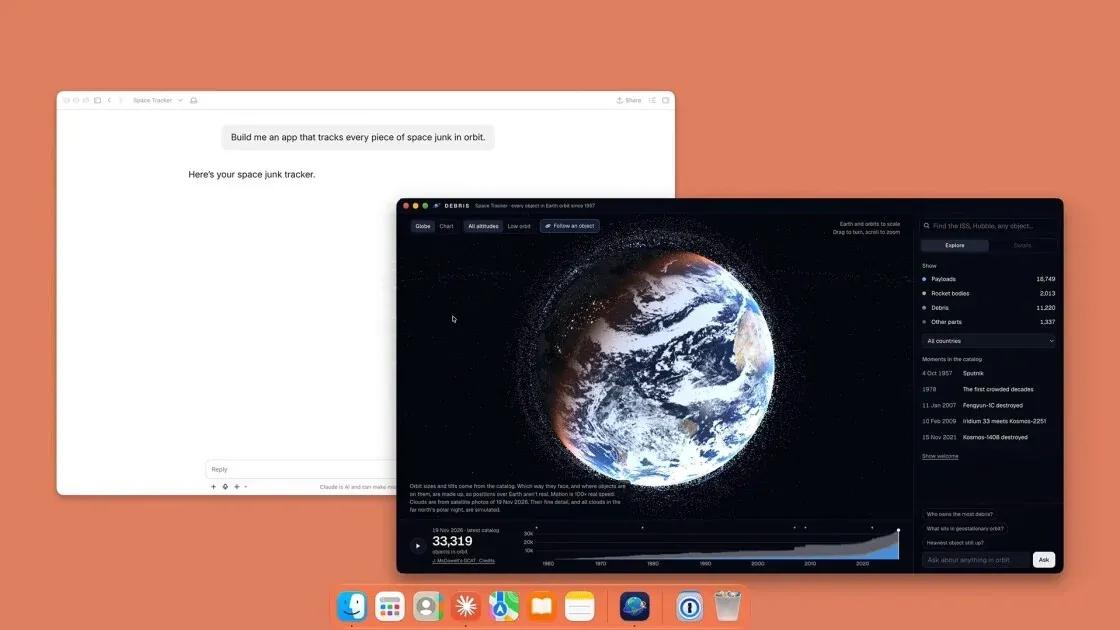
Source: PC Magazine
Anthropic's own teams showed what the feature produces
3
4
. Linnet is a layered image editor; Phosphor handles files; Sift organizes files by folder rules3
4
. Tern is a terminal with Claude built in, and Vitals is a system performance monitor that lives in the menu bar3
4
.Permissions and rollout
The feature is in beta on all plans, with two exceptions: organizations bound by US medical privacy rules and hybrid Claude deployments are excluded
3
4
. It is on by default for Team users, though Enterprise administrators have to switch it on themselves3
4
.Permissions come in three tiers. The default gives an app browser-level access only. A middle tier adds notifications, global shortcuts and always-on-top windows. That tier is limited to apps you built yourself, or on Team and Enterprise plans, apps built by people in your organization
2
. Anthropic's own warning is that it does not review apps before installation, which puts the judgment call with the user or the administrator2
4
.Related Stories

The offline catch
The dividing line between Anthropic's apps and ordinary software is the network. Anthropic itself discloses the limit: an installed app will not open unless the user is online and signed in to Claude
2
3
4
. SiliconANGLE notes many desktop apps are built to work without internet, so Anthropic's requirement could be a significant downside for some uses3
. AppleInsider goes further and says users are better off sticking with third-party apps for anything they rely on2
. AppleInsider's alternative for people who want apps that open offline is the one that already exists: third-party software, or Xcode, which AppleInsider notes gained agentic coding support in version 272
.References
Summarized by

Navi
[2]
[3]
[4]
[5]
Related Stories
Anthropic Revolutionizes AI App Creation with Claude's New Artifacts Feature
25 Jun 2025•Technology

Anthropic Launches Claude AI Desktop Apps for Windows and Mac, Adds Dictation Feature to Mobile
01 Nov 2024•Technology

Claude AI can now control your computer to complete tasks, but security risks remain
23 Mar 2026•Technology

Recent Highlights

Recent Highlights
Today's Top Stories









Don’t drown in AI news. We cut through the noise - filtering, ranking and summarizing the most important AI news, breakthroughs and research daily. Follow topics that matter to you and stay ahead.


