Figma brings code layers and AI motion graphics to design canvas at Config 2026


4 Sources
[1]
Figma adds code layers, support for animations, more AI features in new update
Figma on Wednesday showed off an update that adds a new code layer, support for motion and shaders, and the ability to create custom plugins for various tasks using AI. The design platform has been working on bringing code integration into its tool for a while. Last year, it unveiled an AI
[2]
Figma now has AI motion graphics and shader tools
Otherwise, here's Figma's overview of everything that was announced: New creative materials to express ideas ● Code layers: Work directly with code on the Figma Design canvas. Clone repositories, generate new directions with Figma's agent, extract flows into editable design layers, and sync
[3]
Figma adds code layers to the canvas and lets users build custom AI plugins at Config 2026
Figma launched code layers, native animations, AI shader effects, custom AI skills, and prompt-built plugins at its Config 2026 conference. Figma used the opening keynote of its Config 2026 conference on Wednesday to unveil code layers, a feature that brings executable code directly onto the
[4]
Config 2026 - AI blurs the lines as Figma brings code, motion and agent workflows into its design canvas
For the entire history of computing, enterprise applications have forced us into functional silos to get things done. Book a vacation? Log into your HCM app. Create a document? Go to your word processor. Write some code? Fire up your code editor. Today, that's no longer true, thanks to a
Share
Copy Link
Figma unveiled a major AI update at Config 2026, introducing code layers that bring executable code directly onto the design canvas. The platform now supports AI motion graphics, shader effects, and custom AI plugins, collapsing the traditional handoff between designers and developers. The updates arrive as Figma faces mounting pressure from AI-native competitors.
Figma Collapses Design-to-Development Workflow with Code Layers
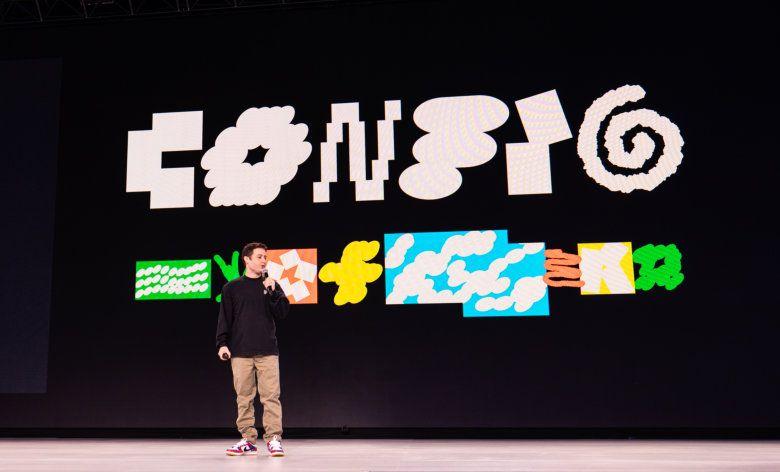
Figma announced a sweeping AI update at its Config 2026 conference on Wednesday, introducing code layers that bring executable code directly onto the collaborative design canvas
1
3
. Teams can now clone repositories and extract flows from code into design layers for testing, eliminating a handoff step that has defined the design-to-development workflow for over a decade. The feature works within Figma Sites and is backed by custom React code, allowing users to convert components to code layers, use AI chat to build and modify them, or edit directly in Figma's code composer3
.
Source: diginomica
Chief product officer Yuhki Yamashita explained that code layers make it easier for designers, product managers and programmers to iterate on ideas rather than focus on creating pristine code that goes into production. "We think the multiplayer canvas is really powerful because this is an environment where you don't really care about the quality of the code," he said
1
. The system supports npm packages including motion libraries and 3D frameworks, enabling interactive elements from dropdown menus to shader effects without leaving the canvas3
.AI Motion Graphics and Shader Effects Transform Creative Capabilities
The Figma AI update now includes native support for animations, transitions, and 3D transforms, addressing a longstanding limitation. Previously, designers had to create animations in other software and convert it to code that the app could understand
1
. The new motion support includes an animation timeline tool based on last year's acquisition of Modyfi, providing control over a variety of animation styles applied to any element of a design4
.Users can now prompt to create animations with AI, apply preset styles, or adjust manually on a timeline
2
. The update also adds shader effects and fills using AI-powered tools, leveraging WebGPU technology. Effects that weren't available in Figma before, like dither, pixelate, and various blur types can now be created directly on the design canvas through text prompts2
. These AI-driven design enhancements represent a significant expansion of creative materials available to design teams.Custom AI Plugins and Agent Skills Extend Platform Capabilities
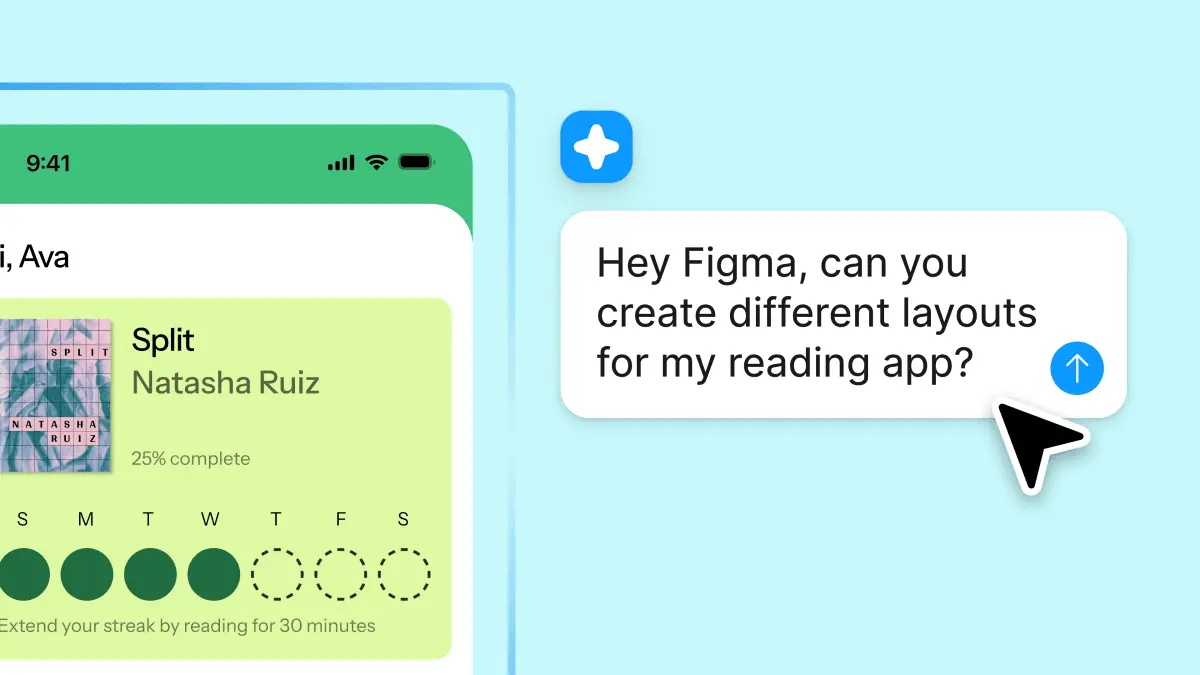
Figma is adding the ability to create custom AI plugins through text prompts, lowering the barrier from writing code to writing a sentence
3
. Users can describe what they want, such as a layout generator or a vector path tracer, and Figma will build the plugin. This feature extends the platform's existing plugin ecosystem, which already hosts thousands of community-built tools, making generative plugins accessible without developer setup or technical skills2
.
Source: TechCrunch
The AI integration also introduces new Agent Skills that turn repetitive work into reusable capabilities that entire teams can use to work more precisely and consistently. Users can now write text prompts to create repeatable skills that AI agents can execute, and they can connect external tools like Notion, Granola, Excel, and GitHub to give the agent richer context
1
3
. This deeper context enables more sophisticated automation within the design and code integration workflow.Figma Weave Integration Brings Node-Based Workflow to Canvas
Figma is deepening its integration with Figma Weave, the product it built from its acquisition of node-based AI media tool Weavy last October
3
. The current update provides access to 20 plus integrated Weave tools, turning complex AI workflows into simple tools on the canvas2
. Users will be able to generate consistent and high-quality visuals in Figma using these pre-built node-based workflows for making and editing imagery, video, audio, and 3D effects4
.A separate update rolling out later this year will let users generate Weavy workflows directly within Figma, representing the first step towards a full integration between the two platforms
1
2
. This tightens the connection between Figma's collaborative design canvas and Weavy's sophisticated AI model comparison capabilities.Related Stories



Real-Time Collaboration Meets AI-Powered Design
The updates leverage Figma's multiplayer platform to enable real-time collaboration between designers and developers working with AI-generated code layers. Loredana Crisan, Figma's Chief Design Officer, emphasized that "design and code can live in one space, side-by-side" for the first time
4
. By embedding the ability to import, run and edit code in a shared design canvas, Figma enables real-time discussion between designers and developers, so that they can build with the benefit of each other's expertise.Marcel Weekes, VP of Product Engineering at Figma, noted the technical complexity behind making this seamless: "It has to feel as if that person is literally right next to you, using the same screen"
4
. The engineering challenge involves allowing several designers to simultaneously view animations running in the same canvas or have several separate code bases running within a shared design while team members exchange comments.Competitive Pressure Mounts from AI-Native Design Tools
The announcements arrive at a complicated moment for Figma's business. The company's first-quarter revenue grew 46 percent year over year to 333 million dollars, and its net dollar retention rate hit 139 percent, the highest in more than two years
3
. However, Figma's stock has fallen roughly 79 percent since its July 2025 public debut at a 20 billion dollar valuation, trading around 24 dollars as investors question whether traditional design software can defend its position against AI-native competitors3
.The competitive pressure is broad. Canva AI launched its own AI foundation model in March, Adobe Firefly holds 41 percent business adoption, and Google unveiled Pics, an AI design tool inside Workspace, at I/O 2026
3
. AI coding tools like OpenAI's Codex are expanding from developer tools into enterprise platforms that can generate interfaces from text prompts, threatening to bypass design tools entirely. The code layers announcement represents Figma's argument that the design canvas should absorb code rather than be replaced by it, making the tool harder to route around with a text prompt to a coding agent.References
Summarized by

Navi
[2]
[3]
Related Stories
Recent Highlights
1
Microsoft and Nvidia Launch Surface Laptop Ultra: A $2,599 AI-Ready PC With RTX Spark Chip
Technology

2
Trump Consulted Grok AI Before Ordering Venezuela Invasion and Capture of Nicolás Maduro
Policy and Regulation

3
Scientists Build AI Model That Reconstructs Images From Brain Scans in Record Time
Science and Research

Recent Highlights
Today's Top Stories





Don’t drown in AI news. We cut through the noise - filtering, ranking and summarizing the most important AI news, breakthroughs and research daily. Follow topics that matter to you and stay ahead.


