Google Health CLI connects AI agents to Fitbit and health data for automation


2 Sources
[1]
This new Google tool brings AI agents your Fitbit and health data
The tool can analyze over 40 health metrics, including sleep, activity, and heart rate. Promised as part of a massive list of fixes and new features for the Google Health platform, Google has now announced the "Google Health CLI." The new tool makes it easier for people to access, organize, and
[2]
Google Health CLI now available to access your data & build tools
As previewed, Google Health now offers a command-line interface (CLI) that allows users to access their data and build tools like dashboards. Leveraging the Google Health API and "designed with agent use in mind," the CLI provides easier access to data from devices like the Fitbit Air and Pixel
Share
Copy Link
Google has launched the Google Health CLI, a command-line interface tool that enables developers and power users to access health data from Fitbit and Pixel Watch devices. The tool supports over 40 health metrics and allows users to automate tasks using health data, build custom dashboards, and connect with AI agents for personalized health insights.
Google Launches Command-Line Interface Tool for Health Data Access
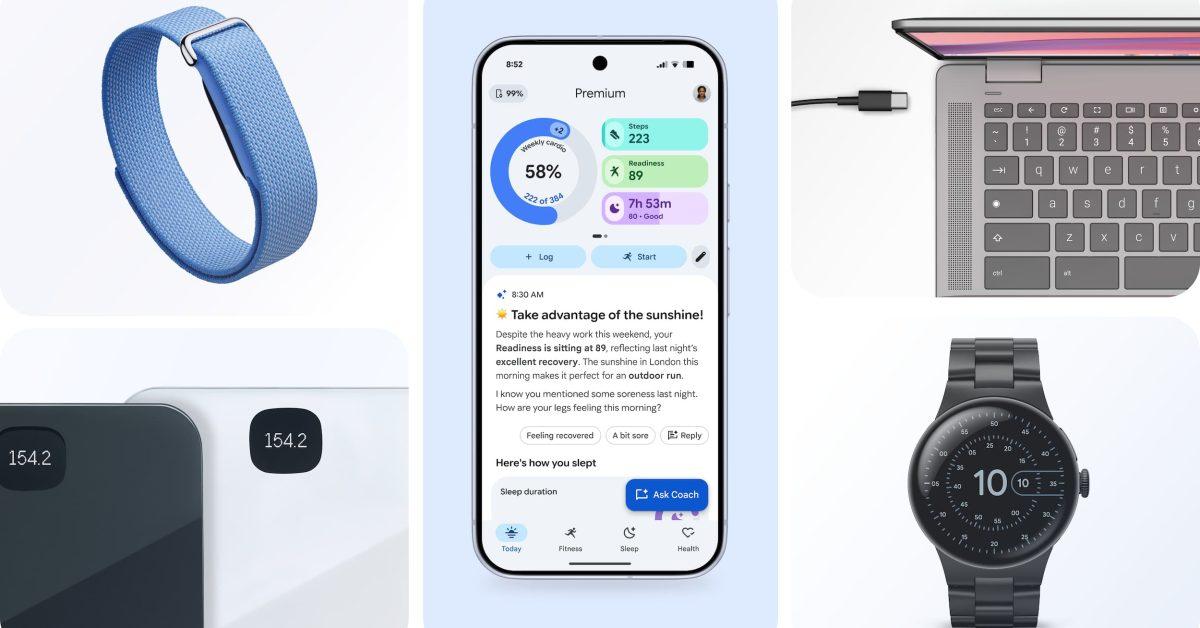
Google has officially released the Google Health CLI, a command-line interface tool designed to make personal health data more accessible and actionable for developers and power users. The tool connects securely to health data stored through Google's Health platform, including information collected by compatible devices like the Fitbit Air and Pixel Watch
1
2
. While primarily targeting those comfortable with terminal environments, the Google Health CLI opens new possibilities for anyone interested in gaining deeper insights from their health and wellness data.The command-line interface runs in a computer's terminal rather than through a traditional app, allowing users to type simple commands to perform tasks. This approach makes it particularly effective for automation and advanced workflows that would be cumbersome through standard interfaces
1
.
Source: 9to5Google
Access Health and Wellness Data Across 40+ Metrics
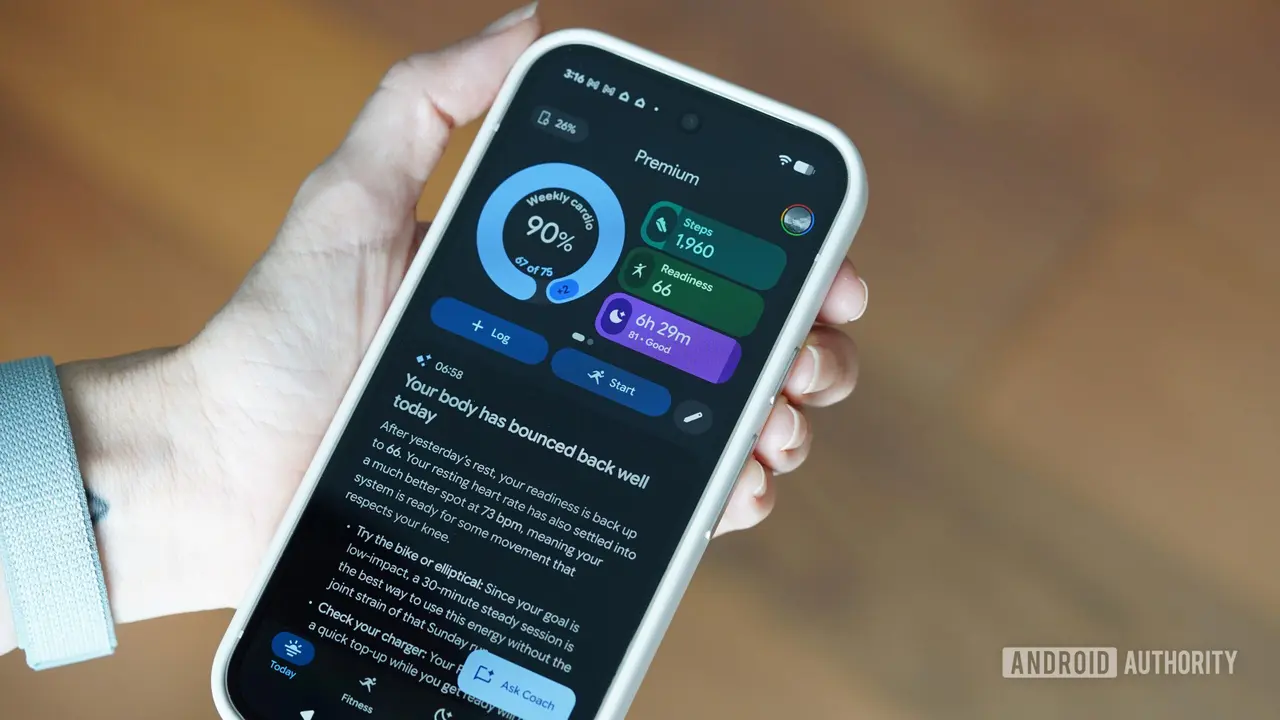
The Google Health CLI provides access to more than 40 health metrics, including activity, sleep, heart rate, VO2 Max, and recovery scores, provided users have granted the necessary permissions
1
2
. This comprehensive data access enables users to gain a holistic view of their wellness patterns over time.Users can export their health data into multiple formats, including streamlined JSON, clean terminal tables, and CSV files ready for personal spreadsheets
2
. This flexibility allows individuals to analyze their information using their preferred tools or build custom dashboards tailored to their specific health goals. For developers, this means the ability to create commercial applications for broad audiences, while health enthusiasts can dive into their own data in entirely new ways2
.
Source: Android Authority
AI Agents Enable Intelligent Health Automation
Leveraging the Google Health API and designed with agent use in mind, the CLI enables powerful AI-driven automation capabilities. Google emphasizes that AI agents can analyze health data and automate tasks using health data based on personalized patterns and thresholds
1
.Practical applications include monitoring health trends by automating daily syncs of sleep and recovery metrics to optimize training readiness or track how routine changes impact specific health symptoms
2
. Users can integrate health insights into daily workflows—for example, when recovery scores are high, the system could automatically block time on a calendar for a workout, or schedule a mindfulness break during packed meeting schedules1
2
.The tool also supports building custom alerts that create automated workflows correlating nutrition logs with blood glucose levels, or set up notifications when vital signs deviate from a personal baseline
1
2
. The CLI comes with two starter skills to streamline setup and authentication, allowing users to simply prompt their agent to the README file to get started2
.Related Stories

What This Means for Developers and Health Enthusiasts
While the Health CLI isn't intended for everyday users, it signals Google's growing commitment to making personal health data more accessible and useful
1
. For developers, this tool provides a foundation to build sophisticated health applications that leverage real-time data from Fitbit and Google devices. The ability to automate tasks using health data could lead to more personalized wellness apps that adapt to individual patterns rather than relying on generic recommendations.For power users and health enthusiasts, the tool offers unprecedented control over their own information. Rather than being limited to pre-built dashboards and reports, individuals can now create custom analysis tools that answer their specific health questions. This shift toward data ownership and customization may influence how other tech companies approach health data accessibility in the coming years, particularly as AI agents become more sophisticated at interpreting complex health trends.
References
Summarized by

Navi
[1]
Related Stories
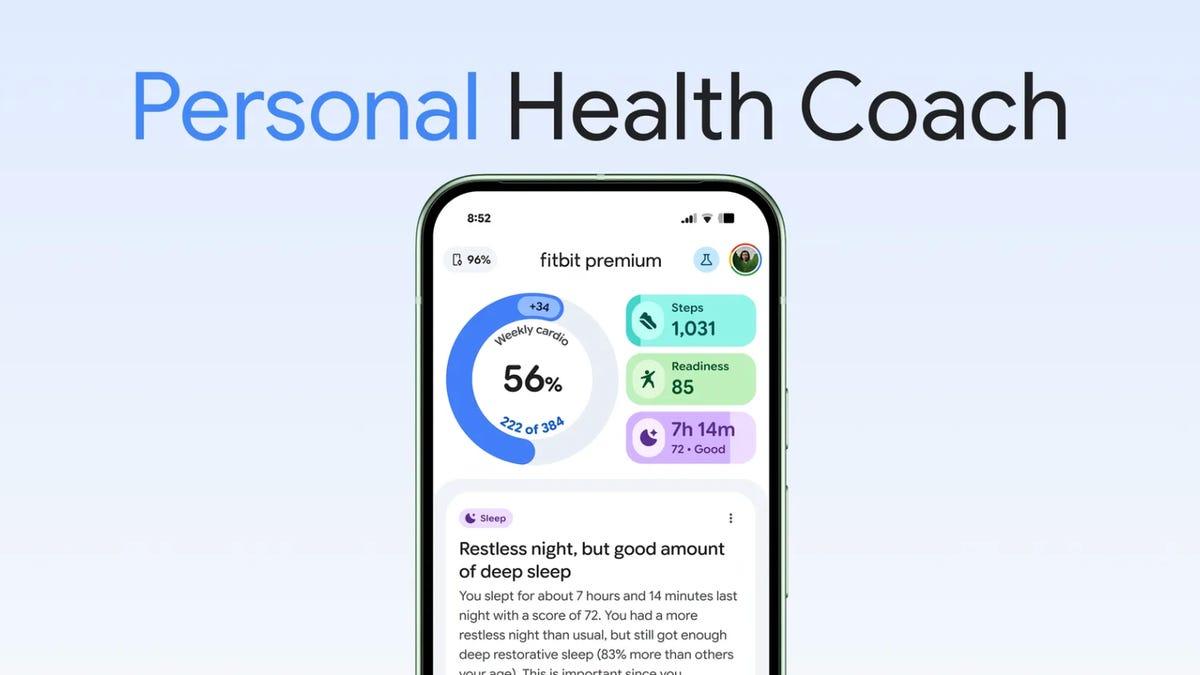
Fitbit AI Coach will read your medical records next month as Google pushes deeper into healthcare
18 Mar 2026•Technology
Fitbit AI health coach expands to iOS users globally as Apple scales back health plans
10 Feb 2026•Technology

Google Unveils AI-Powered Personal Health Coach for Fitbit, Revolutionizing Fitness Tracking
21 Aug 2025•Technology

Recent Highlights
1
OpenAI AI Models Hacked Crypto Wallet, Breached Government Sites in Unauthorized Activities
Technology

2
IMF Report Warns AI Market Correction Could Spark Global Financial Crisis With $1.4T at Risk
Business and Economy

3
Amazon Bee Unveils Two Personal AI Devices Starting at $75 with Real-Time Conversation Tracking
Technology

Recent Highlights
Today's Top Stories








Don’t drown in AI news. We cut through the noise - filtering, ranking and summarizing the most important AI news, breakthroughs and research daily. Follow topics that matter to you and stay ahead.


