4 Sources
[1]
Google Home gets upgraded Gemini voice assistant and new camera controls
Google launched its big AI-fueled redesign of Google Home late last year, and it has been adding features here and there ever since. Today, the company announced a bigger update that might take care of some of your smart home woes. Camera feeds will be easier to navigate, and the AI event labeling should be more straightforward. The move to Gemini 3.1 for Home voice assistance should also mean the robot is less obtuse and more reliable. According to Google, Home users who have signed up for the early access channel should already have the update to Gemini 3.1. Google initially released this AI model on other platforms in February, but that rollout didn't include Google's smart speakers. With the expansion to Home, Google says those speakers will be able to take advantage of Gemini 3.1's "advanced reasoning to better interpret and execute complex, multi-step voice commands." Of course, it says something like that with every Gemini update. Google has been able to point to various AI evaluations that show Gemini 3.1 is better at parsing big, complex prompts. It showed gains in tests like ARC-AGI-2 and Humanity's Last Exam, both of which require tricky logic problems that need domain-specific knowledge. How much that kind of capability will benefit a smart speaker that specializes in brief interactions is unclear, but you can have long conversations with Gemini in your smart home devices if you want. Google notes the improved model can process multiple different tasks in a single prompt, saving you from breaking up tasks into multiple commands. The AI-powered Ask Home feature is also expanding beyond the app with this update. In the near future, the Home-specific Gemini chatbot will be available in the Home web interface, allowing you to conversationally check camera history and create automations. This will start as a preview feature, though. Google is also adding new automation options, both triggers and actions. Here's the full list. * Security & Access Control * Appliance & Cleaning: * Lighting & Environment Control * Media & Entertainment * Device Health & Inputs Paying subscribers can use Ask Home to create automations (with or without the new ingredients), but everyone can do it the old-fashioned way with buttons and drop-down menus. Less camera jank The 2025 Home app update made a lot of changes, but it didn't exactly nail the experience. Camera control was still annoying, and the AI notifications weren't very helpful (or accurate). Today's update could address at least some of that, but Google says the underlying model is not being upgraded to Gemini 3.1. That's only for the voice assistant end. Google says timeline navigation will be much improved now, featuring a higher frame rate when scrubbing through video. That should make it easier to get where you're trying to go, and if you miss it, there are finally simple skip buttons that take you 10 seconds forward or backward. There are also new swipe controls for switching between timeline/event views and resizing the player window. With the move to Gemini, Google Home's ability to recognize people fell off considerably, making notifications much less useful. Home will now have thumbs up/down feedback buttons, which will help make Familiar Face notifications more accurate over time. Facial recognition will also automatically ignore blurry or obscured images to improve IDs. Notifications and timeline previews will also have better animated preview GIFs that are centered on the subject, too. The AI model that analyzes camera footage in Google Home has a tendency to mislabel things, which can lead to frustrating and misleading notifications, like telling you there's a deer in the house. Google isn't claiming a major change to the quality of descriptions, but the system has apparently been streamlined to make the descriptions simpler. Google says this means you'll see less cluttered and more straightforward event labels that are "more accurate." We will see about that. You won't get Ask Home or the AI event descriptions with a free Home profile. But those paying for extended footage will see the allegedly simpler AI-generated descriptions in more places. Descriptions will come to the timeline view, as well as to older Nest cameras that previously didn't work with Gemini. You have to make sure Gemini for Home features are enabled in the camera settings, though.
[2]
Google Home's Gemini AI can handle more complicated requests
Google Home users can now ask Gemini to complete more complex, multi-step tasks and combine multiple tasks in a single command. Google has updated Gemini for Home to Gemini 3.1, which it says will improve the smart home assistant's ability to interpret and act on requests. The upgrade will also make Gemini for Home better at handling recurring and all-day events and allow users to "move around" upcoming events. Last month, Google also updated Gemini for Home with improvements for understanding natural language and identifying devices correctly. The upgrades follow reports of bugs in Google's new smart home assistant, like confusing different animals in camera footage or struggling with accuracy in activity summaries. In addition to the Gemini upgrade, Google also announced improvements to the camera experience, new automation capabilities, and two public previews: Ask Home on Web and a new notification feature. Ask Home on Web will allow Google Home users to manage their smart home from a computer, including searching camera history with natural language, checking on devices, and creating automations. Google is also releasing a public preview for "improved and expanded notifications" that include "quick action" buttons that can be used for device control directly in the notification.
[3]
Google Home's spring update gives Nest cameras a big AI boost
I've been writing about Android since 2011, with a focus on device reviews, Samsung and Google Pixel hardware, and the latest happenings in the ecosystem. In my entire writing career, I've reviewed more than 75 Android phones. Carrying both a Samsung or Pixel flagship and an iPhone as a daily driver provides me with deep insight into how Android works and how it compares to iOS. I have been writing for Android Police since 2021, covering news, how-tos, and features. You can find my previous work on Neowin, AndroidBeat, Times of India, iPhoneHacks, MySmartPrice, and MakeUseOf. When not working, I tend to mindlessly scroll through X, play with new AI models, or go on long road trips. You can reach out to me on X or drop a mail at [email protected]. Google has been making rapid improvements to Google Home, rolling out major changes almost every other week. However, most of these changes have been limited to users enrolled in the Early Access program. As part of its spring 2026 update, Google is now rolling out another set of improvements to Google Home, and this time, they are available to all users. The main highlight of this update is a revamped and more modern camera interface. It's also faster and more responsive, providing smoother video scrubbing and more details. Plus, you now get alerts that will automatically zoom in on the subject. If you are subscribed to Google Home Premium Advanced, the timeline view in the camera feed will contain event descriptions. This will make it easier to identify important moments in the video. There's also the option to filter events based on Person seen, Package seen, Activity Zone, and more. Users with older Nest cameras and a Google Home Premium Advanced subscription are getting Gemini-powered event descriptions. Face detection gets an upgrade as well, with Google saying familiar faces should now be recognized more accurately. If the results are inaccurate, you can press the thumbs-up/down buttons to share feedback with Google quickly. As part of the upgrade, face library management will no longer show blurry or low-quality faces. Google Home automations get more powerful Automation is getting a big upgrade, too. You can now create more powerful and complex automations in Google Home with new starters, conditions, and actions. This includes options like arming and disarming security systems, door lock monitoring, appliance state, lighting control, and more. The full list, as shared by Google, is as follows: Security & Access Control Arm and disarm: Arm security systems, check if the security system is armed Door lock monitoring: Checking specific states like locked, unlocked, jammed, forced open, or ajar. Binary sensors: Detecting simple true/false states such as contact/no contact, leak/no leak, or freeze/no freeze. Appliance & Cleaning: Appliance state (Start & Stop): Controlling operational states (Start, Stop, Pause, Resume) for devices like washers, dryers, and coffee machines. Robot vacuums: Specific commands to dock, pause, or resume vacuum cleaning sessions. Lighting & Environment Control Lighting control: Adjusting brightness levels, toggling On/Off, and managing light effects. Colored lights: Change the color of a device (light bulb, LED strip, etc.), change the color temperature of a device Window coverings: Opening and closing blinds or checking their specific position percentage. Climate: Monitoring relative humidity levels via thermostats. Media & Entertainment Playback control: Monitoring states like playing, paused, or buffering. Volume: Checking and managing volume levels on media devices. Device Health & Inputs Power management: Monitoring battery levels and charging status. Switch events: Utilizing smart switch inputs, including initial presses, long presses, and release events To clarify, several of these automations were already available to users in the Google Home Early Access program. Google is now making them available to all. Subscribe to our newsletter for clearer Google Home updates Get clearer Google Home coverage by subscribing to our newsletter. Expect concise explanations of camera upgrades, automation features, and broader smart-home developments, with context to make updates easy to follow. Get Updates By subscribing, you agree to receive newsletter and marketing emails, and accept our Terms of Use and Privacy Policy. You can unsubscribe anytime. For Google Home users in the Early Access program, Google says they will now have access to the Gemini 3.1 model for better performance and advanced reasoning. Several more changes are rolling out to Google Home. You can read all about them in Google's announcement.
[4]
Google Home's May 2026 Software Update Comes with Several New Features - Phandroid
If you're a Google Home user, then you might want to keep an eye on Google's latest software rollout for its smart home ecosystem. The company recently confirmed that it was rolling out the May 2026 update, which comes with several changes including a newer camera interface, AI capabilities with Gemini 3.1, and expanded automation controls. First up are changes to the Google Home app's camera features -- users will get a tweaked interface with faster navigation and smoother video scrubbing, in addition to a redesigned event details page and intelligent alerts with zoomed-in previews of recorded activity. Google adds that these performance improvements will support earlier generations of Nest cameras. As with most Google products these days, the update also includes built-in AI features such as advanced reasoning capabilities which allow the voice assistant to process complex, multi-step commands in a single request. Users will be able to combine tasks like creating grocery lists while simultaneously adjusting smart home scenes without needing separate prompts. READ: Gemini on Google Home Devices Finally Gets Support for Continued Conversations The update also brings some new automation capabilities, with more robust management for robot vacuums, kitchen appliances, and door locks, including the ability to monitor real-time battery levels across the home. Google also teased the upcoming "Ask Home on Web" feature for users with desktop devices, which is currently in public preview -- this allows users to search camera history and manage automations directly from a computer browser. Lastly, mobile notifications will now feature "Quick Action" buttons for easier device control, in addition to an intelligent location-switching feature that can automatically adjust the app to the correct property for users managing multiple homes.
Share
Copy Link
Google rolled out a major AI update for Google Home, upgrading to Gemini 3.1 for improved voice assistance and introducing a revamped camera interface. The update brings advanced reasoning capabilities for complex multi-step commands, faster video navigation, and expanded automation controls across security, appliances, and lighting systems.
Google Home is receiving a substantial AI update that brings Gemini 3.1 to its smart home ecosystem, marking a significant improvement over previous iterations. The upgrade, initially released on other platforms in February, is now rolling out to Google's smart speakers and home devices
1
. Users enrolled in the Early Access program already have access to the new model, which promises enhanced reasoning capabilities for interpreting complex multi-step commands3
.
Source: Phandroid
The Gemini voice assistant can now process multiple tasks within a single prompt, eliminating the need to break requests into separate commands
2
. Google points to improvements in AI evaluations like ARC-AGI-2 and Humanity's Last Exam, which test tricky logic problems requiring domain-specific knowledge1
. Users can now combine tasks like creating grocery lists while simultaneously adjusting smart home scenes without needing separate prompts4
. The model also shows improved handling of recurring and all-day events, with the ability to move upcoming calendar entries2
.The new camera controls represent one of the most visible changes in this software update. Google has introduced a faster, more responsive interface with smoother video scrubbing and enhanced timeline navigation
3
. Users now have access to simple skip buttons that move 10 seconds forward or backward, addressing a long-standing complaint about camera control1
. New swipe controls allow quick switching between timeline and event views, plus the ability to resize the player window1
.
Source: Ars Technica
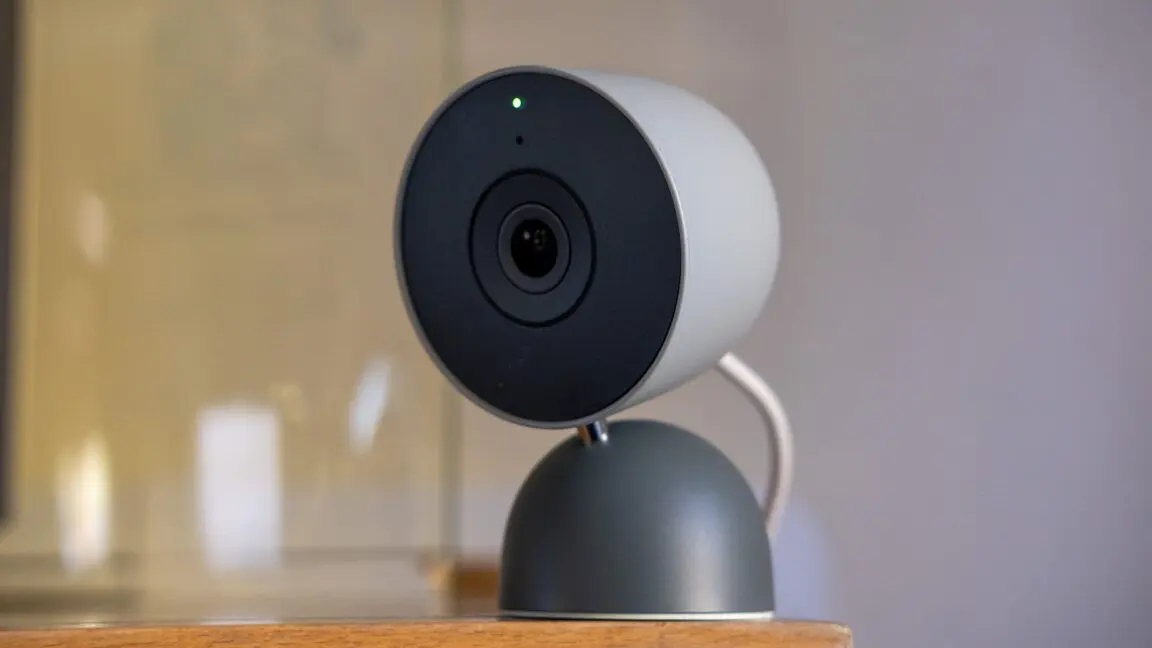
Intelligent alerts now feature zoomed-in previews that automatically center on the subject, making it easier to identify what triggered the notification
4
. For subscribers to Google Home Premium Advanced, the timeline view now displays Gemini-powered event descriptions, helping users identify important moments more quickly3
. Event filtering options based on Person seen, Package seen, and Activity Zone provide additional organization tools3
. These performance improvements extend to earlier generations of Nest cameras, bringing AI-powered features to older hardware4
.Facial recognition capabilities, which reportedly declined with the initial move to Gemini, are receiving targeted improvements. Google Home now includes thumbs up and down feedback buttons for Familiar Face notifications, allowing users to train the system over time
1
. The system will automatically ignore blurry or obscured images to improve identification accuracy1
. Face library management has been cleaned up to exclude low-quality images that previously cluttered the interface3
.Event labeling has been streamlined to produce simpler, less cluttered descriptions that Google claims are more accurate
1
. This addresses previous issues where the AI model would mislabel objects, sometimes producing misleading notifications. Notifications and timeline previews now feature better animated preview GIFs centered on the subject1
.Related Stories
The May 2026 update introduces comprehensive automation capabilities spanning security, appliances, lighting, and entertainment. New triggers and actions include arming and disarming security systems, monitoring door lock states like locked, unlocked, jammed, or forced open, and detecting binary sensor states such as contact, leak, or freeze conditions
3
. Appliance control now supports operational states for washers, dryers, and coffee machines, with specific commands to dock, pause, or resume robot vacuum sessions3
.
Source: The Verge
Lighting automation extends to brightness adjustment, on/off toggling, light effects, color changes, and color temperature management
3
. Window coverings can be opened or closed with position percentage monitoring, while climate controls now track relative humidity levels via thermostats3
. Media device control includes playback state monitoring and volume management, while device health features track battery levels and charging status3
. Users can monitor real-time battery levels across their entire home4
.The AI-powered Ask Home feature is expanding beyond the mobile app through a public preview on the web interface
1
. This allows users to manage their smart home from a computer, including searching camera history with natural language, checking device status, and creating automation through conversational interactions2
. Paying subscribers can use Ask Home to create automations, though all users retain access to traditional button and dropdown menu controls1
.Mobile notifications are also getting smarter with Quick Action buttons that enable device control directly from the notification without opening the app
2
. An intelligent location-switching feature will automatically adjust the app to the correct property for users managing multiple homes4
. These AI-powered features require a paid subscription to access, while free users maintain basic functionality1
.Summarized by
Navi
[3]
1
Health

2
Technology

3
Technology