Google Meet Introduces Automatic Recording, Transcription, and AI-Powered Note-Taking Features


2 Sources
[1]
Google Meet can now transcribe and record meetings by default
Accounts with Gemini AI can also use its note-taking feature on Meet calls by default. Video meetings are the new normal for so many of us, and with easy access to them from our smartphones, it's harder and harder to come up with a good reason why you can't attend. For whatever reason, though, if
[2]
Google Meet now has auto-record, transcribe, and 'take notes' functionality
Key Takeaways Google Meet now offers automatic transcription, recording, and note-taking features for meetings. The features are rolling out now for Workspace users, and are expected to be widely available within the next 1-3 days. Auto-transcripts/recordings/note-taking need to be enabled by
Share
Copy Link
Google Meet enhances its platform with automatic recording, transcription, and AI-powered note-taking capabilities, streamlining remote meetings for Workspace users.

Google Meet Enhances Remote Collaboration with Automatic Features
Google Meet, a popular video conferencing platform, has introduced a suite of automatic features designed to streamline remote meetings and enhance productivity. These new capabilities include automatic recording, transcription, and AI-powered note-taking, marking a significant upgrade to the platform's functionality
1
.Automatic Recording and Transcription
The new auto-record feature ensures that meetings are automatically video-recorded, eliminating the need for manual initiation. This addresses the common issue of forgetting to record important meetings. Alongside this, the auto-transcribe feature generates a written record of everything said during the meeting, providing a valuable reference for attendees and those unable to join live
2
.AI-Powered Note-Taking
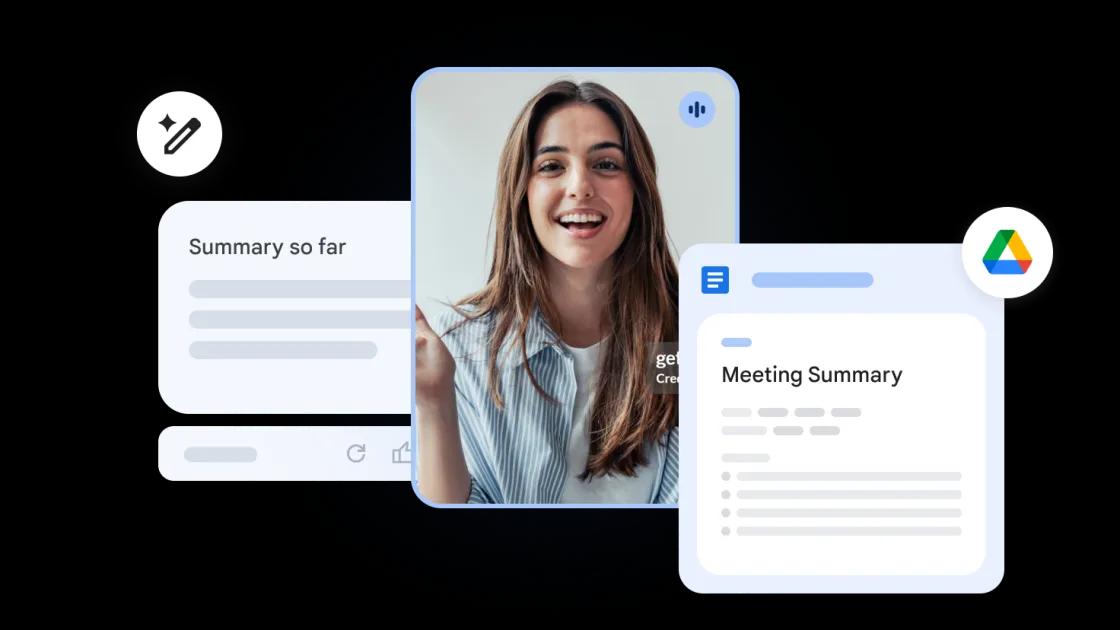
Perhaps the most innovative addition is the auto-notes feature, powered by Google's Gemini AI. This functionality automatically summarizes and generates key meeting notes, offering a concise overview of the discussion. This feature is particularly beneficial for quick reference and for participants who may have missed parts of the meeting
2
.Availability and Implementation
These new features are rolling out to Google Workspace users and are expected to be widely available within 1-3 days. The automatic functionalities will be accessible to users of various Workspace tiers, including Business Standard and Plus, Enterprise Essentials, Enterprise Standard and Plus, Education Plus, and the Teaching and Learning Upgrade
2
.It's important to note that these features require activation by account administrators at the domain level. Once enabled, meeting hosts and co-hosts can edit the settings in meeting invites. To ensure transparency, meeting attendees will be informed about the automatic recording, transcription, and note-taking upon joining the call
2
.Related Stories

Privacy and Legal Considerations
While these features offer significant benefits, Google emphasizes the importance of consent. Automatically recording or transcribing meetings without the consent of all participants may have legal implications and could be actionable. This underscores the need for clear communication and agreement among all meeting participants when using these features
2
.The Evolution of Video Conferencing
These enhancements to Google Meet reflect the ongoing evolution of video conferencing platforms. Initially popularized during the COVID-19 pandemic, these tools have maintained their relevance and continue to innovate. The introduction of these automatic features demonstrates Google's commitment to improving remote collaboration and meeting efficiency in an increasingly digital work environment
1
2
.References
Summarized by

Navi
[1]
Related Stories
Google Meet Now Takes Notes for In-Person Meetings with AI-Powered Feature
14 Aug 2026•Technology

Google Meet AI note-taking expands to in-person meetings with Gemini-powered transcription
23 Apr 2026•Technology
Google Meet's Gemini AI note-taker expands to Pro and Ultra subscribers at $19.99 monthly
29 Jun 2026•Technology
Recent Highlights



Recent Highlights
Today's Top Stories










Don’t drown in AI news. We cut through the noise - filtering, ranking and summarizing the most important AI news, breakthroughs and research daily. Follow topics that matter to you and stay ahead.


