Google Meet's Gemini AI note-taker expands to Pro and Ultra subscribers at $19.99 monthly


6 Sources
[1]
Google Meet's Gemini note-taker opens up to a lot more users on web and mobile
Subscribers will also be able to use the feature for meetings they host. Right on the heels of the Google Voice app getting "Take notes for me," we're getting another update about the Gemini-powered tool. As a quick refresher, this feature allows Gemini to take notes during calls, so you can
[2]
Google Meet's Gemini-powered 'Take notes for me' comes to Google AI Pro, Ultra
Following Workspace availability in 2024, "Take notes for me" in Google Meet is now available for Google AI Pro and Ultra subscribers. When enabled, this Gemini-powered tool will transcribe your Google Meet call to create a summary that includes key action items. The goal is for "you to stay
[3]
Gemini will now take notes for you in Google Meet for you, if you the minimum $20 AI tax
Google has just released a useful Gemini feature, which you can try if you are a paying member of course. The company is now bringing "Take notes for me" for Gemini, which will be available in Google Meet for Google AI Pro and Google AI Ultra subscribers, along with eligible Workspace business
[4]
Individual Google users can now get Google Workspace's best feature
Sara Heritage is a tech and gaming journalist, who's currently making her way up to Master Ball rank in Pokemon Champions. Bylines in IGN, GAMINGbible, The Gamer and more. You can usually find her tinkering with tech, or restoring old consoles, always with one of her 3 cats nearby. Come and talk
[5]

Gemini can now Take Notes in Google Meet
Google recently announced that it's rolling out its new "Take notes for me" feature in Google Meet, which gives Google AI Pro and Ultra subscribers (alongside eligible Workspace business users) access to automated note-taking on both web and mobile devices, using Gemini within the backend. The new
[6]

Google Meet gets Gemini-powered 'Take notes for me' feature for AI Pro and Ultra subscribers
Google has expanded the Gemini-powered "Take notes for me" feature in Google Meet, bringing AI-based meeting transcription and summaries to select users. The feature runs during calls with user permission and generates structured meeting outputs automatically. When enabled, Gemini operates in the
Share
Copy Link
Google Meet now offers its Gemini-powered Take notes for me feature to individual AI Pro and Ultra subscribers. The AI-powered note-taker transcribes calls, generates summaries, and tracks action items automatically. Previously limited to Google Workspace business customers, the tool saves notes to Google Docs and sends email recaps after meetings conclude.
Google Meet Expands Gemini AI Note-Taking to Individual Subscribers
Google has extended its Gemini-powered Take notes for me feature in Google Meet to individual subscribers of Google AI Pro and Ultra plans, marking a significant shift in AI integration into productivity tools
1
2
. Previously available only to Google Workspace business customers since 2024, the AI-powered note-taker now reaches personal users willing to pay $19.99 per month for the AI Pro tier3
.The expansion arrives as AI meeting tools become standard across productivity software, though the feature remains behind a paywall that some observers have dubbed the "minimum AI tax"
3
. For professionals who regularly participate in lengthy video conferences, this Gemini-powered feature addresses a common challenge: staying engaged in discussions while simultaneously capturing important details.How the AI Assistant Works During Calls
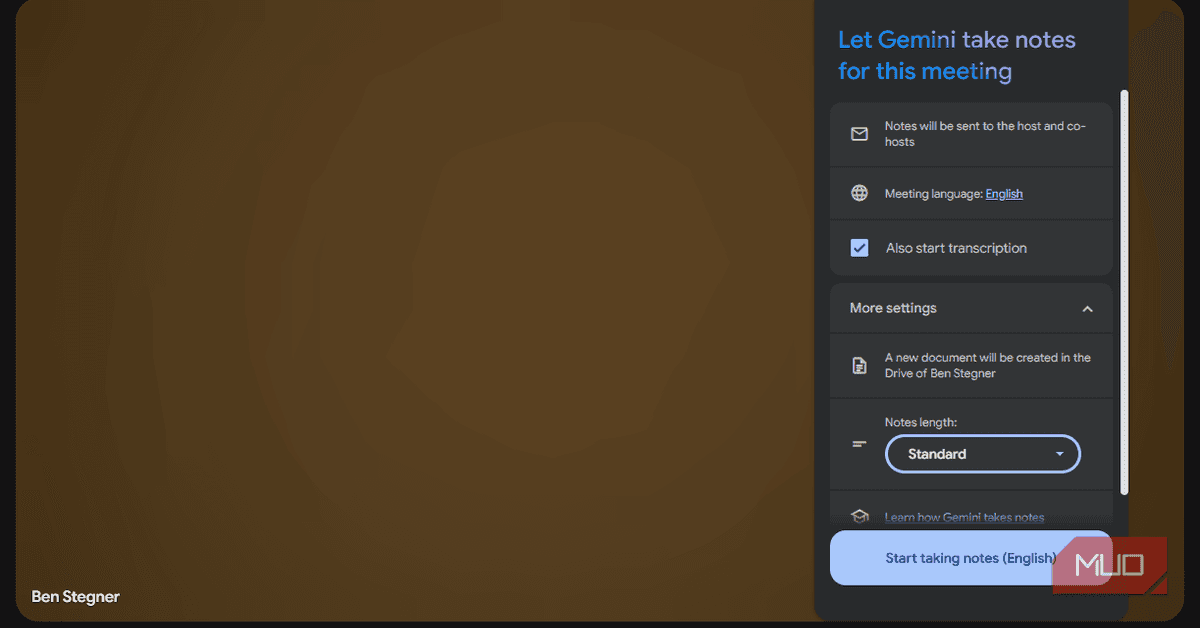
Once activated, the automatic meeting transcription tool operates in the background to convert spoken conversation into written text while generating real-time meeting summaries
5
. The AI assistant doesn't simply create a wall of text like traditional meeting transcription services. Instead, it identifies key discussion points and automatically extracts action items from the conversation4
.
Source: MakeUseOf
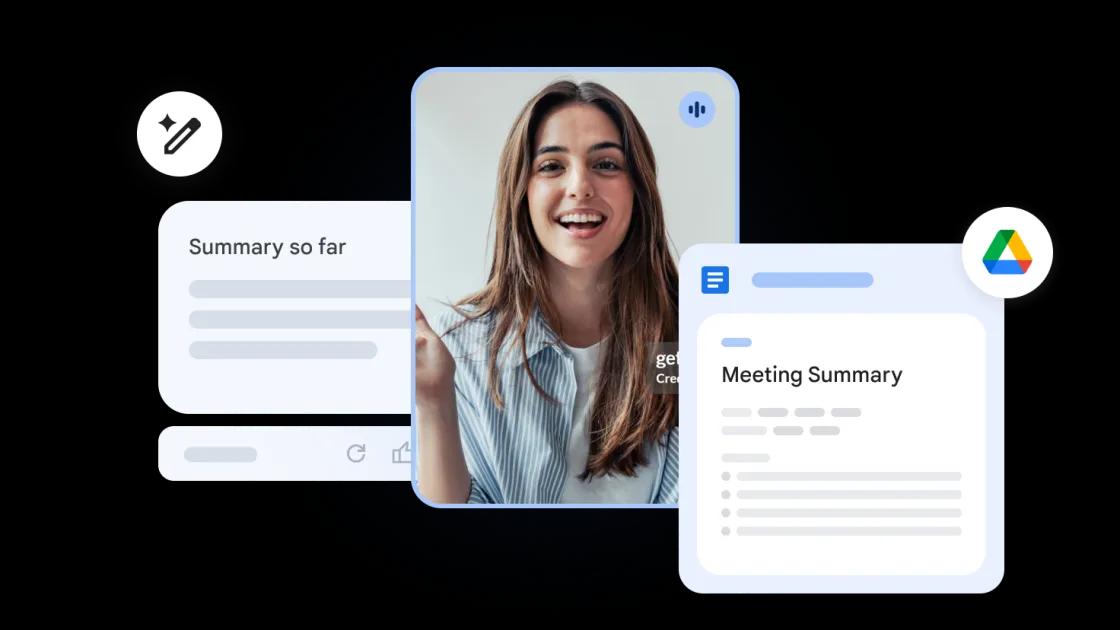
After each call concludes, the system saves notes to Google Docs in the host's Google Drive account and sends participants an email recap from "Gemini" containing the summary and next steps
2
. Users can customize the level of detail for their recap and format the document to include sections for Summary, Decisions, Next steps, and Details2
.Activation Methods and User Accessibility Features
Subscribers can activate Take notes for me during active calls by clicking the pencil icon at the top of the Google Meet window on web browsers
1
. On Android and iOS mobile devices, the feature appears in the Menu2
. For those who want the tool enabled automatically, Google Meet settings include a toggle under "Meeting records" that activates the Gemini-powered feature for every call4
.
Source: Android Authority
All meeting participants receive automatic notification when note-taking is active, addressing privacy concerns about AI implementation in workplace communications
3
. Google processes meeting data securely, and notes are shared only with meeting participants, with access controls managed by the host4
.Related Stories



Workplace Inclusion and Practical Benefits
The summarization capabilities offer particular value for user accessibility in diverse workplace environments. Team members who struggle with traditional note-taking due to language barriers, different learning styles, or difficulty retaining spoken information can now access complete meeting context through written documentation
4
. This addresses a real challenge for professionals who find themselves torn between active participation and frantic typing during calls.Currently, the feature supports eight languages: English, French, German, Italian, Japanese, Korean, Portuguese, and Spanish
1
. The conversation must occur in one of these supported languages for the tool to function properly, which represents a limitation for multilingual teams or international meetings.What This Means for Google AI Pro and Ultra Plans
The rollout represents Google's continued push to differentiate its paid AI subscriptions from free offerings. While Google Workspace business customers already had access to this functionality, individual subscribers now join that ecosystem at the Google AI Pro entry point. The feature adds tangible value to what some users might otherwise view as an optional subscription, particularly for freelancers, consultants, and remote workers who host frequent client meetings but lack enterprise Workspace accounts.
Source: 9to5Google
As AI meeting assistants proliferate across competing platforms, Google's challenge will be demonstrating whether its Gemini implementation offers superior accuracy and usefulness compared to alternatives. The automatic extraction of action items and customizable detail levels suggest Google is focusing on practical utility rather than simply providing raw transcripts. For subscribers already paying for Google AI Pro or Ultra for other Gemini features, the addition of meeting notes represents a welcome expansion of capabilities without additional cost.
References
Summarized by

Navi
[1]
[3]
[5]
Related Stories
Recent Highlights
1
Meta Unveils Muse Wonder Frontier AI Models, Claims Performance Matching OpenAI and Anthropic
Technology

2
IMF Report Warns AI Market Correction Could Spark Global Financial Crisis With $1.4T at Risk
Business and Economy

3
OpenAI Releases 722 AI-Generated Math Solutions, Triggering Existential Crisis in Mathematics
Technology

Recent Highlights
Today's Top Stories











Don’t drown in AI news. We cut through the noise - filtering, ranking and summarizing the most important AI news, breakthroughs and research daily. Follow topics that matter to you and stay ahead.


