iOS 27 public beta launches with Siri AI, Apple Intelligence features, and major speed boost


8 Sources
[1]
Apple Launches iOS 27 Public Beta. Every New iPhone Feature You Can Try, Plus How to Install It
Apple's iOS 27 public beta just landed. Originally unveiled at Apple's WWDC, iOS 27 will offer new features including an AI-powered Siri, a redesigned Screen Time app, more Liquid Glass customizations, and deeper Apple Intelligence integration. The stable version of iOS 27 is expected this fall
[2]
Public betas for iOS 27, macOS 27 and more Apple platforms are now available - Engadget
The headliner of iOS 27 is the long-awaited Siri AI. The new version transforms from a basic voice-command system into a modern AI assistant. It can hold natural conversations, understand follow-ups, answer questions about the content on the screen and perform multi-step actions inside apps. On
[3]
Apple's iOS 27 public beta arrives with Siri AI, faster app launches, and more
Serving tech enthusiasts for over 25 years. TechSpot means tech analysis and advice you can trust. Looking ahead: Apple released the first public beta of iOS 27 this week. Set for full release this fall, iOS 27 aims to bring Siri closer to generative AI-based digital assistants such as Gemini and
[4]
iOS 27 public beta hands-on preview: The new Siri and Apple Intelligence features completely changed how I use my iPhone
After Apple's dramatic showing at WWDC 2026 last month, I've been getting cozy with all the new features thanks to the iOS 27 developer beta. Unless you've signed up for a developer account, the vast majority of people need to wait for the public release. Thankfully, the wait is over. The iOS 27
[5]
iOS 27 beta 3 just landed -- Siri Expressive Voices, Live Recognition, Apple Intelligence at Home and more
Here are all the newest features coming with the third iOS 27 beta update It's been just shy of a month since the first iOS 27 developer beta was released, and we're already on the third version of the software. It seems Apple is blasting out updates, fixing issues with the software and unlocking
[6]

Here's What's New With iOS 27 Beta 3
You can also use Siri AI on watchOS 27, and Siri is showing the first signs of pulling data from third-party apps. Apple is actively beta testing iOS 27, trialing new features like Siri AI, new AI image editing features, and upgraded parental controls. Developers and testers can get an early look
[7]

Apple rolls out iOS 27, iPadOS 27, macOS 27 Golden Gate and watchOS 27 public betas
Apple has released the first public betas of iOS 27, iPadOS 27, macOS 27 Golden Gate, and watchOS 27, giving users early access to the software updates announced at WWDC 2026 ahead of their stable release later this fall. Siri AI and Apple Intelligence The new Siri AI supports natural
[8]

Apple iOS 27 public beta is here with Siri AI: Features, how to download and supported devices
iOS 27 public beta is available for the iPhone 11 series and newer models. Apple has finally released the iOS 27 public beta, allowing users to try the next major software update before its launch later this year. The company has also opened public beta testing for iPadOS 27, macOS 27 and other
Share
Copy Link
Apple released the iOS 27 public beta on July 13, bringing AI-powered enhancements to Siri and deeper Apple Intelligence integration. The update transforms Siri into a modern AI assistant with contextual awareness, while delivering performance improvements including 30% faster app launches and 70% quicker photo loading across supported devices dating back to the iPhone 11.
iOS 27 Public Beta Brings AI-Powered Enhancements to iPhones
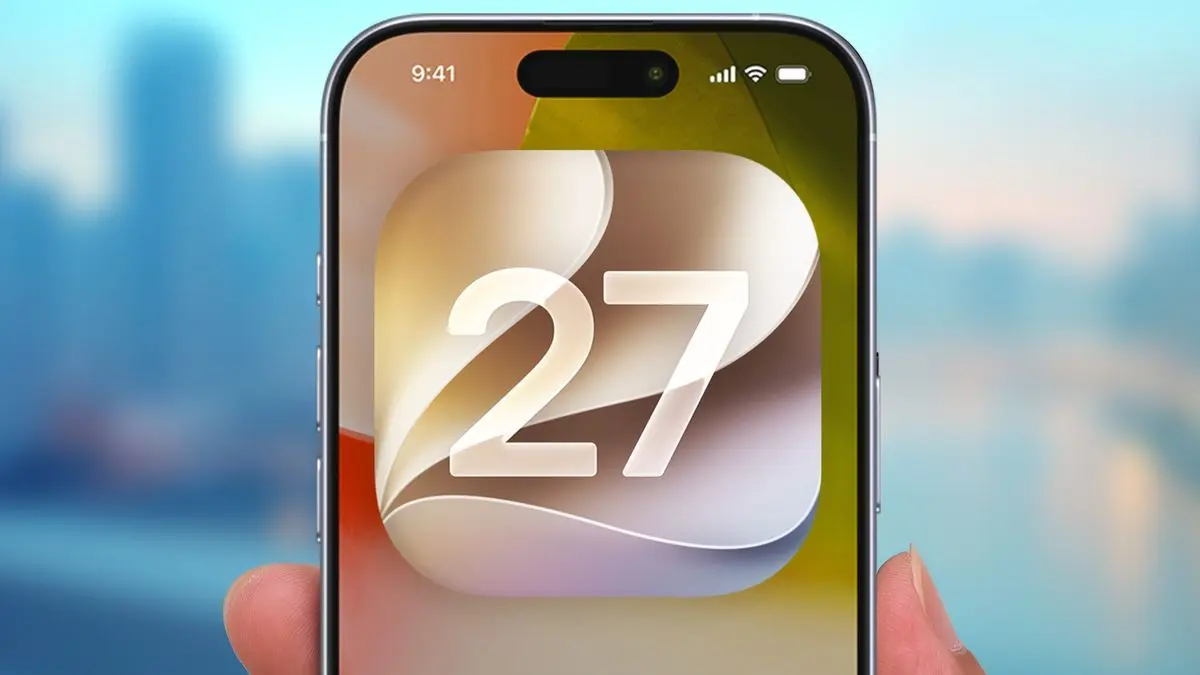
Apple officially launched the iOS 27 public beta on July 13, offering early adopters their first hands-on experience with the company's most significant software update in years
1
. Originally unveiled at WWDC 2026, iOS 27 introduces new Siri and Apple Intelligence features that fundamentally change how users interact with their devices4
. The public beta arrives a few weeks after the developer beta rolled out at WWDC, with the stable version expected this fall alongside new iPhones1
.
Source: Tom's Guide
Users can access the beta through Apple's Beta Software Program by visiting beta.apple.com and signing in with their Apple Account
1
. After enrollment, the update appears under Settings > General > Software Update > Beta Updates. Apple recommends installing betas on non-critical devices after backing them up, as beta software typically includes bugs and can drain battery life faster than stable releases3
.Siri AI Transforms into Modern AI Assistant with Contextual Awareness
The standout feature in iOS 27 is Siri AI, which represents the most substantial upgrade to Apple's virtual assistant since its inception
4
. The AI-driven Siri transforms from a basic voice-command system into a sophisticated assistant that can hold natural conversations, understand follow-ups, answer questions about content on the screen, and perform multi-step actions inside apps2
.Using Apple Intelligence, the assistant can describe what it sees on screen, draft documents, search the web to answer questions, and locate locally stored media based on user descriptions
3
. This contextual awareness enables proactive suggestions, such as offering a one-tap option to create a Calendar invite based on a discussed time and place in an email or text message4
. A dedicated Siri app now aggregates all previous requests in one place, organizing history much like the Gemini app4
.Siri Expressive Voices and Advanced Features Require 12GB RAM
The iOS 27 beta 3 update unlocked Siri Expressive Voices, allowing users to customize the pace and emotional range of Siri AI's voice
5
. However, functions such as Siri Expressive Voices and enhanced dictation require 12GB of RAM, limiting them to the iPhone 17 Pro, iPhone 17 Pro Max, iPhone Air, and iPad models with an M4 chip or later3
. The same 12GB threshold applies to Macs, and iCloud+ subscribers get higher daily usage limits on cloud-dependent AI features3
.While Siri AI makes life easier, it still has some catching up to do. Most of its deepest functionality is currently locked down to Apple's native apps, lacking the robust third-party app integration that would allow it to execute complex, multi-step real-world tasks
4
. The new Siri only works in English for now, and it won't initially be available in the EU2
.Apple Intelligence Enhances Photos with Generative AI Tools
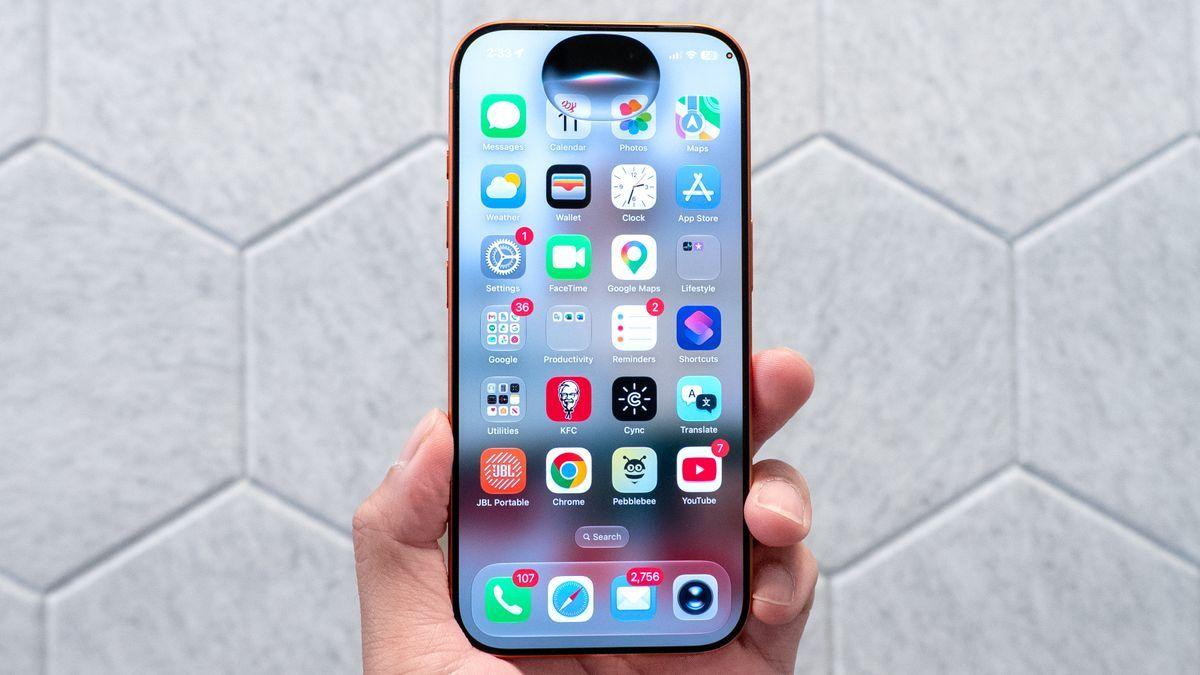
Not all Apple Intelligence features are Siri-related. Photos now has more robust editing tools, including Spatial Reframing, which adjusts composition after the photo is taken
2
. The Extend feature outcrops images past their original boundaries, while an improved Photo Clean Up tool is better at removing unwanted objects2
. Image Playground can now generate higher-quality images, including photorealistic styles2
.
Source: Tom's Guide
The accessibility settings now feature a Live Recognition section, which uses on-device AI to detect and describe things with the camera app, letting users ask questions about what it can see
5
. This feature is particularly valuable for those with vision impairments5
.Related Stories
Performance Improvements Deliver 30% Faster App Launches
Improved performance is one of the primary new features in iOS 27. On all supported models, apps will launch up to 30% faster, new photos will load up to 70% faster, and AirDrop transfers will be up to 80% faster
3
. iOS 27 supports every device that runs iOS 26, and older iPhones, such as the iPhone 11, will see improved task prioritization via a new CPU scheduler3
.The fluidity of iOS 27 is immediately noticeable when compared side-by-side with iOS 26, with smoother system animations and faster app launches
4
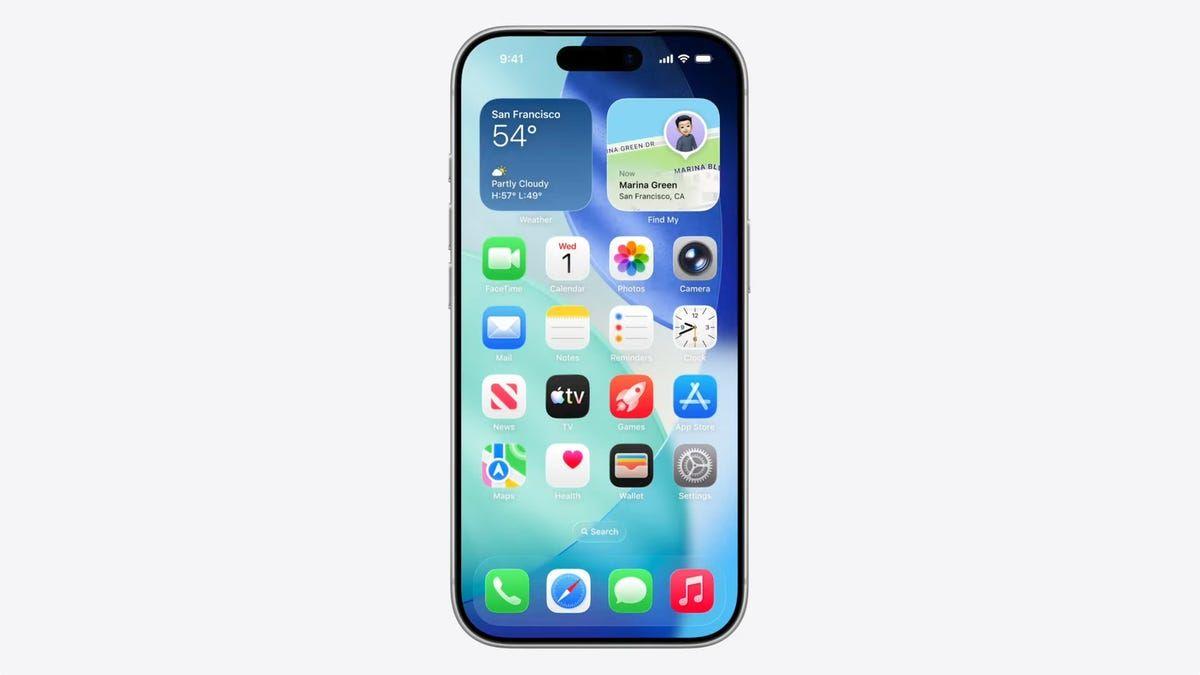
. Users who dislike the Liquid Glass design Apple introduced across its devices last year can now adjust its transparency with a new opacity slider to improve readability3
.Expanded Compatibility and Additional Features
Apple's list of compatible iPhones for iOS 27 goes all the way back to 2019's iPhone 11, though many features require Apple Intelligence, which only works on the iPhone 15 Pro, 15 Pro Max, and up
1
. The public beta also includes iPadOS 27, macOS 27, watchOS 27, and tvOS 27, introducing numerous other features for iPads, Macs, and other Apple devices3
.
Source: Engadget
The macOS 27 beta, code-named Golden Gate, enhances ultrawide display support for resolutions up to 5K and refresh rates up to 120Hz
3
. It's the first version of macOS to support only Apple Silicon models, compatible with MacBook Air and MacBook Pro models from 2020 or later3
.IOS 27 also overhauls parental controls. Child accounts, required for anyone under 13 and available up to age 18, now come with tools like Ask to Browse, which requires kids to request approval before visiting a new website, alongside a redesigned interface for monitoring screen time and purchases
3
. Other features include Write with Siri, an Insights feature in Apple Wallet, and updates to iPhone-to-Android RCS messaging1
.References
Summarized by

Navi
[1]
[4]
Related Stories
Apple Seeds Eighth Beta with Major Siri AI Upgrade and Apple Intelligence Features
31 Aug 2026•Technology
Apple releases iOS 27 beta 6 with major Siri AI upgrade and enhanced chatbot-like assistant
10 Aug 2026•Technology

iOS 27 Siri AI Features Limited to Newer iPhones, Beta Users Face Waitlist Access
08 Jun 2026•Technology

Recent Highlights



Recent Highlights
Today's Top Stories






Don’t drown in AI news. We cut through the noise - filtering, ranking and summarizing the most important AI news, breakthroughs and research daily. Follow topics that matter to you and stay ahead.


