Microsoft Expands Copilot Vision AI to Analyze Entire Desktop in Windows 11


13 Sources
[1]
Microsoft Is Testing Letting Copilot AI Interact With Your Whole Desktop
Thomas is a native of upstate New York and a graduate of the University at Albany. As a member of CNET's How To team, he writes about the intersection of policy, information and technology, and how you can best be served in that area. Outside of work, he can most often be found watching too many
[2]
Now Microsoft's Copilot Vision AI can scan everything on your screen
Jay Peters is a news editor covering technology, gaming, and more. He joined The Verge in 2019 after nearly two years at Techmeme. Microsoft is rolling out an update to Copilot Vision for Windows Insiders that lets the AI tool see everything that's on your screen. Previously, the tool was able to
[3]
Windows 11 Will Soon Let You Show Copilot Your Whole Desktop
An upcoming change to Microsoft's Copilot Vision tool will let you share your whole desktop with the AI and get real-time feedback from the chatbot. Previously, Microsoft has only allowed the tool to look at a maximum of two apps at a time, but this change lets it look at all of your open tools at
[4]
Copilot on Windows Can Now See Your Screen
Microsoft is rolling out a big update to its Copilot Vision for Windows Insiders that lets the AI tool see everything on your screen. This is a pretty significant change, as it could only look at two apps at a time before. Copilot will see your desktop, or a specific browser or app window. This
[5]

Microsoft's Copilot Vision AI can now see your whole desktop -- here's what it does
Microsoft is rolling out an update to its Copilot Vision AI on Windows 11 PCs, allowing it to see your whole desktop and talk to you in real time. Coming to Windows Insiders, the update will let users share their "whole desktop with Copilot," allowing it to see what's on screen and offer
[6]

Microsoft's Copilot Vision can now see your entire desktop - but it probably won't judge you for the clutter
To give users control, Copilot Vision must be enabled, so it will only look at what you want the AI to see Microsoft has opened the eyes of its Copilot AI on desktops to see the entire screen. The feature, which enables Copilot to look at and analyze things on your screen, can see any window or
[7]

Microsoft's Copilot AI assistant can now optionally see your entire desktop -- maybe it will be able to finally explain what Windows error code 0x8007002c means
Rejoice, for Microsoft has upgraded its Copilot Vision AI assistant with access to your entire desktop in Windows 11. Mercifully, this is an opt-in feature limited to preview builds of Windows 11, not something being rolled out compulsorily via Windows Update, for now. So our AI bot overlords
[8]

Copilot Vision now sees your whole screen
Microsoft is rolling out an update for Copilot Vision to Windows Insiders, enabling the AI tool to scan an entire screen. This expands its previous capability of analyzing two applications concurrently, allowing it to view the full desktop or specific browser/app windows. Unlike the Recall
[9]

Paranoid about AI? You won't like new Windows 11 feature that lets Copilot peer at your desktop
As an Amazon Associate, we earn from qualifying purchases. TweakTown may also earn commissions from other affiliate partners at no extra cost to you. Windows 11 is now giving people the ability to let Copilot peer into their desktop and help them with whatever task might be in progress, if only in
[10]

Copilot Vision Can Now See Your Entire Desktop and Assist With Tasks
Copilot Vision was rolled out to Windows users in the US in June Microsoft announced two new upgrades for Copilot Vision on Tuesday, which are aimed at increasing its usability. The Redmond-based tech giant is introducing a new Desktop Share feature that will allow the artificial intelligence (AI)
[11]

Windows 11's Copilot Vision AI Now Sees Everything on Your Screen
Earlier, it could only see tabs from Microsoft Edge, but now, it can see all apps and interact using voice. Microsoft is finally rolling out AI-powered Copilot Vision for all apps on Windows 11, but it's currently limited to Insiders only. Unlike the earlier version of Copilot Vision, which
[12]

Microsoft Upgrades Copilot with Real-Time Desktop Sharing Feature
Microsoft's latest upgrade to Copilot Vision is a significant advancement for real-time AI-powered assistance. This new capability enables the AI to view on-screen content, applications, and workflows simultaneously in real-time. The live view will allow Copilot to make suggestions based on
[13]

Microsoft's Copilot AI can now see your entire desktop screen and here's why you should be worried
Privacy experts warn of potential risks if sensitive on-screen data is accessed unintentionally. Microsoft is now rolling out a big update to its Copilot app for Windows, bringing an expanded feature through Copilot Vision. The new update is available via Microsoft Store for version 1.25071.125
Share
Copy Link
Microsoft is rolling out an update to Copilot Vision AI for Windows Insiders, allowing it to analyze and interact with the entire desktop, enhancing its ability to provide real-time assistance and insights.
Microsoft Expands Copilot Vision AI Capabilities
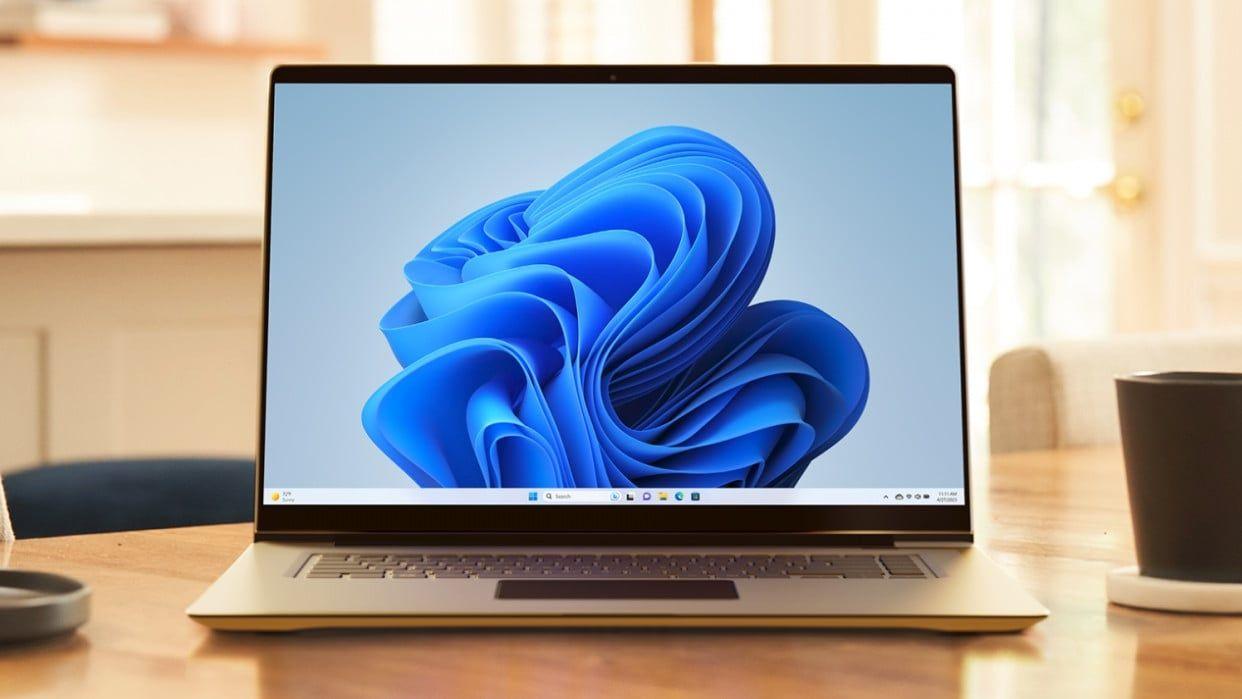
Microsoft has announced a significant update to its Copilot Vision AI tool for Windows Insiders, enabling it to analyze and interact with the entire desktop environment. This expansion marks a notable advancement in AI-assisted computing, allowing users to receive real-time feedback and insights on their screen content
1
.
Source: TweakTown
Enhanced Desktop Analysis
Previously limited to processing two apps simultaneously, Copilot can now view and react to all aspects of a user's desktop. This update allows the AI chatbot to process multiple windows and applications concurrently, providing comprehensive assistance for various tasks and projects
2
.How It Works
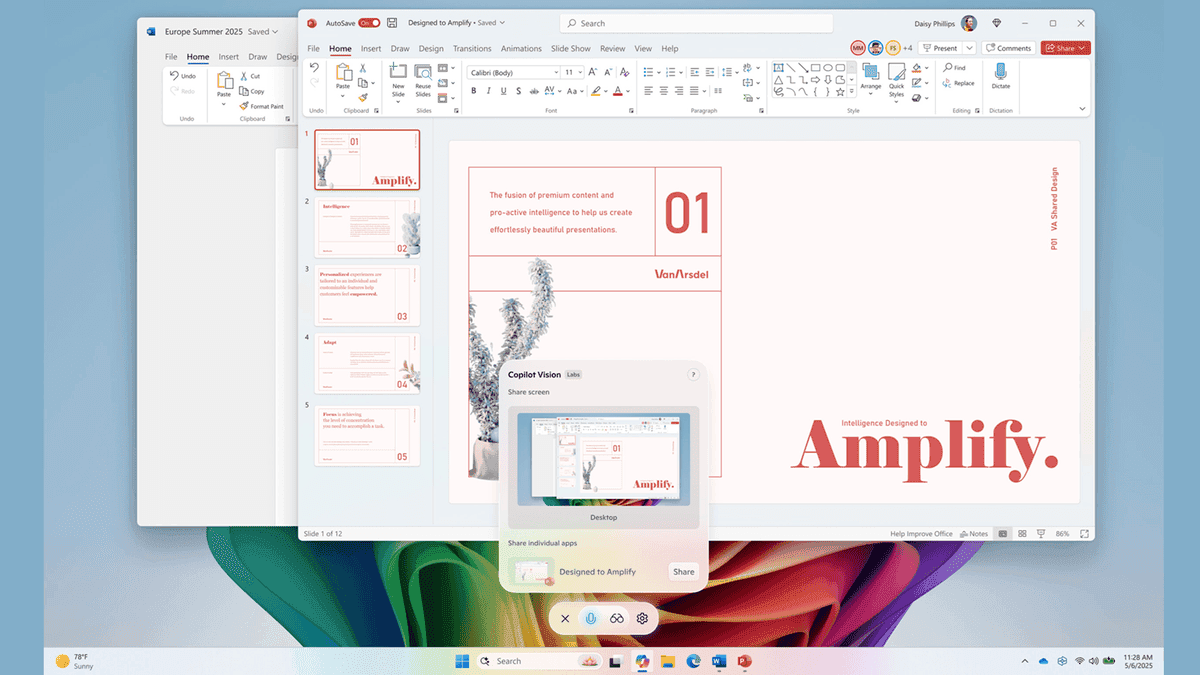
Users can activate the Vision feature by selecting the "glasses" icon in the Copilot app and choosing which desktop to share. The functionality is similar to screen sharing during a video call, where Copilot can see and interact with the entire screen in real-time
3
.
Source: TechRadar
Practical Applications
Microsoft touts several potential uses for this expanded capability:
- Analyzing content and providing insights
- Offering tips for creative projects
- Assisting with resume improvements
- Guiding users through new games or applications
The AI can also answer questions about on-screen content, effectively coaching users through various tasks
4
.Privacy and Control
Unlike Microsoft's Recall feature, which automatically captures screen snapshots, Copilot Vision with desktop share requires active user engagement. Users have full control over when to start and stop sharing their screen with the AI, ensuring privacy and intentional use
5
.Related Stories

Rollout and Availability
The update is currently being rolled out to Windows Insider program testers across all channels. It's available in markets where Windows Vision is enabled, including the United States. The feature is part of Copilot version 1.25071.125
3
.Integration with Other AI Features
This update complements other recent AI enhancements in Windows 11, such as the Highlights feature, which automatically offers useful content based on the apps and documents users are interacting with. These developments underscore Microsoft's commitment to integrating AI more deeply into the Windows operating system
5
.
Source: CNET
Future Implications
As AI continues to evolve and integrate more closely with operating systems, tools like Copilot Vision AI represent a significant step towards more intuitive and context-aware computing experiences. However, as with any AI advancement, it also raises questions about data privacy and the extent of AI involvement in daily computer use.
References
Summarized by

Navi
[3]
[4]
Related Stories
Microsoft Launches Copilot Vision for Windows: AI Assistant Expands Screen Analysis Capabilities
13 Jun 2025•Technology
Microsoft Expands Copilot Vision: AI Assistant Now Available for Free in Edge Browser
17 Apr 2025•Technology

Microsoft's Copilot Vision: A New Era of AI Assistance in Windows 11
05 Apr 2025•Technology

Recent Highlights



Recent Highlights
Today's Top Stories









Don’t drown in AI news. We cut through the noise - filtering, ranking and summarizing the most important AI news, breakthroughs and research daily. Follow topics that matter to you and stay ahead.


