Microsoft Launches Copilot Vision for Windows: AI Assistant Expands Screen Analysis Capabilities


11 Sources
[1]
Microsoft's new Copilot Vision can 'see' your apps on Windows
Tom Warren is a senior editor and author of Notepad, who has been covering all things Microsoft, PC, and tech for over 20 years. Microsoft is launching Copilot Vision for Windows today, an extension of its AI assistant that lets you share your screen or apps so that Copilot can do things like
[2]
Microsoft's Copilot Vision can now see and analyze any open file or app on your PC
No longer restricted to just Edge, Copilot Vision can now field questions on any file, app, window, or webpage you choose to share. Microsoft has expanded the powers and reach of its Copilot Vision AI to help you with all types of content. In a blog post published Thursday, the company revealed
[3]
Microsoft's Copilot Vision can now see and analyze your entire PC screen - not just what's in Edge
Microsoft has expanded the powers and reach of its Copilot Vision AI to help you with all types of content. In a blog post published Thursday, the company revealed that Copilot Vision is now baked into the Copilot Windows app, where you can ask it to analyze and answer questions about any item on
[4]
Copilot Vision is live on Windows in the US -- AI companion can see two apps at once
Copilot Vision, which lets you share your screen with the Microsoft AI companion, is now available in the United States on Windows 10 and 11, the company announced today. The feature was first shown off at Microsoft's 50th anniversary celebration, though previous iterations have been available in
[5]
One of Microsoft Copilot's most useful features has finally released in the US
Summary Microsoft releases Copilot Vision with multiple app navigation and Highlights for improved computer use. Highlights feature shows users where to click and what to type, offering assistance in completing specific tasks. Copilot Vision can help users streamline tasks by providing guidance on
[6]

Copilot Vision brings Microsoft's screen-watching AI to everyday Windows tasks
AI overload: Microsoft wants Copilot to be your digital sidekick, always watching and ready to help - whether you need it or not. The latest feature, Vision, turns the AI into a screen-reading assistant that talks back, offering tips, tasks, or tech-induced headaches. Microsoft announced that
[7]

Microsoft's AI helper, Copilot Vision, is now live
Microsoft's Copilot Vision now ships with the "Highlight" feature enabled and support for two apps. Your PC can now see what you're looking at on the screen, if you choose to let it. Copilot Vision is now generally available for users in the United States, Microsoft said Thursday. Copilot Vision
[8]

Copilot Vision just launched on Windows -- here's what it actually does
Microsoft just flipped the switch on one of its most ambitious Copilot features yet. Copilot Vision with Highlights is now rolling out to Windows 11 users in the U.S. The new tool allows Copilot to "see" what's on your screen and provide contextual help -- a move that puts it in direct competition
[9]

Copilot Vision rolls out for Windows users
Copilot Vision, an extension of Microsoft's AI assistant, is now available to Windows users in the US. The feature enables users to share their screen or specific applications, allowing Copilot to provide guidance on software features or analyze displayed content. The launch occurred on June 12,
[10]

This Is How You Can Use Copilot Vision on Windows to Get Things Done
Users can share specific apps or browser windows with Copilot Vision Microsoft announced the expansion of Copilot Vision with Highlights to Windows on Wednesday. Initially, the new artificial intelligence (AI) feature will only be available in the US, but the company plans to bring it to other
[11]

Microsoft Copilot Vision on Windows with Highlights starts rolling out
Microsoft announced on Thursday that Copilot Vision on Windows with Highlights is now available in the United States, marking a key step toward making Copilot an everyday AI assistant. Copilot Vision introduces a new way to interact with your Windows PC by enabling Copilot to visually interpret
Share
Copy Link
Microsoft introduces Copilot Vision for Windows, an AI-powered feature that can analyze and provide guidance on any content shared on the screen, enhancing user productivity and accessibility.
Microsoft Unveils Copilot Vision for Windows
Microsoft has launched Copilot Vision for Windows, a significant expansion of its AI assistant capabilities that allows users to share their screen or specific applications for real-time analysis and guidance
1
. This feature, now available in the United States for both Windows 10 and 11 users, marks a notable advancement in AI-assisted computing.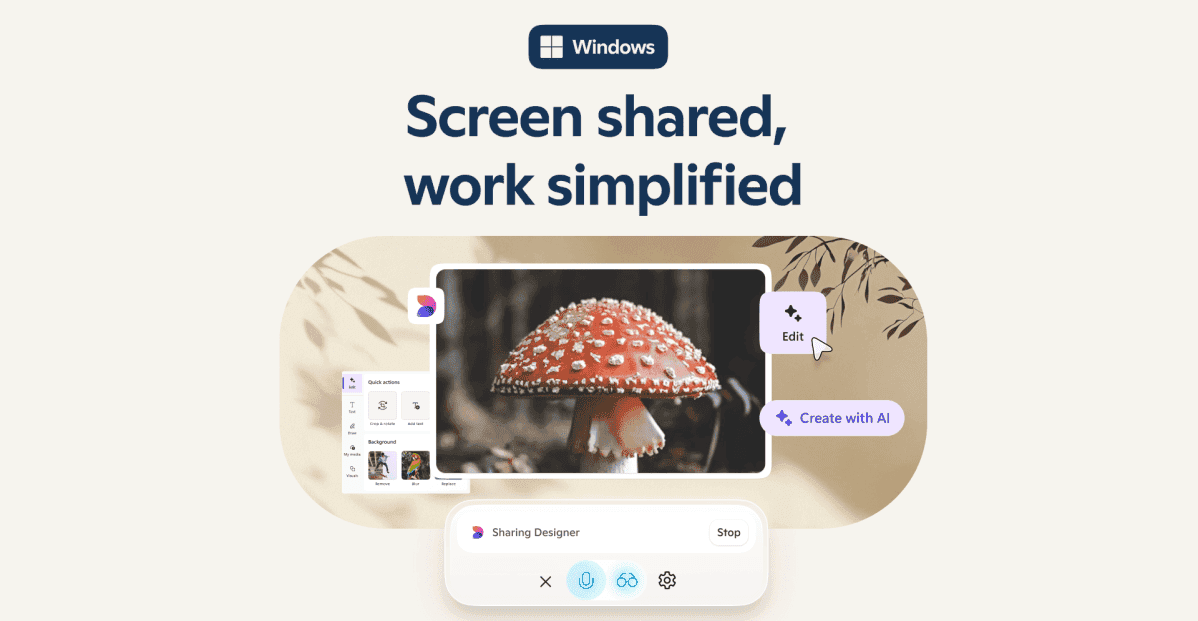
Source: The Verge
Enhanced Capabilities and Functionality
Copilot Vision on Windows operates within the Copilot app and can be activated through a glasses icon, enabling users to select browser windows or applications to share with the AI
1
. This opt-in experience allows Copilot to act as a "second set of eyes," analyzing content, providing insights, and answering questions about shared items on the screen2
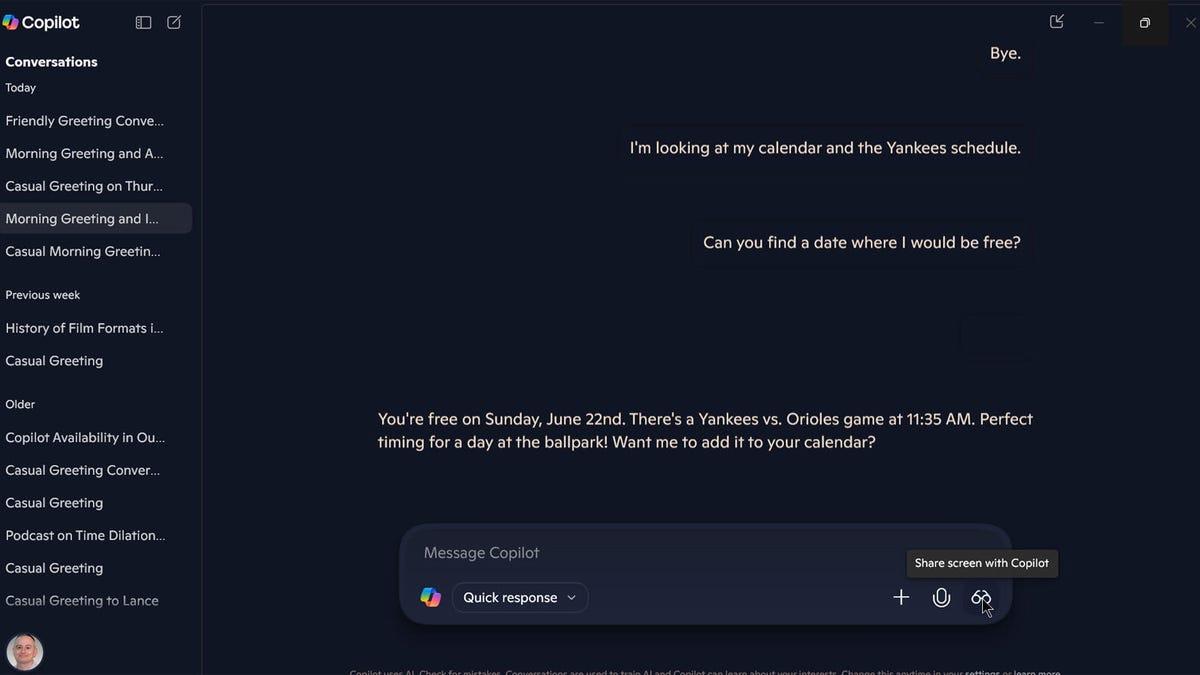
.A key improvement is the ability to share two apps or files simultaneously, allowing Copilot Vision to make connections between different pieces of content
2
. For instance, users can share their calendar alongside a webpage of events, and ask Copilot to find suitable dates for attending those events3
.
Source: ZDNet
New Features: Highlights and Multi-App Analysis
The Highlights feature is a standout addition, allowing users to ask Copilot how to accomplish specific tasks within applications
4
. Copilot can then visually guide users through the process, showing where to click and what actions to take5
. This feature has potential applications across various scenarios, from gaming to photo editing and productivity tasks.Related Stories



Privacy and Accessibility Considerations
Microsoft emphasizes that Copilot Vision prioritizes user privacy. The feature requires active sharing of specific windows, ensuring that the AI cannot access or analyze screen content without explicit user permission
3
. This opt-in approach addresses potential concerns about continuous screen monitoring.The introduction of Copilot Vision also has significant implications for accessibility. By providing step-by-step guidance and explanations for various tasks, it can potentially make computer use easier and more efficient for individuals who may struggle with certain applications or settings
5
.Availability and Future Expansion
Currently, Copilot Vision is available to users in the United States with a Copilot Pro subscription, priced at $20 per month
1
. Microsoft has indicated plans to expand availability to other non-European countries in the near future, though specific timelines and regions have not been disclosed4
.
Source: Dataconomy
As part of Microsoft's experimental Copilot Labs initiatives, this release represents a significant step forward in AI-assisted computing. It expands upon previous iterations that were limited to the Microsoft Edge browser, now offering analysis and assistance across the entire Windows environment
3
.References
Summarized by

Navi
[3]
[4]
Related Stories
Recent Highlights



Recent Highlights
Today's Top Stories






Don’t drown in AI news. We cut through the noise - filtering, ranking and summarizing the most important AI news, breakthroughs and research daily. Follow topics that matter to you and stay ahead.


