Gemini can now use your Mac, but Google admits it might delete your files


4 Sources
[1]
Google gives Gemini the ability to use your Mac for you
Google on Thursday announced that it is bringing computer use to its Gemini desktop application on macOS, allowing its AI to complete tasks on users' behalf, navigating native Mac apps and browsing websites in the background. The tech giant is a little late to the game with this launch, as other
[2]
Gemini on Mac can now use your computer
Google's Gemini app for macOS now has computer use, meaning it can help you "get multi-step tasks done across your local files, desktop apps, and the web," the company says. Google suggests the feature might be useful for things like speeding up workflows, filling in forms, making presentations,
[3]
Google's Gemini can now take over tasks on your Mac
Google's assistant works in a background window, but it can also delete or share files by mistake. Google is rolling out computer use in its Gemini app for Mac, letting the assistant carry out multi-step tasks across local files, desktop apps and websites in a separate background window. It is for
[4]
Gemini app for Mac adds computer use to control desktop apps
Google is upgrading the Gemini app on Mac with computer use capabilities that can work across local desktop applications and the web. The existing Task (previously Gemini Spark) functionality in the Mac app could just access local files in conjunction with Connected Apps, like @Gmail or @Google
Share
Copy Link
Google's Gemini assistant can now use your Mac. The company announced on Thursday that computer use is arriving in the Mac version of Gemini, where the assistant can click, type and work through multi-step jobs spanning local files, desktop apps and the web
3
1
2
4
. It moves Gemini from answering questions to acting directly on a user's computer.
Source: The Next Web
How it runs, and who is in charge
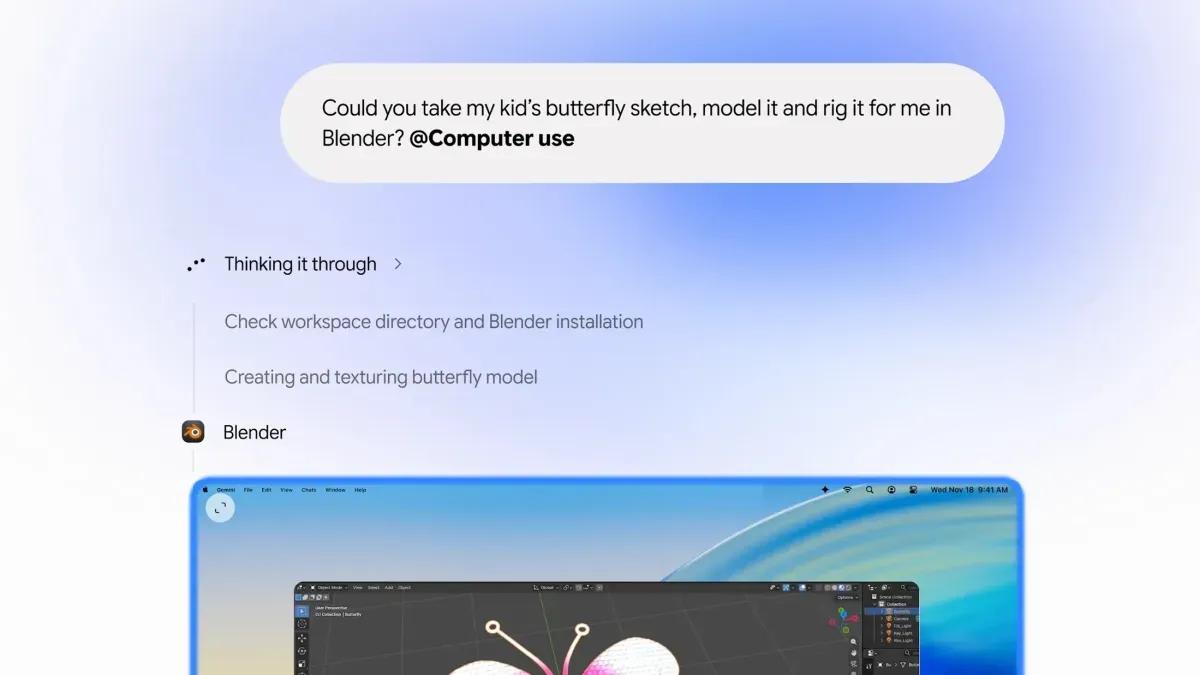
The agent works in what Google calls an "isolated background window with a live preview right in your chat"
4
, so your screen and cursor stay free while it works. You can pause or stop it with one click, choose which apps it can access, and approve key actions1
2
. Google says it will also pause for logins and payments, with confirmation required for sensitive actions4
.
Source: TechCrunch
Google frames the feature as a way to handle tedious jobs that span several steps across desktop apps and web services that do not talk to each other
1
4
. The idea is to save time without giving up your screen or cursor1
4
. Its suggested examples include pulling weights and addresses from local PDFs to fill shipping forms, building slide decks from dashboard data, and batch-listing clothing for resale3
2
4
.What could go wrong
Google itself cautions that the agent can err, at the worst permanently removing files or sharing them with other people
3
. By design it asks permission before acting, and its view is limited to the folders the user connects3
. Backups of any file it changes are wiped after 24 hours, or when a new task begins3
.The rollout is narrow. It requires a paid Google AI Plus, Pro or Ultra subscription and an Apple Silicon Mac, and at launch it is limited to English in the US
3
1
4
. Per The Next Web, Europe and the UK are left out for now3
, and Google has not said when it will expand3
1
. Users invoke it by adding @Computer use to a prompt4
. Per 9to5Google, the existing Task feature could work with local files only, alongside connected apps like Gmail or Google Calendar4
. Computer use extends that to clicking and typing inside desktop apps and on the web4
.
Source: The Verge
Related Stories

Rivals, and Apple's coming rules
Per The Next Web, computer use first appeared in Gemini 3.5 Flash for developers in June
3
. TechCrunch reports the launch lands the same week Google announced the broader rollout of Gemini's Tasks agent, and shortly after early testers got access to a family-organization agent1
.Per TechCrunch, Google is late to this particular race: OpenAI, Anthropic and Meta already offer agentic features in their desktop applications
1
.Per The Verge, the launch also comes ahead of Apple adding new restrictions for apps seeking full disk access on the Mac, over risks from AI agents with computer use
2
. Those settings have surfaced so far in a beta of macOS 27.32
.References
Summarized by

Navi
[1]
[2]
[3]
Related Stories
Google Launches Gemini App for macOS with Quick Keyboard Access and Screen Analysis
15 Apr 2026•Technology
Gemini Spark AI Agent Lands on macOS to Automate Desktop Tasks and Remote Workflows
30 Jun 2026•Technology
Google lets Mac users activate Gemini voice commands by pressing the fn key
29 Jul 2026•Technology

Recent Highlights


Recent Highlights
Today's Top Stories












Don’t drown in AI news. We cut through the noise - filtering, ranking and summarizing the most important AI news, breakthroughs and research daily. Follow topics that matter to you and stay ahead.


