Microsoft Introduces 'Press to Talk' Shortcut for Copilot in Windows 11


4 Sources
[1]
This New Windows 11 Feature Reminds Us of Cortana
Jackery's New Curved Solar Roof Tiles Are What I've Been Waiting For Summary The new Copilot update in Windows 11 lets you voice queries by holding Alt + Spacebar keys for 2 seconds. The feature works a lot like the voice mode in the new Copilot app for Mac. The Copilot app for Windows now has a
[2]
You can 'Press to Talk' to Copilot via a Windows hotkey now - here's how
I always enjoy a good conversation with Microsoft Copilot. I use the Wave voice, which offers a friendly and sociable personality with a charming British accent. Our conversations can be casual chit-chat -- he always greets me by name and asks how I'm doing. Or they can be more direct if I have a
[3]
Do you often chat to Copilot in Windows 11? A new press-to-talk feature should prove very handy
TL;DR: Windows 11 is getting a much more convenient way to trigger the voice chat feature with Copilot, allowing people to use a hotkey (Alt + Space) to initiate conversations with the AI. This capability is just in testing for now, though. Windows 11 users who are keen on talking to Copilot will
[4]
Don't have a Copilot key? Microsoft is adding a keyboard shortcut for you
Soon you won't need a dedicated Copilot key to initiate a voice conversation with the AI assistant. Newer Windows PCs have included a special Copilot key for about a year now. The Copilot key is meant to be a dedicated way to bring up Microsoft's Copilot AI assistant, although some people never
Share
Copy Link
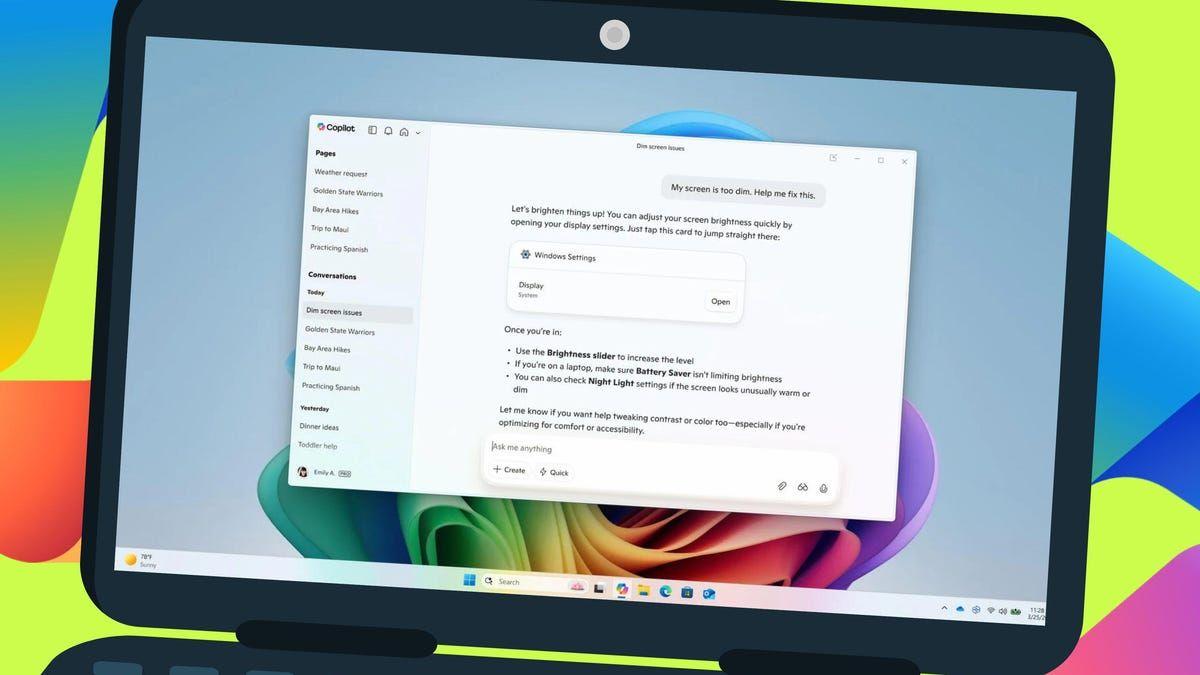
Microsoft adds a new 'Press to Talk' feature to Windows 11, allowing users to activate Copilot's voice chat with a keyboard shortcut, enhancing accessibility and user experience.

Microsoft Enhances Copilot Accessibility with New Shortcut
Microsoft has introduced a new 'Press to Talk' feature for Copilot in Windows 11, significantly improving the accessibility and user experience of its AI assistant. This update, currently available to Windows Insiders, allows users to initiate voice conversations with Copilot using a simple keyboard shortcut
1
.How the New Feature Works
The 'Press to Talk' functionality enables users to activate Copilot's voice mode by holding the Alt + Spacebar keys for two seconds. This shortcut triggers the AI assistant, allowing for immediate voice queries without the need to manually open the Copilot window or click any buttons
2
.User Experience and Convenience
This new feature streamlines the interaction process with Copilot, making it more convenient for users to engage with the AI assistant while multitasking. The voice conversation ends automatically after several seconds of silence or can be manually terminated by pressing the Esc key
3
.Comparison to Previous Methods
Previously, users had to manually launch the Copilot app and click the microphone button to initiate a voice conversation. The new shortcut eliminates these steps, providing a more efficient way to interact with the AI assistant
2
.Relation to Copilot Key
This update is particularly beneficial for users who don't have access to the dedicated Copilot key found on newer Windows PCs. The keyboard shortcut serves as an alternative method to quickly access Copilot's voice features
4
.Related Stories


Microsoft's Ongoing Improvements
The introduction of the 'Press to Talk' feature is part of Microsoft's continuous efforts to enhance Copilot and integrate it more deeply into the Windows experience. This follows recent improvements such as the release of a native Copilot app for Windows and the addition of features like 'Think Deeper'
1
.Availability and Future Rollout
Currently, the new feature is available to Windows Insiders across all channels. While the exact timeline for a wider release is not specified, it's expected that the feature will be made available to all Windows users in the near future, given Microsoft's focus on improving and expanding Copilot's capabilities
2
.Implications for AI Integration in Windows
This update represents a significant step in making AI assistance more accessible and integrated into the Windows operating system. It reflects Microsoft's commitment to enhancing user interaction with AI tools and suggests a future where AI assistants become an increasingly seamless part of the computing experience
3
.References
Summarized by

Navi
[1]
[3]
Related Stories
Recent Highlights



Recent Highlights
Today's Top Stories



Don’t drown in AI news. We cut through the noise - filtering, ranking and summarizing the most important AI news, breakthroughs and research daily. Follow topics that matter to you and stay ahead.


