Microsoft Kills Excel Copilot Function After Only 1 Year in Preview


2 Sources
[1]
Excel's Copilot function is headed for the Recycle Bin
Microsoft will retire Excel's COPILOT() function on September 14, barely a year after its preview debut. Introduced in August 2025, initially for Beta Channel users with a Microsoft 365 Copilot license and later for Excel for the web users through the Frontier program, the COPILOT() function let
[2]
Microsoft is dropping its Excel Copilot function after only a year - and without ever getting a full public launch
* Microsoft Excel is pulling the COPILOT () function * Function allowed users to describe tasks in natural language, including as part of a formula * It never reached public launch, and has now been overtaken by other tools Microsoft is dropping its COPILOT function in Excel as part of its
Share
Copy Link
Microsoft is pulling the plug on Excel's COPILOT() function on September 14, 2026, barely a year after its August 2025 preview debut. The AI-powered feature, which allowed users to describe tasks in natural language directly within worksheet cells, never reached public launch. Microsoft is directing users to the Copilot side pane instead, citing a need to streamline the AI experience.
Microsoft Abandons Excel Copilot Function Before Public Launch
Microsoft will retire the Excel Copilot function on September 14, 2026, ending the AI feature's brief run barely a year after its preview debut in August 2025
1
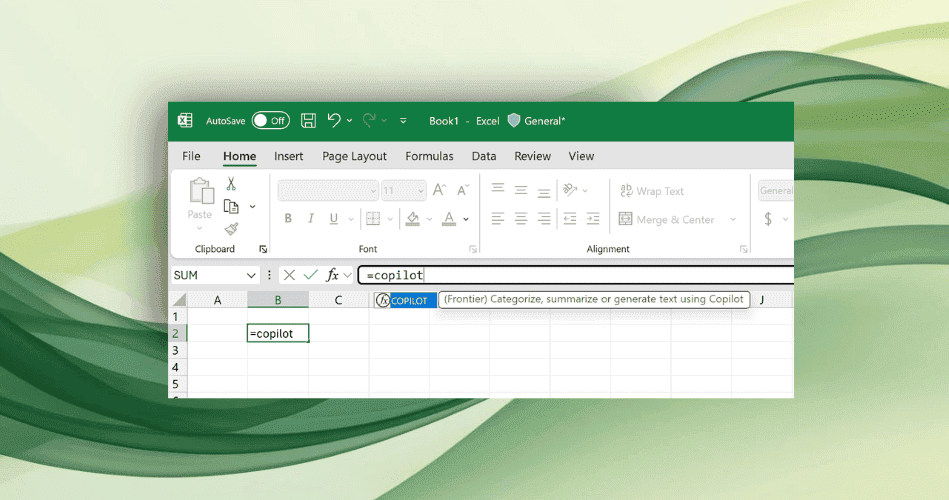
. The discontinuation of Excel COPILOT() function represents a significant shift in how Microsoft delivers AI assistance within its flagship spreadsheet application. Initially available to Beta Channel users with a Microsoft 365 Copilot license and later expanded to Excel for the web users through the Frontier program, the function allowed users to send instructions to the company's AI assistant directly from a worksheet cell1
. Microsoft had originally planned to make the function generally available in 2027 but has now updated the Microsoft 365 roadmap to state: "We have decided not to move forward with this feature. We apologize for the inconvenience"1
.
Source: The Register
How the AI-Powered Feature Worked
The COPILOT() function enabled users to describe tasks using natural language in Excel formulas, making AI tools within Excel more accessible to non-technical users
2
. In its simplest form, a function might look like "=COPILOT(prompt_part1, [context1])" where context was optional2
. The tool proved useful for text summarization, data categorization, content generation, and looking up information on the Internet2
. Use cases included summarizing customer feedback, categorizing data, integrating external knowledge, and formatting tasks2
. However, Microsoft explicitly warned Insider users that the function should not be used for numerical calculations, gathering information already stored inside a workbook, or content subject to compliance concerns2
.Why Microsoft Is Streamlining AI Assistance
According to a Microsoft 365 Message Center post, "this change helps streamline the Copilot experience within Excel while continuing to provide AI assistance through a supported interface"
1
. Microsoft explained that Excel already provides other, more effective ways to access the same AI capabilities2
. Users can continue working with Copilot through both the Copilot side pane and the floating Dynamic Action Button, making a dedicated function slightly redundant2
. The Copilot side pane provides many of the same AI-powered capabilities, including summarizing text, classifying data, generating content, and retrieving information from the web1
. Microsoft has spent recent months trying to make Copilot behave more consistently across its productivity applications and has responded to user feedback by allowing the Dynamic Action Button to be banished to the toolbar rather than left floating atop content1
.Related Stories


Implications for Excel Users and the Competitive Landscape
Since the function remained in preview launch, spreadsheet users should not have relied on it in production workflows, though anyone who did now faces replacing formulas
1
. In its original announcement, Microsoft cautioned: "Its output should be reviewed and validated for accuracy, especially for critical business decisions or reports"1
. The move comes as Microsoft makes a number of changes to AI capabilities within Excel as user demands continue to evolve, including a new update to Copilot for finance workers, positioning the spreadsheet software as an AI-powered tool for financial modelling, forecasting and reporting2
. Meanwhile, Google Sheets still offers a similar AI function, which the search giant announced in June 20251
. Watch how Microsoft continues refining natural language in Excel formulas through alternative interfaces and whether the consolidated approach delivers better results than the abandoned function.
Source: TechRadar
References
Summarized by

Navi
[1]
Related Stories
Recent Highlights



Recent Highlights
Today's Top Stories










Don’t drown in AI news. We cut through the noise - filtering, ranking and summarizing the most important AI news, breakthroughs and research daily. Follow topics that matter to you and stay ahead.


