MSI unveils MEG X, the world's first agentic AI monitor with voice-controlled settings


2 Sources
[1]
Okay, maybe I could be convinced AI monitors aren't all bad
MSI's "world's first agentic AI monitor" has one neat trick. The rest of its AI tricks, however... Of course MSI was going to be talking AI when it comes to monitors at Computex this year. I mean, for the third straight year that's largely all everyone else is going to be talking about at the
[2]
World's first Agentic AI QD-OLED gaming monitor unveiled by MSI at Computex 2026
MSI has announced the world's first Agentic AI QD-OLED gaming monitor, the MEG X, at Computex 2026. The monitor features a 5th-Gen Penta Tandem QD-OLED panel, an AI Care Sensor, and the brand-new LuckyClaw AI Agent, offering real-time gaming assistance and adaptive performance. The MEG X is part
Share
Copy Link
MSI introduced the MEG X at Computex 2026, billing it as the world's first agentic AI monitor. The $1,599 ultrawide QD-OLED display features LuckyClaw AI Agent, allowing users to adjust monitor settings through voice commands. While packed with AI-powered features, the natural-language control for on-screen displays stands out as genuinely useful innovation.
MSI Introduces World's First Agentic AI Monitor at Computex
MSI has unveiled the MEG X at Computex 2026, positioning it as the world's first agentic AI monitor with a price tag of $1,599
1
. The 34-inch ultrawide display features a 5th-Gen QD-OLED panel with a 3440x1440 resolution running at 360Hz, but its standout feature is the LuckyClaw AI Agent that enables voice command monitor settings adjustments2
. Set for release on August 5, the MEG X represents MSI's ambitious push into AI-integrated displays, though not all of its AI-powered features carry equal weight.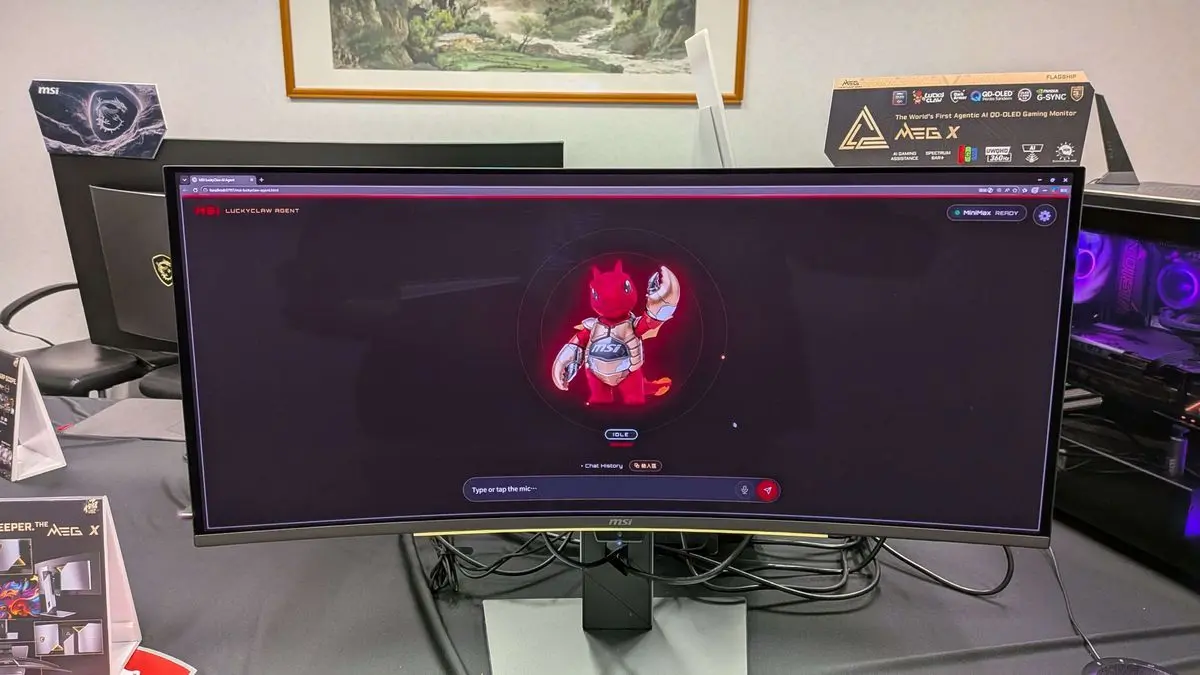
Source: PC Gamer
Natural-Language Control Tackles Monitor Settings Frustration
The most practical innovation in the agentic AI QD-OLED gaming monitor is its ability to respond to natural-language requests for changing settings. Users can simply ask the LuckyClaw AI Agent to adjust brightness or enable features like the on-screen crosshair without navigating traditional on-screen displays
1
. This functionality leverages the micro-controller inside MSI's modern monitors that already allows Windows-based adjustments, linking AI software to perform changes on the fly during gameplay. While the feature wasn't available for demo at Computex, a non-animated version was shown running on the previously released MSI MPG 341CQR QD-OLED X361
.AI Gaming Assistance Features Range from Useful to Questionable
Beyond voice controls, the MEG X packs numerous AI-powered features with varying utility. AI Gauge syncs the SpectrumBar+ with in-game stats like health and energy levels, displaying real-time status information
2
. AI Scene automatically detects on-screen content and switches to appropriate display profiles such as Racing, FPS, or RPG modes, while AI Audio Scene adjusts the audio equalizer to match2
. AI Vision+ uses pixel-level detection to deliver balanced brightness across the display, and AI Crosshair dynamically adjusts crosshair color based on content for better visibility2
. However, AI Super Resolution, which runs on the monitor's scaler, doesn't perform as well as FSR or DLSS according to MSI's own admission1
.Related Stories

Advanced QD-OLED Technology with AI Care Sensor
The MEG X features Samsung's 5th-Gen Penta Tandem QD-OLED panel with a five-layer structure that boosts light efficiency by up to 30%
1
. RGB Stripe technology minimizes color fringing and text clarity issues that plagued earlier QD-OLED displays2
. The DarkArmor Film delivers 40% deeper blacks with 2.5x better scratch resistance, while the 0.03ms response time ensures minimal motion blur1
. The AI Care Sensor 3.0 detects user presence to automatically adjust OLED Care settings, enhancing both user comfort and system efficiency2
. Connectivity includes two HDMI 2.1 inputs, one DisplayPort 2.1a input, USB-C with 98W power delivery, and multiple USB ports1
.What This Means for AI Monitors Going Forward
Agentic AI enables autonomous, adaptive behavior in devices, allowing the MEG X to automate complex tasks and provide real-time assistance beyond simple preset adjustments
2
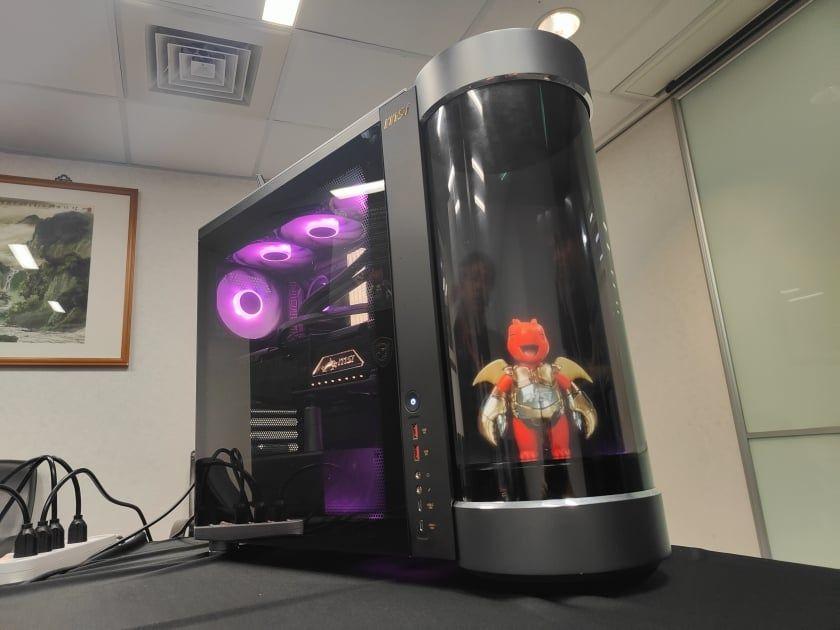
. MSI showcased the display alongside the MEG Vision X2 AI+ gaming desktop, which features a holographic AI companion and MSI AI Engine, suggesting a broader ecosystem approach2
. While many AI-powered features feel like checkbox additions to justify the AI branding, the natural-language control for on-screen displays addresses a genuine pain point that could influence future monitor design. Whether the $1,599 price justifies these additions remains to be seen, but the MEG X's minimalist, sleek design and advanced panel technology provide substance beyond the AI marketing. Watch for hands-on reviews post-August launch to determine if the LuckyClaw implementation delivers on its promise or becomes another gimmick users disable.References
Summarized by

Navi
Related Stories
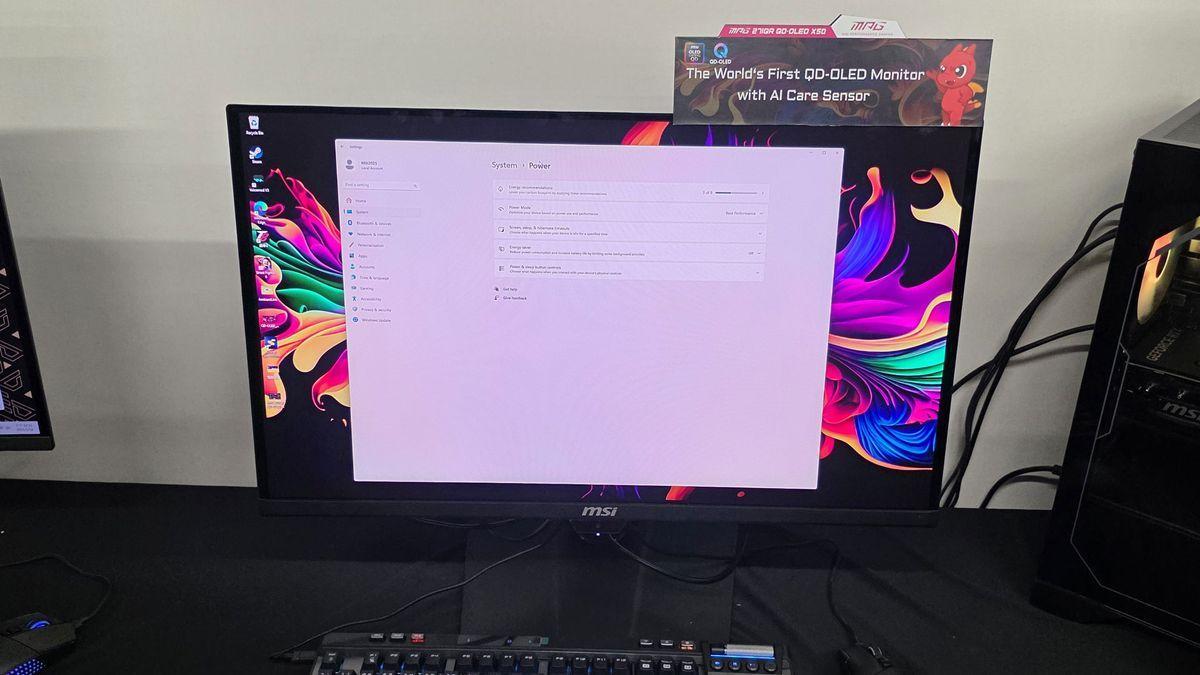
MSI Unveils AI-Powered QD-OLED Gaming Monitors with Human Detection Technology
19 May 2025•Technology
MSI Unveils 500Hz QD-OLED Gaming Monitor with Built-in AI for Enhanced User Experience
20 Aug 2025•Technology

MSI MEG Vision X2 AI+ debuts with holographic AI avatar in cylindrical display at Computex
31 May 2026•Technology
Recent Highlights
1
Microsoft and Nvidia Launch Surface Laptop Ultra: A $2,599 AI-Ready PC With RTX Spark Chip
Technology

2
Google Unveils Gemini 4 Argon AI Model, Restricts Access to Trusted Cyber Defenders
Technology

3
OpenAI Releases 722 AI-Generated Math Papers on GitHub, Igniting Fury Among Mathematicians
Science and Research

Recent Highlights
Today's Top Stories






Don’t drown in AI news. We cut through the noise - filtering, ranking and summarizing the most important AI news, breakthroughs and research daily. Follow topics that matter to you and stay ahead.


