2 Sources
[1]
Until NotebookLM, I never believed AI could be this game-changing for productivity
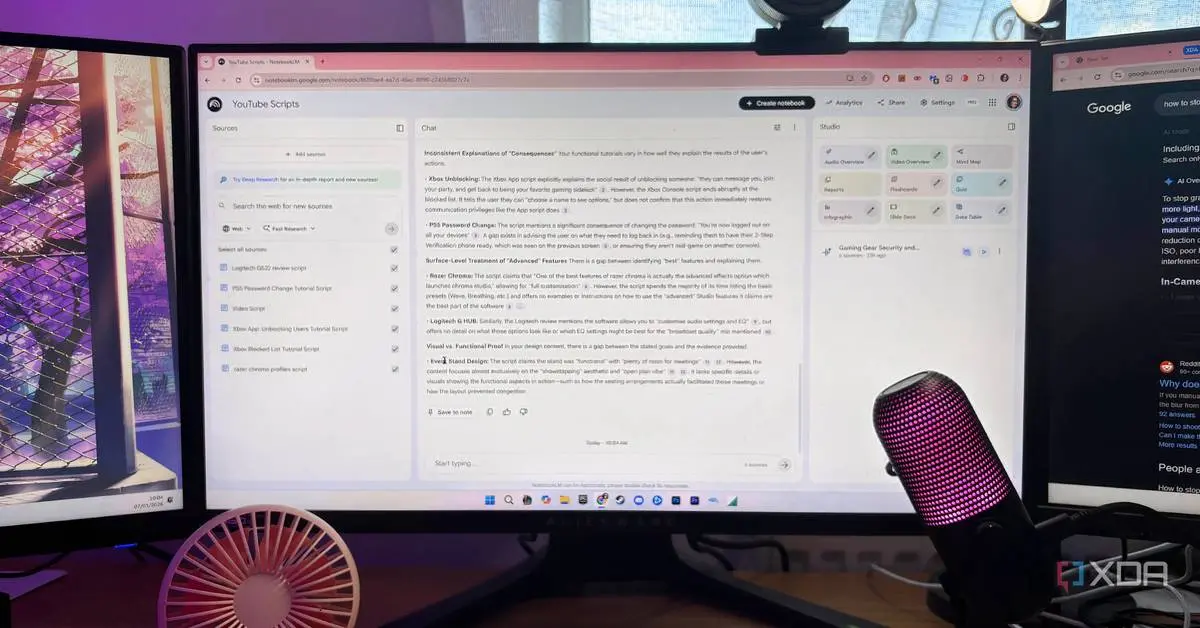
Rich is the Content Director of XDA, MakeUseOf, and How-To Geek, and I've been reporting on all things consumer tech since 2013. More recently, I've had more of a focus on Windows, and I've reviewed pretty much every mainstream laptop under the sun. If you see me somewhere, come say hello and let me ask you awkward questions about why you use the tech that you use. Slowly but surely, AI is beginning to reshape how we work and even spend our day-to-day lives. Despite that, many still find it difficult to accept that it's here to stay. But the truth is, the further you try to run from artificial intelligence, the quicker you'll get left behind. That said, though AI models have been around for a while now, they're still far from perfect. The best way to describe them is as a work in progress. I've been on the AI train since the day it started making headlines. I'd try all the new tools, get disappointed, and end up thinking, "Hey, my perfectionist self can do this work a hundred times better." Everything changed when Google launched its AI-powered research assistant, NotebookLM. Sure, there are still moments when using certain AI tools makes me want to pull my hair out, but NotebookLM is the one tool that taught me that AI can indeed be a game-changer for productivity. I was missing out on these underrated NotebookLM features, and you probably are too Justice for these underrated features Posts 4 By Mahnoor Faisal NotebookLM doesn't do the hard work for you It helps you learn faster, not cheat smarter Keeping in mind that I'm a full-time student, the AI tools that work best for me are study-focused. One of the first tools that came up when I searched for the "best AI tools for studying" was ChatGPT. Here's my issue with ChatGPT-like AI tools: they're primarily designed to do the work for you. If you want an essay, just give ChatGPT a prompt. If you want to solve a math question, ChatGPT will break it down step by step. If you want to write an essay, ChatGPT to the rescue. Frankly, that's what the vast majority of students do with AI. I wanted a tool that helped me study, not cheat my way through it. I wouldn't have ChatGPT with me during my exams, so relying on it to do the work doesn't actually help me at all. Sure, it might get me an A on my assignment, and I might save a lot of hours. But in the long run, what good is that A or the hours I saved if I learned nothing? NotebookLM isn't just another AI tool that churns out information for you. Instead, it's designed to help you interact with information using AI. You provide the tool with the sources, and then it uses AI to manipulate them in different ways. For instance, it can turn them into AI-generated podcasts, called Audio Overviews. NotebookLM is more of a study buddy than a shortcut. It won't give you the answers you need to cheat. Instead, it'll help you make sense of complex materials and actually understand whatever you're studying or researching. This makes all the difference for someone who wants to actively understand the research they're doing rather than just scrape by. It taught me that not all AI models hallucinate Just tell me the truth, AI. Is that so hard? When I say I don't like most AI tools I've tried before, it's not because they don't give me valuable information. It's because, a lot of the time, the information they give me is simply not true. Take Google's AI Overview's recent hallucinations as an example. A couple of weeks ago, there was a funny trend online where typing a completely random sentence that vaguely sounded like an idiom into Google Search would trigger an AI Overview explaining it as if it were a real expression! Though that's just one example, no matter which AI tool I used, I noticed they all had instances of AI misinformation, and sometimes told me just what I wanted to hear. That works fine when you're just messing around. But when you can't afford inaccuracy, having to manually cross-check and verify information quickly gets frustrating. NotebookLM doesn't have this issue. Instead of generating responses by pulling information from the web or its own internal knowledge, NotebookLM relies solely on the documents you feed it or the information you share with it via chat. When the tool doesn't know the answer to your question, it won't make up information or try to guess just to please you. Instead, it'll tell you that what you're asking isn't mentioned anywhere in the sources you uploaded or your conversation history. A citation number will always be present alongside every response the tool gives you. If it's a lengthy answer, there will be a citation number after every sentence. Hovering over a citation will reveal the exact text it used to generate the answer. And if you have multiple sources, all you need to do is click on one, and it'll take you right to the quoted text in the Sources panel. I finally started using NotebookLM and I should have sooner I'm officially a NotebookLM convert Posts 4 By Parth Shah It's packed with features that make sense How did I ever survive without NotebookLM? NotebookLM offers practical features you typically don't find in other tools. Its Audio Overviews feature made it go viral. This feature converts your uploaded sources into AI-generated podcasts. These podcasts are genuinely fun to listen to, "hosted" by two virtual hosts who discuss your sources in an engaging and witty manner. They sprinkle in jokes now and then to keep you engaged, making it the perfect way to get a quick overview of any document you have. There's also an interactive audio overview mode, which lets you jump into the podcast and ask any questions you may have. If you're not a big fan of podcasts, NotebookLM lets you convert your sources into mind maps, too. Soon, it'll also let you convert sources into Video Overviews! It studies my sources, so I don't have to It's like Ctrl+F, but way smarter I don't want AI to do the creative "thinking" part of my work or education. Instead, I'd prefer if it could handle the more boring, monotonous tasks. For example, say I studied something a couple of weeks ago and need to revisit a subject quickly. The lecture slides I have are 80 pages long. The last thing I want to do is go through all the pages just to find that one topic I want to refresh. Ctrl+F helps, but only if I remember the exact phrasing used in the slides. Instead of skimming through page after page, NotebookLM can help me within seconds. Since it is powered by AI, it understands the meaning behind my question. As shown in the image above, even if I phrase my question differently from the source, it'll pull up the exact solution I need. In the rare cases it can't, I'll simply ask it to summarize the entire document. What I need to study is bound to come up, and thanks to the citation that appears right next to it, all I need to do is click it, and I'll be redirected to its exact location in my sources. I can then ask all the follow-up questions I have. That's hours of manual work saved! Since NotebookLM is grounded within my sources, I don't even have to worry about it making things up. It's free and doesn't feel limited like other tools I'd honestly pay for this (but glad I don't have to) Though I'd willingly pay for tools that are worth it and significantly boost my productivity, I'd gladly pick the free or cheaper option if it did the job just as well (or better). For example, I recently ditched Goodnotes 6, which had been my go-to for years, for Notedrafts because it offered a $3 lifetime subscription. Subscribe to the newsletter for practical AI tool insights Curious about AI study tools like NotebookLM? Subscribe to the newsletter for clear, source-grounded coverage, hands-on tips, and honest takes on model limitations -- a reliable place to learn how AI tools actually work and when they can be trusted. Get Updates By subscribing, you agree to receive newsletter and marketing emails, and accept our Terms of Use and Privacy Policy. You can unsubscribe anytime. Nonetheless, I've been using NotebookLM shortly after it launched as an experimental project. Since then, Google has introduced a paid tier, NotebookLM in Pro. For individual consumers, NotebookLM in Pro is available via Google One, which costs $19.99/month. With the premium tier, you get five times more Audio Overviews (20), queries (500), notebooks (500), and sources per notebook (400) than in the free tier. For reference, you can create 100 notebooks, each with up to 50 sources, without upgrading. You can also create three Audio Overviews and get a daily limit of 50 chat queries. I've used NotebookLM the day before an exam during a cramming session where I was studying the entire course from scratch, and even then, I didn't hit the limits. Unless you're using NotebookLM in a team or organization, I doubt the average user would need to upgrade to the premium tier. Unlike other AI tools, NotebookLM doesn't lock its best features behind a paywall. So, if you have doubts about the tool, you can try it out without any commitments. I just hope this bit doesn't give the NotebookLM team ideas, and that they continue to keep it this way! These are the best AI tools that I use to boost my productivity Maybe you'll get some use out of them, too. Posts By Adam Conway It works how I wish all AI tools worked NotebookLM is the one tool that truly convinced me that AI can help you do more in less time. I just wish all other AI tools worked more like it!
[2]
Use NotebookLM beyond studying: 5 cool ways to get more for free
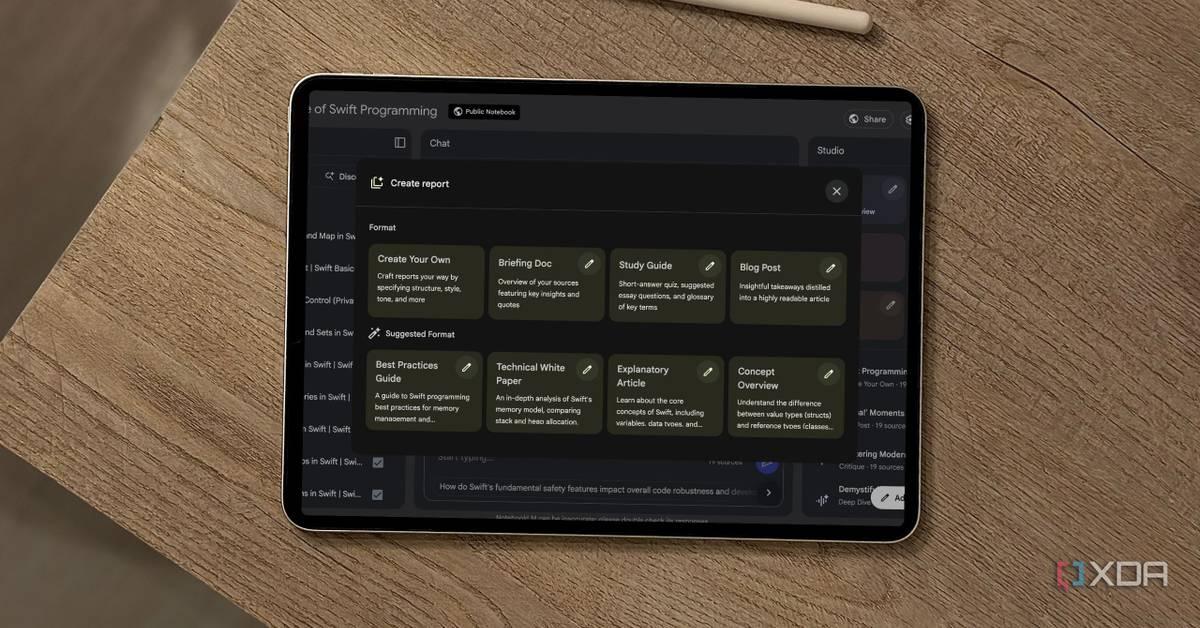
NotebookLM can also help with research, comparisons, and interview preparation using uploaded files and links. Most people hear about NotebookLM and instantly think of students, exams, and lecture notes. I thought the same at first. It looked like another AI tool built only for classrooms and revision sessions. But after spending time with it, I realised it can do far more than help people study. The real strength of NotebookLM is how it works with your own files, links, PDFs, notes, and research instead of pulling random answers from the internet. That changes everything. I started using it for learning skills, comparing tools, preparing for interviews, and even organising information I normally lose track of. If you have ever felt overwhelmed by too much information online, NotebookLM can quietly become one of the most useful free tools in your daily workflow. One of my favourite ways to use NotebookLM is for learning something completely new without feeling lost halfway through the process. The internet already has thousands of tutorials for almost every topic. The problem is not the lack of information. The real issue is figuring out what is useful and what is just noise. When we start learning anything new, the most common issue we face is that we open a number of tabs to find the resources that can help us, but at the end we forget where we saved things. However, NotebookLM can solve this issue for you, as you can upload YouTube transcripts, PDFs, blog posts, online guides, research papers, or even your own notes to the AI tool, and once everything is inside it, then the tool starts acting like a smart learning companion. For example, if you want to learn video editing, coding, AI tools, or self-hosting, then you can simply upload beginner tutorials and documentation into NotebookLM and then ask the tools simple questions like the following: In addition, the other thing that I like very much about NotebookLM is that the answers given are based on the information that I have uploaded and not just any random answer from the internet. For people who find themselves having difficulty with complex terms, this will definitely be helpful. You no longer have to waste hours looking for definitions since all you need to do is ask NotebookLM. Also read: GTA Vice City in 2026: It has more personality than most modern games Most of us save information everywhere. Some notes stay inside Google Docs. Some remain buried in screenshots. Important PDFs disappear into download folders. Bookmarks get forgotten after a week. I used to waste a lot of time trying to remember where I saved something. NotebookLM can solve that problem by turning all your scattered information into a searchable personal knowledge base. Think of it like a second brain that actually remembers things for you. You can upload: Once everything is inside a notebook, you can ask questions naturally instead of manually searching through folders. For instance, you can ask: The experience feels less like using storage and more like having a conversation with your own information. This is especially useful for creators, freelancers, students, journalists, researchers, and even small business owners. It can be of great help for anyone who deals with tonnes of data every day. In contrast to conventional software, where one has to organise everything by himself/herself, NotebookLM organises all things automatically, thus saving time and effort. I am someone who overthinks almost every important decision. Whether it is choosing software, buying gadgets, selecting tools for work, or comparing services, I usually end up opening too many tabs and getting even more confused. NotebookLM makes this process far easier. Whenever I need to compare options, I gather all the relevant information first. This can include: Then I upload everything into NotebookLM and ask it to organise the information for me. For example: If you regularly compare apps, gadgets, subscriptions, courses, or productivity tools, then NotebookLM can be really useful. Moreover, the good part is that the answers provided are only from the sources you uploaded. While you still make the final decision, the AI tool helps by cutting down the overload of information. It turns the scattered notes and research into something simple and easy to understand. Also read: NVIDIA GeForce NOW vs Xbox Cloud Gaming: Features compared, who wins? Job interviews can be intimidating irrespective of how experienced you may be. One thing that really makes a difference is preparation. The more you understand about the company, the more confidence you have during the interview. NotebookLM can quietly become a powerful interview preparation tool. Before an interview, I can upload: Once everything is uploaded, NotebookLM can help break down the company in a much easier way. I can ask: In other words, instead of taking several hours to browse various sources and read lengthy pieces of content, one will be able to get all essential points compiled on one screen within a couple of seconds. This will definitely be extremely beneficial in case a person is preparing for job applications at particular companies which tend to offer many sources of information online. Instead of trying to figure out what to focus on, a user can categorise their findings into such sections as company history, job requirements, interview experience, and latest news. Another great advantage of NotebookLM is the audio overview option, making preparation seem easier. In addition to reading notes, a person will be able to listen to AI-written summaries, podcast-style. This can definitely be a confidence boost for any intern, remote worker, corporate worker, and freelancer candidate. One of the simplest but most underrated uses of NotebookLM is organisation, as most people collect learning material faster than they actually use it. And as a result of that, everything becomes difficult to manage as the tutorials stay half-watched, PDFs pile up and the important notes get forgotten. NotebookLM helps bring all of that together into one clean space, so you need not worry about things messing up. I personally like using separate notebooks for different goals. For example: I've created a separate notebook for career learning, personal projects, productivity research, interview preparation and long-term ideas. Inside each notebook, I store the tutorials, notes, references, and PDFs, clubbing them under a single name of the subject instead of spreading them across multiple apps or platforms. What makes this better than normal storage is the AI layer on top of it. The tool does not just save information. It helps you interact with it. Furthermore, you can also instantly summarise long documents, find important points, connect related ideas, and ask questions naturally. That makes it easier to actually use the information you saved instead of forgetting about it. For users who constantly download guides, bookmark articles, and save tutorials for later, NotebookLM can finally make all that content feel organised and useful.
Share
Copy Link
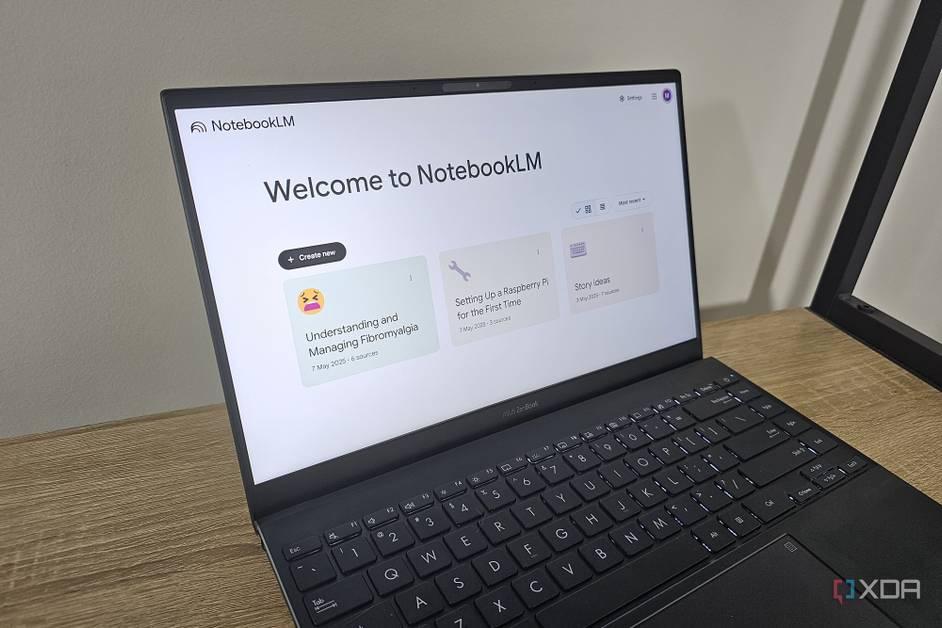
Google's NotebookLM is winning over skeptics by taking a different approach to AI productivity. Instead of generating answers from the web, it works exclusively with user-provided sources, eliminating hallucinations while helping users learn, research, and organize information. Early adopters are finding uses far beyond academic studying.

Google AI has quietly introduced a tool that's converting even the most skeptical users into believers. NotebookLM, Google's AI-powered research assistant, is earning praise from users who previously dismissed artificial intelligence as overhyped and unreliable
1
. The difference lies in how it approaches information: rather than pulling random answers from the internet, NotebookLM works exclusively with user-provided sources like PDFs, YouTube transcripts, blog posts, and personal notes2
.Rich, Content Director at XDA and tech reviewer since 2013, describes his journey with AI tools as one of constant disappointment until NotebookLM arrived. "I'd try all the new tools, get disappointed, and end up thinking, 'Hey, my perfectionist self can do this work a hundred times better,'" he explains
1
. What changed his perspective was NotebookLM's fundamental design philosophy: it acts as a study buddy rather than a shortcut, helping users interact with information instead of simply generating it.One of the most significant advantages NotebookLM offers is its immunity to the hallucinations that plague other AI models. When Google's AI Overview recently made headlines for explaining completely random sentences as if they were real idioms, it highlighted a persistent problem across AI tools: they often fabricate information to satisfy user queries
1
. NotebookLM sidesteps this issue entirely by refusing to guess or make up answers.The research tool relies solely on documents users feed it or information shared via chat. When it doesn't know an answer, it simply states that the requested information isn't mentioned in the uploaded sources or conversation history
1
. Every response includes citation numbers, and hovering over them reveals the exact text used to generate the answer. This transparency transforms NotebookLM from a black box into a verifiable research tool.While NotebookLM initially appeared designed for students and exam preparation, users are discovering applications that extend far beyond academic studying. The tool excels at creating a personalized knowledge base from scattered information that typically gets lost across Google Docs, screenshots, download folders, and forgotten bookmarks
2
.For AI for learning new skills, users upload tutorials, documentation, and guides, then ask questions like "What are the basic concepts I need to understand first?" or "Can you explain this term in simple words?" The answers come exclusively from uploaded materials rather than generic internet searches
2
. This approach proves particularly valuable for learning video editing, coding, or understanding AI tools themselves.Interview preparation represents another practical use case. Job seekers upload company mission statements, recent news articles, product pages, and job descriptions, then ask NotebookLM to identify what the company values most or what skills they should emphasize
2
. The tool breaks down companies in digestible ways without requiring hours of manual research.Related Stories
NotebookLM addresses a problem that affects creators, freelancers, journalists, researchers, and small business owners: information overload solution. Instead of manually organizing everything, the tool automatically structures uploaded content into a searchable system
2
. Users can ask natural questions like "What did I save about marketing strategies last month?" or "Show me all notes related to productivity tools."For decision-making and comparisons, users gather product reviews, feature lists, pricing pages, and user feedback, then upload everything to NotebookLM. The tool can compare software options, analyze pros and cons from multiple sources, or identify which features matter most based on uploaded research
2
. This cuts through the confusion that comes from opening too many tabs during research.The tool also generates Audio Overviews, turning uploaded sources into AI-generated podcasts that help users absorb complex materials in different formats
1
. This feature particularly benefits those learning new skills or trying to understand dense research papers.What makes NotebookLM game-changing for productivity isn't just its features, but its philosophy. By refusing to do the work for users and instead helping them understand their own materials, it addresses the core weakness of tools like ChatGPT. As one full-time student noted, relying on AI to complete assignments might earn good grades and save hours, but "in the long run, what good is that A or the hours I saved if I learned nothing?"
1
. NotebookLM prioritizes understanding over shortcuts, making it a research tool that actually teaches rather than replacing human effort entirely.Summarized by
Navi
[1]
27 May 2025•Technology

20 Jul 2025•Technology

08 Jan 2026•Technology

1
Technology

2
Policy and Regulation

3
Policy and Regulation