3 Sources
[1]
I tested NVIDIA's new DLSS 4.5 Ray Reconstruction -- it finally fixes path tracing's biggest flaw, but here's the reality check
When you enable full path tracing in a modern game, the lighting looks stunning -- but the illusion is often broken by visual artifacts like smudged reflections, ghosting details, light trails that fade weirdly and dark corners that "boil" with digital noise. Nvidia is attempting to eradicate those issues for good with DLSS 4.5 Ray Reconstruction, and I've spent a few days with this tech to see if the company's new gaming AI model can finally clean up path tracing's messy edges. The truth of it is the same as I've felt about ray tracing and path tracing at large. If you stop to pixel-peep, the visual upgrade is undeniable. But if you're expecting a massive paradigm shift in the middle of a frantic firefight, you need to temper your expectations. Sorry for the reality check, and credit to Team Green for managing to make trash bags shinier and more reflective in Alan Wake 2, but this is definitely an iterative upgrade. How to activate DLSS 4.5 Ray Reconstruction Just like a lot of Nvidia's gaming features, you've got to go into the overrides. Pop into the specific game that supports DLSS 4.5 Ray Reconstruction, open the DLSS overrides window, click the dropdown on Ray Reconstruction and select "Model F." At that point, you're off to the races. The only game I noticed any weird glitching on with the override turned on is Portal RTX, which I'm sure will be ironed over with an update. But everything else worked without a hitch. What is Ray Reconstruction? Well, the demands of path tracing are starting to outstrip the raw hardware capabilities of consumer GPUs. Calculating the real physical light paths for millions of pixels every second is just too much to do. Instead of painting every single pixel, the game flings a handful of dots of paint across the canvas -- just enough to capture rough reflections, colors and shadows. The end result is a noisy, static-filled mess of dots. Something is needed to join the dots. The old fix was a technique graphics cards used called "denoisers." I can go into the specifics about these hand-tuned technologies, but think of it like taking a wet sponge and smudging those paint dots together. It does the job in filling the gaps, but fine details get blurred out and subtle lighting can flicker and "boil." So instead, Nvidia's DLSS Ray Reconstruction hands that unfinished canvas to an AI network trained on supercomputers with millions of flawless images. Think of it like an expert art restorer with a photographic memory -- looking at the scattered dots of light, recognizing the 3D geometry of the scene, and predicting how the light naturally behaves. The end result (as you'll see) is crispier puddle reflections, detailed textures without blurring or ghosting and shinier, less smudged light bounces. It takes this taxing work off the GPU, so it can focus on rendering the game, while AI pattern recognition does the heavy lifting of calculating the true light data. The faster, smarter engine in DLSS 4.5 To understand what DLSS 4.5 Ray Reconstruction is actually doing, you have to look at the math. Nvidia has replaced its own on-board denoiser with a new 2nd generation transformer model. This AI brain processes 20% more parameters and delivers a massive 35% boost in compute capability. That means this hypothetical art restorer is now able to more deeply analyze the space, and intelligently use game engine pixel sampling and motion data to improve the accuracy and stability of lighting -- doing so millions of times a second. And the best part? Nvidia claims this massive increase in AI compute comes with a negligible performance impact. Testing that claim, my RTX 5080 setup saw no frame rate penalty whatsoever, and for lower-end hardware in Nvidia's 50-series family (like the RTX 5060 Ti (16GB) and the RTX 5070 Ti-armed Asus ROG Zephyrus G14 that I'm testing), the frame drops are negligible (average drop of 2 FPS). Of course, that should extend to the RTX 40 and 50 series GPUs. But if you are running an older RTX 20 or 30 series card with the older architecture, limitations mean you may see a more noticeable performance penalty. The pixel-peeping test So since this is one for those that just want to scrutinize the specifics of a frame, let's dip into this with a few games on my RTX 5080 monster rig -- putting DLSS 4 and DLSS 4.5's Ray Reconstruction head-to-head. And I'm not going to lie, when you stop to take a beat and look around, the differences in still frames are striking. In Cyberpunk 2077, the bright red glow from the "Livepunch Booze" neon sign washes over the floor in a softer, blurrier spread with DLSS 4. Enabling 4.5 shows off the tighter light bounce and higher-contrast, which casts sharper, concentrated red and cyan reflections on those polished floor panels. Throw in much sharper, more cohesive specular highlights and a deeper contrast in darker areas without that fuzzy noise that plagued the older denoiser, and the tweaks are small, but significant. Moving over to Pragmata, the moving neon makes DLSS 4.5 Ray Reconstruction much more noticeable. There's a moving laser jumping puzzle that makes it so much more obvious -- seeing the lasers just fizzle away on the older model vs immediately snapping away. Finally, in Alan Wake 2, Nvidia showed me a demo of shinier trash bags. But if anything, they're doing the tech a bit of a disservice. This has always been a showcase game for Team Green, and something as simple as walking around a safe room shows off small detail improvements that come together to make quite a difference. Saga's hair, coat and surrounding surfaces are much better defined with smoother, natural lighting bouncing off them. The grain of the wood paneling goes from slightly blurred to no blur whatsoever, lighting sources bounce more tightly off surfaces, and mirror reflections are a lot sharper. My verdict Full credit to Nvidia here -- improving image fidelity by running an AI model with 20% more parameters without tanking frame rates on modern hardware is a genuine engineering triumph. Of course, I say that specifically about the RTX 50-series gear I tested this on. Nvidia told me that it's not expected to meaningfully impact performance on older GPUs. I can't test that, but we'll find out soon enough as some of my friends in the industry dish their thoughts. But DLSS 4.5 Ray Reconstruction is an iterative polish. It cleans up the edge cases and makes your photo mode captures look absolutely spectacular. But during actual, fast-paced gameplay, the difference between DLSS 4 and DLSS 4.5 effectively blends into the background. That being said, for the average gamer in motion, you'll be hard pressed to notice the differences in the midst of gameplay. For the players, this is just a nice, quiet cleanup job. A small upgrade that will become more significant as we head into a world of path traced games. Follow Tom's Guide on Google News and add us as a preferred source to get our up-to-date news, analysis, and reviews in your feeds.
[2]
DLSS 4.5 Ray Reconstruction Is Now Available on the Nvidia App
Three months ago, Nvidia announced that DLSS 4.5 Ray Reconstruction would soon be added to RTX GPUs. The wait is over, since the update is now available to download via the Nvidia app, as announced at Gamescom 2026, and here's what you need to know. Nvidia Releases DLSS 4.5 Ray Reconstruction for RTX Users DLSS 4.5 Ray Reconstruction is a neural rendering technique for all GeForce RTX GPUs that delivers sharper image quality in ray-traced and path-traced scenes. Unlike Nvidia DLSS 4 Ray Reconstruction, this technology uses a Second-Generation Transformer AI to turn noisy, low-sample ray-traced data into a cleaner, more accurate ray-traced and path-traced image. It reconstructs the noisy image with an efficient AI denoiser for sharper resolution and accurate lighting in ray-traced and path-traced content within games. If you own a GeForce RTX GPU, here's how you can enable DLSS 4.5 Ray Reconstruction through the Nvidia app: * Go to Settings and click on About * Opt in to Early Access releases * Open the "Graphics" section and select a supported game (listed below) * Scroll to Driver Settings * Click DLSS Override - Model Presets * Click Custom * Open the Ray Reconstruction drop-down and choose "Recommended" or "Preset F" * Click Apply Alternatively, you can also select "Global Settings" at the top of the window and apply the updated Ray Reconstruction to every supported game in your library to avoid the step-by-step hassle. With the update available to all GeForce RTX users right now, Nvidia announced that two titles will receive DLSS 4.5 Ray Reconstruction and Path Tracing support next month: 007 First Light on September 15 and Control: Resonant launching on September 24, 2026. Remedy's sequel will be the first major AAA title in 2026 to support this upgrade at launch. Upcoming releases like Phantom Blade Zero and Gears of War: E-Day are also set to receive the update soon. According to Nvidia's DLSS 4.5 blog post, this DLSS update is currently available for 30 games, and here's the full list: * Alan Wake 2 * Marvel's Spider-Man 2 * Enlisted * NTE (Neverness to Everness) * Avatar: Frontiers of Pandora * EVERSPACE 2 * Portal with RTX * Backrooms: Escape Together * F1 25 * I Am Jesus Christ * PRAGMATAâ„¢ * Call of Duty: Black Ops 7 * FBC: Firebreak * Resident Evilâ„¢ Requiem * Crimson Desert * Half-Life 2 RTX * Samson * Cyberpunk 2077 * Hogwarts Legacy * Star Warsâ„¢ Outlaws * Death Relives * Incursion Red River * Subliminal * Directive 8020 * Indiana Jones and the Great Circleâ„¢ * Sword of Justice * DOOM: The Dark Ages * NARAKA: BLADEPOINT * The First Descendant * War Thunder In addition, the company is bringing DLSS 4.5 Ray Reconstruction to various Remix Mods like Quake III's RTX Remix Mod and Painkiller's RTX Edition. The Elder Scrolls III: Morrowind's RTX mod will join the list soon, as Nvidia announced at Gamescom 2026. However, if you're waiting for Nvidia DLSS 5, you may need to wait a bit longer.
[3]
NVIDIA DLSS 4.5 tested: What Dynamic Multi Frame Generation and Ray Reconstruction actually do
The biggest improvement was not simply sharper reflections, but more natural handling of complex surfaces such as wet pavement. NVIDIA's DLSS has steadily moved beyond its original role as an AI upscaler. With DLSS 4.5, the technology now increasingly sits between the game engine and the final image that reaches the display, deciding not only how pixels should be reconstructed but also how many frames need to be generated along the way. Two features demonstrate that shift particularly well: Dynamic Multi Frame Generation and the latest version of Ray Reconstruction. Dynamic Multi Frame Generation has been out for a while but Ray Reconstruction will be generally available starting today. We received early access to Ray Reconstruction ahead of their wider availability and tested it in Cyberpunk 2077, a game that remains particularly useful for evaluating ray tracing because Night City is packed with reflective vehicles, glass, wet roads, artificial lighting and complex geometry. To be honest, the DLLs were leaked a few days ahead of today's announcement so anyone can try out Ray Reconstruction using a DLSS DLL Swapper. For performance testing, our PC used an AMD Ryzen 7 9800X3D, 48 GB of DDR5-6000 memory and an NVIDIA GeForce RTX 5090. Testing was conducted at 4K resolution, with the game configured to place a substantial ray-tracing workload on the GPU. The two technologies are trying to solve very different problems. Dynamic Multi Frame Generation is essentially about matching rendered output more intelligently to a high-refresh-rate display. Ray Reconstruction is about making the ray-traced image itself look more convincing. And after spending some time with both, Ray Reconstruction may actually be the more visually interesting of the two. What is Dynamic Multi Frame Generation? Frame Generation has a fairly straightforward underlying idea. Instead of requiring the GPU to conventionally render every frame displayed on screen, NVIDIA can generate additional intermediate frames using AI. With conventional Multi Frame Generation, the multiplier is selected beforehand. Dynamic Multi Frame Generation changes that model. Rather than operating at one fixed multiplier throughout a game, the system can dynamically move between different Frame Generation multipliers depending on the workload and the target frame rate. DLSS 4.5 supports generation at up to 6X, meaning that at its maximum setting it can generate as many as five additional frames for each conventionally rendered frame. The easiest analogy is an automatic gearbox. If the conventionally rendered frame rate drops and there is a larger gap between the GPU's current output and the display's refresh rate, Dynamic Multi Frame Generation can increase the multiplier. If the GPU starts rendering more frames natively, it can reduce the amount of Frame Generation instead. NVIDIA describes the system as continuously monitoring the difference between GPU performance and the target refresh rate, increasing or reducing generation according to what is required. A 240Hz monitor does not necessarily require a game to use the maximum possible Frame Generation multiplier at every moment. If the GPU is already producing sufficient frames, generating five additional frames for every traditionally rendered one would be unnecessary. Conversely, a particularly intensive section of a path-traced game could require a larger multiplier to approach the same refresh-rate target. Dynamic Multi Frame Generation therefore attempts to make Frame Generation adaptive rather than simply more aggressive. You barely notice when DMFG works its magic That dynamic behaviour was readily visible during our Cyberpunk 2077 testing. With the game running at 4K on the RTX 5090, the Frame Generation multiplier did not remain locked to a single value. We could watch it shift upwards and downwards during the benchmark run, responding as the complexity of the scene changed. The "Dynamic" part of Dynamic Multi Frame Generation is not simply an automated setting chosen when the game starts. The multiplier is being adjusted during gameplay according to the rendering workload. Across our test run, Cyberpunk 2077 averaged 238 FPS at 4K, with reported latency hovering around 53 to 54ms. For a graphically intensive title running at 4K with ray tracing involved, seeing the displayed frame rate sit close to the 240 FPS territory is impressive from a throughput standpoint. But it is equally important to understand what that number represents. 238 FPS with Multi Frame Generation is not equivalent to a game engine conventionally rendering 238 discrete frames every second. A significant portion of those displayed frames are AI-generated intermediate frames. That also explains why latency does not fall proportionately as the displayed frame rate rises. If a game were genuinely rendering 238 frames per second conventionally, the time between frames would be a little over 4 ms. Yet our measured system latency remained around 53 to 54ms. Frame Generation increases the visual update rate, but it does not magically make the underlying game simulation, CPU workload and conventionally rendered frame pipeline operate at the same rate. NVIDIA Reflex remains important here because it helps control latency elsewhere in the rendering pipeline while Frame Generation increases displayed frame output. Essentially, Dynamic Multi Frame Generation is best understood as a smoothness technology rather than a direct substitute for raw rendering performance. On a 240 Hz display, pushing the visible output closer to the refresh ceiling can make camera motion and animation look considerably smoother. But for highly latency-sensitive competitive games, the conventionally rendered base frame rate remains important. For something such as Cyberpunk 2077, though, that trade-off woks for gamers. The game can make extensive use of demanding ray-traced effects while Dynamic Multi Frame Generation uses available headroom to push the visual output towards the capabilities of a high-refresh display. What is Ray Reconstruction? Ray Reconstruction tackles an entirely different part of the graphics pipeline. Ray tracing works by tracing rays through a scene to determine how light interacts with surfaces. The problem is that tracing enough rays per pixel to produce a completely clean image in real time would be extraordinarily expensive. Games therefore work with a limited number of ray samples. That produces noisy information, which then needs to be reconstructed into a usable image. Traditionally, ray-traced games employ multiple denoisers designed for specific effects such as reflections, shadows and indirect lighting. Those denoisers try to infer what the clean result should look like from incomplete ray-traced data. Ray Reconstruction replaces much of that conventional denoising process with an AI model that reconstructs a higher-quality ray-traced image. The DLSS 4.5 version uses NVIDIA's second-generation transformer architecture. NVIDIA says the new model uses a larger denoiser, deeper spatial awareness and finer control over temporal accumulation, with the aim of improving lighting accuracy and producing sharper ray-traced imagery. That sounds rather abstract until it is placed next to the same scene without Ray Reconstruction. With out tests, we looked at three scenes in Cyberpunk 2077, concentrating particularly on reflections. Scene 1: Reflections across a car bonnet Our first comparison involved a parked car with a signboard reflected across its bonnet. At a glance, both images looked broadly similar. Looking closer revealed several differences. With Ray Reconstruction enabled, the reflection across the bonnet was better defined, particularly around fine detail. The lettering from the reflected signboard was noticeably sharper and easier to distinguish. More interestingly, there was graffiti sprayed across concrete handrails further into the background. Without Ray Reconstruction, that graffiti was barely discernible. There was enough information to suggest something was present on the concrete, but much of the detail was lost. Turning Ray Reconstruction on made the graffiti substantially clearer. This is where the improvement becomes more meaningful than simply increasing sharpness. The feature was recovering small scene details that were otherwise being smoothed away during reconstruction. That also helped the reflected surface retain more of the visual information present in the environment instead of producing a broadly correct but comparatively indistinct reflection. Scene 2: A building covered in windows The second scene concentrated on a building façade containing a large number of windows. This proved to be an even better showcase because glass creates a difficult mixture of reflections, transparency, interior illumination and geometry. Towards the centre and upper-right portion of the image, environmental reflections in the windows were visibly crisper with Ray Reconstruction enabled. Without it, the reflected environment was still present, but details tended to blend together more readily. The difference became even more obvious towards the left and upper-left portions of the scene. With Ray Reconstruction switched on, tube lights inside the building could be seen as well-defined individual light sources. Their shape and placement were substantially easier to distinguish. Without Ray Reconstruction, several of these elements became blurred or simply appeared duller, reducing the sense that there was a properly illuminated interior behind the glass. This is an important distinction because ray-traced image quality is not purely about producing sharper reflections. Lighting needs to remain spatially coherent. A light source seen through or reflected by another surface should retain enough shape and intensity for the viewer to understand what is producing that illumination. In this scene, Ray Reconstruction did a noticeably better job of retaining that structure. Scene 3: A puddle shows why better reconstruction is about more than sharpness The third comparison was the most revealing. We examined reflections across a puddle on the road. Without Ray Reconstruction, the reflected image appeared to spread much more broadly across the pavement. There was a considerable amount of reflection bleed, with bright reflected information appearing even across areas where there did not seem to be enough standing water to justify such a strong reflection. The result was visually striking but not especially natural. Enabling Ray Reconstruction changed the character of the surface. Where the puddle was deeper and had a more substantial layer of water, reflections remained strong and almost mirror-like. Crucially, some of the underlying pavement texture could still be seen through the reflected image. Moving towards the edges of the puddle produced a more gradual transition. As the water became thinner and started breaking up across the road surface, the intensity of the reflection dropped correspondingly. Instead of a large reflected image seemingly painted across the pavement, the strength of the reflection appeared much more closely related to the physical characteristics of the surface. That made the result look considerably more realistic. And this is probably the strongest demonstration we saw of what Ray Reconstruction can contribute. If it simply sharpened the reflection everywhere, the technology could effectively be described as a better denoiser. What we observed instead was a more plausible reconstruction of how different parts of the reflective surface should behave. The thicker portion of the puddle acted more like a mirror. The thin wet edges produced comparatively muted reflections. Dry or almost-dry portions of the pavement did not appear to carry the same reflected image. The improvement was therefore not only one of detail, but of visual coherence. Dynamic Multi Frame Generation and Ray Reconstruction solve very different problems Testing both features together also demonstrates how broad DLSS has become. Dynamic Multi Frame Generation is principally concerned with motion and throughput. It analyses how much additional frame generation is useful at a particular moment and alters its multiplier to help push displayed output towards the monitor's refresh rate. Ray Reconstruction is less obvious on an FPS counter, but arguably more significant to the final appearance of a ray-traced game. Across all three of our comparison scenes, its effects were consistent even though the type of improvement changed. The goal of better ray tracing should not simply be to make every reflective object shinier or every reflection sharper. It should be to make light behave more convincingly according to the material and geometry being represented. Personally, my gripe with the way things are is that you need to use multiple apps to tweak the settings to make use of these features in a game. Hopefully, with time, the configuration should become a little easier to handle. As it stands now, it's more like tweaking the knobs of a nuclear reactor.
Share
Copy Link
NVIDIA has released DLSS 4.5 Ray Reconstruction for all GeForce RTX GPUs through the Nvidia app. The AI-powered neural rendering technique uses a Second-Generation Transformer AI to eliminate visual artifacts like smudged reflections and ghosting in path-traced games, delivering sharper lighting accuracy across 30 supported titles.
NVIDIA has officially released DLSS 4.5 Ray Reconstruction through the Nvidia app, marking a significant milestone in AI-powered graphics rendering for GeForce RTX GPUs
2
. The update arrives three months after its initial announcement and addresses one of path tracing's most persistent challenges: visual artifacts that break immersion in ray-traced scenes1
. This AI-based feature represents an iterative but meaningful upgrade to how modern games handle complex lighting calculations.Path tracing creates stunning lighting but generates noisy, artifact-filled images that traditional denoisers struggle to clean up effectively. When games enable full path tracing, players encounter smudged reflections, ghosting details, light trails that fade unnaturally, and dark corners that "boil" with digital noise
1
. The AI-powered neural rendering technique in DLSS 4.5 replaces hand-tuned denoisers with a Second-Generation Transformer AI trained on millions of flawless images1
. Instead of smudging scattered light data together like a wet sponge, the AI analyzes 3D geometry and predicts how light naturally behaves, delivering sharper image quality in ray-traced and path-traced scenes2
.
Source: Digit
The new transformer model processes 20% more parameters and delivers a massive 35% boost in compute capability compared to previous versions
1
. This AI-driven improvement to graphics rendering enables deeper scene analysis and intelligently uses game engine pixel sampling and motion data to improve lighting accuracy and stability millions of times per second. Testing on an RTX 5080 setup showed no frame rate penalty whatsoever, while lower-end hardware like the RTX 5060 Ti (16GB) and RTX 5070 Ti experienced negligible drops averaging just 2 FPS1
. However, older RTX 20 or 30 series cards with legacy architecture may see more noticeable performance impacts.In Cyberpunk 2077 testing at 4K resolution, Ray Reconstruction demonstrated clear advantages over DLSS 4. The bright red glow from neon signs washed over floors in softer, blurrier spreads with DLSS 4, while DLSS 4.5 delivered tighter light bounces and higher-contrast reflections with sharper, concentrated red and cyan highlights on polished floor panels
1
. Testing also revealed sharper specular highlights and deeper contrast in darker areas without the fuzzy noise that plagued older denoisers. The biggest improvement wasn't simply sharper reflections but more natural handling of complex surfaces such as wet pavement3
. These enhancements are particularly noticeable when examining still frames, though the differences become less apparent during active gameplay.Related Stories
Enabling DLSS 4.5 Ray Reconstruction requires accessing DLSS overrides within the Nvidia app. Users must navigate to Settings, opt into Early Access releases, select a supported game under Graphics, scroll to Driver Settings, click DLSS Override - Model Presets, choose Custom, and select "Recommended" or "Preset F" from the Ray Reconstruction dropdown
2
. Alternatively, selecting "Global Settings" applies the updated Ray Reconstruction to every supported game simultaneously. The feature currently supports 30 games including Alan Wake 2, Cyberpunk 2077, Portal with RTX, Avatar: Frontiers of Pandora, Indiana Jones and the Great Circle, and Star Wars Outlaws2
.
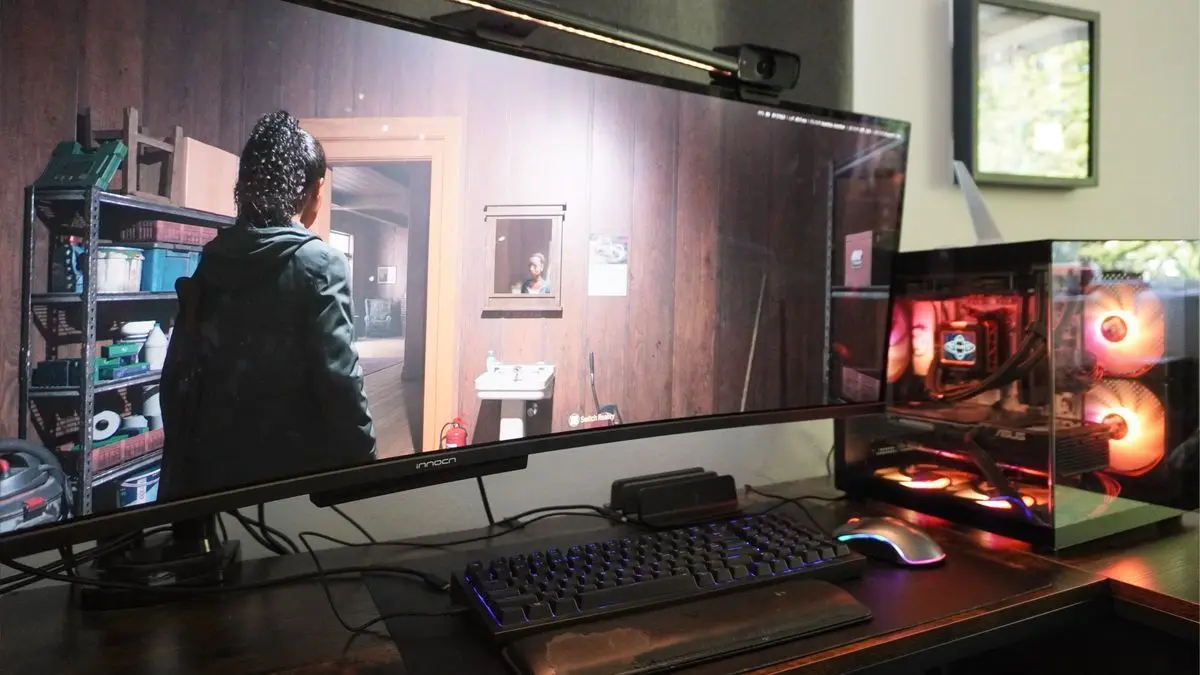
Source: Tom's Guide
NVIDIA announced that two major titles will receive DLSS 4.5 Ray Reconstruction and path tracing support next month: 007 First Light launching September 15 and Control: Resonant arriving September 24, 2026
2
. Remedy's sequel will be the first major AAA title in 2026 to support this upgrade at launch. Upcoming releases like Phantom Blade Zero and Gears of War: E-Day are also set to receive the update soon. Beyond traditional games, NVIDIA is bringing the technology to various RTX Remix Mods including Quake III's RTX Remix Mod, Painkiller's RTX Edition, and The Elder Scrolls III: Morrowind's RTX mod2
. This expansion into modded classic titles demonstrates how AI-powered graphics technology can breathe new visual life into older games, though those waiting for DLSS 5 will need to exercise patience as no timeline has been announced.Summarized by
Navi
[1]
31 Mar 2026•Technology

14 Jan 2026•Technology

10 Mar 2026•Technology

1
Technology

2
Policy and Regulation

3
Technology