Nvidia Enhances App with Global DLSS Override and AI-Powered Features for Smoother Gaming Experience


4 Sources
[1]
Nvidia's app gets global DLSS override and more control panel features
You also won't have to configure DLSS override features on a per game basis anymore, as Nvidia is now adding a global option. You can set your DLSS preferences across all override supported games, and Nvidia's overlay will also show which DLSS settings are active if you toggle this option
[2]
The NVIDIA App Just Got Two Big New Features
The NVIDIA app is a must-have if you have an NVIDIA GPU. Not only is it the default method for grabbing new drivers, but it also unlocks a slew of features. Now, you're getting two new features that might change how you play your games. NVIDIA is adding a couple of new updates to its NVIDIA app.
[3]
RTX 40-series GPUs just got smoother gameplay with Nvidia's latest update
New driver and app updates introduce AI-powered frame generation and simplified DLSS controls Nvidia has announced a major update to its RTX 40-series graphics cards and the Nvidia App ahead of Gamescom 2025, introducing Smooth Motion, global DLSS overrides, and a host of quality-of-life upgrades
[4]
Nvidia app now has global DLSS override and other features
Nvidia is enhancing its Nvidia app with improvements to DLSS override, control panel features, and Project G-Assist integrations this week. The refinements reflect Nvidia's ongoing efforts over the past 18 months to consolidate functionalities from the legacy control panel into the new
Share
Copy Link
Nvidia introduces significant updates to its app, including global DLSS override, Smooth Motion for RTX 40-series GPUs, and improved AI assistant, enhancing gaming performance and user experience.
Nvidia Revolutionizes Gaming with Global DLSS Override
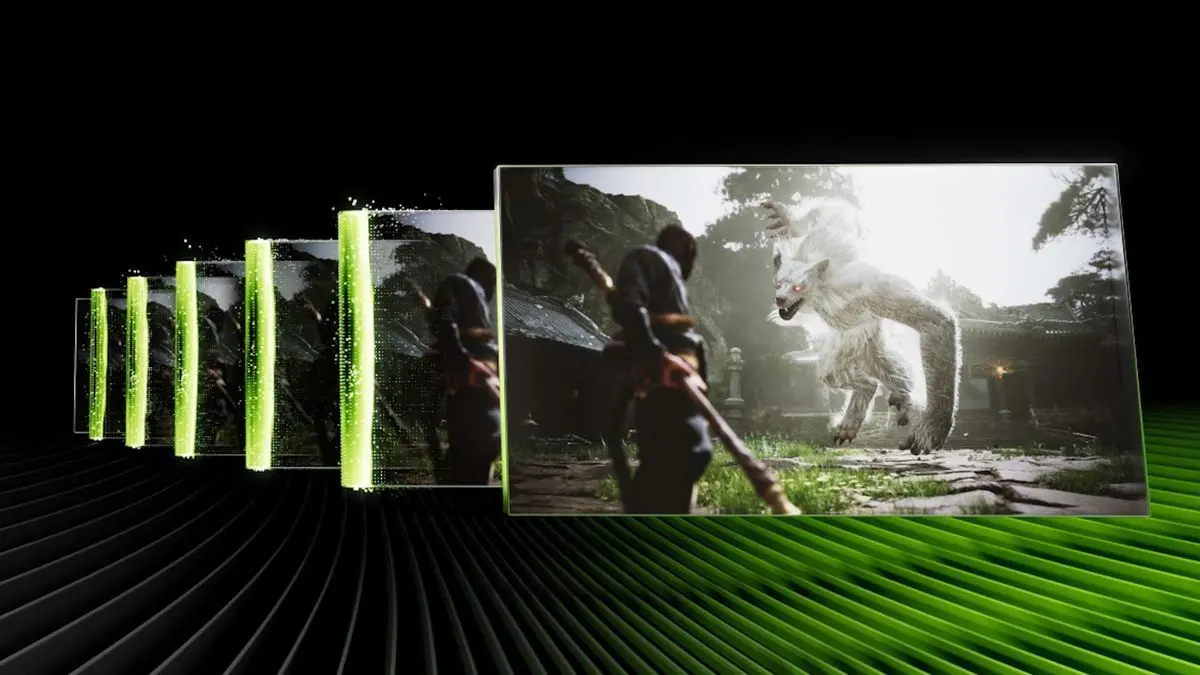
Nvidia has announced a major update to its app, introducing a game-changing feature: Global DLSS Override. This new functionality allows users to enable and configure DLSS (Deep Learning Super Sampling) profiles from a single, global menu
1
2
. Instead of individually configuring DLSS settings for each game, users can now apply their preferred DLSS modes across hundreds of compatible titles simultaneously, significantly streamlining the optimization process for gamers2
.
Source: The Verge
Smooth Motion: AI-Powered Frame Generation for RTX 40-Series
In a move to enhance gaming performance, Nvidia is extending its Smooth Motion feature, previously exclusive to RTX 50-series GPUs, to all RTX 40-series owners
1
3
. This driver-based AI model enables smoother gameplay for games that don't natively support DLSS Frame Generation. Smooth Motion can be applied to games running with DLSS Super Resolution, at native resolution, or even with other upscaling technologies, typically doubling "the perceived frame rate"1
4
.
Source: Digital Trends
Enhanced Control Panel Features and Legacy Settings
The Nvidia app update also brings back highly requested legacy 3D settings from the classic Nvidia Control Panel
2
. Users now have direct access to fine-tune options such as anisotropic filtering, anti-aliasing, and ambient occlusion, which are particularly useful for enhancing the visual quality of classic games2
3
. The integration of these features into the Nvidia app eliminates the need to access the older control panel for optimizing visual settings4
.Project G-Assist: AI Assistant Upgrade
Nvidia's on-device AI assistant, Project G-Assist, has received a significant upgrade. The latest version is built on a more efficient AI model that consumes 40% less memory
2
4
. This smaller footprint results in a faster, more responsive assistant that can more accurately interpret commands and apply the correct system settings. The improved G-Assist is now available across all RTX GPUs with 6GB+ VRAM, including laptops, making AI-powered system optimization more accessible3
.Related Stories

Expanding DLSS Support and Cloud Gaming Enhancements
Nvidia confirmed that over 175 games and applications now support its DLSS 4 technology suite
2
. This expanded support comes alongside announcements of major upcoming game releases that will launch with DLSS 4, including Borderlands 4 and Fate Trigger2
. Additionally, Nvidia is upgrading its GeForce NOW cloud gaming service with the new Blackwell architecture, providing GeForce RTX 5080-class performance at no extra cost to members2
.
Source: How-To Geek
Rollout and Future Implications
The beta release of these updates went live on August 19, with a full public rollout planned for the following week
3
4
. These enhancements reflect Nvidia's ongoing efforts to consolidate functionalities from the legacy control panel into the new application, a process that has been underway for the past 18 months4
. As Nvidia continues to refine its AI-powered features and simplify user interfaces, gamers can expect smoother gameplay, easier optimization, and more accessible AI tools across a wider range of devices.References
Summarized by

Navi
[2]
Related Stories
Nvidia DLSS 4.5 brings Dynamic Multi-Frame Generation to RTX 50-series GPUs on March 31
10 Mar 2026•Technology
Nvidia's App Update Brings AI-Powered Features and User-Requested Improvements for Gamers
05 Oct 2024•Technology

Nvidia DLSS 4.5 launches with 6x frame generation and dynamic mode for RTX 50 series GPUs
31 Mar 2026•Technology

Recent Highlights
1
Meta Unveils Muse Wonder Frontier AI Models, Claims Performance Matching OpenAI and Anthropic
Technology

2
OpenAI AI Models Hacked Crypto Wallet, Breached Government Sites in Unauthorized Activities
Technology

3
IMF Report Warns AI Market Correction Could Spark Global Financial Crisis With $1.4T at Risk
Business and Economy

Recent Highlights
Today's Top Stories




Don’t drown in AI news. We cut through the noise - filtering, ranking and summarizing the most important AI news, breakthroughs and research daily. Follow topics that matter to you and stay ahead.


