7 Sources
7 Sources
[1]
Samsung Browser for Windows is now official, and it really wants to replace Chrome
New agentic AI features powered by Perplexity can summarize tabs, search videos, and understand context, but are limited to select regions for now. Samsung is officially taking its browser beyond Galaxy phones. After a stint in beta, Samsung has announced the full launch of the "Samsung Browser" for Windows, bringing its mobile-first browsing experience to PCs with a layer of AI on top. Samsung wants users to move between their phones and PCs without losing their place, something it says goes beyond basic bookmark syncing. Samsung Browser for Windows lets you resume the exact webpage you were viewing on your phone, rather than just reopening a tab or link. The feature relies on Samsung's ecosystem tools like Samsung Account and its continuity services, which need to be installed on the PC. These are currently available on the Galaxy Book 3, 4, 5, and 6 series, and Samsung says availability will be extended to additional devices in the future. Just like Chrome's Autofill and Password Manager features, you also get Samsung Pass integration on PC, allowing saved credentials and personal data to autofill across devices. The bigger story here is agentic AI. Samsung is embedding a new assistant into the browser in partnership with Perplexity. Samsung Browser for Windows is rolling out now for devices running Windows 10 (version 1809 and above) and Windows 11. However, the AI features are currently limited to select regions, including South Korea and the US, with a wider rollout expected later. As with many Samsung ecosystem features, the best experience is still tied to Galaxy hardware.
[2]
Samsung's AI-powered browser lands on your PC
Rajesh started following the latest happenings in the world of Android around the release of the Nexus One and Samsung Galaxy S. After flashing custom ROMs and kernels on his beloved Galaxy S, he started writing about Android for a living. He uses the latest Samsung or Pixel flagship as his daily driver. And yes, he carries an iPhone as a secondary device. Rajesh has been writing for Android Police since 2021, covering news, how-tos, and features. Based in India, he has previously written for Neowin, AndroidBeat, Times of India, iPhoneHacks, MySmartPrice, and MakeUseOf. When not working, you will find him mindlessly scrolling through X, playing with new AI models, or going on long road trips. You can reach out to him on Twitter or drop a mail at [email protected]. After a few months of beta testing, Samsung has made its browser for Windows publicly available. Besides deep integration within Samsung's ecosystem, it features agentic AI capabilities powered by Perplexity. Samsung Internet already comes preinstalled on Galaxy devices, and the Windows version aims to deliver a more seamless cross-device experience. Similar to Chrome across Android and PC and Safari within Apple's ecosystem, it lets you continue your browsing session across devices, from your phone to your PC and back. You must have a Samsung account to use the Samsung Browser to its full capabilities. Unfortunately, the cross-device features are only available on the company's Galaxy Book laptops and rely on the Samsung Continuity Service app to work. Samsung says it will expand support to additional devices in the future. The browser also features Samsung Pass integration, allowing it to autofill saved login credentials and payment information. Samsung Browser understands what you're doing Leveraging Perplexity integration, Samsung Browser for Windows can "understand natural language and the context of the page users are viewing, as well as activity across tabs, making it easier to explore content and take action." Thanks to this, the browser understands the context of the page you are currently viewing and provides answers based on that. As Samsung highlights in its announcement, if you are planning a trip to Seoul and have a relevant tab open, you can bring up the Perplexity sidebar and ask it to create a travel plan based on the page's content. Similar to Gemini in Google Chrome, Samsung Browser can automatically pull contextual information across multiple tabs to surface the information you want. Subscribe to the newsletter for AI browser and cross-device insights Get the newsletter for dependable coverage of AI-powered browsers, cross-device syncing, and Samsung's ecosystem moves. Subscribe to get in-depth analysis, practical how-tos, and context that help you make sense of new features and capabilities. Get Updates By subscribing, you agree to receive newsletter and marketing emails, and accept our Terms of Use and Privacy Policy. You can unsubscribe anytime. The smarter AI capabilities extend to your browsing history as well. Instead of digging through URLs to find a product you viewed last week, you can ask the browser in natural language what you are looking for, and it will surface the exact links for you. Samsung Internet for Windows supports both Windows 11 and Windows 10 (Build 1809 or newer). Its agentic AI features are available across both Android and Windows.
[3]
Samsung Takes Its Browser Beyond Mobile, Extending Agentic AI Across Devices
Seamlessly connecting the mobile and PC browsing experience while simplifying complex web tasks with new agentic AI capabilities Samsung Electronics today announced the official launch of Samsung Browser for Windows, extending its popular mobile browser experience to PC with seamless cross-device continuity and new agentic AI capabilities designed to make the browsing experience easier and more intuitive. Samsung Browser for Windows bridges the gap between devices, allowing users to seamlessly continue browsing as they move between mobile and PC. Beyond simple synchronization of bookmarks and browsing history, users can pick up exactly where they left off. For instance, users can continue exploring the same webpage when moving between mobile and PC, creating a more seamless cross-device experience. With Samsung Pass integration, users can securely store personal information and sign in to websites or autofill profiles with ease. Samsung is introducing a new AI-powered assistant built into Samsung Browser that brings agentic AI directly into the browsing experience in partnership with Perplexity. Samsung Browser is designed to understand natural language and the context of the page users are viewing, as well as activity across tabs, making it easier to explore content and take action. This new layer of intelligence does more than answer questions about the webpage, enabling users to manage tabs, navigate browsing history and stay productive without ever leaving the browser. Samsung Browser for Windows will be available on devices running Windows 11 and Windows 10 (version 1809 and above). Agentic AI features in Samsung Browser on both Windows and Android are currently supported in South Korea and the United States, with expansion to additional markets expected in the future. Users can learn more about Samsung Browser at browser.samsung.com.
[4]
Samsung brings its browser to PC with plenty of cool tricks in tow
One browser to rule your phone, your PC, and the infinite number of tabs you have open right now. Samsung has officially launched Samsung Browser for Windows, and it's more than just a desktop version of your phone's browser. It comes with cross-device continuity and an AI assistant that seems genuinely useful. Continuity browsing to help keep your tabs in check Samsung Browser for Windows lets you pick up exactly where you left off on your phone. Not just syncing bookmarks or history, but actually continuing on the same webpage as you move from your Samsung phone to your PC. That means you no longer need to open the same tab multiple times on your devices. Start browsing on your mobile and continue where you left off on your desktop, and vice versa. Recommended Videos Samsung Pass also carries over, so signing in and autofilling your details works seamlessly across both devices. What about all the AI features? This is where things get interesting. Samsung Browser comes with a built-in AI assistant powered by Perplexity, and it goes well beyond answering simple questions. The AI assistant keeps a contextual awareness of the webpage you are browsing. Let's say you are planning a trip to Seoul and have a travel page open. You can ask the assistant to create an itinerary, and it will read the content on the page and create that itinerary for you. It works with video content too. It can understand the content of the video and help you find a specific part without spending minutes hunting for it. Just ask what information you are looking for, and it will find it for you. Searching your browsing history also gets a long-overdue upgrade. Instead of scrolling through dates or guessing keywords, you can use natural language terms, like "find that smartwatch I was looking at last week," and it will track it down. Finally, the feature I like the most is that the assistant works across your tabs. Instead of clicking through multiple pages to compare products or prices, Samsung Browser can summarize and compare content across all your open tabs in one shot. Samsung Browser is currently available for Windows 10 (version 1809 and above) and Windows 11 devices. The AI features are currently available in South Korea and the United States, with support for more markets coming soon.
[5]
Samsung Browser for Windows just launched with a Perplexity AI assistant on board - Phandroid
Samsung has been testing a Windows version of its browser since late 2025, and now it's official. Samsung Browser for Windows has graduated from beta, and this time it's bringing something new to the table. This comes in the form of an agentic AI assistant powered by Perplexity, baked directly into the browser. The cross-device continuity side is probably the most practical feature here. It goes beyond the usual bookmark and history syncing. According to Samsung, the browser can pick up exactly where you left off on a webpage when you move from your Galaxy phone to your Windows PC, scroll position and all. However, we should note that it requires a Samsung Account, plus either the Samsung Continuity Service or the Galaxy Connect app installed on your PC. For now, that continuity feature is limited to Galaxy Book 3, 4, 5, and 6 series devices, though Samsung says more are coming. On the AI side, the Perplexity-powered assistant can understand what's on the page you're currently viewing. It can search across multiple open tabs, and even find specific moments inside videos without you scrubbing through manually. Samsung has been steadily adding AI features to its browser on Android for a while now. So, bringing that to the desktop makes sense. There's also Samsung Pass integration for autofilling passwords and personal info across devices. The browser runs on Windows 10 (version 1809 and above) and Windows 11, so the potential install base is pretty wide. The catch is that the agentic AI features are currently only available in the US and South Korea. Unfortunately, there is no firm timeline on when other regions will get access. Samsung has made a few attempts at a desktop browser over the years, but this is the most fully formed version yet. Whether people actually switch from Chrome or Edge is another question entirely.
[6]
Samsung Browser for Windows with cross-device sync and agentic AI launched
Samsung Electronics has launched Samsung Browser for Windows, extending its mobile browser to PC. The browser introduces cross-device continuity along with agentic AI features aimed at simplifying browsing and information access. Samsung Browser for Windows enables users to move between mobile and PC while continuing the same browsing session. In addition to syncing bookmarks and browsing history, it allows users to resume webpages exactly where they left off. The browser also integrates Samsung Pass, which stores login credentials and personal information for secure sign-in and autofill across devices. Agentic AI features of the Samsung Browser on Android require a network connection and a Samsung Account login. The service is available starting with Samsung Browser version 29.0.4 and above. AI features on Windows and Android are currently supported in the United States.
[7]
Samsung Launches AI-Powered Browser for Windows PCs
Samsung Brings Internet Browser to Windows PCs with AI Tools, Seamless Galaxy Device Sync Samsung Electronics has launched its internet browser for Windows PCs, marking a significant expansion of its software ecosystem beyond smartphones and tablets. The move reflects the company's efforts to strengthen cross-device integration and compete more actively in the desktop browser market. , which is no longer in its beta state, is accessible to individuals using Windows 10 and Windows 11. Samsung decided to do this to ensure that users have a similar experience across all Galaxy smartphone and tablet devices. The firm is looking to increase user interaction through its own software platforms.
Share
Share
Copy Link
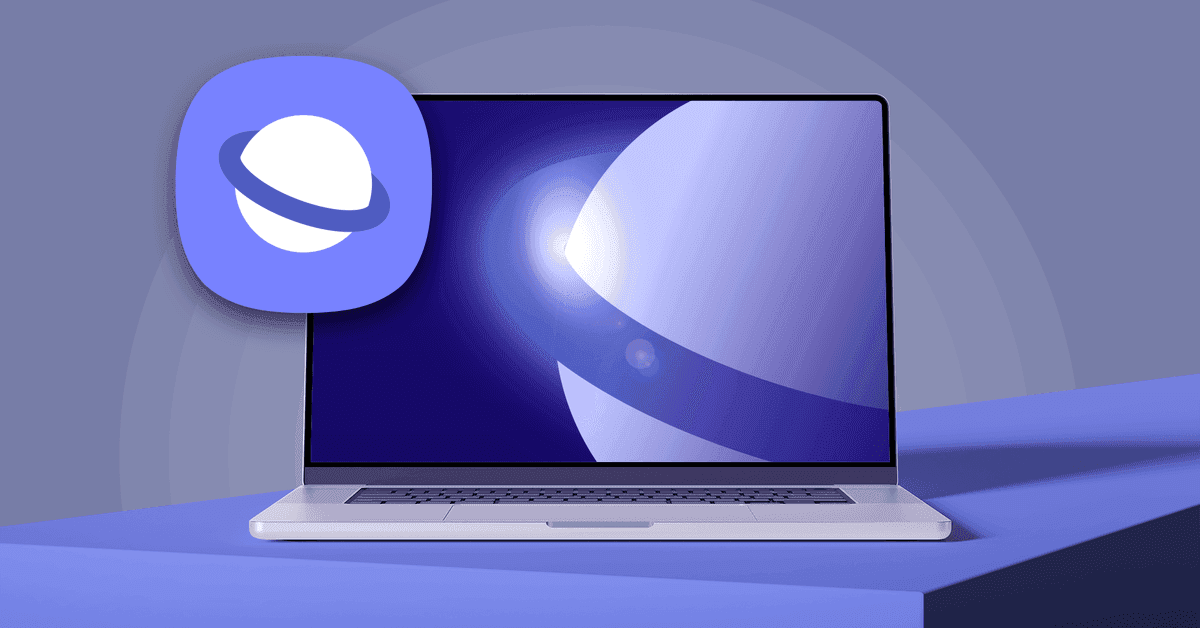
Samsung officially launched Samsung Browser for Windows after months of beta testing, bringing its mobile-first browsing experience to PCs with agentic AI capabilities powered by Perplexity. The browser offers cross-device continuity that goes beyond basic bookmark syncing, allowing users to resume exact webpages between Galaxy phones and Windows PCs. AI features include tab summarization, natural language search, and context understanding, though they're currently limited to the US and South Korea.
Samsung has officially launched Samsung Browser for Windows, marking the company's most ambitious attempt yet to extend its mobile browsing experience beyond Galaxy devices
1
. After months of beta testing since late 2025, the AI-powered browser is now available for devices running Windows 10 (version 1809 and above) and Windows 113
. The launch positions Samsung to compete directly with Google Chrome and Microsoft Edge by offering agentic AI capabilities that understand context and execute tasks across the browsing environment.
Source: Android Police
The browser's standout feature is its partnership with Perplexity, which brings a new AI assistant directly into the browsing experience
2
. Unlike traditional search assistants, this Perplexity AI assistant can understand natural language and maintain awareness of both the current page content and activity across multiple tabs3
. For instance, if you're planning a trip to Seoul with a travel page open, you can ask the assistant to create an itinerary based on the page's content without manually copying information2
.Samsung Browser for Windows delivers a seamless cross-device experience that extends well beyond simple bookmark syncing
4
. Users can pick up exactly where they left off when moving between their Samsung phone and PC, including the precise scroll position on a webpage5
. This mobile browsing experience continuity relies on Samsung's ecosystem tools, specifically requiring a Samsung Account and either the Samsung Continuity Service or Galaxy Connect app installed on the PC5
.
Source: Analytics Insight
However, these cross-device features currently work only on Galaxy Book 3, 4, 5, and 6 series devices, though Samsung has indicated it will expand support to additional devices in the future
1
. The browser also includes Samsung Pass integration, allowing saved login credentials and payment information to autofill seamlessly across devices, mirroring Chrome's Autofill and Password Manager functionality1
.
Source: Phandroid
The agentic AI capabilities extend to browsing history management and video search, addressing common pain points in the browsing experience. Instead of scrolling through dates or guessing keywords, users can employ natural language terms like "find that smartwatch I was looking at last week," and the browser will surface the exact links
2
. The context understanding feature also works with video content, allowing users to locate specific moments without manually scrubbing through footage4
.Tab summarization represents another practical application of the agentic AI. The assistant can work across multiple open tabs simultaneously, comparing products or prices and summarizing content without requiring users to click through each page individually
4
. This capability positions Samsung Browser as a productivity tool that does more than answer simple questions about webpages3
.Related Stories
While Samsung Browser is available globally for Windows devices, the agentic AI features are currently supported only in South Korea and the United States, with expansion to additional markets expected in the future
3
. Samsung has not provided a firm timeline for when other regions will gain access to these AI capabilities5
. The best experience remains tied to the Samsung ecosystem, particularly Galaxy hardware, which may limit broader adoption among Windows users who don't own Samsung devices1
. Whether users will switch from established browsers like Google Chrome or Edge depends largely on how quickly Samsung can expand both device compatibility and regional AI feature availability.Summarized by
Navi
[1]
[2]
[4]
1
Policy and Regulation

2
Technology

3
Policy and Regulation