5 Sources
5 Sources
[1]
Google's Gemma 4 finally made me care about running local LLMs
We've reached a point where every company is releasing AI models so incredibly fast that they've started blurring together. New name, bigger benchmark numbers, the same "our most capable model yet" marketing language. OpenAI drops something new, then Google responds, then Anthropic fires back, and we go on and go on. I test AI tools for a living, and while the numbers might matter to me, I know far too well that the average person doesn't care whether a model scored 3% higher on some reasoning benchmark. Local LLMs are something I don't talk about all that much, because it admittedly took me embarrassingly long to actually see their potential. The ones I tested initially were slow and clunky, and as someone who has always had a first-impression problem, I wrote them off mentally. That said, Google finally launched a model that pulled me back in and it's actually worth running. Google launched four new open-source models You don't need a home lab to use these models A few weeks ago, Google launched its newest family of open-source AI models: Gemma 4. The family consists of models in four different sizes: E2B and E4B for phones and edge devices, a 26B mixture-of-experts model, and a full 31B dense model. These models are built on the same research and architecture as Gemini 3, but the difference is that they're completely free, open-weight, and designed to run on your own hardware. Want to stay in the loop with the latest in AI? The XDA AI Insider newsletter drops weekly with deep dives, tool recommendations, and hands-on coverage you won't find anywhere else on the site. Subscribe by modifying your newsletter preferences! Now, I don't really want to go into the technical weeds too much in this article. Our local LLM expert, Adam Conway, talked all about the nitty-gritty details in a separate article. But I do want to briefly explain how local LLMs actually work, because it makes everything else in this piece make a lot more sense. You essentially download all of a model's trained weights, which are the files that contain everything the model has learned, onto your own machine. Once they're there, the model runs entirely on your hardware. But what I really want to focus on here is the fact that Gemma 4 matters even if you're not running a home lab (which I don't), and how you can try it right now without any powerful hardware at all. The biggest update that the Gemma 4 models got is something called intelligence-per-parameter. This means getting smarter results out of fewer resources. Google has engineered these models to squeeze more intelligence out of each parameter, which effectively means you're getting responses that feel like they're coming from a much larger and more expensive model without needing the hardware to run one. The smaller E2B and E4B models, for example, are built for devices like your phone or laptop. They use an embedding model alongside the standard parameters, which gives you the equivalent of a larger model running in a much smaller memory footprint. You can run Gemma 4 models on your phone or laptop for free It's easier than you think As I just mentioned above, Gemma 4 models have been intentionally engineered to get the most out of every parameter. This means that you can run them with ease on your everyday devices like your laptop and phone. When it comes to actually running a local LLM, the process isn't all that technical either. You can use a tool like Ollama, which is completely free and takes minutes to set up. You install it, pick a model, and run a single command. That's it! There's no complicated configuration, but the only hassle with Ollama that some people might find is that it's designed to work within a terminal, which can feel intimidating if you've never used one. If that's you, LM Studio is a great alternative. It gives you a clean desktop app with a visual interface where you can browse, download, and chat with models without even needing to type a single command. Once your model is downloaded and ready to go, LM Studio gives you a traditional AI chatbot-like interface where you can start prompting right away. If you're using Ollama, you can pair it with something like Open WebUI to get that same familiar chat experience. Either way, it ends up feeling just like using ChatGPT, Gemini, or Claude, except everything runs locally and nothing ever leaves your machine. Similarly, you have a few options to run Gemma 4 on your phone. I'd personally recommend using Google's AI Edge Gallery, which is a free app available on both iOS and Android that lets you download and run Gemma 4's E2B and E4B models directly on your phone. Once downloaded, the model runs completely offline. You don't need to be connected to the internet, tinker around with API keys, nothing. I've been using Gemma-4-E2B on my iPhone 15 Pro Max, and it was just a 2.54 GB download. It's incredibly fast, and downloading it took a couple of minutes. For lightweight tasks, Gemma 4 gets the job done surprisingly well Now, it'd be simply unfair to expect a model that runs entirely on your own hardware to match (or even come close to) the kind of output you'd get from cloud-based models like ChatGPT, Claude, or even Gemini. Those models run on massive server infrastructure for a reason. However, for everyday, lightweight tasks, I've found that Gemma 4 handles them surprisingly well. By lightweight tasks, I mean the surface-level tasks the majority of people still seem to be using AI for. This includes things like summarizing articles (please don't summarize this one), drafting quick emails, cleaning up text you've written, or just asking questions you'd normally Google. Subscribe to the newsletter for practical local LLM guides Delve deeper by subscribing to the newsletter for hands-on local LLM coverage: step-by-step setup help, tool recommendations like Ollama or LM Studio, practical comparisons of models such as Gemma 4, and guides to run them on everyday devices. Get Updates By subscribing, you agree to receive newsletter and marketing emails, and accept our Terms of Use and Privacy Policy. You can unsubscribe anytime. As a student majoring in computer science, I use AI a lot to help me study. I ask it to explain concepts I've studied already to reinforce my understanding, quiz me on topics before exams, or break down a piece of code I'm struggling with. These aren't tasks that need GPT-5.4 or Claude Opus 4.7. They just need a model that's good enough to be helpful, and Gemma 4 clears that bar comfortably. For instance, there was this one coding assignment I had already completed manually. It had a mix of easy and tough questions, so I decided to run the same questions through Gemma 4 just to see how it'd hold up. It nailed the easier ones without any issues, and even on the trickier questions, it got most of the logic right. It occasionally needed a nudge in the right direction, but nothing that felt like a dealbreaker. Would Claude or ChatGPT have done it better? Yes. But the fact that a model running locally on my phone gave me genuinely useful answers, with no internet and no subscription, is kind of the whole point. I even uploaded a few PDFs and asked it specific questions about them, and it handled that well too. It also handles brainstorming fairly well, and generating stuff like pseudocode. Because it's all local, I can throw in sensitive stuff without worrying about data leaving my device. The offline fallback is something I personally find really helpful too! For a free model, this is as good as it gets No limits, no privacy concerns, extremely fast responses. For all of these benefits, using Gemma 4 is a no-brainer. I want to be very clear: it is not going to replace Claude or any of the other models I use for my heavy-duty work anytime soon. But also, it doesn't need to. For everyday stuff, it's more than enough.
[2]
Local LLMs are actually good now, and I wasted months not realizing it
There's a version of local LLMs that lives in my head from how they were a couple of years ago. That they're slow, clunky, need expensive hardware to run anything worth using, and outputs that feel like a worse version of what you already have in your browser. That mental model made sense at the time because local models really were like that for a while, and the barrier to entry was high enough to write them off if you weren't a serious tinkerer. I only actually tried one about four months ago, and I was pretty wrong about most of it. Not wrong in the sense that those limitations never existed - they did - but wrong in the sense that I was still treating them as dealbreakers long after that had mostly stopped being true. The hardware bar isn't as high anymore, the interfaces got way more approachable, and the models themselves got genuinely capable. I'm still figuring them out, honestly, but that's kind of the point. 7 things I wish I knew when I started self-hosting LLMs I've been self-hosting LLMs for quite a while now, and these are all of the things I learned over time that I wish I knew at the start. Posts 12 By Adam Conway The hardware bar is lower than you think A gaming PC from a couple of years ago is apparently all you need The hardware thing was my biggest assumption, and also the one that fell apart fastest. I had my PC built a couple of years ago as a decent gaming rig - it's nothing exotic, just something that could handle modern games without struggling. I don't really speak hardware, but just for reference, I'm working with RTX 3070 and 8GB VRAM. I definitely didn't get it with local AI in mind because that wasn't even on my radar. It runs local LLMs fine. I can push a 20B model with GPU offloading without it falling apart, and the model I actually use day-to-day is Qwen 3.5 9B, which I can run at a 60k context window in my runner. That last part is partly down to the model's architecture - Qwen 3.5 uses something called GDN, which handles long contexts without the usual memory blowup you'd get from a standard transformer model. So instead of VRAM usage climbing as context grows, it stays flat. A 9B model holding 60k tokens of context on 8GB VRAM is not something I would have believed was possible before actually trying it myself. Most of the Qwen models use GDN, so if long context on limited VRAM is what you're after, that's probably where you're looking. Latency was another thing I had wrong. I expected it to feel sluggish - and it kind of did with my first batch of models. But Qwen 3.5 9B on my setup runs at somewhere around 40-50 tokens per second, which in practice just means it feels responsive. Not identical to a cloud model, but not the painful crawl I was expecting either. What a local LLM looks like in practice right now It covers more of the same ground as cloud AI than you'd expect I come across a lot of local LLM content in the context of coding, and I'll just say up front that's not my wheelhouse at all - I'm just a regular user who uses AI the way most people do. My runner of choice is LM Studio, which has a clean and easy interface that never felt like I was doing anything particularly technical. It's basically just a chat window with some controls. The use case I keep coming back to is building study materials. I'm doing design coursework at the moment, and what I've been doing is feeding Qwen my official course docs and having it generate structured course content from them - short weekend study guides and exercises. But I also just prompt it on the spot when I need to work through something I don't have material for yet. Qwen 3.5 9B punches above its size because it was trained on knowledge distilled from a much larger 397B model - so you're getting more capability than the parameter count suggests. And I also have Brave Search MCP hooked up so it can pull from the web if it doesn't know something. Whenever Qwen gives me something good enough to work with, I convert the entire conversation to a PDF file using this LM Studio converter tool, so I can treat it like a real document as part of my course material and open it anywhere. Image analysis is another thing I didn't expect it would be so good at. On the MMMU-Pro visual reasoning benchmark, Qwen3.5-9B scored 70.1, which is not far behind leading models like Gemini 3 Pro and GPT-5.4 that score in the 80% range, and explains why it reads my screenshots with such high accuracy. I upload screenshots of UI designs and ask it to flag inconsistencies or improve the design - basically the same way you'd use Claude for design feedback, but locally. It also handles real-life images with organic subjects just as well as screenshots and digital content, which opens it up beyond the obvious design and document use cases. In fact, Qwen 3.5 9B does lead on a lot of AI benchmarking. However, as this article discusses, while benchmarks don't mean nothing, they're not how you should pick your model - it depends on what you actually use AI for. All I know is that it's great at handling long context, which is why I use it just about as much as Gemini and Claude. Google's Gemma 4 isn't the smartest local LLM I've run, but it's the one I reach for most Google's newest Gemma 4 models are both powerful and useful. Posts 4 By Adam Conway The privacy thing is actually a real benefit Some data is better kept local The one thing I do genuinely appreciate that I didn't expect to is the privacy side of it. Nothing I type into LM Studio leaves my machine - no training data, server logs, or terms of service clause about how my inputs might be used to improve the product. For most of what I use AI for, that doesn't matter much. But there are topics I'd rather not run through a cloud model - health stuff, finances, anything where I'd have to hand over personal context to get a useful answer. For that kind of thing, local just makes more sense, and I don't have to think twice about what I'm sharing. Several months in and I'm still finding new things to do with it. The assumptions I had about local LLMs being slow, hardware-hungry, and only worth it if you're technical - most of them didn't hold up. If you've been putting it off for the same reasons I was, it's probably worth an afternoon to set one up and find out how wrong you might be too.
[3]
I built a local AI stack with 5 Docker containers, and now I'll never pay for ChatGPT again
Beginning his professional journey in the tech industry in 2018, Yash spent over three years as a Software Engineer. After that, he shifted his focus to empowering readers through informative and engaging content on his tech blog - DiGiTAL BiRYANi. He has also published tech articles for MakeTechEasier. He loves to explore new tech gadgets and platforms. When he is not writing, you'll find him exploring food. He is known as Digital Chef Yash among his readers because of his love for Technology and Food. Moving my workflow to a local AI setup was the best productivity hack I've discovered in years. Relying on cloud APIs often felt like building my house on someone else's land. I was always at the mercy of their subscription fees, privacy policies, and server downtime. By leveraging Docker and self-hosting, I've built a private, high-performance ecosystem that runs entirely on my own hardware. Equipped with an Intel Core Ultra 9 processor, 32GB RAM, and an Nvidia GeForce RTX 5070, I can run heavy 14B models with zero lag. I even run a few 20B models whenever required. With a 1TB SSD for model storage, my machine is now a localized powerhouse. Here is the exact Docker stack I use to create a powerful local LLM workflow. Ollama The core layer If my self-hosted AI stack were a body, Ollama would be the brain. It's the core engine that runs large language models directly on my machine, without relying on any cloud service. That shift completely changed how I use AI. Instead of sending prompts to external APIs, everything stays local, private, and always available. I use different models for different tasks. Ollama lets me run models like gpt-oss (20B), qwen2.5-coder (7B), llama3.1 (8B), Mistral (7B), DeepSeek (14B), Gemma, and others depending on what I need. Some models are better at reasoning, some are faster for quick writing, and some are excellent for coding help. Switching between them is as simple as pulling a Docker image. Ollama also handles memory management and quantization efficiently, so even high-parameter models run smoothly without stressing my system. The API is clean and easy to integrate with tools like Open WebUI, LangFlow, AnythingLLM, and even my productivity stack like Logseq or Home Assistant. It's one of the easiest ways to start self-hosting LLMs without dealing with complex setup. Ollama handles most of the heavy lifting, so I can focus on actually using the models instead of managing them. There are other options, like LM Studio, that also power local AI setups. Open WebUI Bring the ChatGPT experience to your own local hardware While Ollama runs the models, Open WebUI is where I actually use them. It gives me a clean, familiar chat interface, similar to ChatGPT, but everything runs locally on my machine. I don't need to send API requests or switch between tools. I just open the browser and start typing. Just like people who use ChatGPT, Gemini, etc., I use Open WebUI for summarizing notes, brainstorming ideas, and testing prompts. It connects directly with Ollama, so changing models takes only a few seconds. If I want faster responses, I switch to a smaller model. If I need better reasoning, I choose a stronger one. The chat history feature helps me revisit past conversations and reuse prompts that worked well. It also connects easily with tools like n8n and AnythingLLM. Open WebUI makes my local AI setup feel simple, practical, and ready to use every day. n8n The automation layer n8n is an open-source workflow automation tool that I run locally with Docker. I treat it as a self-hosted alternative to Zapier, but with much more control and flexibility. I can connect apps, APIs, and my local LLM without relying on cloud services, which keeps everything private and reliable. n8n is what turns my local LLM setup into a real workflow instead of just a chat tool. It helps me automate repetitive tasks and connect different parts of my stack. Instead of manually copying prompts and responses, I create simple workflows that run on their own. It can monitor folders, call Ollama through API, and save results wherever I need. The visual builder makes it easy to understand how data flows between steps and quickly fix issues if something breaks. n8n makes my AI setup feel like a complete system that actually works for me. Related I used my local LLM to rebuild my workflow from scratch, and it was better than I expected I rebuilt my workflow when AI finally felt truly mine. Posts By Yash Patel AgenticSeek Personal multi-step problem solver AgenticSeek adds the "agent" layer to my local AI setup. Instead of just answering prompts, it helps my LLM take actions, follow steps, and complete multistep tasks on its own. It brings goal-based behavior to my self-hosted workflow. I use AgenticSeek when I want my AI to do more than simple chat. It can break a task into steps, search for information using SearXNG, process results, and generate structured output. This makes it useful for research, drafting content, and structured problem-solving. What I like most is that everything still runs locally. My data stays private, but I still get the experience of using an autonomous AI assistant. AgenticSeek works well with Ollama as the model layer and connects easily with n8n for automation. It makes my local LLM feel more proactive, not just reactive. SearXNG Connect your local LLM to a private internet SearXNG gives my local LLM access to real-time information without depending on Google or other tracking-heavy search engines. It is a privacy-focused metasearch engine that I run locally using Docker. This means I can search the web without ads, tracking, or personalized results influencing what I see. Subscribe to our newsletter for self-hosted AI guides Explore practical self-hosting tactics -- subscribe to the newsletter for Docker stacks, model choices, integration recipes, and privacy-minded workflows that show how to run local LLMs, connect automation layers, and expand a private AI setup with reproducible steps. Get Updates By subscribing, you agree to receive newsletter and marketing emails, and accept our Terms of Use and Privacy Policy. You can unsubscribe anytime. I use SearXNG when my AI needs fresh information that isn't part of its training data. I connect it with AgenticSeek, so the agent can search the web, collect useful links, and summarize the results. It helps me research topics, verify facts, and explore ideas without leaving my local workflow. With SearXNG, my AI stack can fetch information on demand while everything stays under my control. It completes my stack by giving my local LLM a private window to the internet. Related Self-hosted LLM took my personal knowledge management system to the next level I upgraded my second brain with fully local intelligence. Posts 6 By Yash Patel Build once, improve forever What I like most about this setup is how it grows with my workflow. I can start simply, then gradually add more capabilities as my needs change. Each container solves a specific problem, but together they create a flexible system that keeps improving over time. Self-hosting AI is not just about privacy; it's about ownership and control. I decide how my tools behave, how my data is used, and how everything connects. That freedom makes experimentation easier and removes dependency on changing pricing or policies.
[4]
Gemma 4 just replaced my whole local LLM stack
Local LLMs have mostly been a novelty for me. I've used them ever since they became convenient, but still, mostly for the novelty. I'd run one, then sit there thinking, hey, this is happening on my computer! It's cool. But for most practical use cases, that was about it. Because when I'm serious about something, I still reach for a major chatbot like Claude, Gemini, or ChatGPT. You don't even need to ask why. For a model to run at a reasonable speed on my computer or yours, it has to be small. Small models are nowhere near as capable or accurate as the big cloud ones. So if you actually want a local LLM to be practical, you usually need a ridiculous rig: a big GPU, a capable CPU, and lots and lots of RAM. Most of us don't have that. After all, the AI infrastructure companies are busy buying all the RAM so we can't. It's an uphill battle. Related OpenClaw is everything you'd expect The "agent" hype finally earned it. Posts 5 By Amir Bohlooli The story is not quite that bleak, though. Recently, Google dropped the Gemma 4 line of models. This is different from Gemini. It's not the model powering the chatbot, but the two do share some DNA. The biggest surprise with Gemma 4 is that it's fully open-source. An Apache license! That alone makes it stand out. That's not all, either. Gemma 4 has some very interesting training behind it with MoE. In simple terms, the mixture-of-experts setup here works differently. It lets Gemma behave with something closer to the precision of a 26B model, while running at the speed of a 4B one. Gemma 4 also comes in smaller variants like E4B and E2B. These are meant for much smaller hardware, maybe even something like a Raspberry Pi. But the important thing is this: they're not really comparable to the models we've had before at this size. That's what makes them interesting. Putting Gemma 4 to the test Start to finish I wanted to explain how Google pulled this off and why Gemma 4 feels so different, but honestly, it's easier to just show it in action. I already had Continue.dev set up in VS Code for local coding. I have OpenClaw set up with LM Studio. I also have Aider, in case I want something closer to Claude Code running locally. All of these can be made to work with Gemma 4 through LM Studio, and it's pretty straightforward to set up thanks to LM Studio's OpenAI-like API endpoint. For this test, I'm using the Gemma 4 E4B model. For context, my setup has a 12GB RX 6700XT and 64GB of DDR4 RAM. I know my GPU can handle more than a tiny model, but I'm sticking with this one because I want to fully offload it to the GPU. I've tried the bigger brother, and it just wasn't as fast. As a basic test, let's start with a writing prompt. This is one of the main perks of local LLMs too: you can write into them privately, without any of it being used for training. And with abliterated local models, you can also get around some of the restrictive censoring and refusal behavior you see in major chatbots. So I asked Gemma to respond to a quote. Respond to this paragraph. Argue against it, but use the exact same tone. Do not address it directly. The response was good! I won't get to the deeper argument of it. Gemma 4 E4B responded to that in 0.26 seconds. Though it did think for 5 seconds beforehand. That's on my computer with the RX 6700XT. Running on my M2 MacBook with 16GB of RAM, it answered in 1.21s and it was decent. That should give you an idea of why this is exciting to me. One of the biggest prospects of a capable local LLM, at least for me, is using it with my journal. That's why I've been so relentlessly trying to bring an LLM into Obsidian. I write a lot in my journal, and sometimes it's nice to get another perspective on what I've written. I can't ask a human because it's deeply private. But a local LLM is private in a way cloud tools simply aren't. For that exact reason, I can't share that experiment here, so let's do something else with it instead. LM Studio OS Windows, macOS, Linux Developer Element Labs See at LM Studio Expand Collapse Text isn't all Gemma can do Put the eyes to work This time, I'm loading up the even leaner Gemma 4 E2B model. This one is only 4GB. You could run it on a phone. The Gemma line checks all the right boxes for a local model stack: thinking, tools, and vision. Let's use that last part. I wanted to use Gemma's vision capabilities to rename some photos and replace their filenames with natural descriptive text. I could've done this through VS Code, or with OpenClaw, or with Aider. There are a lot of ways to use the model for a coding task like this. But this time I used the LM Studio chat panel with a prompt like this: I need a Python script that loops through all images in the current folder (jpg, jpeg, png, gif, webp, bmp), sends each one as a base64-encoded image to a local OpenAI-compatible API at http://127.0.0.1:1234/v1 using model google/gemma-4-e2b, and asks the model to describe the image in a specific natural phrase under 100 characters with no hyphens. The script should rename each file to that description, keeping the original file extension lowercase, skipping if a file with that name already exists, and printing progress as it goes. Gemma responded in 0.54 seconds. Not even a full second. I had my code, and it even told me which pip package I needed to install to make it work. I installed it, ran the .py file, and it worked. Lo and behold, my photos were renamed. It didn't like the .heic files from my iPhone, and it got the battery one wrong, but for everything else, it nailed it. It saved me the hassle of coming up with descriptions for a pile of photos. More importantly, it was fast. I didn't have to upload my photos to someone else's machine. That means, first, the photos stay on my machine, and second, there's no upload bandwidth wasted sending them to the internet. That matters even more when you're dealing with lots of large photos. The tiniest Gemma 4 model is a very competent model for its size, but you do need to respect the limits. The biggest weakness in a local LLM stack is context size. I simply can't match what Gemini or ChatGPT offer there. So if I want something ambitious, like a full solar system simulator in one response, the local model is going to struggle. But if I want it to debug code, it can absolutely do that. In one of those same tests, instead of using Claude to debug ChatGPT's code, I used Gemma. And it found the bug on the first try. Not bad at all. Local LLMs are practical now I can see it now. I've already added a larger Gemma model as a failover in my OpenClaw setup. I'm definitely going to keep using that script to batch rename photos. I'm going to use a stronger and faster local model with my journals. Local LLMs are becoming more and more usable. I'm already thinking about building a local meeting transcriber and summarizer with it My hardware is overkill for a tiny model like Gemma 4 E2B. But that's part of the point. You do not need absurd hardware to get a smooth experience out of this thing. Most modern computers can run it just fine. A local LLM is no longer just a toy you boot up to marvel at the fact that it works offline. It's no longer just a novelty you show off because it feels futuristic. For the first time in a while, it feels like something I can actually fold into my daily setup and keep there.
[5]
5 useful things I do with a local LLM on my phone
In his free time, Oluwademilade enjoys testing new AI apps and features, troubleshooting tech problems for family and friends, learning new coding languages, and traveling to new places whenever possible. Every time you send a prompt to ChatGPT, Gemini, and the likes, it travels across the internet, lands on a server somewhere, and becomes part of a system you don't really see. That trade-off is usually worth it for the reason of cloud models being faster, smarter, and easier to use. But running a small language model locally on my phone changed what I use AI for. The experience is more private, and sometimes more practical than I expected. It's not as powerful as cloud AI, but for certain things, it's actually the better tool. These are the most useful ways I've ended up using a local LLM on my phone. Related I don't need Perplexity anymore because my local LLM does it better Perplexity was great -- until my local LLM made it feel unnecessary Posts 12 By Yadullah Abidi I use it as a thinking partner for questions I don't want leaving my phone For thoughts that feel better kept off the record There's a certain kind of question that gives you pause before typing it into ChatGPT or even Google. Not because it's inappropriate, but because it's personal enough that sending it to a server tied to your account doesn't feel great. What counts as "too personal" will differ from person to person, but everyone seems to have that invisible line. Those are the questions I've started taking to a local model instead. The conversation stays on my hardware, and if I want to be extra cautious, I can flip my phone into Airplane Mode and have a truly air-gapped conversation. At that point, it really is just you and the model, with no connection to the outside world. This changes how I use AI. I'm more willing to think out loud, test half-formed ideas, or ask questions I'd normally keep to myself. I dump messy notes into it And get some structure back I take a lot of notes, and frankly, most of them are a mess. It includes speech-to-text transcripts that loop back on themselves, bullet points with zero context, half-finished thoughts that made perfect sense in the moment and none at all later. My old workflow involved a lot of staring, shuffling lines around, and slowly trying to reconstruct what I meant. Now I paste those brain dumps straight into a local model and ask it to organize them. It can pull out the thread, figure out what I was circling around, and return something cleaner to build from. Not all polished, but coherent enough to move forward. This works especially well for notes that feel too raw to send anywhere. Because everything stays on-device, I don't hesitate to paste in material with real names, figures, or personal context. As I mentioned earlier, there's no mental pause about where the text is going, since it never leaves the machine. It is exactly why I switched everything to local AI and stopped sending my documents to the cloud. I run quick code checks When I just need to sanity check the logic Close Proprietary logic, internal tooling, client-specific configs -- these are plenty of situations where pasting code into a cloud model is borderline bad idea, regardless of what the terms of service promise. A local LLM running on my phone has become a lightweight fallback when I'm away from my laptop. Just as there are several interesting ways to use a local LLM with MCP tools on a desktop, I can describe an error, paste a small function, or just ask for a plain-English explanation of what a chunk of logic is doing directly from my phone. Related I stopped paying for ChatGPT and built a private AI setup that anyone can run Own, don't rent. Posts By Raghav Sethi It's not a replacement for a proper IDE, not even close, but it fills the gaps. This works best with smaller snippets, like a couple of hundred lines at most. Within that range, even modest on-device models are capable at explaining logic, spotting obvious mistakes, or suggesting cleaner approaches. I use it as a zero-pressure language tutor Practice without streaks, scores, or pressure Cloud-based language apps often feel more like mobile games than learning tools. They track streaks, nudge you with notifications, and sprinkle in ads to keep you engaged. A local LLM does none of that. I've been using it to practice French and Spanish in a more free form way. Taking inspiration from the trick of using a Kindle and ChatGPT as a shortcut to learning a new language, I can ask awkward grammar questions, request roleplay scenarios, or just hold casual conversations without worrying about mistakes. There's no scoring system and no sense of being evaluated. Because it runs locally, it also works offline. I can practice during a flight, on spotty hotel Wi-Fi, or anywhere my connection is unreliable. That makes it easier to squeeze in short sessions without planning around connectivity. I point my camera at things and ask... What is that? Some local models can handle images as well as text (they are actually called multimodal models), which opens up a practical set of uses. I usually use them to summarize whiteboards, interpret handwritten notes, and extract key points from quick photos. Subscribe for practical guides on local LLMs and device AI Get the newsletter for hands-on how-tos and deeper coverage of running local LLMs on phones: privacy-minded workflows, note and code tips, camera-based tricks, and clear device-focused guidance you can try on your own device. Get Updates By subscribing, you agree to receive newsletter and marketing emails, and accept our Terms of Use and Privacy Policy. You can unsubscribe anytime. It's also helpful for everyday situations. I've snapped ingredient labels to double-check allergens, photographed product packaging to understand unfamiliar terms, and taken pictures of plants just to get a rough identification. None of this requires an internet connection when the model runs fully on-device. The results aren't always perfect. Smaller models can hallucinate details, especially when the image is blurry or cluttered. Even so, it's often good enough for quick context or a second opinion, which is usually all I need. A smaller model, but a different kind of usefulness MNN Chat, developed by Alibaba as an open-source project, has become my go-to for these kinds of tasks because of how well it squeezes performance out of mobile hardware. It single-handedly proves that you can (and should) run a tiny LLM on your Android phone. That said, running a local LLM on your phone isn't a replacement for cloud AI. The bigger models still have the edge when it comes to heavy lifting, complex reasoning, coding, deep research, all of that. But that's not really the point; local models fill a different role. They're private, always within reach, and quite useful for smaller, everyday tasks.
Share
Share
Copy Link
Running AI models on your own hardware just became accessible to everyday users. Google's open-source Gemma 4 family delivers cloud-level performance on phones and laptops, while tools like Ollama and LM Studio eliminate complex setup. The shift marks a turning point for privacy-focused, offline AI that doesn't require expensive infrastructure.
The landscape for running local LLMs has shifted dramatically. What once demanded expensive hardware and technical expertise now runs smoothly on everyday devices. Google launched its Gemma 4 family of open-source AI models, consisting of four different sizes: E2B and E4B for phones and edge devices, a 26B mixture-of-experts model, and a full 31B dense model
1
. These models are built on the same research and architecture as Gemini 3, but they're completely free, open-weight, and designed to run on your own hardware.
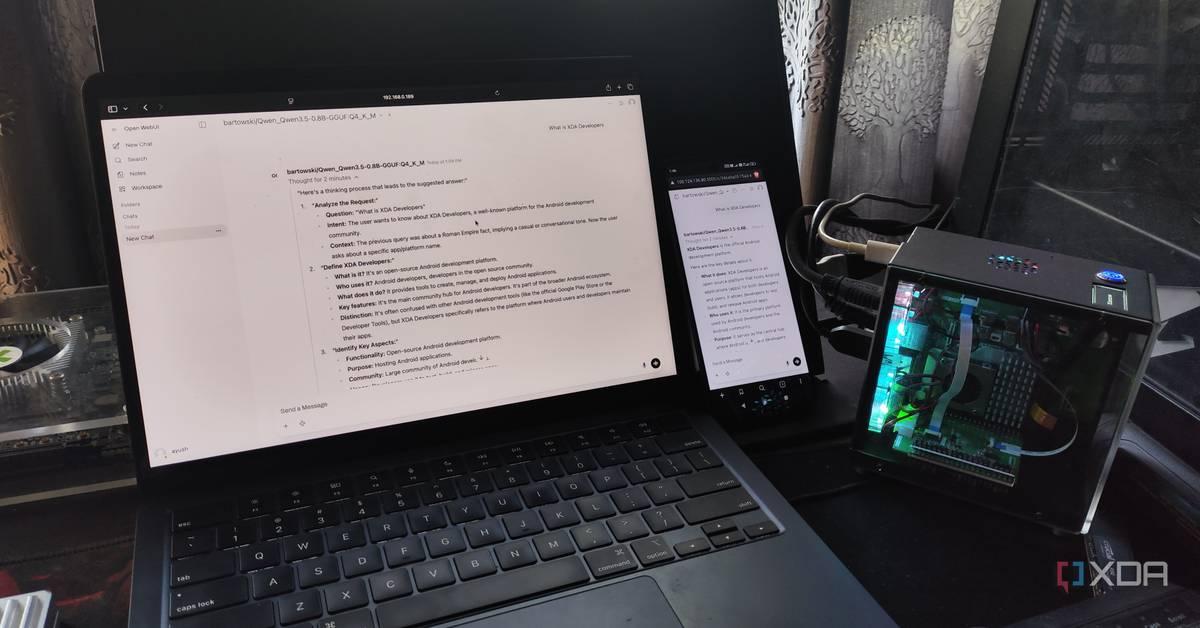
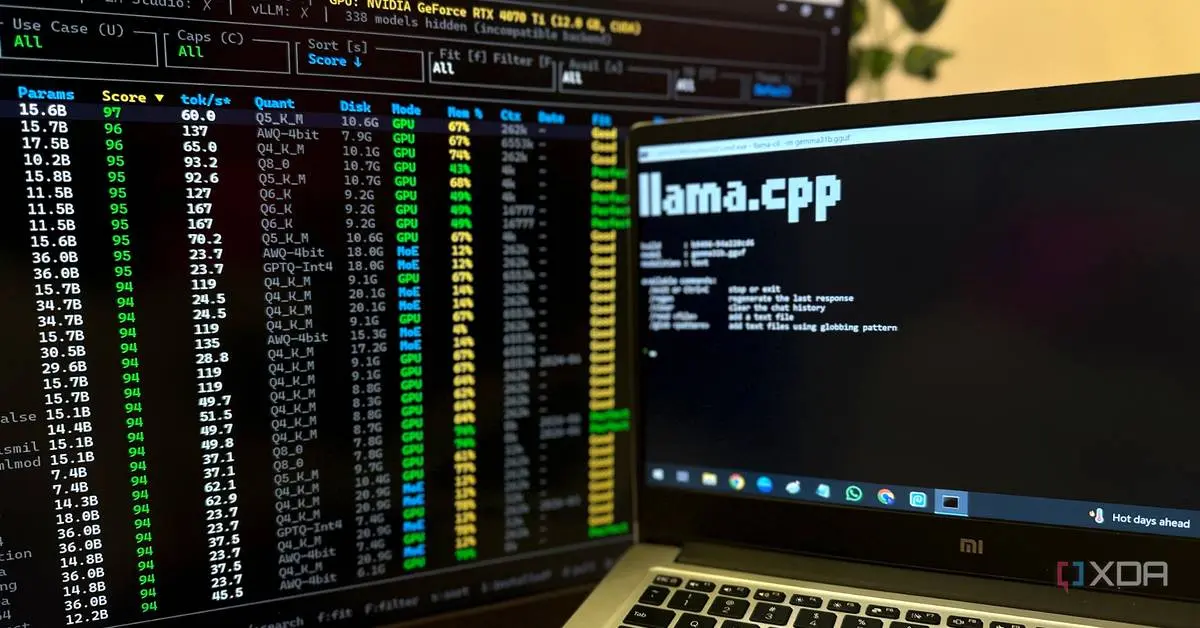
Source: XDA-Developers
The breakthrough lies in intelligence-per-parameter engineering. This approach squeezes more capability out of fewer resources, delivering responses that feel like they're coming from much larger models without needing powerful infrastructure
1
. The Gemma 4 E4B model responds in 0.26 seconds on a system with a 12GB RX 6700XT, while the even leaner E2B model runs at just 4GB, making it phone-compatible4
. Users report downloading the Gemma-4-E2B model on an iPhone 15 Pro Max as a 2.54 GB file that runs incredibly fast with offline functionality1
.
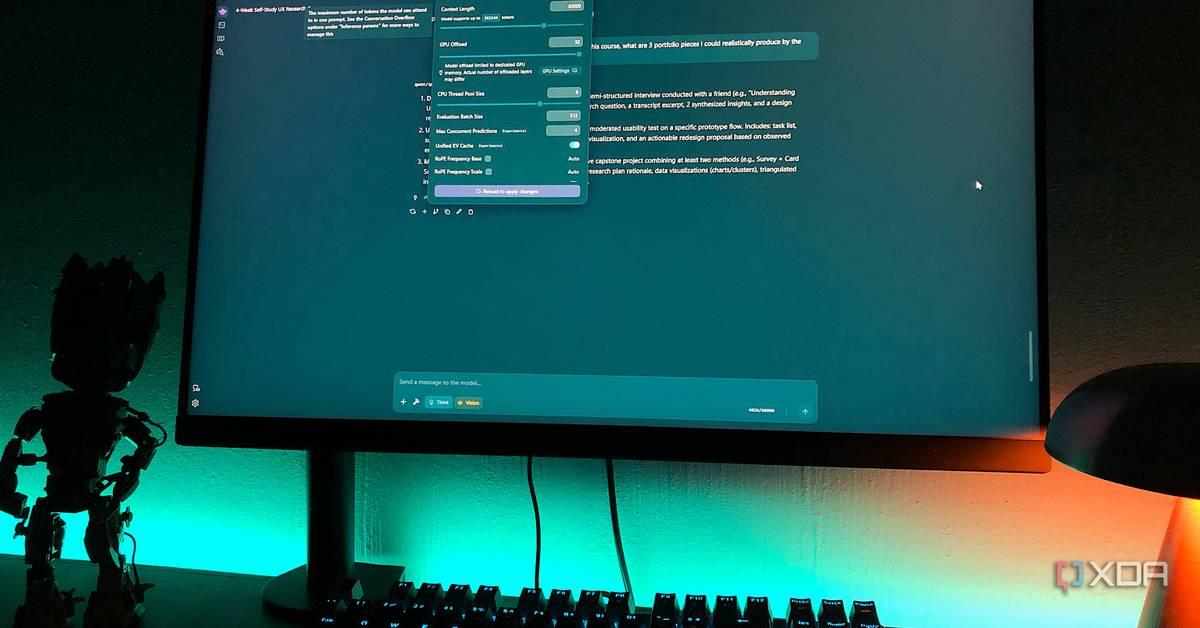
Source: MakeUseOf
The barrier to entry for local Large Language Models has dropped significantly. A gaming PC from a couple of years ago with an RTX 3070 and 8GB VRAM can run a 20B model with GPU offloading without struggling
2
. Users successfully run Qwen 3.5 9B at a 60k context window, achieving 40-50 tokens per second, which feels responsive in practice2
.For mobile use, Google's AI Edge Gallery app works on both iOS and Android, letting users download and run Gemma 4's E2B and E4B models directly on their phone
1
. Once downloaded, the model runs completely offline without internet connectivity or API keys. This accessibility extends to personal devices without requiring home lab setups or specialized equipment.Moving to a self-hosted AI setup eliminates dependence on cloud-based AI services and their subscription fees, privacy policies, and server downtime
3
. Users build local AI stack configurations using Docker containers with tools like Ollama as the core engine, Open WebUI for the chat interface, and n8n for workflow automation3
.LM Studio provides a clean desktop app with a visual interface where users can browse, download, and chat with models without typing a single command
1
. For those comfortable with terminals, Ollama takes minutes to set up and can be paired with Open WebUI to get a familiar chat experience1
. The setup ends up feeling just like using ChatGPT, Gemini, or Claude, except everything runs locally and nothing ever leaves your machine.
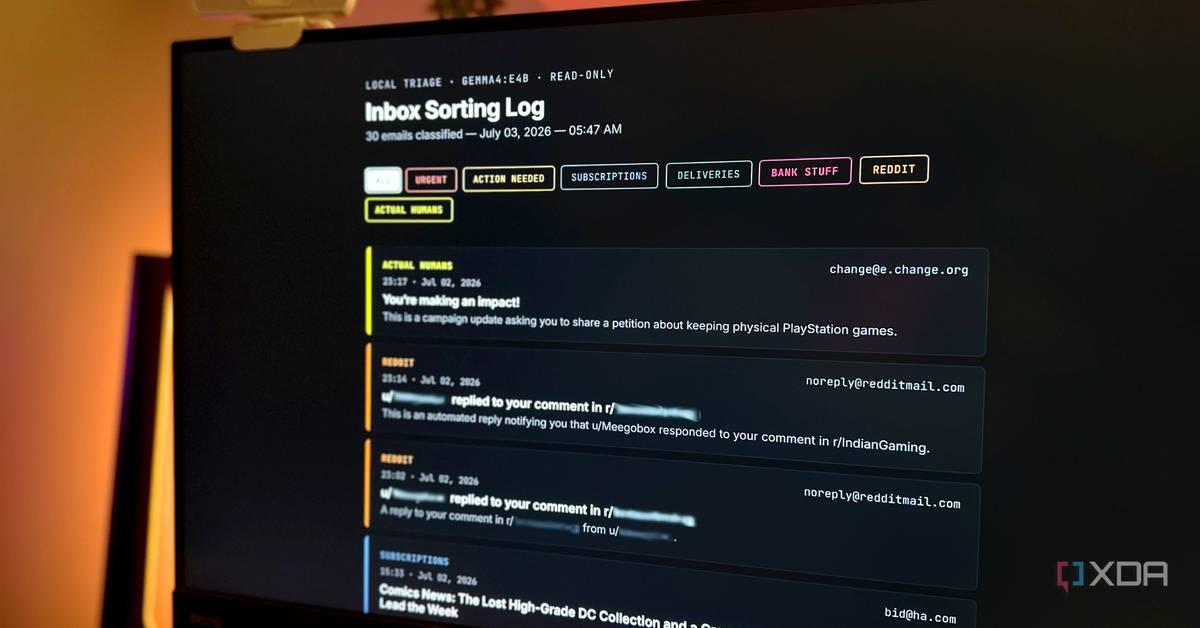
Source: XDA-Developers
Related Stories
Users are finding compelling reasons to run powerful AI models locally beyond novelty. One user feeds course documents to their local LLM to generate structured study materials and exercises, converting entire conversations to PDF files for reference
2
. The Qwen3.5-9B model scored 70.1 on the MMMU-Pro visual reasoning benchmark, approaching the 80% range of leading models like Gemini 3 Pro and GPT-5.42
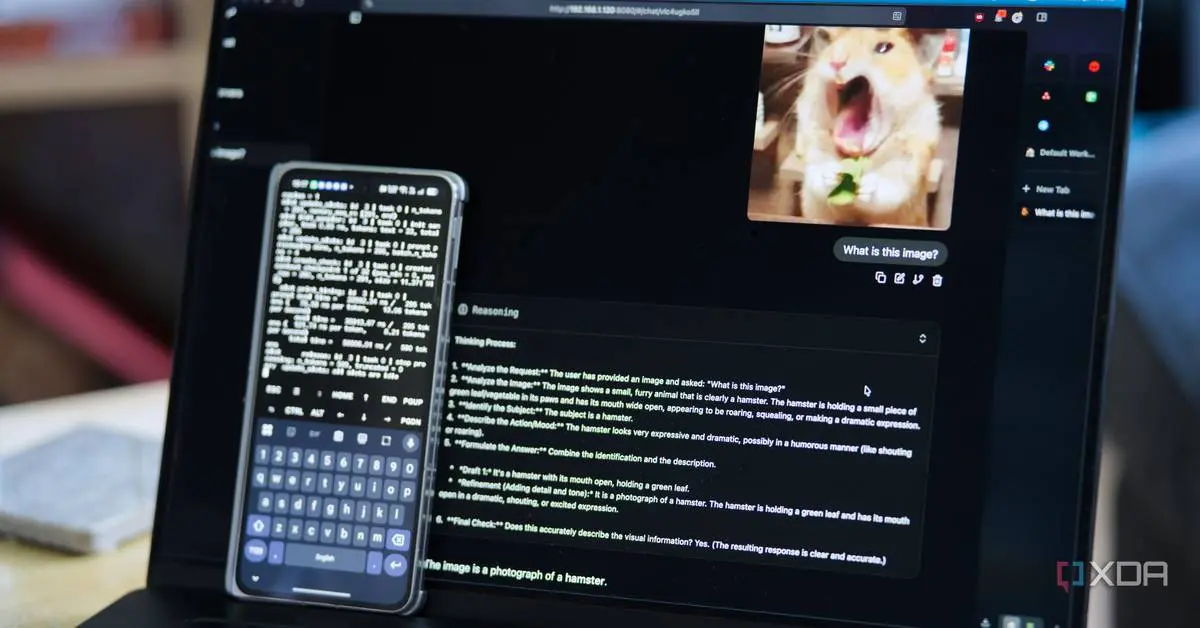
.On mobile, users leverage a local LLM on my phone for private conversations that never leave the device, organizing messy notes, running quick code checks on proprietary logic, and practicing languages without connectivity requirements
5
. The ability to flip a phone into Airplane Mode and have a truly air-gapped conversation changes how people approach sensitive queries5
.The shift to replace paid cloud-based AI services delivers tangible benefits. Users equipped with an Intel Core Ultra 9 processor, 32GB RAM, and an Nvidia GeForce RTX 5070 can run heavy 14B models with zero lag and even some 20B models when required
3
. This local AI stack approach means no monthly subscriptions, no rate limits, and complete control over model selection and data handling.Gemma 4's Apache license makes it stand out among open-source options
4
. The mixture-of-experts setup lets Gemma behave with precision closer to a 26B model while running at the speed of a 4B one4
. Users can switch between different models for different tasks, with some better at reasoning, others faster for quick writing, and some excellent for coding help3
. As cloud AI companies continue raising prices and adjusting terms of service, the appeal of owning rather than renting AI infrastructure grows stronger for users who value privacy, performance, and long-term cost efficiency.Summarized by
Navi
[1]
[2]
[3]
[4]
[5]
29 Jan 2025•Technology
08 Apr 2026•Technology

01 Jun 2025•Technology

1
Policy and Regulation

2
Technology

3
Policy and Regulation