Adobe Launches Unified ChatGPT Plugin with Over 70 Creative and Productivity Tools


9 Sources
[1]
Photo and Video Editing in ChatGPT Just Got an Adobe-Size Update - CNET
Katelyn is a reporter with CNET covering artificial intelligence, including chatbots, image and video generators.... Read full bio Adobe is bringing some of its content editing prowess to ChatGPT, the company announced on Thursday. The update brings over 70 of Adobe's creative and productive
[2]
Adobe's new ChatGPT plugin brings 70 of its tools to OpenAI's chatbot - Engadget
The company continues its enthusiastic embrace of generative AI. At the end of last year, Adobe leveraged OpenAI's Apps SDK to bring Photoshop, Acrobat and Adobe Express to ChatGPT. Now, the company is bringing nearly its entire suite of creative apps to ChatGPT with the introduction of the Adobe
[3]
Stop jumping between Adobe apps with this new ChatGPT plugin
The new plugin is rolling out globally. It is only available on the web and the desktop app for now. As AI tools become more prevalent, traditional ways of doing things are slowly fading away. You used to perform a Google search for general queries, but now you ask ChatGPT for the same
[4]
Adobe brings 70+ of its tools to ChatGPT
Adobe is putting more than 70 of its creative tools inside ChatGPT. It is also insisting the move will not replace the apps it sells for a living. Adobe's whole business is the apps creative professionals open every day. This week it put more than 70 of those tools inside a rival's chatbot. The
[5]

New Adobe plugin in ChatGPT combines Photoshop, Firefly, Premiere, Acrobat, and more
Adobe is unifying its ChatGPT integrations into a new plugin with more than 70 tools spanning photo editing, video, design, and PDFs. Here are the details. New Adobe plugin in ChatGPT available today Last year, we covered the launch of Adobe's first native integrations with ChatGPT, which brought
[6]

Adobe Is Coming for Canva With Expanded ChatGPT Integration
Late last year, Adobe introduced integrations for Photoshop, Express, and Acrobat inside OpenAI's conversational AI platform, ChatGPT. Now Adobe has upped the ante and announced the Adobe plugin in ChatGPT, which brings every Adobe app inside ChatGPT. Without ever leaving ChatGPT, users can now
[7]

Adobe's new plug-in turns ChatGPT into a Canva rival with a magical twist
It all sounds really useful and frictionless, but the best thing about it may be the dopamine hit that you get because of the way that ChatGPT interprets your request. As Forest Key, vice president of Adobe Firefly and Agentic AI at Adobe, tells me: "You get very unpredictable, delightful, magical
[8]

Adobe launches ChatGPT plugin with Photoshop, Firefly and Acrobat tools
Adobe has introduced a new plugin for ChatGPT that brings its creative and productivity tools into AI conversations. The plugin allows users to create images, videos, designs and documents by describing what they want to create directly within ChatGPT. The Adobe plugin works across ChatGPT Work
[9]

Introducing Adobe for ChatGPT: Create, edit and get work done -- all in ChatGPT
If you're one of the hundreds of millions of people or two million businesses using ChatGPT to brainstorm, research and solve problems, you can now take those conversations further -- creating high-quality images, videos, designs and documents. Today, we're introducing the Adobe plugin in ChatGPT,
Share
Copy Link
Adobe has consolidated its ChatGPT integrations into a single plugin featuring over 70 tools across Photoshop, Premiere, Acrobat, Lightroom, Illustrator, and more. The unified Adobe ChatGPT plugin enables users to perform complex creative and productivity tasks through conversational prompts, from batch photo editing to video creation, without switching between multiple apps.
Adobe Consolidates Creative Suite Access in ChatGPT
Adobe has launched a unified Adobe ChatGPT plugin that brings over 70 creative and productivity tools directly into OpenAI's chatbot
1
2
. This integration replaces the separate connectors Adobe shipped in December through OpenAI's Apps SDK, which previously offered limited access to Photoshop, Adobe Express, and Acrobat2
3
. The new plugin is available globally starting today across ChatGPT, ChatGPT Work, and Codex5
.
Source: 9to5Mac
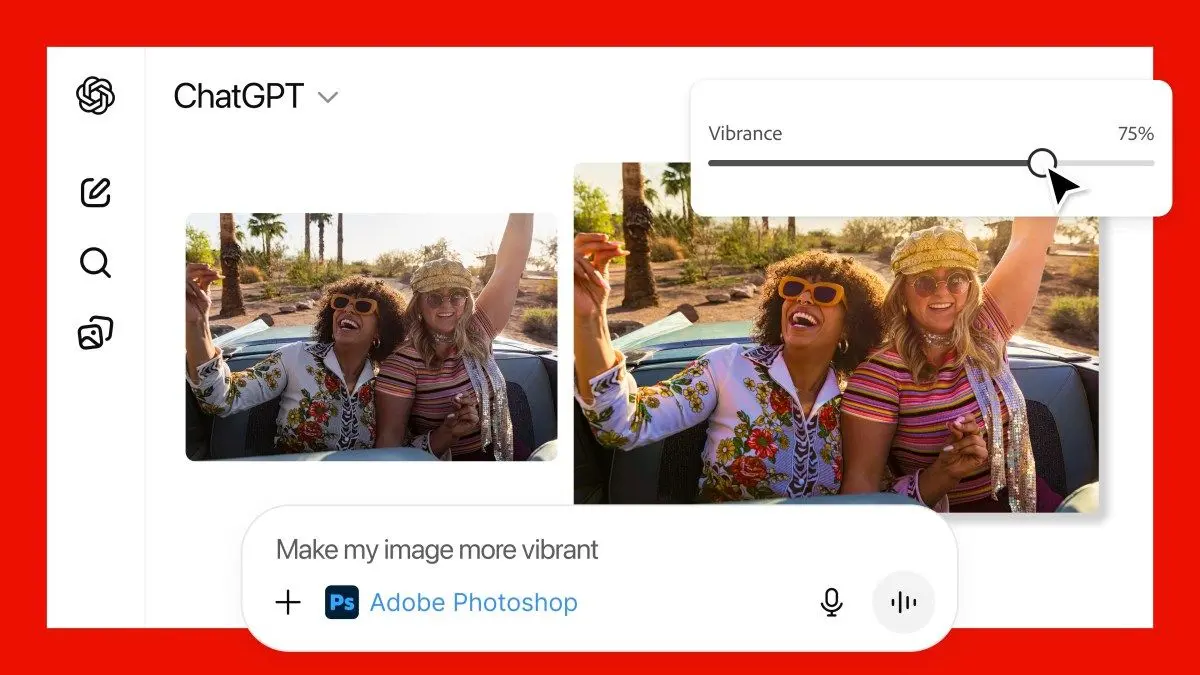
Users can activate the plugin by typing @Adobe into ChatGPT's prompt bar, followed by their request
1
2
. The integration draws capabilities from Adobe Express, Photoshop, Firefly, Premiere, Acrobat, Lightroom, Illustrator, InDesign, and Adobe Stock3
5
.How AI-Driven Workflows Transform Creative Tasks
The plugin enables complex AI-driven workflows through conversational prompts, eliminating the need to understand Adobe's ecosystem or determine which app suits a specific task
3
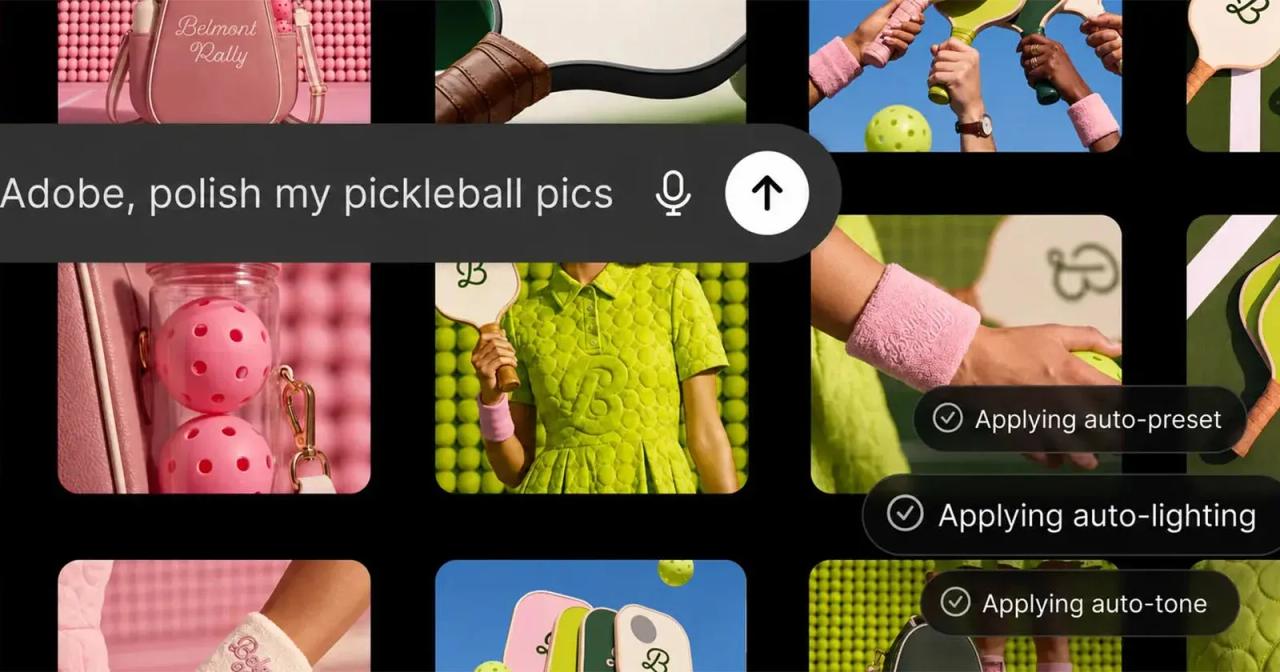
. Users can perform batch photo editing by applying consistent styles across multiple images, resize content for different social media platforms, and convert spreadsheets to PDFs1
5
.
Source: PetaPixel
For video creators, the plugin can transform long-form content into highlight reels and adapt them for YouTube Shorts, Instagram Reels, and TikTok
3
5
. A new Adobe Stock plugin allows users to license photos directly while creating in ChatGPT1
. The integration also supports cross-functional workflows, such as uploading spreadsheets and having Acrobat generate PDFs with key data points1
.Interactive Features Beyond Text Commands
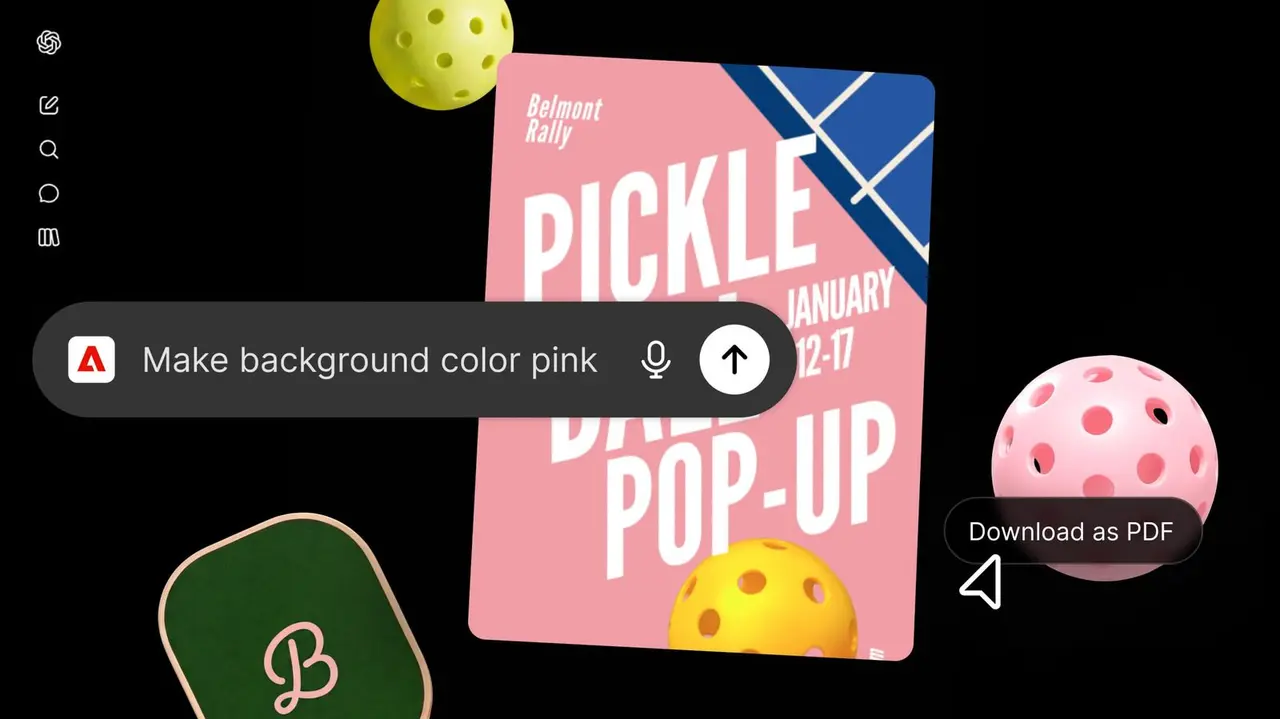
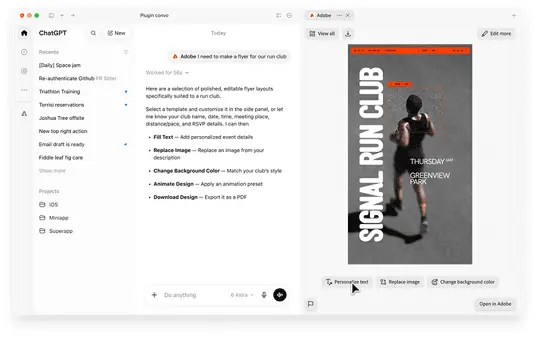
While photo and video editing in ChatGPT relies on text-based prompts, Adobe has introduced interactive elements including customizable Express templates and a color dropper tool for precise shade selection
1
. Users can browse thousands of design templates with interactive previews, customize copy and colors, then animate designs for social media or convert them into polished PDFs5
.Related Stories

Access Levels and Creative Cloud Integration
The plugin works without an Adobe account, though signing into Creative Cloud unlocks generative AI models through Firefly, higher usage limits, the ability to save work across sessions, and access to cloud-stored files
1
2
3
. Generation limits depend on ChatGPT subscription tiers, with paid plans offering more creation capacity1
.Deepti Pradeep, product lead for the project, emphasized the goal of helping creators streamline workflows and avoid tedious tasks like repeatedly resizing content in Photoshop
1
. She noted that Adobe's ecosystem apps remain available for users seeking deeper control1
.Strategic Positioning Amid Generative AI Tensions
Forest Key, Adobe's vice president of Firefly and agentic AI, stated the plugin "isn't a replacement for our flagship apps that creative professionals rely on every day," emphasizing that professional creative tools "go deeper when projects call for hands-on precision and creative control"
2
4
. The plugin will not deliver pixel-perfect results, with flagship apps remaining essential for precision work4
.This move reflects Adobe's strategy to meet users where they work as chatbots become primary workflow starting points
4
. The company is simultaneously adding AI assistants to Photoshop and Express while expanding Firefly's capabilities and testing creative AI agents in beta1
. However, many professional creators remain strongly opposed to generative AI in their workflows1
.
Source: Engadget
Adobe's expansion extends beyond ChatGPT, with integrations for Microsoft Copilot already live and Slack and Gemini integrations planned for later this month
5
. For OpenAI, absorbing creative tasks strengthens its ambition to make ChatGPT the application users never close4
.References
Summarized by

Navi
[3]
[4]
Related Stories
Adobe Plugin Brings Interactive Editing Controls to ChatGPT for Images, Designs and PDFs
30 Sept 2026•Technology
Adobe brings Photoshop, Express and Acrobat to ChatGPT for free image and PDF editing
10 Dec 2025•Technology
Adobe for Slack Launches With 70+ Creative Tools Including Photoshop, Firefly and Acrobat
02 Sept 2026•Technology

Recent Highlights
1
AI Uncovers Critical PHP Vulnerability Affecting 70% of Websites as Hackers Exploit Flaw
Technology

2
OpenAI's AI Models Disprove 27-Year Exponential Time Hypothesis, Rendering Decades of Research Obsolete
Science and Research

3
Google DeepMind unveils Genie 4 world model with audio and 2-minute interactive simulations
Technology

Recent Highlights
Today's Top Stories








Don’t drown in AI news. We cut through the noise - filtering, ranking and summarizing the most important AI news, breakthroughs and research daily. Follow topics that matter to you and stay ahead.


