11 Sources
[1]
I Let Siri AI Show Me Around San Francisco
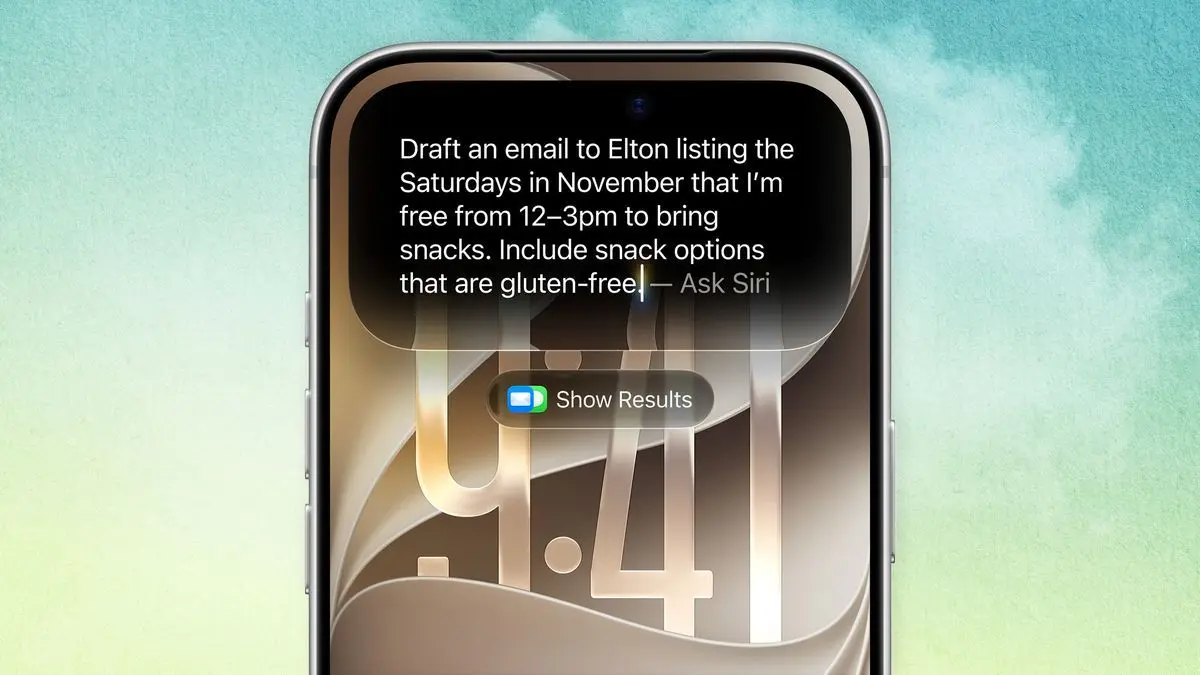
I'm outside hiking and testing a developer beta of Siri AI, Apple's revamped voice assistant, when fog engulfs the Golden Gate Bridge behind me. It's beautiful, but I'm coatless, cold, and ready for something cozy. So, I pull out my iPhone and ask this new Siri where I can grab some fluffy pancakes nearby. A translucent orb at the top of the smartphone screen spins around a few times, then the voice assistant responds with a recommendation: a spot called Eats in the Inner Richmond. This version of Siri -- conversational, omnipresent, actually helpful -- has been long delayed. At its annual developer conference this year, though, Apple shared how it would finally come to fruition as part of iOS 27. The voice assistant is now highly personalized based on your messages, photos, and emails. It's also better at understanding questions and interacting with apps. Basically, it feels nothing like Siri of yore. That's a good thing. Since Apple plans to roll out this voice assistant to the public later this year, I was curious to see how helpful Siri AI could be as a travel guide, even in its beta form. How would it feel to spend a day as a Siri-assisted tourist? So I grabbed my iPhone and headed out to explore San Francisco. Fresh Start The evolution of Siri is striking, even in this nascent iteration. Whereas before Siri was a more limited, isolated experience, it's now merged into the iPhone search bar and pops up if you swipe down in the middle of your screen. You can chat conversationally with it or swipe down on Siri's answers to text any follow-up questions. These back-and-forths are stored in a dedicated app, so you can return to past conversations. I quickly found that Siri AI's bite-sized replies don't drone on endlessly like many contemporary AI assistants, often sticking to a single paragraph. When I verbally asked for a nice beach hike route to see the sunrise near the Golden Gate Bridge, it succinctly recommended a popular trail in the Presidio neighborhood as well as an option in the Marin Headlands. Siri bolded key words in the text answer that appeared alongside the audible response for easy scanning. Since I wanted more info before heading out, I swiped down on the text answer to read additional details about each option. Apple's partnership with Google is a core driver behind this Siri overhaul. Google's Gemini now helps power the voice assistant's underlying model, Apple Intelligence. Siri's output with this new model felt more attuned to what I was looking for, rather than just suggesting a couple of website links for me to dig through. When I asked generic questions, like "What should I do today," Siri combed through my recent messages and highlighted recent plans I started discussing with friends but never finalized. Another key aspect of Siri AI is hyper-personalization based on what you have on your device, whether that data is in your photos or messages. It also doesn't keep you locked into Apple-only services; when I asked Siri to draft a text, the voice assistant confirmed if I wanted to send it through Apple's Messages or Meta's Messenger service. This style of AI search requires Siri to index your phone, which means scanning and cataloging its data for easy reference. When I updated my iPhone to the developer beta for iOS 27, it took a little over a week for the device to fully index. At WWDC 2026, Apple repeatedly referenced its privacy-preserving approach to Siri AI. As part of the company's Private Cloud Compute, Apple claims it doesn't store data from users and only pulls from it when you ask Siri a question. Similar to the previous version of Apple's assistant, users who aren't interested can turn off Siri AI in their settings. I tested Siri AI on an iPhone 16 Pro Max, which will have many but not all of Siri AI's features. Based on what's been publicly released, only the iPhone Air, iPhone 17 Pro, and the iPhone 17 Max will have all the fixings, like more varied voice options. As for the rest of the lineup: Every iPhone 16 and iPhone 17 model will be able to run the new Siri, while only the iPhone 15 Pro and Pro Max will be compatible. Older models will not support this voice assistant. Siri, Let's Take a Hike Like any good tourist, I started my morning off with a visit to the Golden Gate Bridge, where there are plenty of nearby hiking trails to wander around and soak up the views. Since Siri AI is also integrated with the iPhone's camera app, I decided to open it up and snap a quick photo of the foggy path ahead of me to see how Siri would respond. I didn't ask Siri any questions; I just showed it a snapshot of what I saw at the moment, and the AI tool responded with a short history of the Cypress Tree Tunnel located at Point Reyes National Seashore. Siri was right to clock the Monterey cypress trees. But the tunnel it referenced is an hour drive from where I was, potentially confusing for someone not familiar with the area. Despite this apparent flub, the more I chatted with Siri while walking around, the more impressed I was at other functions, like helping uncover images from past adventures hidden among the thousands of photos in my camera roll. For example, when I asked Siri to find the photos from the last time I went to Costa Rica, it found everything from two years ago and displayed the images in the Siri app. Good times. There are still rough edges in this early beta. When I asked Siri AI for photos from my camera roll of when I got hot pot with my friends, it pulled up multiple images of us all enjoying wagyu beef, which is what I was hoping to find. But it also pulled up images of us in a hot tub on vacation. Siri, Now I'm Hungry And then came the fluffy pancakes. Siri AI actually showed me two options for brunch, with online reviews and map directions for each. Siri highlighted one spot as the best for standard brunch with cozy vibes and another option as a more retro-inspired experience. I went with cozy vibes over anything else. (Its recommended spot was decent, even if the price was outrageous. Not Siri's fault.) On my way to the restaurant I pulled out my phone and asked Siri to take a selfie, to test its automation chops. It opened the camera app, gave a quick countdown, and then snapped a shot with the front camera. After I reviewed the image in the photos app, I asked Siri to text it to my partner Sam saying that I was about to eat too many pancakes, with a skull emoji at the end of the message. I had to try this a few times before Siri got it right. It always did a great job finding the contact info for Sam and getting a draft started. Even so, it was overly literal with the dictation and included "with a" before the skull emoji. On one attempt it used a school emoji. And once, it asked if I would like to send this to Sam as well as Adam. To set the record straight, I only have one partner and don't regularly text with anyone named Adam. (No offense to the Adams out there.) Siri, It's Sea Lion Time I was so stuffed with carbs by this point that I was starting to feel like the sea lions at Fisherman's Wharf. So, why not go see them next? I know that the number of animals hanging out on the floating docks ebb and flow during the different seasons, so I asked Siri whether it'd be worth going this time of year. Siri AI responded that it's currently the off season, but I would still see some if I decided to go. At Fisherman's Wharf, I bobbed around the tourists trying to get glimpses of the sea lions. I kept chatting with Siri as I stared at the animals, which were -- as promised -- fewer than average but still noisy as ever. I asked questions about when this dock was built as well as for more sea lions facts. Siri was accurate and brought in context from Wikipedia and the official Fisherman's Wharf website, with links I could click to dive deeper. I only scratched the surface of what Siri AI can do by taking it on this San Francisco tourist route. Even so, I left feeling like Apple is actually starting to deliver on its promises about a new voice assistant. Finally. In standard Apple fashion, the software looks stunning, sure, but it was the utilitarian vibe of Siri AI that felt like the biggest differentiator. It didn't seem like this new Siri was trying to be my synthetic friend or say whatever I wanted to hear. Instead, Siri feels like a direct, straightforward assistant, who's happy to be there but also not playing around. Apple's vision for Siri places it at the center of your smartphone experience, though it's not limited to mobile. Siri AI will be integrated with most Apple devices, like iPads and MacBooks as well as Apple watches and the Vision Pro, for the handful of readers who actually own one. Siri AI is the next-generation voice assistant that Apple has long promised customers. Unlike the ChatGPT or Claude app, Siri AI is woven right into the iPhone, so it's even more ready to go beyond answering questions and start automating more aspects of the user experience. Despite that convenience, I'm curious if iPhone owners will break their current smartphone usage patterns and really reimagine their daily habits with Siri AI when it finally lands in their pockets. I'm sure going to try.
[2]
I put the new Siri AI through a 10-round test on my Mac - here's how it did
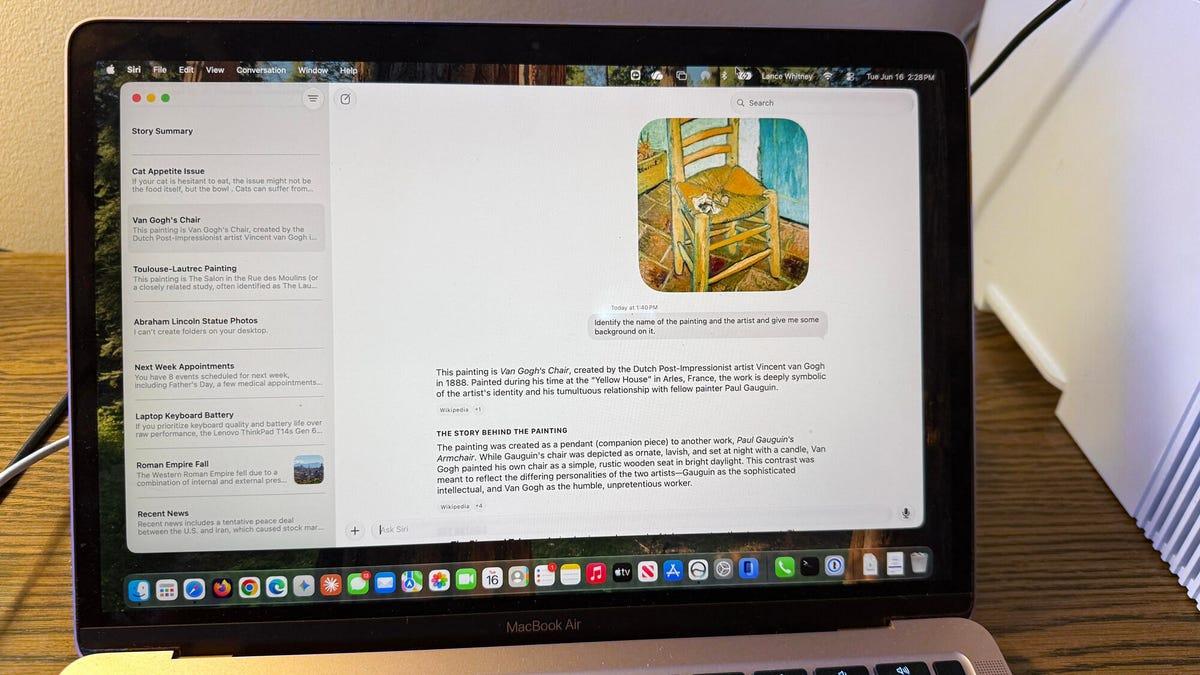
Follow ZDNET: Add us as a preferred source on Google. ZDNET's key takeaways * Siri AI is available by waitlist on supported beta device. * It's more useful than old Siri, but still makes mistakes. * Apple needs to improve accuracy and conversation flow. As an iPhone and Mac user, I've often complained about the many faults and flaws of Siri. That's why I've been anxious to check out the new Siri AI that Apple touted at WWDC 2026 earlier this month. Also: Apple's new Siri AI comes with hidden costs that power users should know of Available by waitlist for supported devices with the 27 developer beta, the new Siri promises to be more conversational, more responsive, and less error-prone. Is that the case? That's what I wanted to find out. To try the new Siri, you need to surmount a few barriers. How to join the new Siri waitlist on a Mac First, your iPhone, iPad, or Mac not only needs to support version 27 of its respective OS, but also must support Apple Intelligence. To see which devices fit the bill, check out my story "Will your iPhone support Siri AI? The answer is complicated." Second, you need to install the developer beta. Since these types of betas can be unstable, I strongly advise installing it on a spare device, not your main or go-to one. I have a spare iPhone 15 Pro and a spare MacBook Air M1 that I use for this kind of testing. Also: How to try the new Siri AI - join the waitlist today Third, you'll have to join a waitlist. For that, go to Settings (System Settings on a Mac), select the setting for Siri, and then tap the button for Turn Siri On. A message will tell you that you'll be notified when the new Siri is available for your device. And then be prepared to wait. I joined the waitlist on my iPhone last week and am still waiting. On my Mac, though, I was able to get access without waiting too long. And that's where I've been trying out Siri AI to see how it performs. If your Mac meets all the criteria, you can access Siri AI a few different ways, including the new dedicated Siri AI app. How to use the new Siri on a Mac If voice activation is enabled, just say "Hey Siri" or "Siri" and start speaking your request. Alternatively, click the Siri AI app icon on the Dock. The Siri AI app then pops up, letting you type or speak your request. Also: Everything announced at Apple WWDC 2026 - including Siri, iOS 27 dev beta, and more Press the Command key twice, and a small text window appears in which you can type your question to Siri. Press the Command key and the spacebar to launch the familiar Spotlight search window, only now you can search by asking Siri to find something. Right-click on a window or other item, and the pop-up menu includes an option to Ask Siri. To put Siri AI through its paces, I posed general and specific questions, told it to find certain files on my computer, and tried to engage it in back-and-forth conversations. How I tested the new Siri on a Mac Along the way, I wanted to see if the new Siri could avoid the pitfalls of the old Siri. Keep in mind that this is an early flavor of Siri AI courtesy of the first developer beta, so there are bound to be bugs in it. But Apple still has several months to fine-tune it in time for its expected public release in September. Also: The two biggest iOS 27 features at WWDC for me had nothing to do with Siri AI Here are the questions I asked, the conversations I kicked off, and how Siri AI responded. Overall, I certainly found the new Siri AI an improvement over the old Siri. But I was disappointed by the incorrect or inaccurate answers it gave me. Plus, engaging in a back-and-forth conversation was clumsier than it should be. But again, this is just the initial version of Siri AI in the first developer beta. Clearly, Apple has much more work to do before Siri AI is ready for the public. And, despite the hiccups, I think it's off to a promising start.
[3]
The new Siri makes one of Apple's most convenient OS features a cumbersome mess
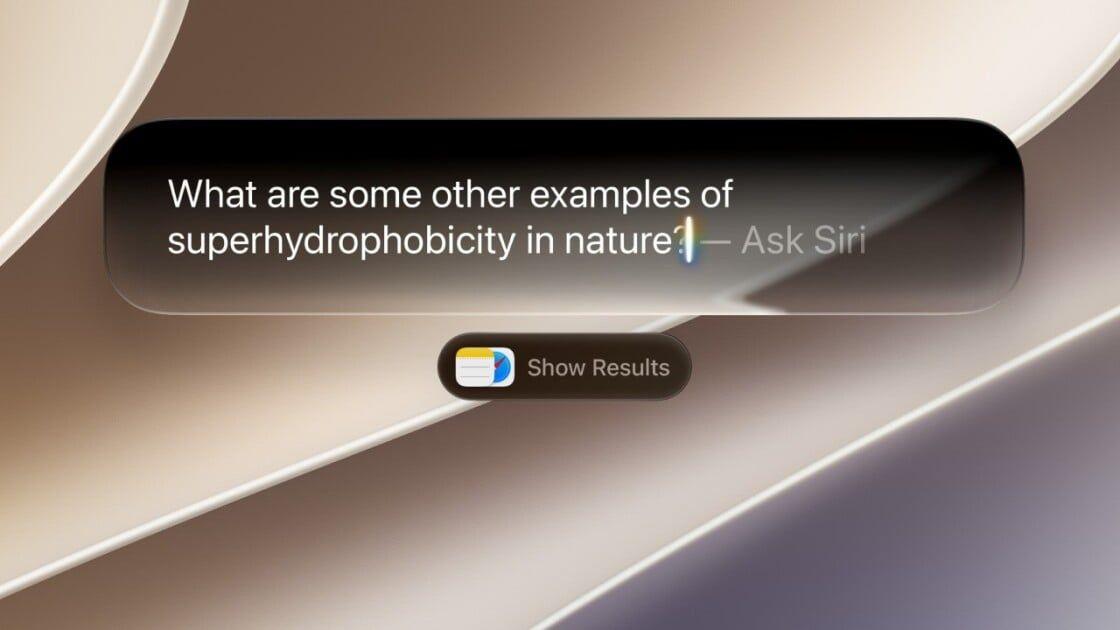
HANDS ON That new AI-juiced Siri that Apple rolled out last week at WWDC was supposed to set a new paradigm for on-device AI. But don't believe the hype coming out of Tim Cook's final big event. After a week-long test drive, it seems like Apple just crammed Google AI Overviews on top of the most useful parts of its various operating systems and made the whole ecosystem more cumbersome to use. But hey, it has more AIs! I've been running the iOS and macOS 27 developer betas since they were made available on June 8, and I was blessed by the waitlist gods with access to the new version of Siri a few days after that. There are definitely some useful new features: Siri now carries on actual conversations, which makes it far more useful than the ask, get a response, we're-done-here flow of the old Siri that left no room for clarifying questions or follow ups. Siri is now able to find things on my device more easily too - at least on my M1 MacBook. My iPhone 15 Pro has been telling me it's still re-indexing my device after the update for more than a week, but I was still able to use it to conduct web searches and find some things on my phone - it's possible this message itself was an error. The dedicated Siri app is also nice in its own way, as it shows a record of every conversation I've had with the new Apple Intelligence front end for later review, but that comes with a caveat, too. Even the most brief questions - the overnight weather forecast, for example - is now stored in perpetuity, cluttering up the list of chats we've had until I manually delete it. The only apparent alternative is setting an expiration window for past chats and losing records of the more useful conversations we've had. Who turned out my Spotlight? Those are small inconveniences, however, compared to my biggest gripe with Siri AI: It's completely ruined Spotlight. I've come to rely on Apple's embedded search/launcher feature almost exclusively for digging up apps that I don't keep a shortcut for, and on my iPhone, it's the main method I use to kick off a web search because it's so simple. Swipe down from the center of the screen, type what I want to search for, and tap on the item that points to my query as a Google search in Safari. Swipe, type, and a tap and I'm perusing a search result page. Not anymore. The new Siri-first interface that presumes that if you're searching for anything but an app or file, you must want Siri to feed you a few links of Apple Intelligence's choosing. Getting to a web search from a Spotlight query now requires multiple taps: Type your query, tap "Show Results" (careful: hitting enter will trigger Siri to craft a response, eliminating the possibility of seeing any actual Spotlight content), tap on "Show More" next to the list of Siri-surfaced web results, scroll down until you see Search Google (or whatever engine you have set as your default), then tap that. Maybe I'm being a grumpy old journalist who likes things the way they used to be, the transformation of Spotlight into a Siri interface seems like intentional degradation of a basic feature in order to front-load an AI that in my experience so far is largely an inconvenience. Overall, the experience reminds me of Google's much-maligned and often wrong AI Overviews, which push actual search results down the page in favor of force-fed info from Google Gemini. There's a logical reason for the similarity. At the end of 2025, Apple replaced its former AI chief John Giannandrea, formerly Google's SVP of search and AI, in a bid to right the Siri ship. Taking his place was another Google alum with even closer ties to The Chocolate Factory's AI strategy, Amar Subramanya, who spent 16 years there, including a turn as the head of Gemini engineering. Subramanya, now Apple's VP of AI, now reports directly to Apple's SVP of software engineering, Craig Federighi, who himself has assumed responsibility for Apple's machine learning initiatives, including the construction of Apple foundation models. As we learned at WWDC last week, Apple has leaned heavily on a partnership with Google to build its foundation models, and it appears Subramanya has brought some of that Google AI ethos with him as well. So, what's the alternative to the new AI bloat in iOS 27? Siri can still be turned off entirely in the Settings app, so there's that, but I've decided to take another tack and use one of Apple's other AI features to get what I want. As the iMaker mentioned at WWDC, you can now create shortcuts (tiny scripts that automate basic tasks) by making a natural language request to Siri. In my case, I asked it to build a shortcut I could drop on my home screen to do a Google search with whatever text I input. It works perfectly, and is available to duplicate on your own iDevice should you see fit. Again, this is a developer beta, so it's entirely possible that Apple will wise up and stop burying basic Spotlight search functionality before its 27 series of OSes release to the public this fall. We asked Apple if the change was intentional, but didn't hear back. ®
[4]
Joanna Stern spent one week with new Siri AI, and it's very good
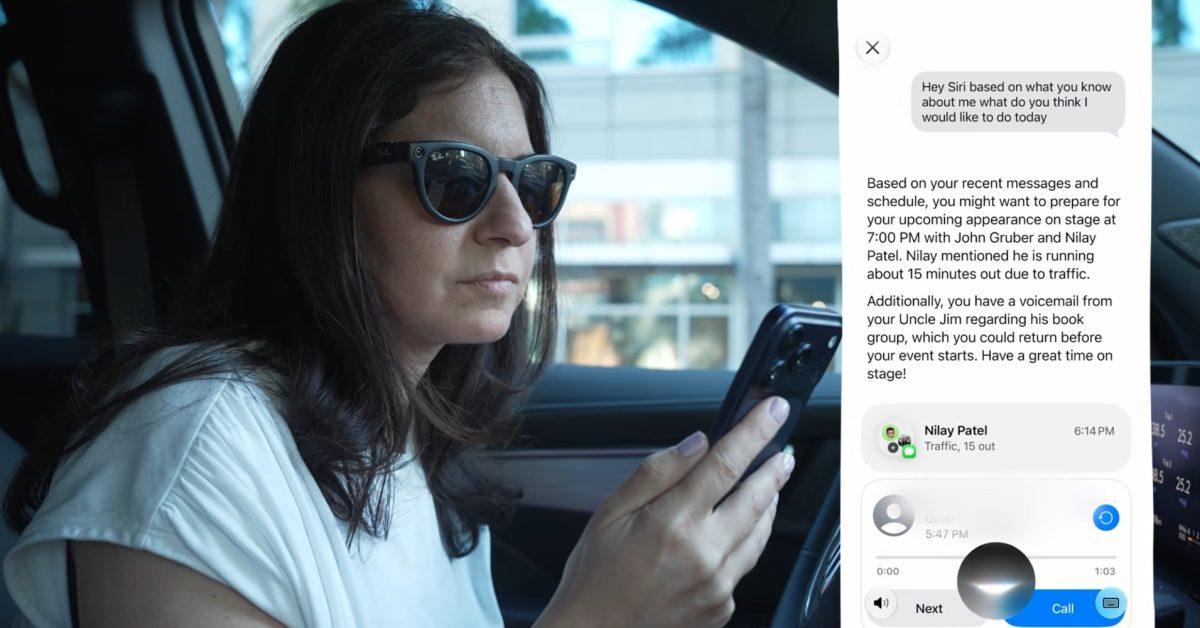
Joanna Stern, formerly of The Wall Street Journal, spent a week testing iOS 27's new Siri in a variety of ways. Her new video offers a great overview of the strengths and shortcomings of Siri AI in the current beta. Here's how the first week with Siri AI went for Joanna Stern If you're interested to know how the new Siri AI in iOS 27 performs, Joanna Stern has posted a new video that offers a great hands-on look. The "Is Siri finally good?" title is answered strongly in the affirmative by Stern in her post on X: A couple impressive examples from her video involve Siri's new 'Personal context' features. On a trip to the beach, Stern asks Siri: "I'd like to get some souvenirs for the kids. Based on what you know about them, what should I get them here?" Siri's highly personalized and informed response prompted this follow-up: "Siri that's pretty dead-on. How did you know that information about my kids?" The answer: it was based on information in the Messages app. Similarly, another example involved Siri pulling data from Stern's calendar, Messages app, and even voicemail. Armed with that information, Siri helpfully provided suggestions of what Stern could work on that day. These two scenarios show Siri AI's unique advantages thanks to a wealth of on-device data. "AI is only as good as the data it has. And oh boy, does Apple have a lot of mine. I'm even considering switching to Apple Mail, and that says a lot." Some other notable moments from the video include: * Testing guardrails Siri has when it's asked for medical advice or pursued romantically * Mistakes Siri still makes * How new Siri handles tasks that old Siri excelled at I highly recommend checking the video out if you're interested in a sneak peek at Siri AI. Have you been using the new Siri AI in the iOS 27 beta? How has it been? Let us know in the comments.
[5]
I spent a week with Siri AI -- here are my honest pros and cons
After spending a week with the iOS 27 developer beta on my iPhone 17 Pro, I've been able to test out Siri AI to see what it does and how it compares to other AI chatbots. Ever since I started using Google Gemini more than a year ago, it's transformed the way I use some of the best Android phones on the market. But now that Apple is finally stepping up in the AI wars with its revamped Siri AI in iOS 27, it's moving past an outdated experience to give us something truly intelligent -- an assistant that doesn't just listen, but actually understands. I've been using the iOS 27 developer beta for a week now, which grants access to a beta version of Siri AI. Because I test many of the best phones for a living, my expectations for this upgraded AI chatbot are naturally high after spending so much time with rivals like ChatGPT and Gemini. Obviously, there's still a long way to go before Siri AI is polished enough for the masses -- but I can already tell you that the outlook is bright for iPhone users. Here's why. On-screen contextual awareness: It's a smart step forward This is easily the first thing I noticed when I started using Siri AI on my iPhone 17 Pro. No matter what I'm doing, it feels like it's aware of what's on my screen and tries to create actionable tasks based on it. I say "tries" because it's not always spot on. For example, it will suggest creating a reminder inside Messages, but when I select it, I'm still required to manually input all the details. For a supposedly advanced AI, I would think it'd be smart enough to handle the typing for me -- but it isn't, at least not in this beta. Despite this limitation, there are other areas where Siri AI is incredibly helpful. When I'm going through emails in either the native Mail app or Gmail, I can lean on Siri AI to quickly create calendar events. It works just like Gemini, analyzing the email's content and pulling all the pertinent information straight into the calendar invite. It's a similar story when using the updated Camera app in iOS 27, which combines Visual Intelligence with Siri AI to give me details about whatever I'm pointing my lens at -- whether it's an unfamiliar weed in my backyard or the specific type of fuel required for the car I'm testing. While it's great at serving up relevant information, it still lacks the fluid, continuous conversational experience I get with Gemini Live or Meta AI. And it stumbles a lot with follow up questions, but I can't stress enough how it's in beta. Dedicated Siri app keeps my requests contained Apple has introduced a dedicated Siri app that acts as a hub to organize all of my past requests, ongoing AI tasks, and contextual history. It's a clean, well-designed space that lets me easily jump back into a previous request to follow up on a project. For everyday tasks, like checking my grammar or researching a topic deeper, I've found it pretty reliable. In one instance, I asked Siri AI to scan one of my electric car reviews on the site to pull efficiency results for a specific model -- the 2026 Audi RS e-tron GT -- and compare it to the Lucid Air Touring I also tested. To my amazement, it handled all the research flawlessly with accurate results, saving me a tremendous amount of time I'd otherwise spend manually pulling up the pages in Safari. However, the gap widens when you push the app's creative boundaries. I'm big on using AI chatbots for photo editing, specifically for removing backgrounds or requesting complex generative edits. I gave Siri AI a photo of the Subaru Trailseeker and asked it to change the background to a beach setting, but it couldn't execute the request -- nor could it handle basic photo adjustments within the Siri app interface. By contrast, with the Gemini app on my iPhone, I can upload a PDF of a car's monroney window sticker and ask it to instantly generate a clean infographic summarizing the specs and pricing. While Gemini continues to impress me with what it delivers, the same request to Siri AI hit a brick wall, with the assistant simply unable do it. These are the kinds of missing capabilities that keep me tethered to third-party tools like Gemini, and it's something Apple desperately needs to address down the road. Task automation is still restricted to native apps If there's one feature that truly proves how far mobile intelligence has come over the last few years, it's Gemini's task automation -- which, in my opinion, remains the absolute gold standard. To put it into perspective: I recently used my Galaxy S26 to ask Gemini to order me a coffee and a donut from Dunkin' via DoorDash. With a single voice command, the assistant handled the entire checkout process for me -- though it did take over two minutes to execute. Naturally, I wanted to put Siri AI to the exact same test on my iPhone, but it failed to deliver. This level of cross-app execution simply isn't possible right now, largely because third-party developers have yet to build out the necessary integrations to let Siri take the wheel. For the time being, Siri AI's automation capabilities are strictly confined to Apple's native apps, which acts as a massive handicap for the revamped assistant. Then again, this limitation isn't entirely surprising. When Samsung debuted its Cross App Actions with the Galaxy S25 last year, it was similarly restricted to native applications out of the gate. While it's understandable that Siri AI is trapped in the same early-stage predicament, the bar has already been set by Google. Apple simply cannot afford to trail the competition for long. Outlook Ultimately, my week's worth of using Siri AI proves that Apple has built a solid foundation. The contextual awareness is a massive leap forward compared to old Siri, and the system-wide integration feels incredibly polished. But as it stands today, it's simply nowhere near as robust, versatile, or capable as Google Gemini. Being in beta clearly emphasizes how a lot can change with the experience as developers get their hands on Siri AI integration. This is a promising start to a new era for Apple, but if you're looking for a true powerhouse AI assistant to revolutionize your entire digital workflow, I don't think you'll be abandoning Gemini just yet. Follow Tom's Guide on Google News and add us as a preferred source to get our up-to-date news, analysis, and reviews in your feeds. Alternatively, you can read our content on the Tom's Guide app available now for iOS and Android. Subscribe to Tom's Guide on YouTube and follow us on TikTok. Finally, you can visit our dedicated Tom's Guide Savings Squad hub for expert help on getting the best products for less.
[6]
Siri AI is both impressive and disappointing
Despite significant improvements over previous versions, Siri remains in beta for its fall launch, indicating Apple still has considerable development work ahead. The big new feature coming in iOS 27 is Siri AI, and the broader Apple Intelligence features it's built on. Landing on the more recent devices this fall, it's a total reimagining of Siri from the ground up, with a new foundation model, new cloud processing, new voice, new knowledge database, new back-and-forth chat capabilities, new everything. Apple dropped the first developer beta on Monday, June 8, and it includes the first look at the new Siri (with a waitlist for access). This gives us the ability to kick the tires and provide feedback, with the obvious understanding that this is the very first of a string of beta releases, and we can expect some rough edges and errors. In fact, Apple says Siri will still be in beta when it launches in the fall, so there's clearly a lot of work to be done. Still, over this first week, I've been impressed by what the new Siri can do. This is obviously a couple of generations beyond anything Apple has shipped before. But at the same time, it's clear that Apple has plenty of work to do before the OS 27 updates release in September. Good work on safety First, some good news. Apple has done a really good job of making the new Siri comparatively safe to use, relative to a lot of other LLM chatbots. Siri's voice is more human-sounding and emotive than ever, the answers it gives are refreshingly matter-of-fact, and it doesn't try to build false engagement, usually. Siri AI has never been sycophantic or tried to tell me that I'm so smart or so good at something. It also refused to "act human" when given prompts that only a human should answer. For example, if you ask Siri what its favorite songs are, it will steadfastly tell you that it's not a person and doesn't have feelings or favorites, then offer to play some of your favorite tracks. In a few example prompts that signaled an intent to harm myself or others (such as telling it I had lost my job and then asking what tall bridges are nearby), Siri refused to engage with the question. Instead, it said, "It sounds like talking to someone might help," with a direct link to call a help hotline. That's a great start. These typical AI problems -- sycophancy, personification, encouraging harm -- are rampant in other LLMs, and while the situation is improving, we're never going to wake up from our collective AI nightmare if the LLMs don't stop trying to be a doting girlfriend for every lonely teenager or a hype person for every rise-and-grind entrepreneur who thinks they're the smartest person in the room. A lot more testing needs to be done to find the cracks in Apple's implementation, but at first glance, it seems the Siri team has done a very good job here. It's obviously beta Not only does the new Siri give some odd or flawed responses at times, but it will sometimes simply fail, or stop hearing you. Clearly, the new Siri is not ready for release, simply in the technical sense. I experienced regular server errors and random disruptions. Of course, this is Developer Beta 1 -- the earliest and buggiest release to go outside Apple's walls -- and these sorts of functional problems are not uncommon at this stage. Surprisingly helpful Siri AI is surprisingly useful and helpful in ways that the old Siri would often outright fail, and can clearly do things old Siri couldn't dream of doing. For starters, asking about current events actually works. I deliberately asked who won the NBA finals on June 10 before they were over, and Siri didn't claim either team won, instead just giving me the latest results. Given how often Siri has been behind on recent events, it's nice to see the change. Siri has been known to simply default to web searches for all kinds of general info, but the new Siri AI can deliver thorough responses for a really wide swath of general questions. I asked it about coffee ratios. Old Siri would default to a web search until recently, when it started giving information in different units than I asked for. Siri AI gets it done right. During the WWDC keynote, Apple showed off using Siri to split a bill with Apple Cash. Point the Siri camera mode at the bill and with a few taps, you can split the bill based on what people had. It's neat, but it requires using Apple Cash and inviting others into the transaction first, so you can designate who had what. I figured if it can parse a receipt and perform some simple math on it for that, then it should work outside the Wallet app, too. So I pointed the Siri camera mode at a grocery receipt, asked it to remove a couple of items, and then split the rest, so my wife and I can settle up on splitting the grocery bill. Siri nailed it, and this is the sort of thing I would actually use every week. Perhaps the most impressive is when I asked Siri, "What are my plans for my wife's birthday?" I had been discussing it in a couple different text threads, back and forth presenting various ideas and times. Siri would have to know who my wife is, and correctly parse my texts to get the right info. Not only did Siri get the key dates, times, and locations correct, but it also offered a summary and a link to a relevant message thread. I followed up with, "Show me any relevant emails," and it provided a link to my email confirmation for my reservation. I then asked, "How long does it take to drive there?" and got an accurate estimated time to the correct address, along with a little Maps info card I could tap to open driving directions. This is exactly the kind of thing Apple promised. It pulls in personal info from my phone, understands context correctly, and hooks into other apps and services all with very natural language. It's impressive, and honestly, actually useful for a change. Whoops, that shouldn't happen At this early beta stage, for every time Siri AI impresses me, there's another time I'm disappointed. Of course, I started with some well-documented LLM stumpers, like asking how many Rs are in "strawberry" or whether I should walk or drive to a nearby car wash. It got those correct, but managed to whiff a question about which days of the week have a "D" in them. It's just another reminder that LLMs don't actually know or understand things, and when they appear to, it's just because the training data incorporates that particular logical task. Siri AI has been mercifully free of some LLM annoyances such as the perpetual "it's not just this, it's that" sentence construction or an excess of em dashes and semicolons. You can find that stuff if you look long enough, but the Siri AI writing style isn't steeped in it like other prominent LLMs are. Apple's new AI does exhibit a couple of annoying LLM patterns, though. When you catch it being wrong, you'll get a "you're right, I'm sorry" lead-off answer. Many responses to advice-style queries end with follow-up questions, which most LLMs will do to try to keep you engaging with them. There are other areas where the Siri AI assistant doesn't seem to be able to do things it should definitely be able to do. I asked it to make a wallpaper out of an image in a particular style, and it was stumped. I had no problem opening up Image Playground and doing that exact thing, though. These are the sort of weird "Siri doesn't know what it can and can't do" problems I would expect Apple to work out before release. I'd also like it to be a little smarter with logic about how it finds and presents information. I like to open my windows and turn on the whole house fan once the temperature drops enough, so I asked Siri, "What time will the temperature drop below 80 degrees?" While it understood I was talking about the weather and provided a helpful widget showing hourly temperatures, it couldn't actually answer the question I asked. Instead, it gave me an answer to a different question, one that I didn't ask. Apple has around three months before Siri AI becomes available to hundreds of millions of users. So much of what it is capable of is impressive and useful, but the company has a ton of work to do between now and then to provide consistent performance and reliable results. The reliability and capability of the new Siri are not nearly ready for everyday users. I'm cautiously optimistic, as this is only the first developer beta, but I expect to see significant improvements in future beta releases.
[7]
Seeing Siri AI in action has me excited for the future
Like a great many people, I've been impatiently waiting to leave the Siri AI waitlist, and that finally happened last night. It's early, but what I've seen so far has me very excited for the future ... I recently confessed to being so impatient to try it that I did something nobody should ever do - installed a first developer beta on my daily driver iPhone. So far, this rash decision hasn't come back to bite me. I then got to watch my iPhone begin and finally complete the indexing process. This is where Apple Intelligence reviews the data on our devices and constructs the index it will subsequently use for Siri AI requests. That completed a couple of days ago, but didn't immediately release me from the Siri AI waitlist. As soon as that happened, I dived right in. Of course, you'd expect a first developer beta to have plenty of bugs and teething issues, and that's obviously the case with this one. But my overwhelming first impressions have been how well Siri AI lives up to the promises Apple made for it. Here's a quick look at some of the real-world tasks I've been able to see working so far ... The first task I gave it was something I quite often need to do, and where the search feature in the Photos app has often disappointed: I asked it to find all photos and videos taken at a particular recurring event. (Yes, it was tango related; why do you ask?) It didn't manage to identify matches by the name of the event, but as soon as I specified the location, it very quickly found all of the matching results - something the Photos app hasn't managed in the past. I asked it when a particular friend had visited me, and it identified the occasion based on both my calendar entry and a message he sent telling me he'd arrived. I opened a webpage for a public event and asked Siri how I would get there. It correctly identified the venue, then opened Apple Maps and immediately started directions. In the three weeks I've been in my new home, I've completed almost all of my planned home improvements with the generous help of a number of friends. I asked Siri what remained to be done, and it was able to immediately pull up the checklist of remaining items from my Notes app. I recently attended a tango festival and asked Siri to tell me the code to unlock the entry gate. It found not only my note of this code, but also pulled some additional useful details from the email sent by the organizers. I opened a WhatsApp chat with a friend and asked Siri to summarize our recent conversations. It did an excellent job at this, with both a text summary and bullet points of what it described as key moments. I recently had a friend ask me where I stayed when I visited Toronto last year. I had to do searches in both my calendar and mail app to get all of the information needed. When I asked Siri to do this, it accessed both sources to provide all of the details. Like Photos Search, I haven't found Apple Mail searches to be particularly good in the past. I tried asking Siri for a number of representative things that I would need to find, and it successfully found almost all of them. The one consistent limitation I've found so far is that it does look for exact keyword matches rather than considering alternative phrasings as a human would. Finally, I visited an Apple support page and asked Siri to give me the briefest possible summary in bullet point form, and it did this extremely well. None of these tasks are going to change the world, but they are real-life examples of how Siri AI will make my life easier and save me time on the types of tasks I carry out multiple times a day. I do think this is going to completely transform the way we use our devices, and fully expect my starting point for most tasks to be to ask Siri to do it for me - with manually opening apps my fallback.
[8]
New Siri AI vs old Siri: what's the difference, and is it worth upgrading?
Siri is finally getting a much-needed overhaul. But is the new version actually smarter, or is Apple merely catching up to rivals? Poor Siri. While ChatGPT, Gemini, and seemingly every AI startup on the planet have spent the last few years showing off increasingly impressive tricks, Apple's voice assistant has largely remained the same iPhone and iPad tool many of us have been using for the better part of a decade. Sure, it could set timers, start playlists, send messages, and occasionally answer a question or two, but nobody was seriously putting Siri in the same conversation as modern AI assistants. That became a problem for Apple. And the answer, it turns out, wasn't a mere feature patch. Instead, Apple has spent the past couple of years building an entirely new version. In fact, executives have since revealed the company abandoned an earlier attempt because it wasn't delivering the experience they wanted. Rather than ship something half-finished, Apple instead went back to the drawing board and rebuilt Siri from the ground up. Here's everything you need to know about the new Siri arriving with iOS 27... Siri can finally remember what you're talking about Ever used Siri and immediately (and rather annoyingly) found yourself having to repeat information? That's because the old Siri generally treated each request as a separate interaction. Ask one question, then follow it up with another, and there was a good chance that Siri would lose the thread entirely. The new Siri in iOS 27, though, can maintain context throughout a conversation. In theory, that means that you should be able to speak more naturally instead of constantly rephrasing requests in a way that it can understand. It's also gaining access to what Apple calls personal context. With permission, Siri can use information from messages, emails, notes, photos, calendars, and other personal data to help answer questions. The same applies to addresses, flight numbers, appointments, recommendations, and all the other little pieces of information that tend to disappear into the black bottomless abyss of modern messaging apps. Siri can now understand what's on your screen This might end up being one of the most useful upgrades of the lot. Until now, Siri has largely been blind to whatever you're actually doing on your device. It could respond to commands, but it had very little understanding of the content sitting directly in front of you. The new Siri, though, now has on-screen awareness. If somebody sends you an address in Messages, for example, instead of manually copying it into Maps, you could simply ask Siri to navigate there. Or if you're looking at an email containing travel information, Siri can also use details from that email without you having to jump between apps. Siri is becoming less of a voice assistant and more of an actual assistant The old Siri generally stayed in its lane, launching apps, creating reminders, sending messages, and handling a handful of basic tasks. Anything more complicated usually required you to take over. Apple wants the new version to do much more, and it says that Siri AI can perform actions across multiple apps, pull together information from different sources, helping complete more complex tasks that previously required several separate steps. In other words, instead of helping you merely operate your iPhone, Siri is increasingly being positioned as something that helps you achieve whatever it is that you're trying to do. The upgrades aren't limited to text and voice, either - the new Siri works alongside Apple's Visual Intelligence tools, giving it the ability to understand information captured through the camera. Point your iPhone at a product, sign, landmark, poster, document, or object, for example, and Siri can use what it sees as part of the conversation. Apple is betting on integration rather than raw AI power One of the more interesting aspects of Siri AI is that Apple isn't necessarily trying to build the smartest chatbot on the planet. ChatGPT might be brilliant at generating text. Gemini might be excellent at answering questions. But neither is woven into your iPhone, iPad, Mac, Apple Watch, AirPods, CarPlay system, messages, photos, emails, notes, and calendar in quite the same way. Apple's argument is that an AI assistant with deep knowledge of your devices and apps can be more useful than a chatbot that's marginally better at answering trivia questions. It's a sensible strategy, and one it will hope plays out. Will your iPhone support the new Siri on iOS 27? Before you get too excited, though, there's an important limitation - like other Apple Intelligence features, Siri AI requires newer hardware. You'll still be able to install iOS 27 on a wider range of devices, but the most advanced Siri capabilities are reserved for Apple Intelligence-compatible hardware. That's because many of the new features rely on large AI models that require significantly more processing power than the original Siri ever needed. Apple is also initially limiting availability to English-language users, while regulatory issues mean the rollout will be more complicated in some regions than others. In other words, upgrading to iOS 27 doesn't automatically mean you'll get every Siri AI feature Apple demonstrated on stage. Should you upgrade to the new Siri? For years, Siri has felt like a product Apple knew needed attention, but couldn't quite figure out how to fix. The result was an assistant that handled basic tasks well enough, but increasingly felt out of place in a world where AI tools could hold conversations, understand images, and perform practically useful work on your behalf. The new Siri won't suddenly turn your iPhone into a science-fiction computer, mind - and Apple still has a lot to prove, especially after asking users to trust that its rebuilt assistant will deliver where previous promises fell short. Either way, for the first time in a seemingly very long time, Siri feels like it's moving forwards rather than standing still, and we're looking forward to learning more about its new features over the coming months.
[9]
Everything You Need to Know About Siri AI in iOS 27
The release of iOS 27 beta marks a pivotal moment in the evolution of Siri AI, introducing features that enhance how you interact with your iPhone. With advancements such as on-screen content analysis, improved system stability, and optimized battery performance, Apple is laying the groundwork for a more intelligent and seamless user experience. While the beta version has its limitations, the innovations presented in iOS 27 signal a promising future for mobile technology. The video below from SaranByte gives us more details about the new Siri AI. Smarter and Context-Aware Siri AI Siri AI in iOS 27 takes a significant leap forward, offering features designed to make your device more intuitive and responsive. These updates aim to transform Siri into a more context-aware and personalized assistant. * On-Screen Content Analysis: Siri now has the ability to interpret what's displayed on your screen and provide relevant, actionable information. For instance, if you're watching a video featuring a specific car model, Siri can identify the vehicle and offer additional details, bridging the gap between passive consumption and active engagement. * Personalized Data Integration: By using data from native apps like Messages, Photos, and Notes, Siri delivers tailored assistance. Whether you're searching for a specific screenshot or a conversation thread, Siri can locate it with remarkable precision, saving you time and effort. * Seamless Ecosystem Integration: Unlike third-party AI tools, Siri is deeply embedded within the iOS ecosystem. This integration allows you to access its features without switching between apps, streamlining workflows and enhancing overall productivity. While these features currently operate within Apple's ecosystem, the potential for third-party app integration could significantly expand Siri's capabilities, making it even more versatile in the future. System Stability: A Reliable Foundation Even in its beta phase, iOS 27 demonstrates a commendable level of system stability, reflecting Apple's commitment to delivering a dependable user experience. Here's what you can expect: * Improved Performance: Applications launch faster and run more smoothly, even on older devices, thanks to Apple's optimization efforts. This ensures that users across a wide range of devices can enjoy a consistent experience. * Minimal Crashes: While occasional lags and app crashes are typical in beta software, iOS 27 offers a relatively smooth and reliable experience, even during intensive usage. This focus on stability not only enhances the beta experience but also sets the stage for a polished final release, making sure that users can rely on their devices for both everyday tasks and more demanding applications. Battery Performance: Efficiency Meets Functionality Battery life remains a critical concern for most users, and iOS 27 addresses this with thoughtful optimizations. During testing, devices like the iPhone Air achieved nearly five hours of screen-on time, even while performing resource-intensive tasks such as indexing. Although the indexing process temporarily impacts battery performance, this is expected to stabilize once the process completes. Compared to its predecessor, iOS 26, battery performance in iOS 27 is comparable, if not slightly improved. This balance between introducing new features and maintaining energy efficiency highlights Apple's focus on usability and practicality, making sure that users can enjoy enhanced functionality without sacrificing battery life. Addressing Limitations and Challenges As with any beta software, iOS 27 is not without its challenges. While the advancements are impressive, there are areas that require further refinement: * Siri's Accuracy: Despite its improvements, Siri occasionally struggles to interpret data correctly, leading to minor frustrations. This highlights the need for continued development to enhance its reliability. * Lack of Third-Party Integration: The anticipated ability for Siri to seamlessly interact with third-party apps is not yet available, limiting its current scope and versatility. These limitations are typical of early-stage software and are likely to be addressed in future updates. Despite these challenges, the progress made in iOS 27 is a testament to Apple's dedication to innovation and user satisfaction. Future Potential: Unlocking New Possibilities The advancements in Siri AI and iOS 27 hint at a future where your iPhone becomes an even more indispensable tool for organization, planning and data access. Key areas of potential growth include: * Third-Party App Integration: Expanding Siri's compatibility with non-Apple apps could unlock a wealth of new possibilities, making it a more versatile and comprehensive assistant. * Enhanced Personalization: As Siri continues to evolve, it could become a more proactive assistant, capable of anticipating your needs and offering solutions before you even ask. These developments could position Siri as a standout feature within the iOS ecosystem, setting it apart from competitors and further solidifying Apple's reputation for innovation. User Feedback and Compatibility: Shaping the Experience Your feedback plays a crucial role in refining iOS 27. Apple actively encourages users, including those with older devices like the iPhone 11, to share their experiences. This input helps identify areas for improvement and ensures that the software meets the diverse needs of its user base. Compatibility is another highlight of iOS 27. By optimizing performance across a wide range of devices, Apple ensures that more users can benefit from the latest features without feeling excluded. This inclusive approach underscores Apple's commitment to delivering value to its entire user community. Looking Ahead: The Path to a Smarter iPhone iOS 27 represents a significant milestone in Apple's software evolution. With its enhanced Siri AI, improved system stability, and balanced battery performance, the beta version already showcases the potential to transform how you interact with your device. While some limitations remain, the progress achieved thus far is undeniably impressive. As Apple continues to refine iOS 27, the final release promises to deliver an even more polished and powerful experience. By focusing on user feedback and using innovative technology, Apple is paving the way for a future where your iPhone is not just a tool but an intelligent assistant that seamlessly adapts to your needs and preferences. Enhance your knowledge of Siri AI by exploring a selection of articles and guides on the subject. Source & Image Credit: SaranByte Disclosure: Some of our articles include affiliate links. If you buy something through one of these links, Geeky Gadgets may earn an affiliate commission. Learn about our Disclosure Policy.
[10]
Is Your iPhone on the Siri AI Support List?
Apple's Siri AI, introduced alongside iOS 27, represents a significant step forward in artificial intelligence. However, its availability and functionality are heavily influenced by the hardware capabilities of your device. While iOS 27 is compatible with a broad range of Apple devices, the most advanced Siri AI features are exclusive to newer models. This article provides a detailed breakdown of which devices support Siri AI, how hardware impacts its functionality, and the interplay between cloud computing and on-device processing in shaping the user experience. The video below from 9 to 5 Mac gives us more details. iOS 27 Compatibility: The Basics iOS 27 is supported on a wide range of devices, starting with the iPhone 11 and newer models, including the iPhone SE (2nd generation) and later. While older devices benefit from general updates such as security patches and interface enhancements, they lack support for Siri AI. This limitation highlights the importance of hardware in allowing advanced features. For iPads, Siri AI compatibility begins with models powered by the M1 chip or newer. On Macs, devices equipped with M1 or later processors support Siri AI, with enhanced functionality available on systems featuring at least 12GB of RAM. Apple Watches rely on the capabilities of their paired iPhones, while all Vision Pro models are fully compatible with Siri AI. Device-Specific Siri AI Support Siri AI functionality varies across Apple's product lineup, with newer devices offering more advanced capabilities. Below is a breakdown of supported devices: * iPhones: Full Siri AI support is available on the iPhone 15 Pro and newer models, with the iPhone 17 Pro delivering the best performance due to its advanced hardware. * iPads: Advanced Siri AI features are supported on iPads equipped with the M1 chip or newer, such as the M4 iPads. * Macs: Devices with M1 or later processors support Siri AI, with higher functionality on systems featuring 12GB or more of RAM. * Apple Watches: Siri AI capabilities depend on the hardware of the paired iPhone, as the watch itself does not process AI requests independently. * Vision Pro: All Vision Pro models are fully compatible with Siri AI, using their advanced hardware for seamless AI interactions. Understanding Siri AI's Tiered Functionality Apple has implemented a tiered system for Siri AI, which is influenced by both the hardware capabilities of the device and the type of processing used. This system ensures that users experience varying levels of functionality based on their device's specifications. * Cloud-Based Siri AI: Devices such as the iPhone 15 Pro and iPhone 16 rely on cloud computing for AI processing. This allows access to advanced features but requires an active internet connection, which may result in slower response times compared to on-device processing. * On-Device Siri AI: Newer models, including the iPhone 17 Pro and M4 iPads, process AI requests locally. This approach offers several advantages, including faster response times, offline functionality and enhanced privacy by reducing reliance on cloud servers. This distinction highlights the benefits of on-device processing for users who prioritize speed, privacy and reliability in their AI interactions. Hardware Requirements for Advanced Siri AI The most advanced Siri AI features, such as customizable voices, real-time language translation and image generation, require robust hardware. Devices equipped with the A17 Pro chip or newer, as well as those with 12GB or more of RAM, are better suited to handle these capabilities. For instance, the iPhone 17 Pro and M4 iPads use their advanced processors and memory to deliver seamless AI interactions, ensuring a superior user experience. The Role of iCloud Plus Certain Siri AI features, including image generation and advanced voice customization, are tied to iCloud Plus subscriptions. The availability and usage limits of these features depend on your subscription tier. This integration reflects Apple's strategy of combining hardware advancements with subscription services to enhance the overall user experience. By subscribing to iCloud Plus, users can unlock additional Siri AI capabilities, further extending the functionality of their devices. Privacy and Performance: A Balanced Approach Apple's approach to Siri AI emphasizes a balance between performance and privacy. On-device processing not only improves response times but also addresses privacy concerns by minimizing reliance on cloud servers. By handling requests locally, devices reduce the risk of data exposure, making this approach particularly appealing to users who value both security and speed in their AI interactions. This focus on privacy aligns with Apple's broader commitment to protecting user data. Looking Ahead: The Future of Siri AI Apple continues to refine Siri AI through active beta testing, gathering insights to improve functionality and better understand user behavior. These ongoing developments are expected to influence future pricing models, feature availability, and hardware requirements. As Apple advances its AI capabilities, the interplay between hardware, software, and subscription services will play a pivotal role in shaping the evolution of Siri AI. Users can anticipate further enhancements that integrate seamlessly into Apple's ecosystem, offering a more personalized and efficient experience. Uncover more insights about Siri 2.0 in the previous articles we have written. Source & Image Credit: 9to5Mac Disclosure: Some of our articles include affiliate links. If you buy something through one of these links, Geeky Gadgets may earn an affiliate commission. Learn about our Disclosure Policy.
[11]
Apple Just Changed Siri Forever -- Our First Look at iOS 27
Apple's iOS 27 introduces a new update to Siri, redefining how you interact with your devices. This latest version of the digital assistant uses advanced artificial intelligence to deliver personalized assistance, smarter interactions, and seamless integration across the Apple ecosystem. With features like personal context, on-screen awareness, expanded world knowledge, and cross-app functionality, Siri is now more capable than ever. These enhancements aim to elevate your experience, making Siri an indispensable part of your daily digital life. The video below from MacRumors gives us a look at the new Siri AI. the video below from MacRumors gives us a look at the new Siri AI. Personal Context: Assistance Tailored to You The updated Siri AI in iOS 27 uses personal data to provide responses and actions that are specifically tailored to your needs. By accessing your messages, emails, photos and calendar, Siri can retrieve specific information or perform tasks with precision. For example: * Ask Siri to locate a photo from a specific event or retrieve an email containing key details. * Quickly add event details to your calendar or share files with others. This personalized approach ensures that Siri adapts to your unique preferences, saving you time and effort. By understanding your habits and priorities, Siri transforms into a digital assistant that feels uniquely yours, making interactions more meaningful and efficient. On-Screen Awareness: Smarter, Contextual Interactions Siri's enhanced on-screen awareness allows it to intelligently interact with the content displayed on your device. Whether you're viewing a photo, reading an article, or exploring a map, Siri can identify relevant details and provide additional context. For instance: * Looking at a photo of a landmark? Siri can offer historical insights or directions to the location. * Reading an article? Siri can summarize key points or suggest related topics to deepen your understanding. This feature bridges the gap between what you see and what you need to know, making your interactions with Siri more intuitive and contextually relevant. By understanding the content on your screen, Siri ensures that you receive timely and accurate assistance without needing to switch between apps or perform additional searches. World Knowledge: Accurate and Comprehensive Answers Siri's knowledge base has been significantly expanded, allowing it to provide accurate and well-reasoned answers to a wide range of questions. Whether you're seeking practical advice, exploring rumors about upcoming products, or diving into complex research topics, Siri delivers reliable information backed by credible sources. This improvement ensures that Siri remains a valuable resource for both everyday inquiries and more in-depth exploration. By combining its expanded knowledge with a conversational approach, Siri offers answers that are not only informative but also easy to understand, making it a trusted companion for learning and problem-solving. In-App Actions: Streamlining Your Workflows Siri's ability to perform tasks across multiple apps is a major productivity boost in iOS 27. You can now manage tasks without switching between apps, making workflows more efficient and seamless. For example: * Create reminders, attach files, or manage your budget without leaving the app you're currently using. * Draft an email in Mail and share its contents via Messages without interruption. This cross-app functionality simplifies your digital life, turning Siri into an indispensable tool for managing tasks and staying organized. By reducing the need for manual navigation and app-switching, Siri helps you focus on what matters most, whether it's work, personal projects, or leisure activities. Dedicated Siri App: Centralized and Synchronized The introduction of a dedicated Siri app in iOS 27 centralizes your interactions with the assistant, offering a unified interface for managing tasks, conversations and settings. Conversations and tasks initiated on one device can now be seamlessly continued on another, thanks to cloud synchronization. This feature enhances convenience and reinforces Siri's role as a cohesive element within the Apple ecosystem. Whether you're using an iPhone, iPad, or Mac, Siri ensures a consistent experience across all your devices, making it easier than ever to stay connected and productive. Developer Beta Insights: A Preview of What's Ahead The features outlined here are based on the iOS 27 developer beta, offering a glimpse into the future of Siri. While some capabilities may evolve before the final release, they highlight Apple's commitment to advancing digital assistant technology. Developers are already exploring Siri's new tools, which promise to unlock even greater possibilities for app integration and user interaction. These innovations not only enhance Siri's functionality but also pave the way for more creative and efficient uses of AI in everyday life. Elevating the Digital Assistant Experience Apple's Siri AI in iOS 27 represents a significant leap forward in digital assistant technology. By combining personal context, on-screen awareness, expanded world knowledge, and cross-app functionality, Siri delivers a more intelligent, personalized, and efficient user experience. Seamlessly integrated across the Apple ecosystem, this update sets a new standard for digital assistants, making sure Siri remains a leader in innovation. As the final release approaches, users can look forward to a smarter, more capable Siri that truly understands and supports their needs, making everyday tasks simpler and more intuitive. Browse through more resources below from our in-depth content covering more areas of Siri AI. Source: MacRumors Disclosure: Some of our articles include affiliate links. If you buy something through one of these links, Geeky Gadgets may earn an affiliate commission. Learn about our Disclosure Policy.
Share
Copy Link
Tech journalists spent a week testing Siri AI in the iOS 27 developer beta, revealing a voice assistant that's finally conversational and hyper-personalized. The new Siri AI leverages Google Gemini and on-device data to deliver contextual responses, but early reviews highlight persistent accuracy problems and limitations in third-party app integration that keep it behind competitors.
Multiple tech journalists have spent the past week putting Siri AI through extensive real-world testing, and the verdict is cautiously optimistic. Apple's revamped voice assistant, unveiled at WWDC and now available through a waitlist in the iOS 27 developer beta, represents a significant departure from the limited assistant iPhone users have tolerated for years
1
. The new Siri AI is conversational, hyper-personalized based on on-device data from messages and photos, and integrated directly into the iPhone search bar1
.Google Gemini now powers the underlying model for Apple Intelligence, enabling Siri to deliver more contextually relevant responses rather than simply serving up website links
1
. When WIRED tested Siri AI as a travel guide around San Francisco, the voice assistant provided succinct recommendations and bolded key words for easy scanning. Users can now swipe down on answers to ask follow-up questions, and all conversations are stored in a dedicated Siri app for later review1
.
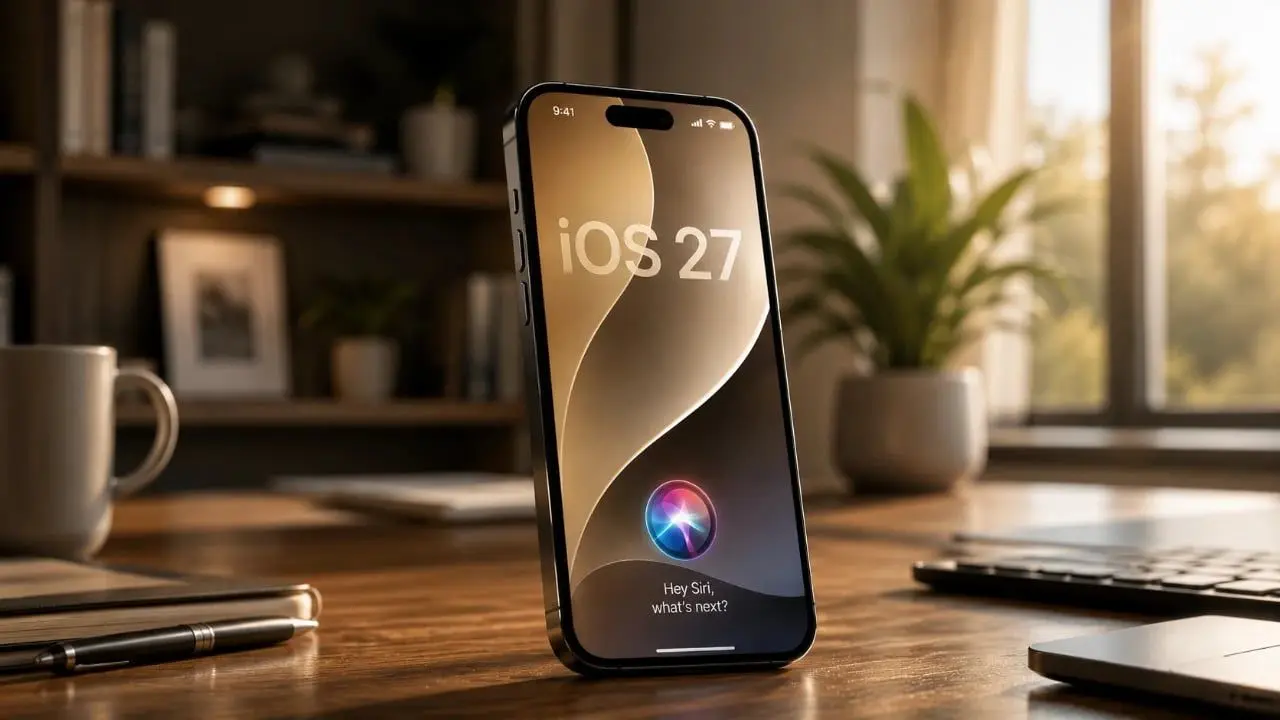
Source: Geeky Gadgets
The AI-powered Siri finally enables actual back-and-forth conversations, addressing one of the biggest complaints about the old assistant that offered no room for clarifying questions
3
. Joanna Stern's hands-on review demonstrated impressive contextual awareness when she asked Siri to suggest souvenirs for her kids based on what it knew about them. The assistant pulled information from her Messages app to deliver a "dead-on" personalized response4
.
Source: 9to5Mac
In another scenario, Siri AI accessed Stern's calendar, Messages, and even voicemail to provide informed suggestions about what she could work on that day
4
. This hyper-personalization showcases Apple's unique advantage: access to a wealth of on-device data through Private Cloud Compute, which the company claims doesn't store user information and only accesses it when Siri is queried1
.Despite improvements, hands-on reviews reveal persistent accuracy problems. ZDNET conducted a 10-round test on Mac and found the new Siri AI gave incorrect or inaccurate answers to several queries
2
. When WIRED showed Siri a photo of a foggy path, the assistant correctly identified Monterey cypress trees but referenced a Cypress Tree Tunnel an hour away from the actual location, potentially confusing users unfamiliar with the area1
.A more controversial change involves Spotlight search functionality. The Register's hands-on review criticized Apple for transforming Spotlight into a "Siri-first interface" that presumes users want AI-generated responses rather than traditional search results
3
. Getting to a web search from Spotlight now requires multiple taps instead of the previous swipe-type-tap workflow, with the experience resembling Google's AI Overviews that push actual search results down the page3
.
Source: ZDNet
Related Stories
Tom's Guide's hands-on review highlighted a critical gap: task automation remains restricted to native apps. While Google Gemini can handle complex cross-app tasks like ordering coffee through DoorDash with a single voice command, Siri AI failed to deliver similar functionality
5
. The assistant also couldn't execute photo editing requests like changing backgrounds or generating infographics from PDFs—tasks that Gemini handles routinely5
.On-screen contextual awareness shows promise, with Siri AI suggesting reminders in Messages and creating calendar events from emails
5
. However, it often requires manual input for details that an advanced AI should handle automatically. The updated Camera app combines Visual Intelligence with Siri AI to identify objects, but lacks the fluid conversational experience of Gemini Live or Meta AI5
.Siri AI in iOS 27 requires specific hardware. Every iPhone 16 and iPhone 17 model will run the new assistant, along with iPhone 15 Pro and Pro Max, but older models won't support it
1
. Only the iPhone Air, iPhone 17 Pro, and iPhone 17 Max will access all features, including varied voice options1
. Access requires joining a waitlist through Settings, and the system needs over a week to fully index device data for personalization1
3
.Apple plans to roll out Siri AI to the public later this year, likely in September
2
. Users who aren't interested can disable the assistant in settings1
. The AI integration stems from Apple's partnership with Google and leadership changes, including hiring Amar Subramanya, former head of Gemini engineering at Google, as VP of AI3
. While this first developer beta shows promise, Apple has several months to address accuracy issues and improve third-party app integration before the public launch.Summarized by
Navi
08 Jun 2026•Technology

29 May 2026•Technology

04 Jun 2026•Technology

1
Policy and Regulation

2
Policy and Regulation

3
Policy and Regulation