3 Sources
[1]
Siri AI Is Becoming Apple's Everything Tool
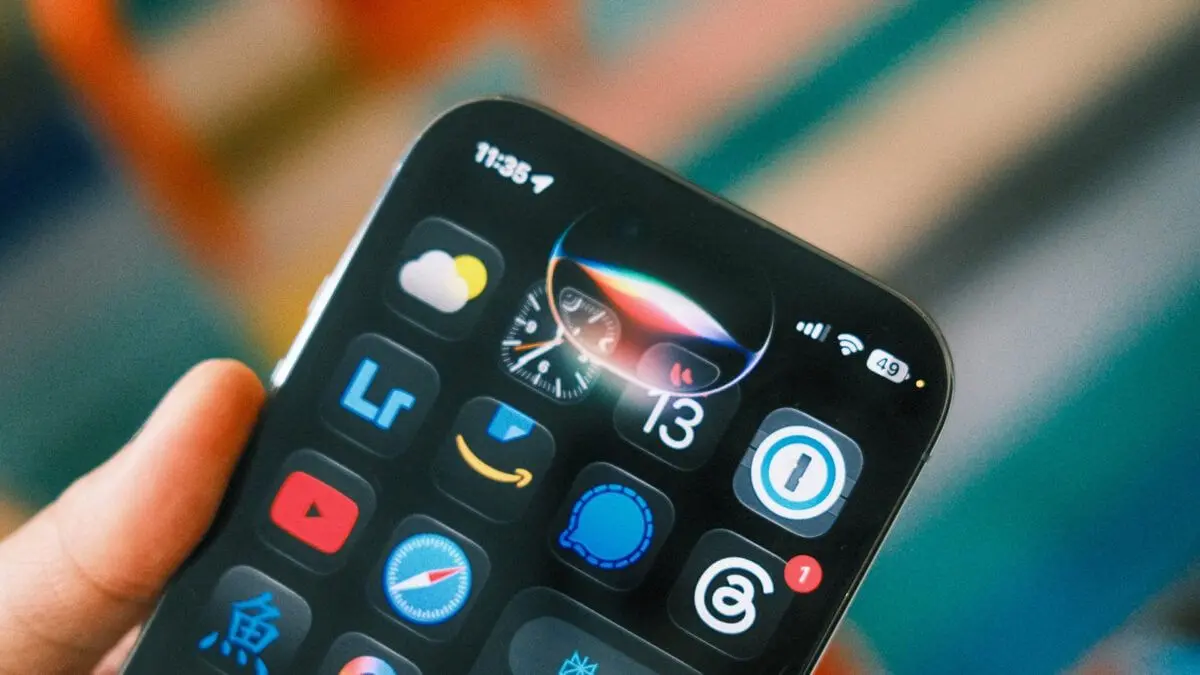
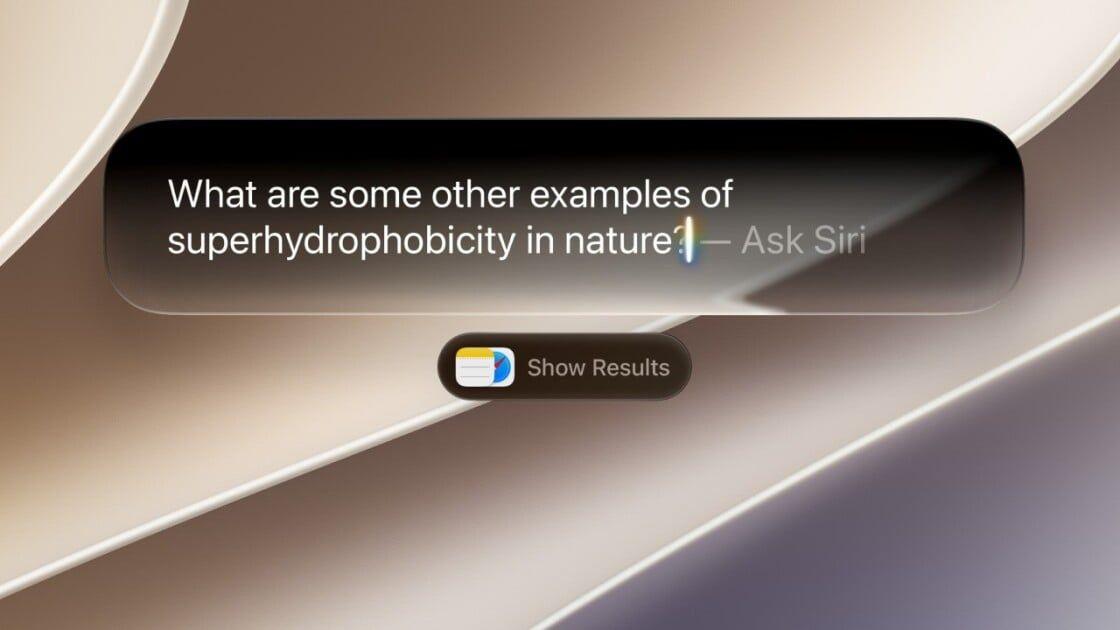
The latest version of Apple's smartphone software, iOS 27, is available for iPhone owners as a public beta. It's the first time Apple's long-promised revamped version of Siri is available to the general public. Showcased at the company's WWDC event in June as "Siri AI," Apple expanded on the original voice controls of the smartphone assistant, adding a chatbot-style app and further weaving it into the iPhone user experience. In my initial hands-on with a developer beta version of Siri AI, I was generally impressed by Apple's overhaul. It made the assistant feel actually helpful for navigating my phone and useful for tasks beyond voice-based interactions. Siri AI was able to help find old vacation photos, send quick texts, and pick a decent pancake spot -- all from basic prompts -- during my limited tests. It wasn't flawless, but the new Siri does feel worth giving a whirl, especially for iPhone owners who rarely, if ever, used the previous version. You might uncover a few hidden gems that become part of your daily usage. Siri now feels like part of the smartphone's infrastructure. "They've integrated it across the entire ecosystem, so you can access Siri AI no matter where you are on the device," says Nabila Popal, a senior research director who focuses on consumer devices at the International Data Corporation. "You can talk to it. You can also access it via an app. So, the accessibility of Siri AI and its integration across the operating system were really well done." You can still turn Siri off if you remain uninterested, but what Apple is offering may convince some users to rethink how they fundamentally interact with their iPhones. Below is a guide to some of the major changes to Siri AI, aimed at early adopters interested in downloading the iOS 27 public beta. You can sign up for the Apple Beta Software Program here. It's always worth backing up your device before you choose to download beta software, just in case anything goes haywire. I'll note that nothing went wrong with my iPhone 16 Pro Max when I tried the earlier developer betas. After you download the public beta, you also need to go into your settings to sign up for Apple's Siri waitlist; you'll receive a notification when you are off the waitlist and ready to take Siri for a spin. New App One of Siri AI's most immediately noticeable changes is the new chatbot-style app. The app is more of an interaction log than anything else. It's where you can keep track of past Siri chats or reignite previous threads. Sure, you can also start new chats here, but I didn't find myself doing that very often, since Siri is built into the iPhone's search functionality now. Don't want your Siri chats stored forever? Go into your phone's Settings, then find Siri AI and open up the Keep Conversations tab. Here's where you can pick between "forever," a year, or 30 days. If you change this setting to a shorter timeframe, then chats older than that will be wiped from the app. While the new Siri app will look somewhat familiar to anyone who has tried a chatbot like ChatGPT or Claude, the beta app doesn't have all the same functionality you might expect. For example, the current Siri app doesn't have a memory feature to store details about the user's preferences, which is standard among these chatbots. That means you'll have to keep reminding Siri AI that you're vegan when you ask for help finding recipes. It's worth keeping in mind that this is a fresh release from Apple, and the company is expected to iterate and add new capabilities down the line. Personal Context Even after you download the iOS 27 beta and get access to the new Siri, there's still a chance you might have to wait a bit longer for another process to complete: indexing. "Siri AI has access to the kind of context that things like ChatGPT and Claude can't easily have, because Siri is cooked into the operating system," says Josh Clark, principal at digital-design agency Big Medium and co-author of Sentient Design: Crafting Intelligent Interfaces with AI. Your iPhone essentially builds a searchable, on-device database during the indexing process. It's labeled as "Optimizing Search and Siri" in more recent iOS 27 developer betas, with a progress bar now included. It took my device a little over a week to fully index, though your experience with the public beta may differ depending on your device, storage, and the new software version. This means Siri can easily pull in data from across the device to better answer your questions. For example, on Monday morning, I asked Siri AI what I had on my plate for the week, and it gathered details from my recent text messages to highlight an upcoming order arriving from TikTok Shop. It also nudged me to grab tickets to the movie at the Castro Theater that friends had been discussing in a group chat. In addition to context from my texts, Siri also went through my calendar, marking a birthday party and tickets to a live performance as other key events. Don't want Siri to use your interactions with a specific app? In your phone's Settings, go to the Siri AI section and scroll down to App Access. Then, choose which app you want to change and toggle Learn from this App to the left. "Allow Siri to learn how you use this app to make suggestions across apps," reads a beta version of the description under this toggle. These are enabled by default if Siri AI is turned on. This revamped Siri is baked into the phone's search function. So, if you swipe down in the middle of the screen, Siri pops up with a Search or Ask bar. You can type into that blank space or tap the microphone icon to ask your question. If you hit enter, more often than not it will send the query to Siri for answers. For example, I typed "What's a good route for driving to Sacramento?" into Siri. It pulled up the Maps app with a suggested driving path pre-chosen. Not bad! If you want, you can still tap Show Results below the text bar for the more traditional web search vibe. On-Screen Awareness In addition to personal context from that indexing process, Siri can also pull details from what's currently visible on your screen. This type of on-screen awareness was available before as Siri's "Visual Intelligence," and it contributes to Siri feeling like it's actually helpful no matter what you're doing. This makes it easy to double-check something I'm seeing on social media. For example, I was scrolling on Bluesky and saw multiple posts about the singer Lorde criticizing Meta's AI smartglasses, but I hadn't seen a source for this news. So, when one of the posts was visible on my screen, I asked Siri AI, "Where did she say this?" I didn't need to provide specifics about who "she" was or what comment I was referring to; Siri pulled that info from my screen. Then, Siri confirmed that this happened at a festival in Madrid and provided links where I could read more. For Siri AI, seeing is believing. Well, at least seeing what's on your screen and what's around you. Beyond just on-screen awareness, Apple has a new Siri tab in the camera app, alongside your standard photo and video options. If you tap the circular button in the middle, Siri automatically analyzes the images and provides you with a quick paragraph of context. Tapping the message icon on the left uploads an image to Siri with the option to add a prompt for more details. Tapping the image search icon on the right browses the web for relevant links. Everything, Everywhere Siri AI is more than just Apple's smartphone assistant; it's also part of the user experience across the entire ecosystem. Siri is on iPads and Macs, with screenshot integrations on iPads and a dedicated shortcut on Macs. Even the Vision Pro has this new Siri, for the handful of readers who actually own that hardware. There are hardware requirements, though. For example, Siri AI is only available on the iPhone 15 Pro and newer devices -- even if you can download iOS 27, it doesn't mean you'll automatically get the new Siri. Zoning in on the iPhone, Siri AI's features are even more widespread than I've already mentioned above. "Write with Siri" is another tool for when you're drafting notes or composing text messages. For example, when I was texting my partner about how to organize our apartment, I tapped the Siri button, told it the gist of what I wanted to communicate (more storage bins). Then it drafted a paragraph-long text message that sounded decently like how I would write and loaded it into the message box. A step up from the auto-suggestions of yore. While this high level of assistance will likely feel fresh to iPhone users, Android phone owners using Google's Gemini may already know what an adept smartphone assistant feels like on their device. "The average Apple user is still not aware of what AI features are already available on Android devices," Popal says. While snarky Android owners will likely, and rightfully, highlight some similar tasks a Pixel or Samsung phone could already complete, Siri AI remains a step-change moment for how the millions of iPhone users in the US interact with their devices. My smartphone, and maybe yours too, is a black hole of highly personal context, with thousands of photos, texts, emails, and calendar appointments, all muddling together in the morass of information. Previously, finding an old text or photo could feel like trudging through a hazy bog of chats and screenshots until finally uncovering the image. By building Siri into the iPhone's backbone and indexing my device, Apple has created an assistant that actually feels attuned to my specific needs and interactions.
[2]
The Long-Delayed New Siri Makes Its Public Debut
As my colleague Raymond Wong noted earlier today: Apple f*cking did it -- Siri AI, the long-delayed Apple AI assistant with "personal context" doesn't suck -- a huge achievement when you consider how much Apple has struggled with Siri suckage over the years. He also noted that if you choose, you can join the public beta of the still technically unreleased iOS 27 and test drive the new Siri yourself. To spell this out a bit more, no, Siri AI is not going to install itself on your phone while you're sleeping tonight. You have to jump through some hoops, including installing a beta -- meaning still in development, and possibly janky -- version of iOS 27. A developer beta came out last month for people with Apple Developer accounts, which isn't much of a barrier, but now there's a public beta, so there's no longer any barrier at all other than your own squeamishness about buggy software. How to try Siri AI on iPhones Mashable's Alex Perry has a pretty useful breakdown of which specific iPhones are compatible with this beta, but the main takeaway is this: you need an iPhone 15 Pro or later for the full Siri AI experience. And as you can see from the Apple Beta Software Program page, there are also beta updates numbered "27" for your other devices too, including your Mac, iPad, and Apple Watch. You can find out if your non-iPhone device is compatible by clicking around there. The important thing is that that's also the page where you can enroll in the beta program. Assuming you've now enrolled, open your Settings app; tap General; tap Software Updates; tap Beta Updates, and choose iOS 27 Public Beta. When you first signed up for the beta program, you were presumably steered toward backing up your device, which is optional, but I'm certainly not going to dissuade you from doing that before you install a whole new operating system. Once you've updated to iOS 27 Beta, you'll notice you still have old Siri. Now you have to join a waitlist to get Siri AI, and judging from Reddit posts during the developer beta, this part seems like it's been taking almost two weeks. To get on the waitlist go to Settings; tap Apple Intelligence & Siri; and tap Try New Siri. You'll get a push notification when your number is called. If you're in the E.U., Siri AI is not going to be available. It's also currently only available in English, according to TechCrunch. If you haven't been an avid Siri user before, how one triggers Siri may have slipped your mind -- or maybe you only know how to bring it up by accident. To refresh your memory, there are options in Settings>Apple Intelligence & Siri. You can now trigger it by saying either "Hey Siri" or just "Siri." If you're still not ready to be that person, you can choose the Press Side Button for Siri option. Siri AI also has a dedicated app that works like any AI chatbot, so you don't actually have to use your voice at all.
[3]
Apple F*cking Did It: One Month With Siri AI
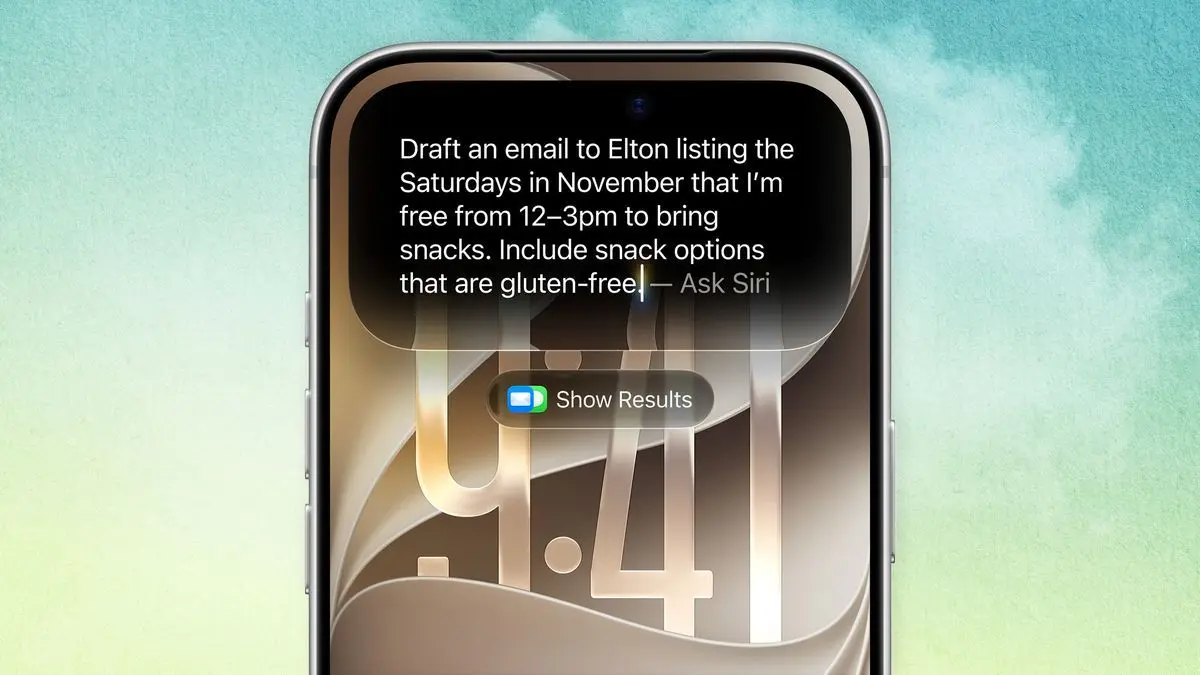
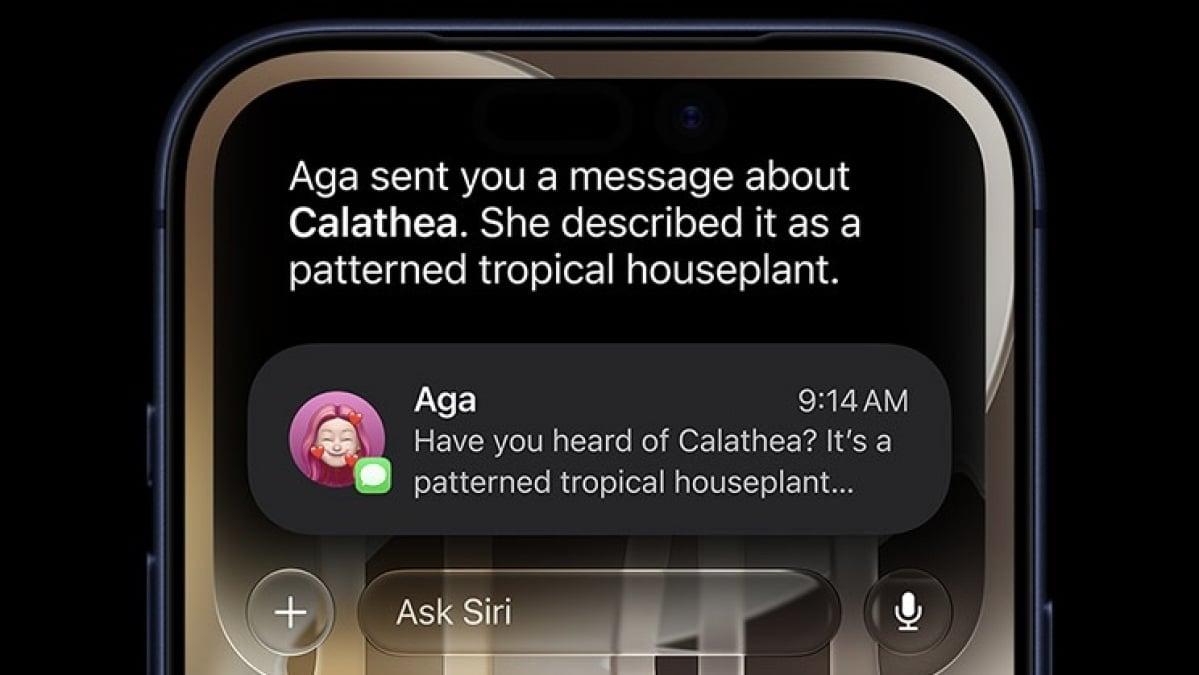
The first public beta for iOS 27 is now available for download, which means if you have a supported iPhone, you can try out the new Siri AI before it officially rolls out this fall. This public beta is equivalent to the third developer beta of the new iPhone software. While there are still several more developer betas to go this summer, the early software versions have been stable enough to represent what to expect in the final release. I've been testing these developer builds of iOS 27 on an iPhone Air since the first one was released at WWDC 2026 and using Siri AI daily for just over a month. Excuse me for sounding hyperbolic, but Apple f*cking cooked. It took me maybe two weeks to learn what Siri AI could and couldn't do, but once I figured that out, I now can't imagine using my phone without the more intelligent assistant. Whenever I accidentally pick up my personal iPhone 16 Pro, which is still on iOS 26 and saddled with "Siri classic," I feel like I've been knocked back to the stone age. But first, a brief history lesson for those who have not followed the Siri drama. Back at WWDC 2024, Apple announced a massive revamp to its voice assistant, complete with "personal context," a way for Siri to surface information from across your apps. For example, instead of manually searching in your inbox for flight information, you could simply ask Siri to find it for you. Want to know what your "lunch plans" are with your mom? Siri would find that info from your chat between you and your mom. Apple also demoed how Siri could understand what's happening on your iPhone's screen, providing information about what it "sees." All of these new Siri features were supposed to launch under "Apple Intelligence," Apple's suite of homegrown AI features for its devices, including on iPad and Mac. When it came time to launch that fall, Apple Intelligence's other features, like Writing Tools and notification summaries, rolled out, but the new Siri did not. 2025 came and went without the new voice assistant. At WWDC 2025, Apple execs admitted that the new Siri was delayed because it didn't meet Apple's expectations. "It didn't converge in a way, quality-wise, that we needed it to," Craig Federighi, Apple's SVP of software engineering, told The Wall Street Journal. Instead of shipping a half-baked Siri, he said that Apple decided to rearchitecture it. That ultimately ended up with Apple partnering with Google to use its Gemini models to essentially give Siri a much-needed brain transplant. Fast forward to this year's WWDC in June, where Apple spent a good chunk of its 1.5-hour keynote showing that the new Siri -- now called Siri AI -- does in fact work and is vaporware no more. Siri AI needed to stick the landing -- and it mostly does, if my first month with beta versions of it is any indication. After indexing your iPhone -- this can take a few days depending on how much data you have -- Siri AI will then be ready to dig into your Apple apps and, well, assist you. The first few days (and even weeks) were a lot of trial and error. I asked Siri AI all kinds of questions and was surprised (and not surprised) by what it could do. Without having ever told Siri AI who my girlfriend was, it was able to, with the press and hold of my iPhone's side button, tell me what kind of foods she liked based on entries in my Notes app and messages that she had sent me when we started dating. Siri AI also reminded me that she doesn't like salad. (Same as me!). The answers bubbled out of my iPhone's Dynamic Island, and, from there, I could either continue the conversation with voice or type into the "Ask Siri" bar. There's also a + button to take a photo, include an image from the Photos app, or attach a file. Interacting with Siri AI is very similar to a chatbot app like ChatGPT or Perplexity, which is to say it's very easy to understand and use. If you're familiar with those types of AI chatbot apps, you'll quickly pick up Siri AI. I asked Siri AI to find me my upcoming flight details to London for Samsung Unpacked next week. It correctly pulled up my flight details with departure and arrival times. Could I have opened my Mail app and searched for it myself? Yes, but going into my inbox is stressful. I hate scrolling through emails, especially long ones, to find something. In situations like this, Siri AI saves me a lot of time. When you ask Siri AI to do something and it does it, it feels like magic. I get so excited that it saved me a bunch of taps. But when it fails to do something, reality sinks in, and you realize that Siri AI is still a work in progress. Apple lists a whole bunch of "actions" in apps that Siri can perform, like "rotate a photo left." I asked Siri to do this for me, but instead of rotating the image, it opened the crop tool and then told me I could rotate it myself. Not quite the "just do it" attitude I was looking for. The real magic happens when you ask for multistep actions -- chaining a few tasks together. A real-life example: Find the things my dad likes, then draft an email to my mom suggesting we consider buying it for Father's Day. With one voice command, Siri looked through my iPhone, identified that I had considered "AirPods 4" as a gift, and drafted up an email. Siri AI missed the part about sending the email to my mom, but it did most of the work, which counts as impressive to me. Mostly, I found myself using Siri AI to search for things just like I do with ChatGPT, Gemini, or Perplexity. When I needed a recipe for shrimp scampi, it found me one from Preppy Kitchen. I didn't have to go to the website and deal with obtrusive ads. When I wanted to know more about Jalen Brunson and how he led the New York Knicks to their first NBA championship in 53 years, I just asked Siri AI and it gave me a summary with a brief chart on key stats, pulled from Wikipedia. When I needed help identifying an actor from a Malcolm in the Middle video clip I was looking at on my MacBook, I fired up the Camera app, tapped the new Siri mode, took a photo, and Siri AI correctly told me her name was Tania Raymonde using "Visual Intelligence." I could then continue the conversation with follow-up questions, like inquiring about her recent acting roles. One thing you should be aware of is that Siri AI's helpfulness can be limited when it shouldn't be. You would think telling Siri AI to "show me how much storage I have left on my iPhone" would open the respective screen within the Settings app and simply show me my remaining gigabytes. Alas, Siri AI could only point me to the Settings app and then tell me which menus to tap through. All "conversations" that you have with Siri AI are saved in the new Siri app. It's handy for recalling past chats. By default, the app automatically deletes conversations after 30 days, but you can change that to a year or to keep them forever. Worth noting: deleting conversations doesn't necessarily make Siri AI "dumber," but if you ask again for something you previously asked for, it could take longer since it needs to rescan your data for that info. Siri AI isn't completely bug-free, either. For example, whenever I asked it to "show me photos with me and my sisters," it would display "Here are the photos with Jenny and Angela" followed by black space where the photos should have been. I noted several crashes and misunderstandings throughout the first developer betas, but that's to be expected since it's early-release software. It should also be noted that Siri AI can make mistakes, too. While it's less likely to hallucinate information compared to other LLM-based chatbots when it's pulling information from across your Apple apps like Mail, Messages, and Notes, I have not been able to shake off the feeling that Siri AI will tell me something one day, and I'll blindly trust it only to end up screwed in some way. I've witnessed some of Siri AI's incorrect answers. A few times it thought my girlfriend was my sister when I was asking for group photos, and some of the "facts" taken from the web were from websites that I wouldn't consider reputable. Siri AI's foundation is all here. It's remarkable that Apple has been able to correct its massive fumble and somehow not miss a beat in the AI race. Of course, that's the advantage Apple has by controlling the entire stack -- both the hardware and software. Its powerful supported devices can perform many AI tasks locally and privately. In the case of Siri AI, anything that taps into personal context is on-device and never sent to the cloud. Stuff that requires "world knowledge" or information from the web does, but privately as well, thanks to Apple's Private Cloud Compute, which Apple claims never shares your personal data with any companies. Currently, Siri AI is only available in English and in the U.S. Apple has not announced plans to bring Siri AI to Europe due to restrictions from the Digital Markets Act. Siri AI's launch in China is also up in the air as a result of regulations. A month with Siri AI and I've found myself talking to it more and more every day. I no longer need to unlock my iPhone, launch an AI app, and then make a voice or text prompt. The intelligence and automation (light as they still are right now) that Siri AI now has are what Apple promised when the voice assistant launched on the iPhone 4S in 2011. There will probably never be One Big Moment where Siri AI changes everything, but if Apple can keep building on it -- for real this time -- we're all going to be tapping on our glass slabs a whole lot less and talking to Siri AI to do more and more.
Share
Copy Link
Apple has released Siri AI to the public for the first time through the iOS 27 beta, marking a significant overhaul of its voice assistant. The update introduces personal context capabilities, a chatbot-style app, and deep integration across the iPhone ecosystem. Early hands-on testing reveals both impressive capabilities and areas still needing refinement as Apple attempts to compete with established AI assistants.
Apple has launched the public beta of iOS 27, bringing Siri AI to iPhone users for the first time after years of development delays
1
. The revamped Siri represents a fundamental shift in how users can interact with their iPhones, transforming the voice assistant from a basic tool into what Apple positions as an integrated intelligence layer across the iPhone ecosystem1
.
Source: Gizmodo
The public beta is equivalent to the third developer beta released at WWDC in June, where Apple spent considerable time demonstrating that Siri AI actually works after missing multiple launch windows
3
. To access Siri AI, users need an iPhone 15 Pro or later and must enroll in the Apple Beta Software Program, install iOS 27, and join a waitlist that has been taking up to two weeks during the developer beta phase2
.The defining feature of Siri AI is its personal context capability, which allows the voice assistant to pull information from across Apple apps to deliver contextual responses
1
. "Siri AI has access to the kind of context that things like ChatGPT and Claude can't easily have, because Siri is cooked into the operating system," explains Josh Clark, principal at digital-design agency Big Medium1
.This integration requires an indexing process that builds a searchable, on-device database—a process that can take over a week depending on the device and storage
1
. Once complete, Siri AI can surface flight details from emails, identify food preferences from Notes and messages, and compile weekly schedules by analyzing texts and calendar entries1
3
.Hands-on testing revealed that Siri AI could determine relationship details and preferences without explicit instruction. One tester found that the assistant correctly identified his girlfriend's food preferences based solely on past messages and notes, even remembering she doesn't like salad
3
.Siri AI introduces a dedicated chatbot-style app that functions as an interaction log where users can track past conversations or continue previous threads
1
. The interface will feel familiar to anyone who has used ChatGPT or similar AI assistants, though it currently lacks some standard features like memory storage for user preferences1
.Users can trigger Siri AI by saying "Hey Siri" or just "Siri," pressing the side button, or accessing the dedicated app
2
. "They've integrated it across the entire ecosystem, so you can access Siri AI no matter where you are on the device," notes Nabila Popal, senior research director at International Data Corporation1
.The assistant now supports both voice and text input, with options to attach photos or files through a + button in the interface
3
. Conversation retention settings allow users to choose between keeping chats forever, for a year, or for 30 days1
.
Source: Wired
Related Stories
The journey to Siri AI has been marked by significant setbacks. Originally announced at WWDC 2024 as part of Apple Intelligence, the new Siri was supposed to launch that fall alongside other AI features like Writing Tools and notification summaries
3
. When iOS launched, those features appeared, but the revamped Siri did not.At WWDC 2025, Apple executives admitted the delay stemmed from quality concerns. "It didn't converge in a way, quality-wise, that we needed it to," Craig Federighi, Apple's SVP of software engineering, told The Wall Street Journal
3
. Rather than ship a subpar product, Apple decided to rearchitect the system entirely, ultimately partnering with Google Gemini to provide the underlying intelligence3
.After more than a month of hands-on testing with developer betas, early adopters report that Siri AI represents a substantial improvement. The assistant successfully handles multistep task execution and can find information across apps with simple prompts—locating vacation photos, sending texts, and recommending restaurants during initial tests
1
.However, Siri AI remains a work in progress. Some listed capabilities don't function as advertised—when asked to rotate a photo, the assistant opened the crop tool rather than performing the action directly
3
. The feature is currently only available in English and won't be accessible in the European Union2
.For iPhone owners who rarely used the previous version, Siri AI may fundamentally change their relationship with their devices. One tester noted that after adapting to the new assistant, returning to "Siri classic" on iOS 26 felt like being "knocked back to the stone age"
3
. Apple is expected to iterate and add capabilities as the software moves toward its fall release.Summarized by
Navi
[3]
17 Jun 2026•Technology

08 Jun 2026•Technology

04 Jun 2026•Technology

1
Technology

2
Policy and Regulation

3
Business and Economy