macOS Golden Gate Launches With AI Features That Redefine Mac Productivity and User Experience


3 Sources
[1]
I've used macOS Golden Gate for 3 months -- and here's what I think
Why you can trust Tom's Guide Our writers and editors spend hours analyzing and reviewing products, services, and apps to help find what's best for you. Find out more about how we test, analyze, and rate. macOS Golden Gate is here! Though not a complete overhaul like macOS Sequoia, it brings a
[2]
10 Essential Features to Try First in macOS 27 Golden Gate
macOS 27 Golden Gate introduces a suite of advanced features and system refinements, setting a new standard for productivity, creativity, and user experience. Designed exclusively for Apple Silicon-powered Macs, this update enhances performance while integrating innovative tools such as AI-driven
[3]
Apple Releases macOS 27 Golden Gate: What's New?
Apple's latest operating system, macOS 27 "Golden Gate," brings a host of updates designed to enhance productivity and usability across the board. As highlighted by MacVince, one standout feature is the integration of AI-powered automation, such as the updated Finder, which now offers file naming
Share
Copy Link
Apple has officially launched macOS Golden Gate, introducing AI-driven features like an enhanced Siri AI app, Spatial Reframing in Photos, and adjustable Liquid Glass transparency. Exclusive to Apple Silicon-powered Macs, this operating system update delivers smarter automation, refined design elements, and productivity tools that streamline workflows across the ecosystem.
Apple Unveils macOS Golden Gate With AI-Powered Enhancements
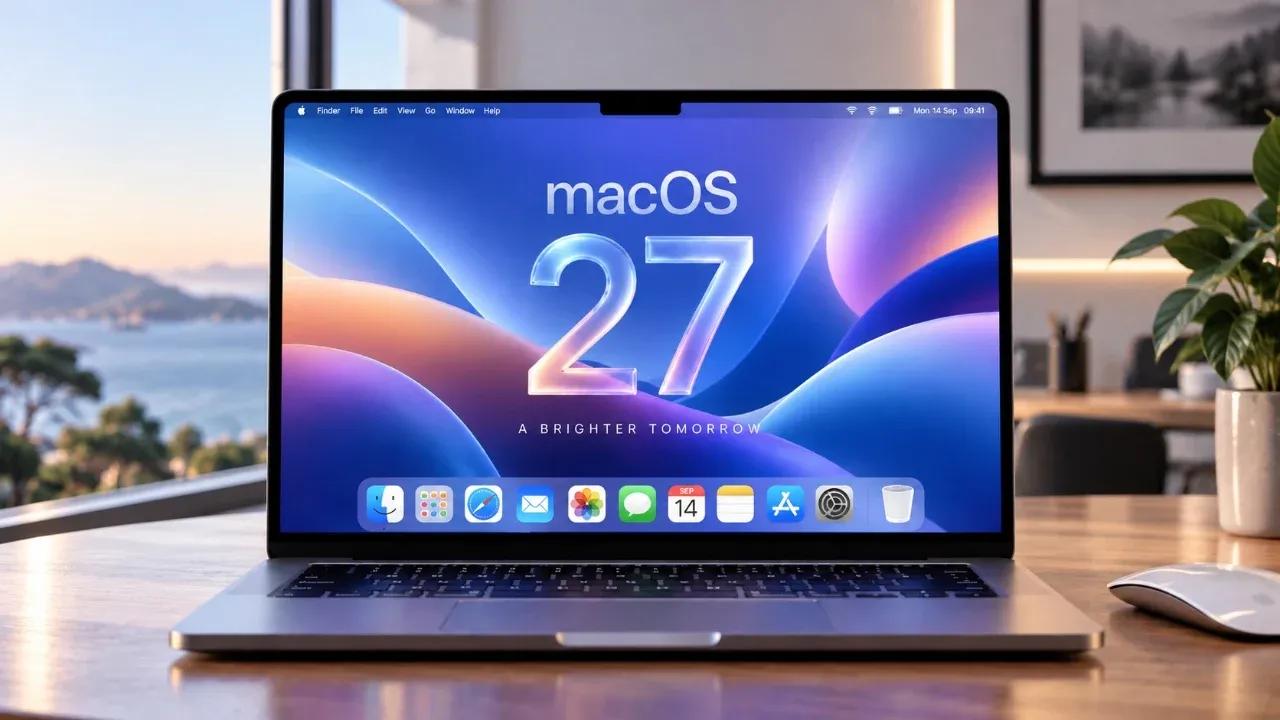
Apple has officially released macOS Golden Gate, marking a significant leap in AI-driven features and productivity tools for Apple Silicon-powered Macs
1
2
. Unlike previous major overhauls, this operating system update focuses on integrating AI features that make everyday tasks more intuitive while maintaining the familiar macOS foundation. The update brings enhanced Siri enhancements, advanced photo editing capabilities through Spatial Reframing, and customizable Liquid Glass transparency that addresses long-standing user experience concerns1
3
.
Source: Geeky Gadgets
Compatibility remains exclusive to Macs running Apple silicon, including MacBook Air (2020 and later), MacBook Pro (2020 and later), iMac (2021 and later), Mac mini (2020 and later), Mac Studio (2022 and later), and Mac Pro (2023 and later)
1
. This decision signals Apple's complete departure from Intel-based machines, focusing development resources on optimizing performance for its proprietary chips.Siri AI App Transforms Into ChatGPT-Style Assistant
The most substantial addition to macOS Golden Gate is the dedicated Siri AI app, which fundamentally changes how users interact with Apple's voice assistant
1
2
. Unlike previous iterations, Siri now functions similarly to ChatGPT and Google Gemini, offering a conversational chat interface accessible through the Dock, Menu bar, or Spotlight search. Users can engage in extended dialogues, ask follow-up questions, and receive contextually aware responses that adapt to ongoing conversations2
.The AI-powered tools extend beyond simple queries. Visual Intelligence allows Siri to identify objects on screen, search for related items, and provide contextual information based on what users are viewing
2
3
. When examining schedules or discussing plans, Siri automatically suggests adding events to Calendar with a single click. Right-clicking on folders, files, or apps now displays an "Ask Siri" option at the top of context menus, enabling instant queries about highlighted content1
.
Source: Geeky Gadgets
Spotlight integration enhances precision, allowing users to type queries for detailed results while maintaining the conversational flow
3
. Cross-device syncing through iCloud ensures conversations remain accessible across iPhone, iPad, and Mac, creating a unified experience throughout the Apple ecosystem3
. However, third-party integration remains limited, particularly with Google services like Gmail, which may restrict functionality for users outside Apple's native apps1
.Spatial Reframing and AI Editing Tools Elevate Photos App
Photography enthusiasts gain professional-level capabilities through Spatial Reframing, an AI editing tool that enables perspective adjustment after capture
1
2
. This feature proves particularly valuable for images taken hastily, allowing users to reframe compositions, adjust angles, and modify orientation through simple touchpad gestures or precision sliders. Apple Intelligence analyzes the selected photo and fills gaps created by perspective shifts, maintaining visual coherence throughout the editing process1
.Additional AI-powered tools include object removal for cleaning up unwanted elements with customizable quality settings, and content extension that expands photo edges using AI-generated backgrounds that blend naturally with existing imagery
2
3
. These capabilities deliver professional results with minimal effort, streamlining workflows for photographers, designers, and content creators who previously relied on third-party software for similar functionality.Related Stories
Liquid Glass Interface Gains User Control
Addressing a persistent point of contention, macOS Golden Gate introduces an opacity slider for the Liquid Glass UI, allowing users to adjust transparency levels according to personal preference
1
2
. Complex background visuals now appear more diffused, improving text readability—a significant concern for users who found previous implementations distracting. Icon edges have been sharpened to stand out more prominently against backgrounds, while all app windows now feature uniform corner radius for visual consistency1
.The dynamic menu bar automatically adjusts to limited screen space by consolidating items into an expandable menu, maintaining a cleaner interface without sacrificing functionality
3
. Overflow management ensures hidden icons remain accessible when space becomes constrained, balancing aesthetics with practical usability2
.Safari and Native Apps Receive Productivity Boosts
Safari gains AI-powered tab organization that automatically groups browsing sessions by topic, simplifying management of multiple research projects or shopping activities
2
3
. The "Notify Me" feature monitors price changes on specific web pages, ensuring users never miss deals or discounts during online shopping2
. Web extension creation now accepts plain English prompts, democratizing browser customization for non-technical users3
.Finder receives AI-powered file naming suggestions based on document content, reducing manual organization effort
3
. Calendar supports natural language event creation, accepting phrases like "Lunch with Sarah next Friday at noon" to generate calendar entries automatically3
. Notes now supports Markdown formatting, divider lines, and enhanced sharing tools for improved collaboration3
. Freeform introduces folder organization, shared folders for team projects, and dark mode for extended usage sessions2
3
.
Source: Tom's Guide
Shortcuts gains natural language creation, allowing users to describe desired automation workflows instead of manually building complex sequences
1
3
. New triggers include screenshot automation and notification responses, expanding possibilities for power users seeking workflow optimization3
.References
Summarized by

Navi
[2]
[3]
Related Stories
macOS 27 Golden Gate brings redesigned Siri AI and drops Intel Mac support entirely
19 Jun 2026•Technology

Apple unveils macOS 27 Golden Gate with Siri AI powered by Google Gemini at WWDC
07 Jun 2026•Technology

macOS Golden Gate brings complete Apple Intelligence integration with new Siri AI app
13 Jul 2026•Technology
Recent Highlights
1
OpenAI's AI Models Disprove 27-Year Exponential Time Hypothesis, Rendering Decades of Research Obsolete
Science and Research

2
Google DeepMind unveils Genie 4 world model with audio and 2-minute interactive simulations
Technology

3
OpenAI Cuts Internet Access for AI Model Training After Security Breaches
Technology

Recent Highlights
Today's Top Stories




Don’t drown in AI news. We cut through the noise - filtering, ranking and summarizing the most important AI news, breakthroughs and research daily. Follow topics that matter to you and stay ahead.


