macOS Golden Gate brings complete Apple Intelligence integration with new Siri AI app


2 Sources
[1]
Apple macOS Golden Gate Preview: The Company's Most Complete Desktop Release in Years
Cupertino made big promises about Apple Intelligence with the launch of macOS Sequoia in 2024, but didn't follow through until now. The biggest change is to Siri, which now works much like other AI chatbots, such as ChatGPT and Claude, and is accessible from everywhere. With it, you can conduct
[2]
macOS Golden Gate public beta hands-on preview: Apple Intelligence is finally useful
The public beta for macOS 27, also known as macOS Golden Gate, is here! While this update isn't as monumental as macOS Sequoia, it delivers a slew of AI features and smoother overall performance, making the best MacBooks more personal and streamlined. I've had the developer beta of macOS Golden
Share
Copy Link
Apple's macOS Golden Gate public beta delivers the AI-powered features promised with Sequoia. The update introduces a dedicated Siri AI app that functions like ChatGPT and Google Gemini, natural language Shortcuts creation, and Spatial Reframing in Photos. Available exclusively for Apple silicon Macs, the release marks a shift toward deeper AI integration across the desktop operating system.
macOS Golden Gate Delivers on Apple Intelligence Promises
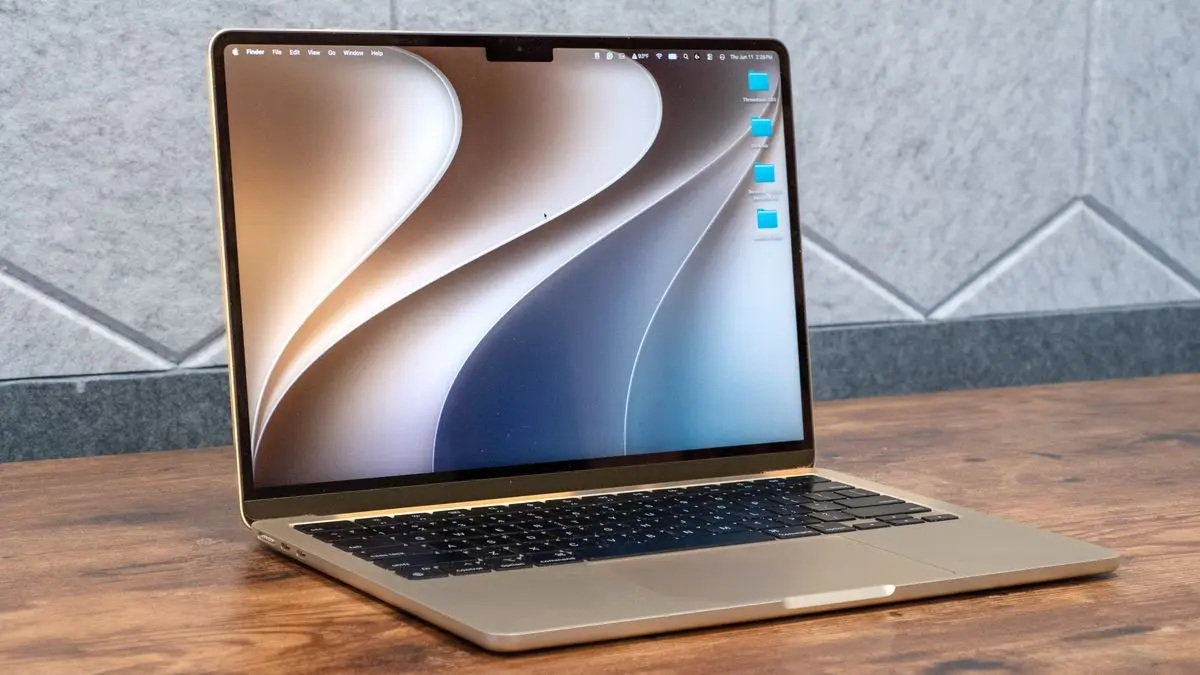
Apple has released the macOS Golden Gate public beta, fulfilling the AI integration commitments made during the macOS Sequoia launch in 2024
1
. The update transforms how users interact with their Macs by embedding Apple Intelligence throughout the desktop operating system, making AI-driven features accessible from virtually anywhere1
. While not as monumental as Sequoia, Golden Gate delivers a comprehensive suite of AI-powered features and smoother performance that makes the best MacBooks more personal and streamlined2
.
Source: Tom's Guide
Siri AI App Brings Chatbot Functionality to macOS
The centerpiece of macOS Golden Gate is the dedicated Siri AI app, which functions similarly to AI chatbots like ChatGPT, Claude, and Google Gemini
1
2
. Users can access Siri by clicking the icon on the menu bar, through the Dock, or simply by saying "Siri" to conduct deep conversations over text or voice1
. The new interface includes a dedicated chat window where users can ask questions or assign tasks across apps, with Siri considering personal data in these interactions1
.This level of interactivity extends across all native macOS apps. Users can Cmd-click on almost anything in Calendar, Messages, and other applications to bring up an Ask Siri prompt
1
. When right-clicking on folders, files, or apps, an "Ask Siri" option appears at the top, enabling immediate questions about highlighted content2
. For those in the Apple ecosystem, Siri AI proves more useful than other chatbots because it's integrated into the system, though third-party integrations with services like Gmail remain a work in progress2
.Natural Language Shortcuts and Task Automation
The Shortcuts app now supports natural language Shortcuts creation, allowing users to build automated workflows simply by describing what they want them to do
1
2
. This approach to task automation eliminates the need to manually build complications, making the feature accessible to non-technical users2
. However, the implementation shows some limitations—when one reviewer asked Apple Intelligence to create a shortcut for distance calculation, it failed to automatically enable Location Services, requiring a manual trip to System Settings1
.When Shortcuts encounters limitations, Apple Intelligence can generate AppleScript solutions instead. Despite Cupertino deemphasizing the AppleScript scripting language, the ability to generate powerful AppleScripts through natural language makes the language's quirks less problematic
1
. This capability extends to AI-powered coding in Xcode, where developers can now run AI agents directly inside the development environment with tighter integration than previous versions1
. One reviewer used Claude Code as an AI agent in Xcode to create a custom hotkey launcher app in just half an hour1
.Spatial Reframing and Enhanced Photo Editing
Apple Intelligence in the Photos app introduces Spatial Reframing, a feature that allows users to adjust perspective and reframe existing photos
2
. After selecting Reframe in the new Tools option in Photos' editing mode, Apple Intelligence scans the selected photo, enabling users to change perspective by dragging across the touchpad2
. Sliders provide precise control over angle, orientation, and size, with AI filling in any gaps created by the transformation2
.In testing, the feature performed impressively—rotating a photograph's perspective so the subject looked forward rather than to the sides, while filling in detail to the left and right based on the original image
1
. This document summarization capability extends to other apps, where users can request summaries of previewed documents or full descriptions of images1
.Related Stories

Liquid Glass Interface Refinements
The macOS Golden Gate public beta introduces a slider to adjust Liquid Glass opacity, allowing users to dial the visual effect up or down to their preference
2
. Complex background visuals now appear more diffused to improve text readability, while icon edges are more pronounced to stand out from backgrounds2
. All app windows now feature a uniform corner radius to help them pop out visually2
.Apple Silicon Requirement and Availability
The Intel era has ended for macOS, as Golden Gate runs exclusively on Apple silicon Macs from 2020 and later, including MacBook Air, MacBook Pro, iMac, Mac mini, Mac Studio, and Mac Pro models
2
. Users signed into the free Apple beta software program can access the macOS Golden Gate public beta immediately2
. While some AI-generated content still displays characterless prose that reveals machine authorship, the overall integration feels seamless and represents Apple's most complete desktop release in years1
.References
Summarized by

Navi
[1]
Related Stories
Apple unveils macOS 27 Golden Gate with Siri AI powered by Google Gemini at WWDC
07 Jun 2026•Technology

macOS Golden Gate Launches With AI Features That Redefine Mac Productivity and User Experience
15 Sept 2026•Technology

macOS 27 Golden Gate brings redesigned Siri AI and drops Intel Mac support entirely
19 Jun 2026•Technology

Recent Highlights
1
OpenAI's AI Models Disprove 27-Year Exponential Time Hypothesis, Rendering Decades of Research Obsolete
Science and Research

2
Google DeepMind unveils Genie 4 world model with audio and 2-minute interactive simulations
Technology

3
OpenAI Cuts Internet Access for AI Model Training After Security Breaches
Technology

Recent Highlights
Today's Top Stories




Don’t drown in AI news. We cut through the noise - filtering, ranking and summarizing the most important AI news, breakthroughs and research daily. Follow topics that matter to you and stay ahead.


