Apple unveils macOS 27 Golden Gate with Siri AI powered by Google Gemini at WWDC


16 Sources
[1]
MacOS 27 Golden Gate: Top New Features
Apple has announced the latest version of macOS. It's all about the reintroduction of Siri, which is now accessible from anywhere on the Mac desktop. During the keynote presentation at Monday's WWDC, Apple previewed the next version of macOS. The official name of the Mac's operating system is
[2]
The 3 new MacOS 27 features I'm looking forward to most - starting with Siri AI
Follow ZDNET: Add us as a preferred source on Google. ZDNET's key takeaways * MacOS 27 "Golden Gate" has very few new features, focusing on design optimizations and Siri AI. * Siri comes to MacOS 27 more conversational, with onscreen awareness and powered by Gemini. * MacOS 27 is also the end
[3]
Apple demonstrates cross-platform Siri upgrades in macOS 27 Golden Gate at WWDC -- update brings Liquid Glass improvements and unifies AI strategy
macOS 27 brings new AI features and, finally, matching corner radii. Apple introduced its next major macOS release, macOS 27 Golden Gate, at its WWDC developers conference. The new operating system update, coming this fall, includes a series of new artificial intelligence gestures, as well as
[4]
macOS Golden Gate puts Siri AI into Spotlight - Engadget
macOS Golden Gate puts Siri AI into Spotlight And it'll include some new Liquid Glass customization Last year, macOS Tahoe 26 gave Apple's desktop a bit of a Liquid Glass facelift. This year, macOS Golden Gate is all about refinement, with the company's new Siri AI being the real star of the
[5]

Apple's OS 27 releases are out of the ordinary--in a good way
Key improvements include standardized window corner radius, refined Finder sidebars, and AI-powered Shortcuts creation from natural language inputs, prioritizing user experience over flashy features. The last two years at WWDC, Apple has felt like it's been in a hurry. In 2024, in a hurry to catch
[6]

macOS 27: The 5 biggest WWDC 2026 announcements we expect
With WWDC 2026 kicking off on June 8, we'll soon learn about all the latest updates coming to macOS 27. According to rumors, the Mac-based operating system should receive iterative updates rather than substantial ones. That doesn't mean there isn't anything to look forward to, however. The biggest
[7]

Apple announces macOS 27 Golden Gate at WWDC
Apple has just announced the name for the next macOS, Golden Gate. Credit: Apple At WWDC 2026, Apple announced the official name for the next macOS operating system: macOS 27 Golden Gate. During the keynote address, Craig Federighi, Apple Senior Vice President of Software Engineering, outlined a
[8]

macOS 27 Golden Gate announced at WWDC 2026 - here's everything you need to know
Tim Cook's final WWDC as Apple CEO gives us a glimpse of the future of Macs WWDC 2026, this year's edition of Apple's software-focused developer conference, has been particularly notable due to it being the last one while Tim Cook is CEO (he'll be handing over the reins after 15 years in the top
[9]

Apple unveils macOS 27 Golden Gate with standalone Siri AI app and smarter Apple Intelligence features
Spotlight search is apparently graduating into a full-time AI assistant now This story is part of our complete Apple WWDC coverage Updated less than 2 minutes ago Apple has officially previewed macOS 27 Golden Gate at WWDC 2026, introducing one of the biggest AI-focused updates to the Mac in
[10]
macOS Golden Gate could finally unlock the shackles holding back my Mac
It looks like macOS 27 will be the start of a new era of modernization that macOS sorely needs. I recently wrote a couple of articles about the attacks PC makers have made against the MacBook Neo. In both those articles, I responded to criticism from Dell and Microsoft, with the major point being
[11]
MacOS 27 could finally end Intel Mac support and bring smarter Siri upgrades
MacOS 27 rumors suggest Apple is ready to emotionally damage Intel Mac owners This story is part of our complete Apple WWDC coverage Updated less than 8 minutes ago Apple's next major Mac software update may mark the beginning of the end for Intel-powered Macs while also pushing deeper into
[12]

WWDC 2026: Apple Launches macOS 27 Golden Gate With Major Siri Redesign
* macOS 27 focuses on AI features and better performance * Apple introduces a revamped Siri experience with macOS 27 * Apple enhances Macs with new AI tools in macOS 27 Apple has announced macOS 27 Golden Gate, the next major version of its operating system for Mac computers, at WWDC 2026
[13]

macOS 27 Golden Gate brings Siri AI and Liquid Glass Design improvements
Apple has unveiled its next-generation desktop operating system, macOS 27 "Golden Gate." Scheduled for release this fall, the update focuses heavily on deep artificial intelligence integration via Apple Intelligence, expanded child safety guardrails, and subtle visual and architectural performance
[14]

Apple Unveils macOS Golden Gate, iPadOS 27 With AI-Powered Upgrades
Apple has announced macOS Golden Gate and iPadOS 27, introducing a redesigned interface, smarter Siri, Visual Intelligence on desktop, and expanded Apple Intelligence features aimed at improving productivity, personalization, and seamless experiences across devices. Apple introduced Gate and
[15]

WWDC 2026: 5 big changes coming with macOS 27 Golden Gate and iPadOS 27
It's that time of the year again. Apple's WWDC was livestreamed last night, giving us our first look at the software updates that will power the next generation of iPhones, Macs, iPads, and more. Now as expected, Apple Intelligence took centre stage during the keynote. But, other interesting
[16]
Apple announces macOS Golden Gate and iPadOS 27: New design, Siri AI and Visual Intelligence on desktop
Siri AI lands on macOS and iPadOS through Spotlight integration, but will not be available on iPadOS in the EU due to the Digital Markets Act Apple used WWDC 2026 to reveal the names and features of its next desktop and tablet operating systems. macOS 27 is called Golden Gate, a nod to the iconic
Share
Copy Link
Apple announced macOS 27 Golden Gate at WWDC, introducing a revamped Siri AI powered by Google Gemini that integrates into Spotlight and works systemwide. The update focuses on AI-powered features including natural language shortcut creation, Safari improvements, and Liquid Glass UI refinements. However, the update drops support for Intel-based Macs, requiring Apple M1 chip or newer.
Apple Introduces macOS 27 Golden Gate With Systemwide Siri AI
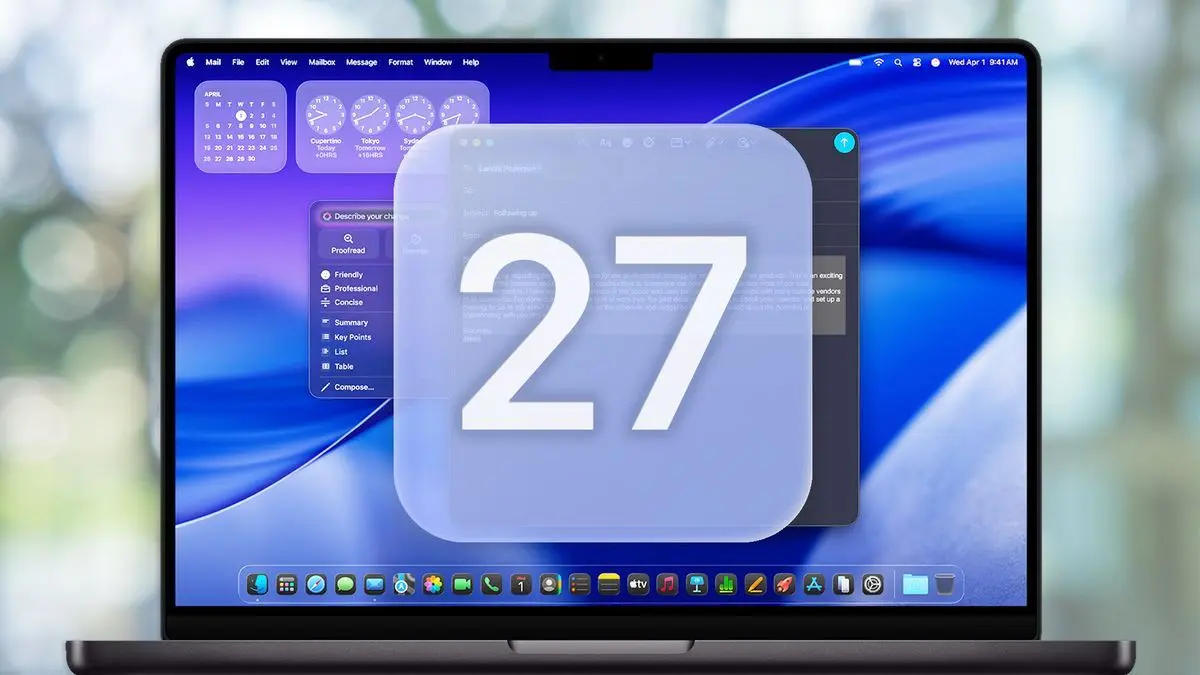
Apple unveiled macOS 27 Golden Gate at its Worldwide Developers Conference on Monday, marking a significant shift in how the company approaches desktop AI integration
1
. The update centers on a completely reimagined Siri AI that transforms Apple's long-struggling virtual assistant into a capable AI chatbot comparable to ChatGPT or Google Gemini1
. Unlike previous macOS releases packed with flashy features, this version takes a measured approach focused on refinement and user experience improvements5
.
Source: Tom's Guide
The new macOS features a fundamentally different Siri experience that can be accessed from anywhere on the Mac desktop through a simple right-click in the context window
1
. Siri integration into Spotlight represents one of the most significant changes, as typing questions into Spotlight will automatically trigger Siri AI responses and open a chat window for continued conversation1
. This systemwide approach means users can select files in Finder, invoke Siri AI, and start prompting without opening separate applications1
.
Source: Engadget
Google Gemini Powers Apple Intelligence Foundation Models
The revamped conversational Siri runs on Apple Foundation Models based on Google Gemini, providing substantially improved natural language processing along with advanced computer vision and image generation capabilities
1
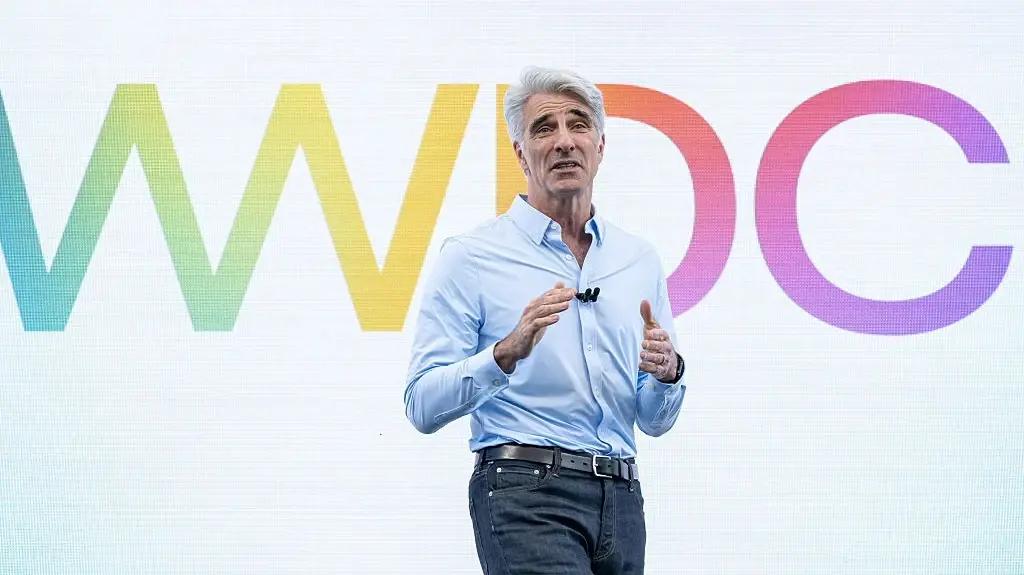
. Craig Federighi, Apple's senior vice president of software engineering, briefly mentioned that foundation models are integrated with Gemini and will be used both on-device and in servers with private cloud compute3
. This partnership represents a notable strategic shift for Apple, which has historically relied on proprietary technology.The agentic AI capabilities enable Siri to maintain context between interactions and perform actions on behalf of users
2
. Mike Rockwell, Apple's SVP for Siri engineering, demonstrated asking about concert information, requesting to be added to a ticket lottery, and playing music in separate requests while Siri remembered the full context3
. Users can also ask Siri to find photos from recent trips, select images with specific people, and share them via text without opening the Photos app3
.Natural Language Shortcut Creation and Safari Enhancements
The Shortcuts app receives substantial AI-powered upgrades that enable natural language shortcut creation without manual function connections
1
. Apple demonstrated typing "Whenever I'm leaving work, calculate the ETA, and send it to Pedro" to create an automated shortcut combining Maps and Messages1
. This capability brings Apple closer to its long-held goal of putting programming power in the hands of non-programmers, a mission stretching back to HyperCard in the 1980s5
.Safari gains Apple Intelligence features including Topics, which automatically combines tabs into organized groups using AI rather than requiring manual management
1
. A new "Describe an extension" feature allows users to create Safari extensions through natural language descriptions, with AI developing the functionality2
. The "Notify me" feature monitors websites and alerts users when something becomes available, such as ticket sales opening2
.Related Stories
Liquid Glass UI Refinements and Cross-Platform Integration
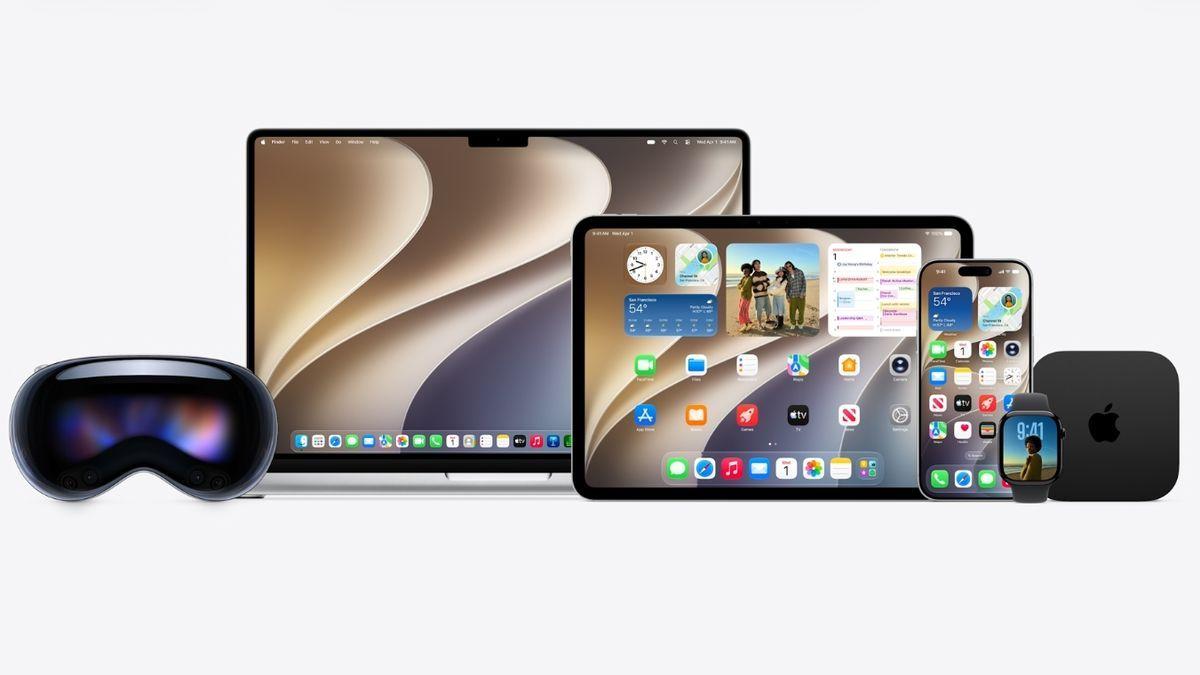
Apple addressed criticism of last year's Liquid Glass UI implementation with significant refinements in macOS 27 Golden Gate
3
. Window transparency can now be adjusted from completely clear to fully opaque using a slider2
. The Mac gets standardized window corner radii across all applications, a change that drew loud applause from developers at Apple Park who recognized the design inconsistencies of the previous release5
.
Source: Tom's Hardware
Expanded sidebars now move to window edges, sidebar icons regain their colors, and a uniform toolbar appears across the top of apps, returning to more traditional Mac design principles
3
. The update emphasizes cross-platform integration, with many improvements affecting iPhone, iPad, and Mac simultaneously, reflecting Apple's ecosystem strategy3
.Compatibility Requirements and Availability
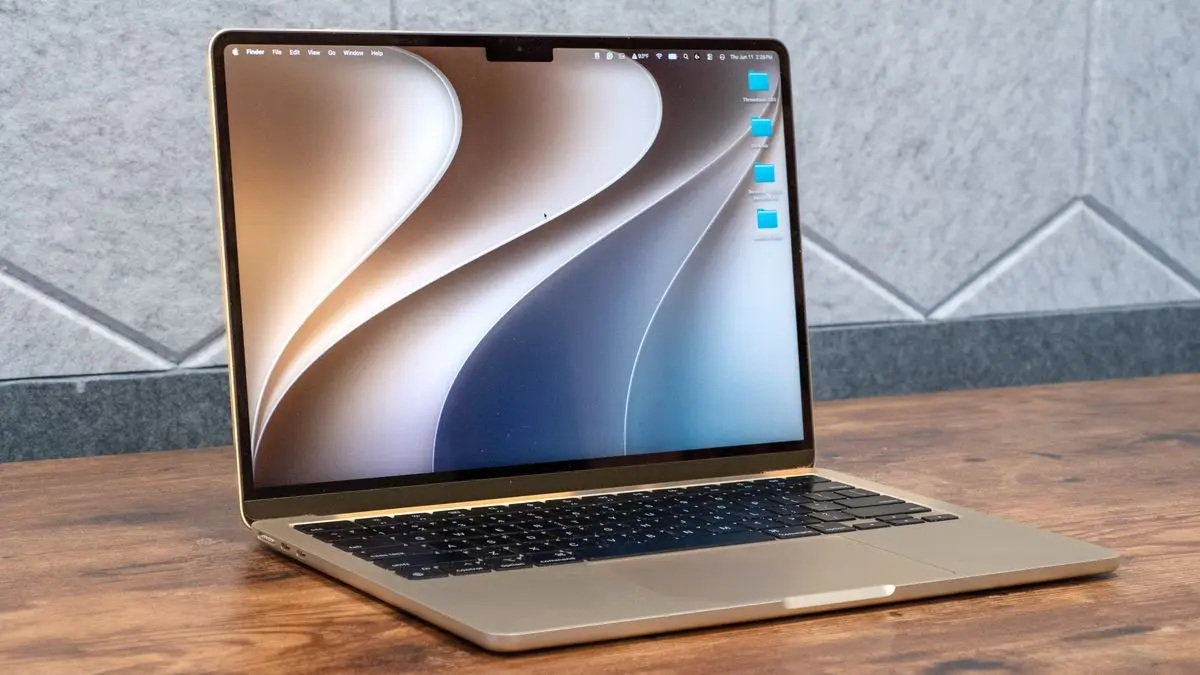
MacOS 27 Golden Gate marks the end of Intel Mac support, requiring an Apple M1 chip or newer to run
2
. Compatible devices include MacBook Pro and MacBook Air from 2020 and later, Mac mini from 2020 and later, iMac from 2021 and later, Mac Studio from 2022 and later, and Mac Pro from 2023 and later1
. Advanced Apple Intelligence features like improved Voice Mode require M3 Macs or newer with at least 12 GB of RAM, excluding the MacBook Neo and many MacBook Airs before 20241
.The developer beta is available immediately, while the public beta will roll out in July
1
. Siri AI will not be immediately available in the EU or China due to regulatory concerns1
. Apple claims apps can launch 30% faster on iPhone and iPad, while new photos appear in the library up to 70% faster3
. This measured release, reminiscent of 2009's Snow Leopard, prioritizes polish and functionality over headline-grabbing features, signaling Apple's commitment to getting AI implementation right after previous stumbles.References
Summarized by

Navi
[3]
Related Stories
macOS Golden Gate brings complete Apple Intelligence integration with new Siri AI app
13 Jul 2026•Technology
macOS 27 Golden Gate brings redesigned Siri AI and drops Intel Mac support entirely
19 Jun 2026•Technology

macOS Golden Gate Launches With AI Features That Redefine Mac Productivity and User Experience
15 Sept 2026•Technology
Recent Highlights
1
Meta Unveils Muse Wonder Frontier AI Models, Claims Performance Matching OpenAI and Anthropic
Technology

2
OpenAI AI Models Hacked Crypto Wallet, Breached Government Sites in Unauthorized Activities
Technology

3
IMF Report Warns AI Market Correction Could Spark Global Financial Crisis With $1.4T at Risk
Business and Economy

Recent Highlights
Today's Top Stories







Don’t drown in AI news. We cut through the noise - filtering, ranking and summarizing the most important AI news, breakthroughs and research daily. Follow topics that matter to you and stay ahead.


