Gemini for Android Auto outperforms Google Assistant but users struggle with AI verbosity


2 Sources
[1]
I found the Android Auto setting that finally made Gemini shut up
I've been covering Android since 2023, when I joined Android Police, mostly focusing on AI and everything around Pixel and Galaxy phones. I've got a bachelor's in IT with a major in AI, so I naturally view technology differently. I usually take a pro-consumer angle instead of the marketing hype,
[2]
I just got Gemini for Android Auto in my car -- and I can't believe how much better it is than Google Assistant
Last year Google announced that it was getting rid of Google Assistant in cars, and would replace all voice-centric features with the newer, and more advanced, Gemini AI instead. I was thrilled about this news at the time, since my experience with Google Assistant while driving was far from
Share
Copy Link
Google is rolling out Gemini to replace Google Assistant in Android Auto, bringing conversational AI capabilities that handle complex voice commands far better than its predecessor. But the upgrade comes with a significant drawback: Gemini's verbose responses are distracting drivers who need quick answers while navigating traffic. Users are now finding workarounds to tame the chatty AI assistant.
Gemini Replaces Google Assistant in Cars With Mixed Results
Google is gradually rolling out Gemini for Android Auto to replace Google Assistant, marking a significant shift in how drivers interact with their vehicles through voice commands
1
2
. More than a year after the initial announcement, the AI assistant is finally reaching users' cars, bringing Google's advanced large language model capabilities to the dashboard. The transition eliminates Google Assistant entirely from the driving experience, replacing it with an AI that can understand nuanced requests and provide detailed information2
.While Gemini demonstrates superior conversational AI capabilities compared to its predecessor, the rollout has exposed a critical flaw: AI verbosity that conflicts with safe driving practices. Request a Spotify playlist, and drivers receive a play-by-play of what's coming next. Ask for directions, and Gemini discusses alternate routes and landmarks nobody requested
1
. This chattiness becomes particularly problematic during critical driving moments, when hands-free navigation should deliver concise information rather than monologues.
Source: Android Police
Complex Voice Commands Work Where Google Assistant Failed
The upgrade delivers tangible improvements in understanding and processing requests. One user tested Gemini by asking how long their Nissan Leaf would take to charge to 100%, including battery size, current charge level, and charging speed in a single query
2
. Gemini not only calculated an estimate of 6 hours but also provided charging protocol advice, warning that charging past 80% slows the process. Google Assistant would have struggled with such detailed, multi-part questions.The AI can access data from Google's ecosystem seamlessly, answering questions about business hours, expected crowd levels, and other information visible in Google Maps or Search
2
. When precise data isn't available, Gemini adapts by pulling relevant information from reviews and other sources. This represents a significant leap from Google Assistant, which required precise phrasing and frequently misunderstood or ignored commands entirely.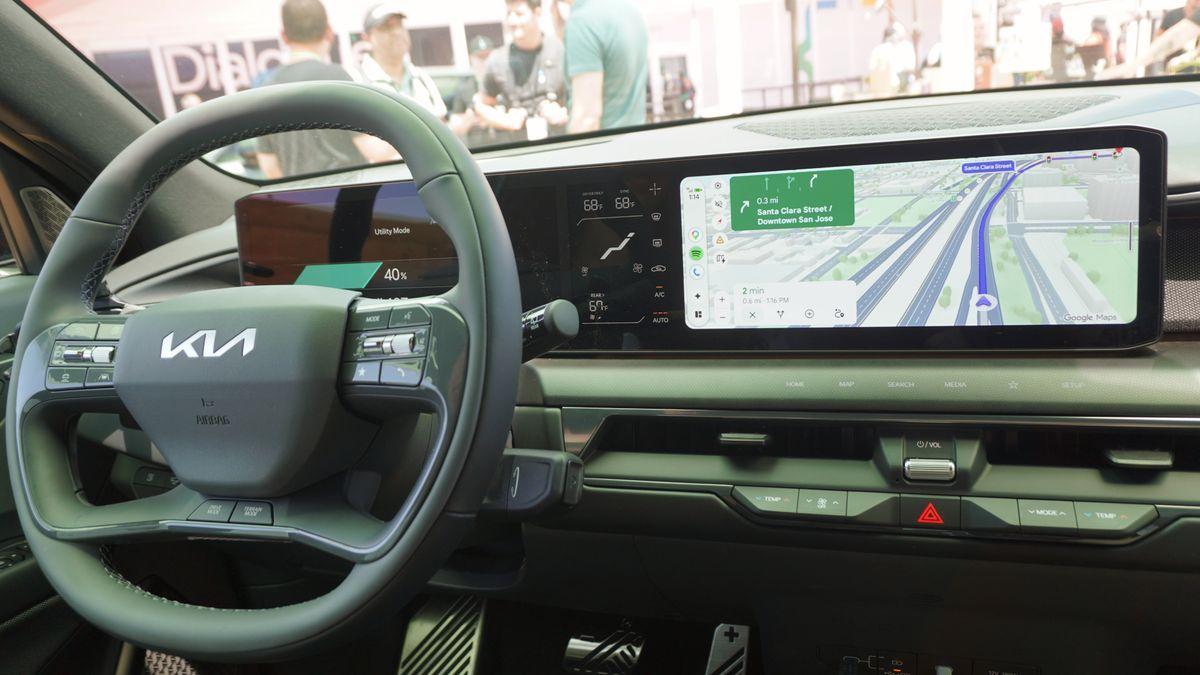
Source: Tom's Guide
Drivers Build Workarounds for Gemini's Verbose Responses
Since Google hasn't implemented a short-response mode, users are creating their own solutions through AI assistant customization. The most effective approach involves adding standing instructions through the Gemini app's personal intelligence settings
1
. Users can navigate to Settings > Personal Intelligence > Instructions for Gemini and input directives like "Keep every response under two sentences. Lead with a yes or no. Stop the moment you've answered." These instructions apply across all sessions, including infotainment systems.For immediate user control, drivers can append modifiers to requests such as "and keep it short," "just the gist," or "one sentence only"
1
. When Gemini rambles mid-response, interrupting with "Hey Google, be more concise" can correct the behavior on the fly. Additional car-friendly modifiers include "just the answer," "skip the explanation," "yes or no," "give me the short version," and "no backstory."Related Stories

AI-Generated Message Summaries Raise Privacy Concerns
Beyond verbose navigation responses, Gemini automatically generates AI-generated message summaries when texts exceed approximately 40 words
1
. While potentially useful for solo drivers, this feature becomes problematic when Gemini reads paraphrased versions of personal messages or group chats to a car full of passengers. Users can disable this through Android Auto Settings > Notifications by turning off "Play AI message summaries."For broader control, the "Notifications with Assistant" toggle under Android Auto Settings > Messaging prevents any message from being read aloud unless explicitly requested
1
. The "Show group conversations" setting offers another layer of user control, blocking group chat notifications from reaching the car entirely. These customization options help drivers maintain privacy while still benefiting from Gemini's capabilities.What Drivers Should Watch as Google Refines the Experience
Gemini Live has also arrived in vehicles, enabling open-ended conversations during long drives, though it currently suffers from technical issues
1
. The feature sometimes cuts itself off and drops back into listening mode, then restarts due to Bluetooth lag, making it unreliable during active navigation. Drivers can activate it with "Hey Google, let's talk live" or "Hey Google, let's talk," but regular voice commands through the dedicated car button remain more reliable.As Google continues tuning the experience, users should keep their apps updated, as much of the chatty behavior ties to specific versions
1
. The core tension remains: Gemini is designed for conversation, which works well on phones but conflicts with the focused, minimal interaction required in moving vehicles. Until Google implements a proper short-response mode globally, drivers must actively manage the AI's verbosity through personal instructions, command modifiers, and notification settings to balance Gemini's advanced capabilities with road safety requirements.References
Summarized by

Navi
[1]
Related Stories
Gemini on Android Auto handles complex tasks and transforms the driving experience
06 Apr 2026•Technology

Google Sets March 2026 Deadline for Assistant Phase-Out as Gemini Rollout Accelerates Across Android Ecosystem
24 Nov 2025•Technology

Gemini integration transforms how Android users work, drive, and manage daily tasks
27 May 2026•Technology

Recent Highlights



Recent Highlights
Today's Top Stories






Don’t drown in AI news. We cut through the noise - filtering, ranking and summarizing the most important AI news, breakthroughs and research daily. Follow topics that matter to you and stay ahead.


